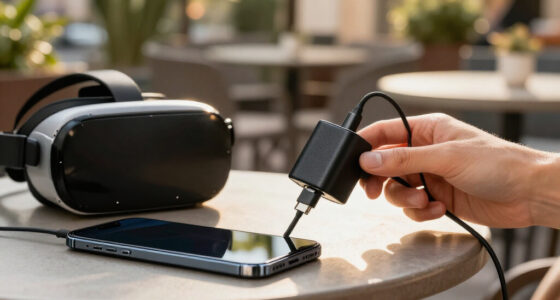
To budget for VR without wasting money early, focus on essential equipment like a headset, controllers, and a compatible computer or console first. Avoid buying extra accessories right away and wait for sales or discounts on software and hardware. Limit subscriptions to a few preferred services and plan upgrades gradually. Stay informed about deals through community resources. Following these strategies helps you save money while building your VR setup wisely—there’s more to discover as you go.
Key Takeaways
- Prioritize essential hardware like VR headset and controllers, delaying optional accessories until budget allows.
- Research and choose one or two subscription services to avoid unnecessary ongoing costs.
- Make a list of desired titles and wait for sales or discounts before purchasing.
- Allocate funds for future upgrades and stay informed on hardware compatibility to prevent wasteful spending.
- Use community resources and alerts for deals, spreading out expenses and practicing patience.

Budgeting for VR can seem overwhelming with so many components to take into account, but breaking it down makes the process manageable. The first step is understanding what you truly need to start enjoying virtual reality without overspending. Initially, focus on the core equipment: the VR headset, controllers, and a compatible computer or console. Once you’ve secured these essentials, you can think about additional costs like virtual accessories. These accessories, such as grip gloves, facial covers, or motion trackers, can enhance your experience, but they aren’t necessary right away. Prioritize the essentials first, then gradually add accessories as your budget allows.
Next, consider the ongoing expenses, especially software subscriptions. Many VR platforms require subscriptions for premium content, multiplayer access, or exclusive experiences. These subscriptions can add up over time, so it’s wise to research which services offer the best value for your interests. Avoid jumping into multiple subscriptions simultaneously; instead, subscribe to one or two services that align with what you enjoy most. This approach helps you manage costs without feeling overwhelmed by ongoing payments.
When planning your budget, don’t forget to include the costs for software titles you want to play. While some games are free, many high-quality titles come with a price tag. Look out for sales, bundles, or discounts, especially during major sales periods, to get more bang for your buck. Avoid impulse purchases of every new release; instead, make a list of games you genuinely want and prioritize them. This prevents wasteful spending on titles you might not enjoy or play repeatedly. Being aware of market trends can also help you identify the best times to buy hardware or games at discounted prices. Additionally, understanding hardware upgrades and their costs can help you plan for future investments in your VR setup.
It’s also smart to set aside some funds for future upgrades. VR technology evolves quickly, and you might want to upgrade your headset or controllers down the line. Planning ahead ensures you don’t feel pressured to buy everything at once, helping you stay within your budget. Additionally, staying informed about the latest developments in VR hardware can help you make smarter purchasing decisions. Keeping an eye on hardware compatibility ensures your current setup remains functional with upcoming models and avoids unnecessary expenses. While researching, don’t forget to consider the compatibility of your current setup with upcoming hardware models. Don’t forget to factor in the cost of accessories and subscriptions when estimating your total VR budget. Spreading out these expenses over time makes it more manageable and prevents financial strain.
Finally, stay informed about deals and discounts in the VR community. Subscribing to newsletters or following forums can alert you to sales, reducing your overall expenditure. By focusing on essentials first, managing ongoing costs carefully, and being patient for discounts, you can enjoy VR without wasting money early. This strategic approach ensures you get the most immersive experience while keeping your budget in check.
VR headset and controllers bundle
As an affiliate, we earn on qualifying purchases.
As an affiliate, we earn on qualifying purchases.
Frequently Asked Questions
What Are the Hidden Costs of VR Accessories?
The hidden costs of VR accessories include additional expenses for a VR setup, like extra sensors or controllers, which can boost compatibility issues if not selected carefully. You might also face costs for replacement parts or upgrades over time. To avoid wasting money, check accessory compatibility with your VR system beforehand. Be prepared for potential costs beyond the initial purchase to guarantee a smooth, immersive experience without surprises.
How Long Should I Wait Before Upgrading My VR Gear?
Waiting around 12 to 18 months before upgrading your VR hardware balances excitement with practicality. During this period, you should focus on budget planning, saving for new releases, and understanding emerging features. This pause allows you to avoid unnecessary expenses on early models that may quickly become outdated. By the time you upgrade, you’ll make informed decisions, ensuring your investment enhances your VR experience without wasting money on premature upgrades.
Are Used VR Systems a Good Budget Option?
Used VR systems can be a good budget option if you’re looking to save money. They often cost less than new models and still offer solid performance. However, you should check for wear and tear, compatibility issues, or missing accessories. Do your research, buy from reputable sources, and test the system thoroughly. This way, you get a quality experience without overspending, making used VR a smart choice for budget-conscious buyers.
How Can I Test VR Experiences Before Buying?
You can test VR experiences before buying by visiting local stores or gaming centers with demo stations, allowing you to assess VR comfort and check for motion sickness. Many retailers offer trial sessions, giving you firsthand experience without commitment. Alternatively, attend VR expos or events where multiple systems are showcased. This way, you get a feel for what suits you best, helping you make an informed, budget-conscious decision.
What Are the Ongoing Costs of VR Subscriptions?
You’ll need to budget for ongoing costs like VR subscriptions, which typically involve monthly or annual plans. These subscription plans give you access to a variety of VR content, from games to experiences. Keep in mind that prices vary depending on the platform and content library. Regularly reviewing your subscriptions helps make sure you’re only paying for the VR content you truly enjoy, making your budget more efficient.
best VR compatible PC or console
As an affiliate, we earn on qualifying purchases.
As an affiliate, we earn on qualifying purchases.
Conclusion
So, remember, the best way to avoid wasting money on VR is to plan carefully—yet here you are, probably already dreaming of that shiny new headset. Irony’s sweet, isn’t it? You can’t escape the temptation, but with a solid budget and some patience, you’ll enjoy your VR adventures without breaking the bank. After all, the true thrill isn’t just in the headset, but in mastering the art of spending wisely—who knew?
As an affiliate, we earn on qualifying purchases.
As an affiliate, we earn on qualifying purchases.