
TL;DR

Play games on Amazon Luna for your next adventure, included with Prime
- A rotating selection of games, no download needed
- Play on TV, laptop or phone
- Fast, free delivery for your gear, too
XR Replay is a new app for Quest VR that auto-records the last few minutes of gameplay, enabling players to save highlights without actively recording. The app runs in the background and offers customizable recording settings. It is now available for $3.99.
XR Replay, a new application for Quest VR headsets, allows users to automatically record the last few minutes of gameplay, addressing a common challenge for VR players who want to save spontaneous highlights. The app, priced at $3.99, runs in the background and enables players to save moments like impressive kills or startling jumps without actively recording beforehand. This development is confirmed and now accessible to Quest users.
XR Replay is developed by the creator of Quest Games Optimizer and offers a simple ‘save’ option that captures a user-defined segment of gameplay, ranging from 30 seconds to 10 minutes. It operates seamlessly in the background while playing, with customizable settings for aspect ratio, resolution, and bitrate. Users can also toggle options to record game audio and microphone input, and set the app to launch automatically when the headset boots. Early tests indicate no noticeable impact on game performance, but detailed performance data is still pending.
Available immediately for $3.99, XR Replay aims to provide VR gamers with an easy way to preserve spontaneous moments without the need for manual recording or complex setup. The app’s background operation and flexible recording window are designed to suit a variety of gameplay styles, from quick highlights to longer clips.
Capture the moment after it happens.
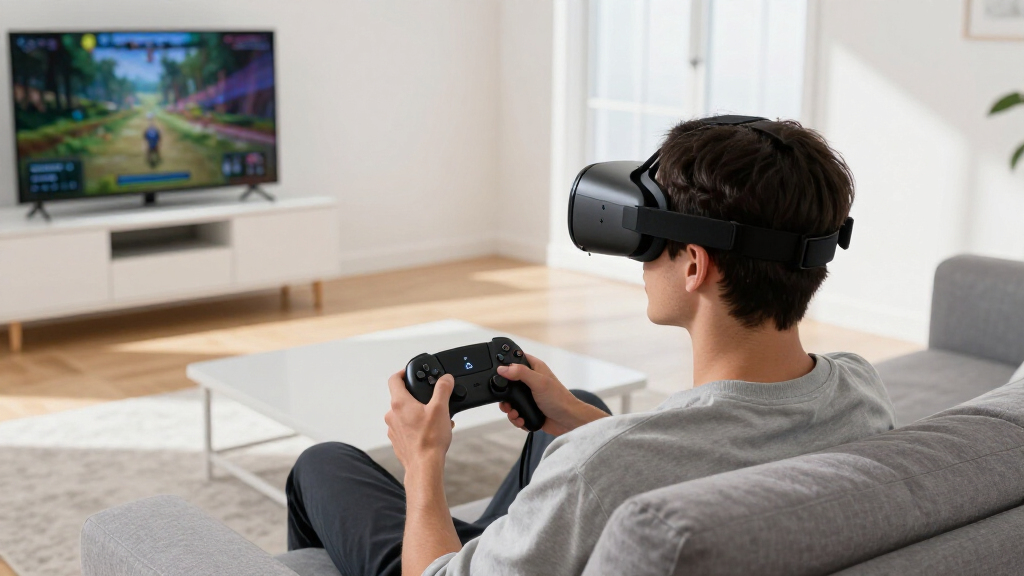
XR Replay keeps a rolling recording of Quest gameplay in the background, letting players save the previous 30 seconds to 10 minutes without starting a recording in advance.
A rolling safety net for VR highlights
Instead of recording an entire session, XR Replay continuously retains a user-defined recent window. When something memorable happens, one save action preserves it.
Save what just happened
Preserve an unexpected win, impressive kill, funny mistake or startling jump after the moment has already passed.
Keep playing uninterrupted
The app is designed to remain active behind Quest gameplay, removing the need to open a manual recorder before every session.
Tune the recording
Choose the replay duration, aspect ratio, resolution and bitrate, with optional game audio and microphone input.
From gameplay to saved clip
XR Replay turns highlight capture into a four-part loop: configure once, play normally, trigger a save and export the retained window.
Set duration, image quality, audio and startup preferences.
XR Replay maintains the recent recording window in the background.
Use the simple save option immediately after a standout moment.
Keep the resulting clip for highlights, reactions or social content.
Retroactive capture closes the gap
Traditional Quest recording works when players anticipate the moment. XR Replay is built for events nobody knew were coming.
| Capability | XR Replay | Manual recording | External capture |
|---|---|---|---|
| Save a past moment | ✓ | ✗ | ~ |
| Background operation | ✓ | ✗ | ✓ |
| No extra hardware | ✓ | ✓ | ✗ |
| Adjustable clip window | ✓ | ~ | ~ |
| Minimal setup | ✓ | ✓ | ✗ |
Potential impact: more shareable VR moments
Lowering the friction of capture could encourage more highlight reels, reactions and surprising in-game clips—expanding both the volume and variety of community-made VR content.
Still unconfirmed
Broad compatibility, battery impact, demanding-game performance, long-term stability and resilience to future Quest firmware updates still require independent testing.
Why the workflow matters
The value comes from connecting an always-ready buffer to a simple save action—then turning an otherwise lost moment into content that can travel.
“A simple, effective way for Quest users to capture spontaneous gameplay moments without interrupting their session.”
Anonymous developer
At a glance: XR Replay is available now for $3.99, with a configurable 30-second to 10-minute recording window. Its core feature is confirmed; broader performance and compatibility claims remain under observation.
Vetted overviewPotential Impact on VR Content Sharing and Highlights
XR Replay could significantly enhance how VR players capture and share their gameplay moments, making it easier to produce highlight reels and share impressive or surprising in-game events. This feature addresses a common frustration among VR gamers who often miss recording spontaneous moments due to the lack of easy-to-use recording tools. By simplifying this process, the app may encourage more content creation and social sharing within the VR community, potentially increasing engagement and content diversity.
As an affiliate, we earn on qualifying purchases.
Background on Recording Challenges in VR Gaming
Prior to XR Replay, VR players relied on manual recording tools or external capture devices to save gameplay moments, often missing spontaneous highlights. Most Quest games do not have built-in recording features that can capture moments retroactively, creating a gap that XR Replay aims to fill. The app’s release follows a broader trend of developers creating lightweight, background apps to enhance user experience without impacting core game performance. Its development by the creator of Quest Games Optimizer suggests an ongoing effort to improve VR content management and sharing capabilities.
“XR Replay provides a simple, effective way for Quest users to capture spontaneous gameplay moments without interrupting their session.”
— an anonymous developer
VR gameplay highlight capture device
As an affiliate, we earn on qualifying purchases.
As an affiliate, we earn on qualifying purchases.
Unconfirmed Aspects of Performance and Compatibility
It is not yet clear how XR Replay performs across all Quest titles, especially demanding or resource-intensive games. No official data has been released regarding potential impacts on game performance or battery life. Compatibility with future Quest firmware updates or other VR headsets remains unconfirmed, and long-term stability is still under observation.
As an affiliate, we earn on qualifying purchases.
Next Steps for User Adoption and Developer Feedback
Further user reviews and independent testing will clarify XR Replay’s performance impact and reliability. The developer may release updates based on user feedback, potentially adding features or improving stability. Monitoring community adoption and sharing of highlight clips will indicate how well the app integrates into the broader VR content ecosystem.
VR headset with background recording
As an affiliate, we earn on qualifying purchases.
As an affiliate, we earn on qualifying purchases.
Key Questions
Can XR Replay record gameplay automatically without user input?
Yes, once set up, XR Replay runs in the background and allows users to save the last 30 seconds to 10 minutes of gameplay with a simple ‘save’ command.
Does XR Replay affect game performance or battery life?
Early impressions suggest minimal impact, but detailed performance data is not yet available. Further testing is required to confirm any effects on performance or battery consumption.
Is XR Replay compatible with all Quest games?
Compatibility has not been officially confirmed for all titles. The app is designed to run in the background generally, but performance may vary depending on the game’s demands.
Can I customize what part of gameplay gets recorded?
Yes, users can choose recording durations between 30 seconds and 10 minutes and adjust settings like aspect ratio, resolution, and bitrate.
Will XR Replay be updated with new features?
Future updates may include additional customization options or performance improvements, depending on user feedback and developer plans.
Source: UploadVR
Fall Picks
fall essentials
As an affiliate, we earn on qualifying purchases.