TL;DR

Play games on Amazon Luna for your next adventure, included with Prime
- A rotating selection of games, no download needed
- Play on TV, laptop or phone
- Fast, free delivery for your gear, too
Virtual Desktop’s beta update introduces support for wired USB connections on Quest headsets, enhancing wired PC VR streaming. The feature is now available for beta testers with Quest OS v2.4 or higher, addressing longstanding user requests.
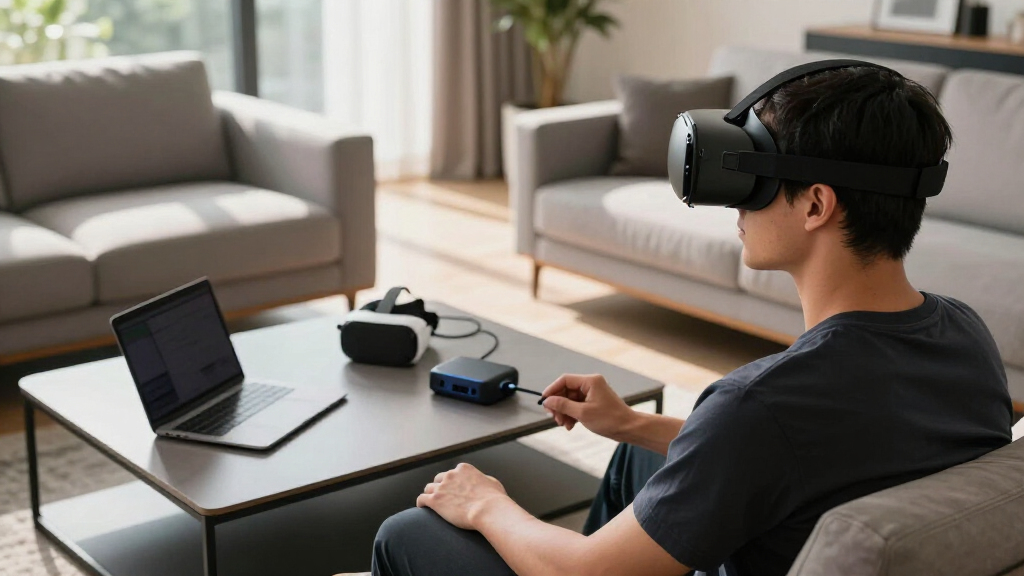
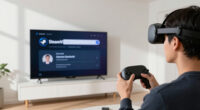
Virtual Desktop’s latest beta version 1.34.19 has introduced wired USB support for Quest headsets, enabling users to stream PC VR content via a physical USB connection. This marks a significant development for standalone VR users seeking more reliable wired connectivity, a feature long requested by the community.
The new feature requires Quest OS version 2.4 or higher and is available through the beta channel of Virtual Desktop. Users must switch to the beta version by accessing the app’s settings, then selecting the Beta release channel. Once activated, users can connect their Quest headset to a PC using a USB cable for streaming, potentially reducing latency and improving stability compared to wireless options. For detailed setup guidance, see Quest Pro + Virtual Desktop + Vive Trackers.
This update addresses a common issue faced by VR gamers who experience inconsistent wireless performance, especially in environments with thick walls or congested Wi-Fi networks. You can learn more about Virtual Desktop performance and how wired connections can improve stability. Prior to this, users relied on Meta’s Link application or third-party solutions like ALVR, which often lacked stability or required complex setup. Virtual Desktop’s wired support provides an alternative, promising a more dependable connection for PC VR gaming on Quest devices.
Enhanced Connection Options for Quest Users
This development is important because Quest headsets account for over 60% of SteamVR’s monthly users, according to Valve’s hardware survey. Providing a reliable wired connection option can significantly improve the VR experience for a large user base, especially for those with suboptimal Wi-Fi environments. It also offers a competitive edge over other wireless streaming solutions, potentially influencing user preferences and industry standards for wired support.
As an affiliate, we earn on qualifying purchases.
Longstanding Demand for Wired PC VR Streaming
For years, VR enthusiasts using Quest headsets have relied on wireless streaming, which can suffer from interference and latency issues. Meta’s official solution, Meta Horizon Link, has been the primary wired option but is often unreliable or difficult to set up. Third-party solutions like ALVR and Valve’s Steam Link app have filled the gap but lack integrated support or stability. The recent beta release of Virtual Desktop’s wired USB support responds to this persistent demand, aiming to provide a more seamless and stable experience for PC VR gamers.
“This addition of wired USB support could be a game-changer for Quest users who need more reliable connections, especially in challenging Wi-Fi environments.”
— an anonymous researcher
As an affiliate, we earn on qualifying purchases.
Details on Compatibility and Performance Still Unclear
It is not yet clear how well the wired USB support performs across different Quest models or in various PC configurations. User experiences may vary, and official performance benchmarks or stability reports are not yet available. Additionally, compatibility with third-party accessories or specific PC hardware remains to be tested.
As an affiliate, we earn on qualifying purchases.
Next Steps for Broader Adoption and Testing
Virtual Desktop plans to continue refining the wired USB feature based on user feedback. The beta version is expected to expand in stability and compatibility. Official updates and documentation may follow, and broader rollout could occur once testing confirms reliability. Users interested in this feature should follow Virtual Desktop’s beta channel updates and provide feedback to developers.
As an affiliate, we earn on qualifying purchases.
Key Questions
How do I enable wired USB support in Virtual Desktop?
Download the beta version 1.34.19 from the official links, then in the headset, long press the Virtual Desktop tile, go to Settings, select Release Channels, and choose BETA. After updating, connect your Quest to your PC using a compatible USB cable.
Does this feature work on all Quest models?
The feature requires Quest OS version 2.4 or higher. Compatibility with specific Quest models (such as Quest 2 or Quest Pro) has not been explicitly confirmed but is expected to be supported on all devices running the required OS version.
Will this replace wireless streaming entirely?
No. Wired support offers an alternative for more stable connections but does not replace wireless streaming, which remains useful for untethered VR experiences.
Is this feature available for all PC VR games?
Wired USB support is intended for PC streaming via Virtual Desktop, and compatibility with individual games depends on the streaming setup and hardware. Performance may vary based on PC configuration.
When will this feature be available to all users?
The wired USB support is currently in beta. Its broader release depends on further testing and user feedback, with no official timeline announced.
Source: UploadVR
Evergreen bestsellers Picks
bestsellers
As an affiliate, we earn on qualifying purchases.