TL;DR
Users are questioning whether third-party keyboard accessories work with Oculus Quest headsets. The issue has sparked discussions on compatibility, but confirmed details are limited.
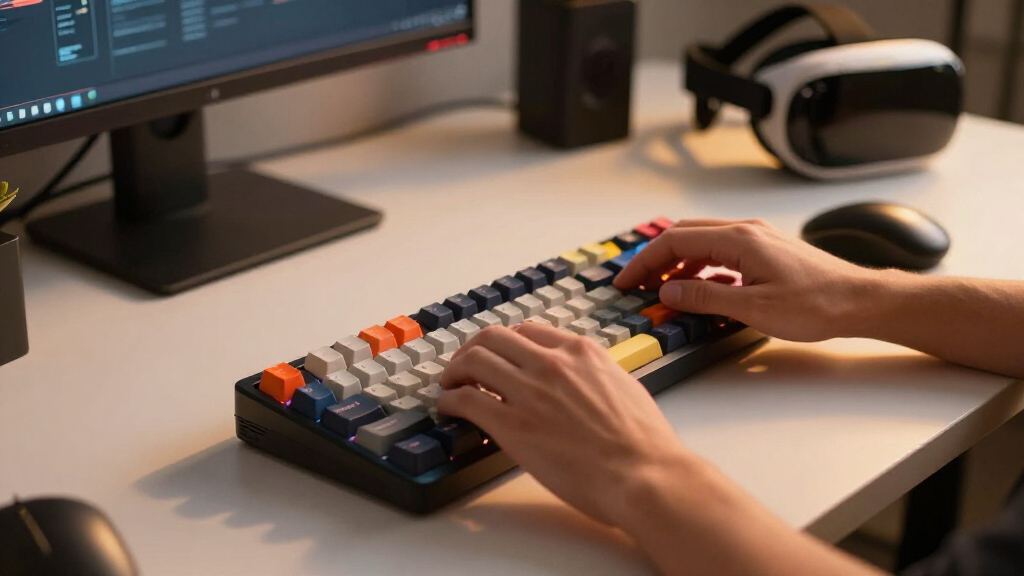
Users on Reddit’s r/OculusQuest forum are raising questions about the compatibility of third-party keyboard accessories with Oculus Quest virtual reality headsets. The discussion highlights uncertainty over whether these accessories function properly or are officially supported, making it a notable concern for VR enthusiasts and accessory manufacturers.
The discussion originated from a Reddit post where users shared their experiences and inquiries about using external keyboards with Oculus Quest devices. Some users have reported success with certain third-party keyboards, while others encounter connectivity or functionality issues. Oculus has not issued an official statement confirming or denying support for third-party keyboard accessories, leading to ongoing speculation.
Key points include reports of specific Bluetooth keyboards working with Oculus Quest, but with limitations such as lack of full key mapping or inconsistent recognition. It is also unclear whether Oculus plans to officially support or restrict third-party accessories in future firmware updates. The issue has become a topic of interest among the VR community, especially for those seeking more efficient text input options in VR environments.
Question About Keyboard Accessories.
Users are asking whether third-party Bluetooth keyboards work reliably with Oculus Quest headsets. Community reports suggest partial success—but official confirmation, consistent behavior and future support remain uncertain.
What is known—and what is still missing
The debate is less about whether Bluetooth exists and more about whether a particular keyboard will work completely, consistently and safely across Oculus Quest software updates.
Community testing is active
A recent r/OculusQuest discussion prompted users to compare external keyboard experiences across devices and firmware versions.
Results are inconsistent
Reported issues include failed recognition, interrupted connectivity, incomplete key mapping and reduced functionality inside VR apps.
No universal support policy
Oculus has not publicly confirmed broad third-party keyboard support or announced a certified compatibility list.
Capability does not equal certification
Quest headsets have historically supported some Bluetooth peripherals, but successful pairing alone does not guarantee full functionality.
| Question | Current signal | Evidence level |
|---|---|---|
| Can third-party keyboards pair? | ✓Some models reportedly can | Community reports |
| Is full key mapping guaranteed? | ✗No guarantee | Mixed experiences |
| Is support consistent across firmware? | ~May vary | Unconfirmed |
| Are accessories officially certified? | ✗No broad list announced | No public guidance |
| Could future updates improve support? | ~Possible | Speculation only |
How uncertainty reaches the accessory market
One unconfirmed compatibility question can influence purchasing, product development and trust across the VR ecosystem.
Keyboard selected
A user chooses a third-party Bluetooth model.
Pairing attempted
The headset may detect and connect to it.
Functions tested
Recognition and key mapping reveal limitations.
Results shared
Community reports become the practical guide.
Firmware changes
A later update may alter the outcome again.
“Many users are unsure if third-party Bluetooth keyboards will work reliably with Oculus Quest. Some report success, others face connectivity issues.”
What buyers need answered
Until official guidance appears, treat compatibility as model-specific and firmware-dependent rather than universal.
Can I use any third-party keyboard?
Not reliably. Some Bluetooth keyboards reportedly work, but compatibility may differ by keyboard model, Quest device, app and firmware version.
Will official support arrive?
That remains unknown. No confirmed roadmap currently establishes broader support or future restrictions for third-party keyboards.
Are there practical risks?
Users may face connectivity failures, incomplete input, inconsistent recognition or potential security concerns with uncertified peripherals.
How should I find a compatible model?
Check recent reports for the exact keyboard and headset combination, confirm return options and retest after major firmware updates.
Will Oculus publish a supported-accessory list?
No such announcement has been confirmed. For now, users are relying on current community reports, manufacturer notes and trial-and-error.
Continue your accessory research
Shopping decisions are easier when compatibility, use case and setup requirements are considered together.
10 Best VR Headset Accessories in 2026
See the top picks →6 Best VR Headset Accessories for Students
See the top picks →5 Best SteamVR Base Stations You Need to Know
See the top picks →The practical takeaway
Pairing may be possible, but reliable, complete and officially supported operation is not yet assured. Verify the exact model before buying.
Implications for VR Users and Accessory Developers
This uncertainty impacts how users choose accessories and influences developers’ plans for compatible peripherals. Confirmed support could expand accessory options and improve user experience, while restrictions might limit third-party innovation. The lack of official guidance creates a gap in consumer confidence and accessory market growth, making this an important issue for the VR community and industry stakeholders.Bluetooth keyboard compatible with Oculus Quest
As an affiliate, we earn on qualifying purchases.
As an affiliate, we earn on qualifying purchases.
Background on Oculus Quest Accessory Compatibility
The Oculus Quest series has historically supported Bluetooth peripherals, including controllers and some keyboards, but official support for third-party accessories remains limited. Previous firmware updates have occasionally introduced new features or restrictions, often without detailed public documentation. The current discussion on Reddit reflects ongoing community interest in expanding input options, especially for productivity and communication in VR.
In the past, Oculus has provided limited official guidance on accessory compatibility, leading users to rely on community reports and trial-and-error. The rise of third-party peripherals has created both opportunities and challenges for Oculus and accessory manufacturers, as they balance user demand with technical and security considerations.
“Many users are unsure if third-party Bluetooth keyboards will work reliably with Oculus Quest. Some report success, others face connectivity issues.”
— r/OculusQuest
As an affiliate, we earn on qualifying purchases.
Extent of Official Support and Future Plans Unclear
It remains unknown whether Oculus plans to officially support third-party keyboard accessories or implement restrictions in future firmware updates. Details about compatibility, security measures, or official certification are not yet available, and Oculus has not made a public statement addressing these questions. The community continues to speculate based on anecdotal reports.
As an affiliate, we earn on qualifying purchases.
Potential Firmware Updates and Community Testing
Oculus may release firmware updates that clarify support policies or improve peripheral compatibility. Meanwhile, community members will likely continue testing various third-party keyboards and sharing results. Official guidance or support announcements could emerge in the coming months, influencing accessory market strategies and user choices.
As an affiliate, we earn on qualifying purchases.
Key Questions
Can I currently use any third-party keyboard with Oculus Quest?
Some users report success with certain Bluetooth keyboards, but compatibility is not officially confirmed and may vary by device and firmware version.
Will Oculus support third-party keyboards in the future?
It is not yet clear whether Oculus plans to officially support or restrict third-party keyboard accessories in upcoming updates.
Are there any risks in using third-party keyboards with Oculus Quest?
Using unofficial accessories may lead to connectivity issues or security concerns, as Oculus has not certified third-party peripherals for full compatibility.
How can I find compatible keyboards for Oculus Quest?
The community recommends testing Bluetooth keyboards known for compatibility with other VR devices, but official support remains unconfirmed.
Will Oculus release a list of supported accessories?
There has been no official announcement regarding a list of supported third-party accessories; users are advised to follow community updates for the latest information.
Source: r/OculusQuest