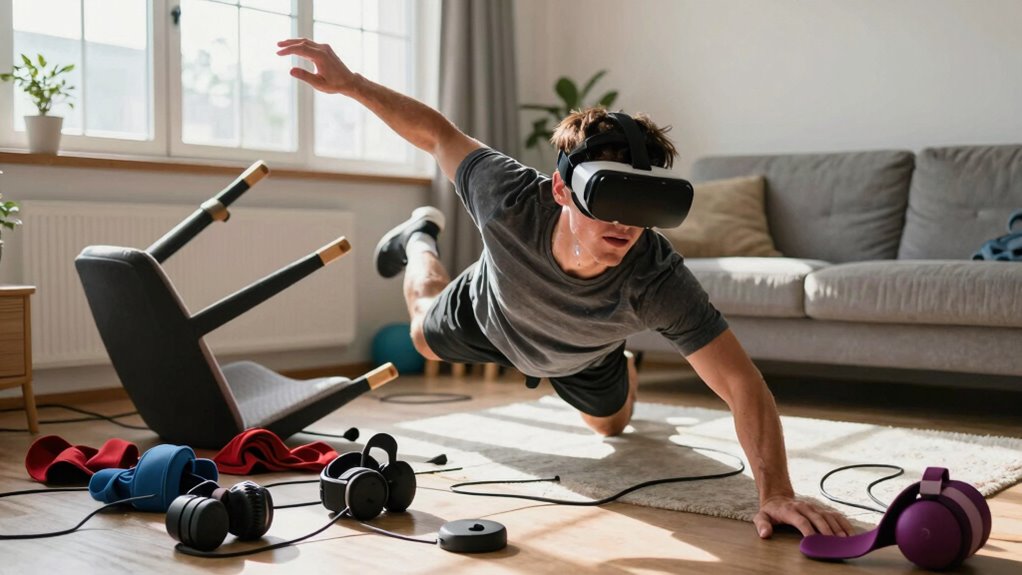

Jumping into VR fitness for the new year can boost motivation, but it also risks overexertion and injuries if you’re not careful. You might push yourself too hard, ignoring signs of fatigue or discomfort, which can cause strain or imbalance issues. Be sure to start slow, take regular breaks, and set up your equipment properly. Staying mindful of your body signals helps prevent setbacks. Keep going to discover how to enjoy safe, effective VR workouts beyond temptation.
Key Takeaways
- Overestimating fatigue in VR can lead to overexertion and increase injury risk.
- Ignoring early signs of virtual fatigue may cause strain injuries and balance issues.
- Jumping into high-intensity VR workouts without gradual progression can result in overuse injuries.
- Poor equipment setup or safety precautions heighten the chance of falls and collisions.
- Failing to rest and hydrate after VR sessions hampers recovery and raises injury potential.

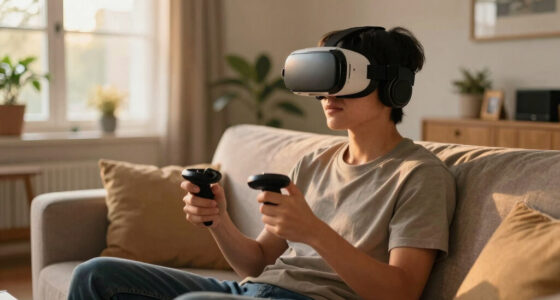
As the New Year begins, many people set ambitious fitness goals, often turning to virtual reality (VR) fitness programs for a fresh, innovative approach. It’s tempting to imagine yourself sweating through an exhilarating virtual mountain climb or boxing match, feeling motivated and engaged. But before you dive headfirst into these immersive workouts, it’s essential to be aware of potential pitfalls that can lead to injury. One common issue is virtual fatigue, which can sneak up on you if you’re not cautious about how long or intense your VR sessions are. Unlike traditional workouts, VR exercises can be incredibly engaging, making it easy to lose track of time and push yourself too hard. This overexertion can cause fatigue that doesn’t just feel like tired muscles — it can also lead to strain injuries, especially if you’re not giving your body enough time to rest and recover.
Virtual fatigue happens when your brain receives conflicting signals: your body is physically exerting itself, but the immersive environment keeps your mind engaged, sometimes pushing you beyond your limits. It’s easy to underestimate this fatigue because you’re so absorbed in the experience. That’s why listening to your body is essential. Take regular breaks, hydrate, and pay attention to how you feel during each session. If you start to feel dizzy, dizzy, or overly exhausted, it’s a sign to stop and rest. Ignoring these cues can lead to overuse injuries or even accidents caused by blurred perception or loss of balance. Additionally, understanding the importance of safety precautions can help prevent common accidents associated with VR exercise.
Equally important is equipment safety. VR headsets, controllers, and sensors need to be used correctly to prevent accidents. Make sure your play area is clear of obstacles, furniture, or anything you could trip over. Poor setup can lead to falls or collisions, especially if you’re moving around vigorously. Adjust your headset properly so it fits snugly without causing discomfort, and check that all sensors and controllers are functioning correctly. Faulty or poorly calibrated equipment can cause tracking issues, making movements unpredictable and increasing the risk of injury.
If you’re new to VR fitness, start slow. Don’t be tempted to immediately push yourself into high-intensity routines. Instead, gradually increase the duration and intensity of your workouts, paying close attention to your comfort level and equipment safety. Remember, the goal is to enhance your fitness, not to injure yourself. By being mindful of virtual fatigue and ensuring your equipment is safe, you can enjoy the benefits of VR workouts without falling into the trap of overexertion or preventable injuries.
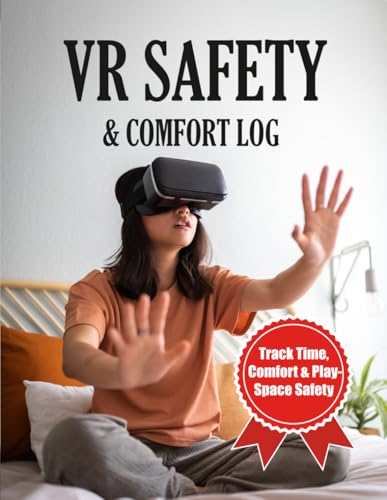
VR Safety & Comfort Log: A Spatial Computing Tracker for Headset Ergonomics, Room Scale Boundaries, and Session Telemetry
As an affiliate, we earn on qualifying purchases.
As an affiliate, we earn on qualifying purchases.
Frequently Asked Questions
How Can I Prevent Injuries While Using VR Fitness Equipment?
To prevent injuries while using VR fitness equipment, you should start with VR headset hygiene to avoid skin irritation. Make sure to wear proper footwear selection to support your movements and reduce slips. Always warm up before your session and listen to your body, stopping if you feel pain or discomfort. Clear your play area of obstacles, maintain good posture, and take regular breaks to stay safe and enjoy your workout.
What Are the Signs of Overexertion During VR Workouts?
You’ll notice signs of overexertion during VR workouts through muscle fatigue and dizziness symptoms. If your muscles feel unusually sore or weak, take a break. Dizziness or feeling faint indicates you’re pushing too hard or dehydrated. Pay attention to these cues, slow down, hydrate, and rest as needed. Listening to your body prevents injuries and guarantees you enjoy safe, effective VR fitness sessions.
Are There Specific Exercises to Avoid in VR Fitness Routines?
Imagine you’re in a sci-fi movie, but be cautious with certain exercises. Avoid sudden, jerky movements and high-impact routines that strain your joints or cause loss of balance. Follow balance tips and make sure your equipment is properly calibrated before starting. Exercises like rapid jumping or aggressive punches can lead to injury. Stay mindful, listen to your body, and modify movements to stay safe while enjoying your VR fitness journey.
How Often Should I Take Breaks During VR Fitness Sessions?
You should take breaks every 15-20 minutes during your VR fitness sessions. In the virtual environment, it’s essential to monitor your user posture to prevent strain or injury. Regular breaks help reset your body, reduce fatigue, and improve overall safety. Listen to your body, and if you feel discomfort or fatigue, pause immediately. Proper rest ensures you stay active and injury-free while enjoying your virtual workouts.
What Safety Gear Is Recommended for VR Fitness Activities?
You should wear comfortable, well-fitting wrist and ankle straps to prevent accidental drops and protect your joints during VR fitness. Did you know 60% of users experience motion sickness? To reduce this, guarantee your VR headset is clean to avoid irritation and take regular breaks. Prioritize VR headset hygiene by wiping lenses after each session, and consider anti-motion sickness accessories like fans or medication to stay comfortable and safe.

Saqico Head Strap for Meta Oculus Quest 2/3/3s, 3-in-1 Adjustable Halo Headband, Replacement for Elite Strap, Enhanced Comfort Gaming Immersion VR Accessories Compatible with Oculus/Meta Quest 2/3/3s
- Compatible Devices: Supports Meta Quest 3/3s and Oculus Quest 2
- Enhanced Comfort: Designed for extended VR gaming sessions
- Pressure Reduction: Soft memory foam cushion for comfort and support
As an affiliate, we earn on qualifying purchases.
As an affiliate, we earn on qualifying purchases.
Conclusion
If you’re not careful, jumping into VR fitness can do more harm than good. Imagine trying a high-intensity workout without proper preparation and ending up with an injury that sidelines your progress. For example, Jane started using VR for her New Year’s fitness goal but ignored warm-ups, leading to shoulder strain. Always listen to your body, start slow, and prioritize proper technique. Otherwise, your fitness journey could be derailed before it truly begins.

Abnaok 5 Pack VR Eye Mask, Adjustable Breathable VR Sweat Band for Oculus Quest 2, HTC Vive, PS, Gear, VR Workouts
- Quick and Easy to Wear: Slip on and off in seconds
- Adjustable Elastic Band: Fits head circumferences up to 23 inches
- Universal Compatibility: Compatible with various VR headsets
As an affiliate, we earn on qualifying purchases.
As an affiliate, we earn on qualifying purchases.
As an affiliate, we earn on qualifying purchases.