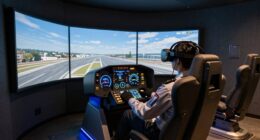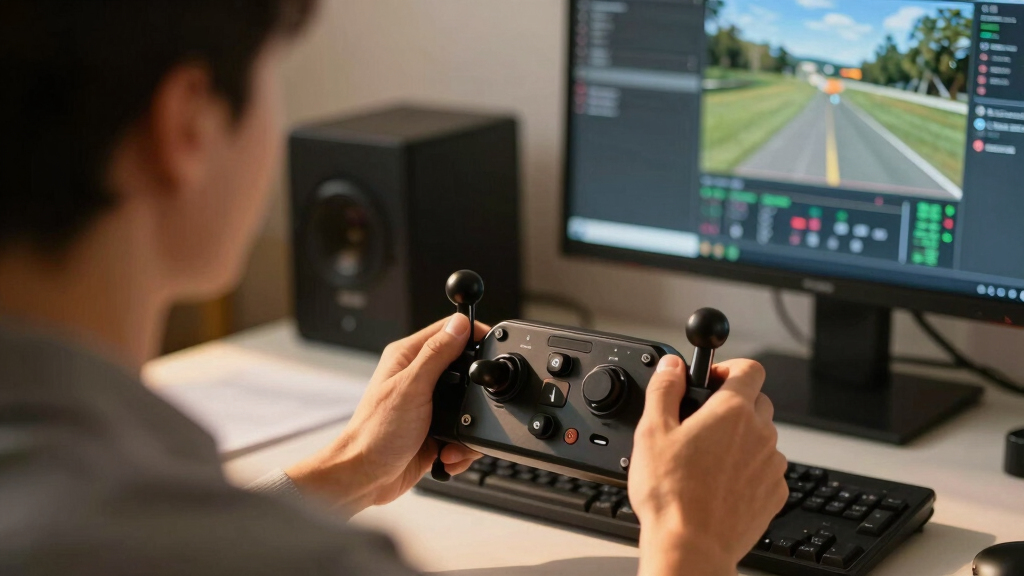
Choosing the best throttle quadrant for VR flight sim can significantly enhance your immersion and control. The VelocityOne Flight System stands out as the best overall thanks to its versatility and integration, suitable for both Xbox and PC users. The Professional 737 Throttle Quadrant offers realistic motorized autothrottle features, making it ideal for serious sim pilots. Meanwhile, the Thrustmaster TCA Airbus Edition provides a more affordable yet precise experience tailored for Airbus fans. The main tradeoffs involve balancing realism, compatibility, and budget—this guide will help you navigate those choices. Continue reading for a detailed breakdown of each option and what fits your flight sim style best.

Play games on Amazon Luna for your next adventure, included with Prime
- A rotating selection of games, no download needed
- Play on TV, laptop or phone
- Fast, free delivery for your gear, too
Key Takeaways
- The top picks balance realism, build quality, and compatibility with VR setups.
- Motorized autothrottles appeal to advanced users seeking immersive automation, but come at a higher cost.
- Compatibility with PC and Xbox varies; some models are platform-specific, influencing choice.
- Price ranges reflect differences in features like precision, durability, and included controls.
- Many options sacrifice some ease of use for added realism; beginners should prioritize simpler setups.
| Turtle Beach VelocityOne Flight Universal Control System for Xbox and PC |  | Best Overall for Immersive Flight Control | Compatibility: Xbox Series X|S, Xbox One, Windows 10 & 11 PCs | Yoke Rotation: 180° | Controls: 12 analog axes, 2 POV switches, 2 4-way HAT switches | VIEW LATEST PRICE | See Our Full Breakdown |
| Professional 737 Throttle Quadrant for Flight Simulator with Motorized Autothrottle and Flight Controls | 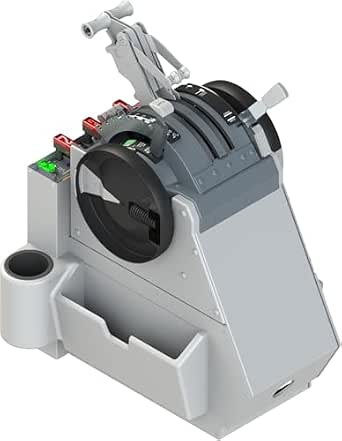 | Best for Professional-Grade Cockpit Control | Compatibility: PC | Hardware Platform: PC | Weight: 18.7 pounds | VIEW LATEST PRICE | See Our Full Breakdown |
| Thrustmaster TCA Quadrant Airbus Edition Flight Sim Throttle – PC |  | Best for Airbus Simulation and Precision | Compatibility: PC | Sensors: Hall effect magnetic sensors | Detents: Yes | VIEW LATEST PRICE | See Our Full Breakdown |
| Thrustmaster Viper TQS Mission Pack Metal Throttle Quadrant System – PC |  | Best for Customizable, High-Precision Control | Sensor Technology: H.E.A.R.T magnetic sensor | Resolution: 16 bit / 65,536 values | Construction: Full metal | VIEW LATEST PRICE | See Our Full Breakdown |
| Logitech G X56 H.O.T.A.S Throttle and Joystick Flight Simulator Controller |  | Best for Customization and Versatility | Compatibility: Windows 7, 8.1, 10, 11 | Control Surfaces: Multiple customizable options including mini analog sticks | Lighting: RGB backlighting | VIEW LATEST PRICE | See Our Full Breakdown |
| Thrustmaster TCA Yoke & Quadrant Boeing Edition Flight Pack – Xbox & PC |  | Best for Authentic Boeing-Style Simulation | Scale: 1:1 replica of Boeing 787 | Motion Range: 8.3 inches (21 cm) | Material: Metal internal structure | VIEW LATEST PRICE | See Our Full Breakdown |
| throttle quadrants for VR flight sim | Compatibility | Additional Features | Buttons | Axes |
|---|---|---|---|---|
| Turtle Beach VelocityOne Fligh | Xbox Series X|S, Xbox One, Windows 10 & 11 PCs | — | — | — |
| Professional 737 Throttle Quad | PC | Motorized autothrottle, precision detent logic | Multiple programmable controls | — |
| Thrustmaster TCA Quadrant Airb | PC | — | 16 programmable | 2 navigational axes |
| Thrustmaster Viper TQS Mission | — | — | 64 programmable | 6 |
| Logitech G X56 H.O.T.A.S Throt | Windows 7, 8.1, 10, 11 | Friction adjuster, throttle lock, gimballed weapons control | — | — |
| Thrustmaster TCA Yoke & Quadra | PC, Xbox, Microsoft Flight Simulator, MSFS 2024 | Magnetic technology, adjustable spring tension, compatible with Thrustmaster TFRP/TPR rudder pedals | — | 2 additional axes |
More Details on Our Top Picks
Turtle Beach VelocityOne Flight Universal Control System for Xbox and PC
The Turtle Beach VelocityOne Flight stands out for its comprehensive, all-in-one design that combines a realistic 180° yoke handle with a modular throttle quadrant, making it ideal for those seeking an authentic flying experience. Unlike the Thrustmaster TCA Airbus Edition, which focuses on specific aircraft types, this system offers full integration of rudder, trim, and flight management display, streamlining setup for serious flight sim enthusiasts. However, its complexity and premium price might be overwhelming for newcomers or casual users who prefer simpler setups. The yoke’s hall effect sensors provide smooth, precise control, and the customizable throttle adds versatility, but the system is limited to flight sims and not suitable for other genres.
Pros:- Realistic 180° yoke with smooth, precise control
- Full integration of throttle, rudder, and trim controls
- Full-color flight management display for easy configuration
- Customizable throttle quadrant with swappable levers
Cons:- Complex setup and learning curve for beginners
- Premium price may deter casual users
- Limited to flight simulation titles, not versatile for other genres
Best for: Dedicated flight sim enthusiasts who want a complete, realistic cockpit experience on PC or Xbox.
Not ideal for: Casual gamers or those new to flight sims who prefer a simpler, less expensive controller.
- Compatibility:Xbox Series X|S, Xbox One, Windows 10 & 11 PCs
- Yoke Rotation:180°
- Controls:12 analog axes, 2 POV switches, 2 4-way HAT switches
- Throttle Quadrant:Modular with customizable levers and buttons
- Display:Full color flight management display
- Connectivity:USB
Our verdict“This system is best suited for serious flight sim fans seeking an immersive and comprehensive cockpit setup.”
Professional 737 Throttle Quadrant for Flight Simulator with Motorized Autothrottle and Flight Controls
The Professional 737 Throttle Quadrant offers a highly authentic experience with motorized autothrottle, dual throttles, and realistic cockpit controls, making it the ideal choice for serious sim pilots or professionals. Unlike the Thrustmaster Viper TQS Mission Pack, which emphasizes modular customization, this quadrant focuses on replicating a real 737 cockpit with built-in automation and precision. Its all-metal construction guarantees durability, but the heavy weight and complex setup might challenge beginners or casual players who don’t need such advanced features. This model excels when paired with full cockpit hardware but may be overkill for casual flight sim users.
Pros:- Motorized autothrottle for realistic automation
- All-metal construction for durability
- Exact 737 cockpit layout with comprehensive controls
- Compatible with major flight sim platforms
Cons:- Heavy and requires sturdy mounting
- Complex for new users to set up and operate
- High cost may be prohibitive for casual enthusiasts
Best for: Professional or advanced flight simmers who demand a highly realistic and durable cockpit control setup.
Not ideal for: Beginners or casual users who prefer plug-and-play solutions with fewer features.
- Compatibility:PC
- Hardware Platform:PC
- Weight:18.7 pounds
- Construction:All-metal
- Additional Features:Motorized autothrottle, precision detent logic
- Buttons:Multiple programmable controls
Our verdict“This quadrant is best for users seeking professional-level, durable cockpit controls for serious simulation or training.”
Thrustmaster TCA Quadrant Airbus Edition Flight Sim Throttle – PC
The Thrustmaster TCA Airbus Edition excels at delivering an authentic Airbus cockpit experience, thanks to its realistic detents, mechanical switches, and hall effect sensors that provide drift-free, precise throttle control. Unlike the Turtle Beach VelocityOne, which offers full integration with a yoke, this model specializes in controls that appeal to Airbus enthusiasts or those wanting fine-tuned throttle management. Its modular design allows expansion, but the need for additional peripherals like rudder pedals and mounting hardware means it’s not a standalone solution. This controller is ideal for those who prioritize aircraft-specific realism but may frustrate users seeking an all-in-one system or multi-aircraft flexibility.
Pros:- Authentic Airbus detents and switches
- Hall effect sensors for drift-free, long-lasting accuracy
- Mechanical selectors for switching aircraft types
- Expandable with other peripherals
Cons:- Requires additional hardware for full cockpit experience
- Limited to PC and aircraft-specific controls
- No included mounting hardware or rudder pedals
Best for: Dedicated Airbus pilots or enthusiasts seeking precise and realistic throttle controls for PC flight sims.
Not ideal for: Casual gamers or those who want a ready-to-use, all-in-one cockpit system without extra purchases.
- Compatibility:PC
- Sensors:Hall effect magnetic sensors
- Detents:Yes
- Buttons:16 programmable
- Axes:2 navigational axes
- Expandable:Yes, with rudder pedals and clamp
Our verdict“This pick makes the most sense for Airbus fans or pilots who want precise, aircraft-specific throttle control on PC.”
Thrustmaster Viper TQS Mission Pack Metal Throttle Quadrant System – PC
The Thrustmaster Viper TQS Mission Pack transforms your flight setup with a full metal throttle quadrant and a vast array of 64 programmable buttons, making it ideal for those who want total customization and high precision. Its hall effect magnetic sensors ensure long-lasting accuracy, comparable to the Thrustmaster TCA Airbus Edition, but with a broader feature set suited for diverse aircraft types. Unlike the Turtle Beach VelocityOne, which emphasizes an all-in-one experience, this system offers extensive modularity and control options, though that complexity could overwhelm casual users. If you want a highly adaptable, durable, and feature-rich throttle system for PC, this is a compelling choice.
Pros:- Full metal construction for durability
- 64 programmable buttons for comprehensive aircraft commands
- High-precision hall effect sensor technology
- Modular hot swap design for customization
Cons:- Complex setup and configuration process
- Primarily designed for PC, limited console support
- Overwhelming for casual users seeking simplicity
Best for: Advanced flight sim enthusiasts or professionals who require extensive customization and precision controls.
Not ideal for: Beginners or users who prefer plug-and-play solutions with minimal setup.
- Sensor Technology:H.E.A.R.T magnetic sensor
- Resolution:16 bit / 65,536 values
- Construction:Full metal
- Buttons:64 programmable
- Axes:6
- Detents:Idle, Cutoff, Afterburner
Our verdict“This system is ideal for users seeking a highly customizable, durable, and precise throttle setup on PC, especially those who enjoy fine-tuning controls.”
Logitech G X56 H.O.T.A.S Throttle and Joystick Flight Simulator Controller
The Logitech G X56 HOTAS offers a versatile, highly customizable control scheme with dual throttles, RGB lighting, and a multitude of programmable controls, making it suitable for both gaming and serious flight simulation. Compared to the Thrustmaster TCA Airbus Edition, which is aircraft-specific, the X56 provides more control options and aesthetic customization. Its complex setup with multiple controls, including spring adjustments and friction settings, may challenge newcomers or those seeking straightforward plug-and-play operation. Nevertheless, the G X56 balances detailed control with expandability, making it a solid choice for those wanting to tailor their flight experience.
Pros:- Highly customizable with multiple programmable controls
- Accurate 16-bit sensors for precision
- RGB lighting for aesthetic integration
- Dual throttles with friction adjustment
Cons:- Complex setup may deter beginners
- Premium price for features that may be excessive for casual users
- Requires Windows 7 or newer, limiting older system compatibility
Best for: Flight sim users who want extensive control customization and visual integration on PC.
Not ideal for: Casual players or those on a tight budget, given its premium price and setup complexity.
- Compatibility:Windows 7, 8.1, 10, 11
- Control Surfaces:Multiple customizable options including mini analog sticks
- Lighting:RGB backlighting
- Connectivity:2x USB 2.0 ports
- Spring Options:4 spring options for adjustable stick force
- Additional Features:Friction adjuster, throttle lock, gimballed weapons control
Our verdict“This controller is best suited for advanced users who want comprehensive customization and a flexible control setup for PC flight sims.”
Thrustmaster TCA Yoke & Quadrant Boeing Edition Flight Pack – Xbox & PC
This Boeing Edition flight pack stands out for its meticulous replication of the Boeing 787 cockpit, providing an immersive experience that surpasses more generic options like the Logitech G X56. The 1:1 scale yoke combined with a high-fidelity throttle quadrant offers realistic motion and precise control, ideal for serious enthusiasts aiming for airline-style flying. Compared with the Thrustmaster Viper TQS, this set includes a full yoke and additional axes for a more comprehensive simulation, though it requires a separate rudder pedal setup, which can be a hurdle for newcomers. Its durable metal construction and magnetic control technology ensure longevity and smooth operation, but the premium price and setup complexity might deter casual users. If you want a top-tier Boeing cockpit replica with authentic feel, this is a compelling choice.
Pros:- Authentic Boeing 787 replica with precise controls
- Durable metal internal structure for longevity
- Smooth motion with magnetic technology for realistic feel
- Highly compatible with PC and Xbox platforms
Cons:- Requires separate rudder pedals for complete control
- Complex setup and calibration process for new users
- Higher price point compared to simpler throttle options
Best for: Pilots and flight sim enthusiasts seeking the most realistic Boeing aircraft experience, especially those ready for a full cockpit setup.
Not ideal for: Casual gamers or beginners who prefer plug-and-play simplicity and are not interested in detailed cockpit fidelity.
- Scale:1:1 replica of Boeing 787
- Motion Range:8.3 inches (21 cm)
- Material:Metal internal structure
- Axes:2 additional axes
- Action Buttons:35
- Compatibility:PC, Xbox, Microsoft Flight Simulator, MSFS 2024
- Additional Features:Magnetic technology, adjustable spring tension, compatible with Thrustmaster TFRP/TPR rudder pedals
Our verdict“This pick makes the most sense for experienced sim pilots who prioritize authentic Boeing cockpit replication and are prepared for a more involved setup.”

How We Picked
We evaluated throttle quadrants based on several key factors: build quality, realism of controls, compatibility with VR and different platforms, ease of setup and use, and overall value. We prioritized products that offer a balance of durability and precise control, essential for an immersive VR flight experience. Our rankings reflect real-world considerations like motorized features, button layout, and integration with flight sim software. Cost was also a factor, but only when it provided significant improvements in performance or usability. These criteria ensure that each product appeals to different types of flight sim enthusiasts, from beginners to advanced users.| throttle quadrants for VR flight sim | Compatibility | Additional Features |
|---|---|---|
| Turtle Beach VelocityOne Fligh | Xbox Series X|S, Xbox One, Windows 10 & 11 PCs | — |
| Professional 737 Throttle Quad | PC | Motorized autothrottle, precision detent logic |
| Thrustmaster TCA Quadrant Airb | PC | — |
| Thrustmaster Viper TQS Mission | — | — |
| Logitech G X56 H.O.T.A.S Throt | Windows 7, 8.1, 10, 11 | Friction adjuster, throttle lock, gimballed weapons control |
| Thrustmaster TCA Yoke & Quadra | PC, Xbox, Microsoft Flight Simulator, MSFS 2024 | Magnetic technology, adjustable spring tension, compatible with Thrustmaster TFRP/TPR rudder pedals |
Factors to Consider When Choosing Best Throttle Quadrants For VR Flight Sim
When selecting the best throttle quadrant for VR flight sim, it’s important to consider how each feature impacts your overall experience. Realism, compatibility, and build quality directly affect immersion and comfort during long sessions. Understanding your specific needs—whether casual flying or professional simulation—can help you avoid overspending on features you won’t use. The right throttle quadrant should feel natural, be easy to calibrate, and integrate smoothly with your VR setup. Here are key factors to guide your decision:Platform Compatibility and Connectivity
Ensure the throttle quadrant supports your preferred platform—PC, Xbox, or both—and offers reliable connection options like USB or proprietary ports. Some models are designed specifically for certain systems, which could limit your options or require adapters. Compatibility also extends to flight sim software, so check for driver support and integration features. Investing in a model with broad compatibility reduces future upgrade needs and guarantees a seamless experience.
Realism and Control Fidelity
The level of control detail varies widely. Motorized autothrottles and realistic lever movements enhance immersion, but often increase cost and complexity. For VR, tactile feedback is vital to compensate for the lack of physical surroundings, so choose a model with precise, smooth controls. Consider whether you need multi-engine throttle support or if simpler, non-motorized options meet your requirements. Realism should match your skill level and simulator ambitions to avoid frustration or underwhelming experience.
Build Quality and Durability
A well-constructed throttle quadrant withstands long-term use without becoming loose or unresponsive. Metal levers and sturdy casing tend to last longer and feel more authentic, especially important in VR where tactile cues matter. Cheaper plastic models may suffice for casual use but could fail prematurely or feel cheap during intense flights. Think about the weight and material quality—these factors influence both realism and longevity.
Ease of Use and Setup
Some throttle quadrants come with complex calibration procedures or require software configuration, which can be daunting for newcomers. Simpler models with plug-and-play design save time and frustration, making them ideal for beginners. Advanced users might prefer customizable controls and software profiles for tailored setups. Balance the complexity with your comfort level to ensure your VR experience is enjoyable, not frustrating.
Price and Value
Higher prices often reflect advanced features like motorized throttles, better build quality, and extensive controls. However, many mid-range options deliver excellent realism without the hefty price tag, offering great value for most users. Be wary of overspending on features you won’t utilize, but also recognize that cheap models may require replacement sooner. Aim for a model that strikes a balance between quality and affordability, based on your flight sim goals.
Frequently Asked Questions
Can I use a throttle quadrant with VR if it’s only designed for PC?
Most throttle quadrants designed for PC work with VR setups as long as they connect via standard USB and are compatible with your flight sim software. The main consideration is ensuring the device drivers and software support VR integration, which is typically straightforward. However, always check for explicit compatibility notes from the manufacturer, especially if you plan to use the device with Xbox or console-specific games. Using a PC-compatible model generally offers the most flexibility for VR flight sims.
Is a motorized throttle worth the extra cost for VR flight sim?
A motorized throttle can significantly boost immersion by providing automatic adjustments and realistic engine responses, which enhances VR experience. However, these models tend to be more expensive and require more setup and maintenance. If you’re a casual flyer or just starting out, a manual throttle might suffice and save money. For dedicated flight sim enthusiasts seeking realism, investing in a motorized option can transform your VR sessions into more authentic experiences.
Should I prioritize compatibility with specific flight simulators or platforms?
Yes, compatibility is crucial to ensure your throttle quadrant integrates smoothly with your chosen flight sim and platform. Some models are tailored for specific software like Microsoft Flight Simulator or X-Plane, while others are more universal. Consider your primary use case—if you’re on Xbox, verify that the device supports it. Checking manufacturer specifications and user reviews can prevent compatibility issues and save you time and money in the long run.
Are more expensive throttle quadrants generally better for VR flight sim?
Higher-priced models often feature better build quality, more precise controls, and additional automation, which can improve VR immersion. However, the most expensive option isn’t always necessary for every user. For casual or beginner pilots, mid-range models that offer good control fidelity can be more than sufficient. Evaluate your needs carefully—if you aim for ultra-realistic, professional-grade flight simulation, investing more makes sense; for casual use, a budget-friendly option may do just fine.
How important is the number of levers and control axes in a throttle quadrant?
The number of levers and axes directly influences the realism and functionality of your setup. Multi-engine aircraft require multiple throttle levers for accurate simulation, making additional axes valuable. More levers also allow for finer control and customization, especially in VR where tactile feedback is limited. However, more controls can also increase complexity, so choose a model aligned with your aircraft preferences and experience level to avoid overwhelming yourself or missing out on essential control features.
Conclusion
For most users, the VelocityOne Flight System offers the best overall balance of features, compatibility, and build quality, making it suitable for both casual and serious VR flight simmers. Those seeking the most authentic experience with advanced automation will find the Professional 737 Throttle Quadrant worth the investment. Beginners or casual pilots should consider simpler, more affordable options like the Thrustmaster TCA Airbus Edition, which still provides solid control without complexity. If budget constraints are a priority, mid-range models can deliver excellent value without sacrificing too much realism. Ultimately, your choice depends on your platform, experience level, and how immersive you want your VR flying to be.
Halloween Picks

Gemmy 5.4 ft The Nun Animatronic Halloween Decoration

8.5 Foot Halloween Inflatable Haunted House Castle with Skeleton, Ghost & Skulls

Halloween Inflatable Haunted House Maze – 20×20 ft with Removable Roof and Blower
As an affiliate, we earn on qualifying purchases.