If you’re looking to boost your SteamVR experience in 2026, I recommend the ASUS ROG Astral GeForce RTX 5090 for top-tier performance, along with the ASUS GeForce RTX 5080 OC for great AI capabilities. For budget-friendly options, the ASUS and GIGABYTE RTX 3050 models perform well with robust VR support. If you want to see how these GPUs excel and which might suit your setup best, keep exploring what’s new.
Key Takeaways
- High-end GPUs like the ASUS ROG Astral GeForce RTX 5090 deliver exceptional performance with 32GB VRAM for smooth VR experiences.
- Support for ray tracing, DLSS, and high frame rates above 90 FPS enhances visual fidelity and reduces motion sickness.
- Ample VRAM (8GB or more) ensures detailed textures and future-proofing for demanding VR titles.
- Advanced cooling solutions and low-noise designs maintain stability and comfort during extended VR sessions.
- Sufficient power supplies with proper PCIe connectors prevent performance issues and ensure system stability for immersive VR gaming.
| ASUS ROG Astral GeForce RTX 5090 Gaming GPU | 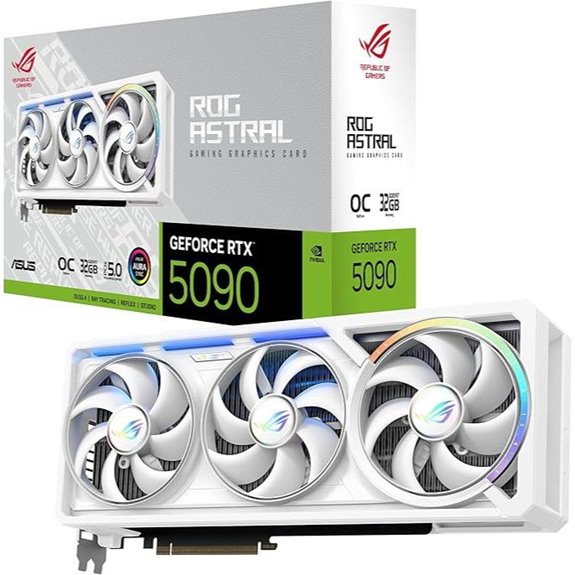 | Ultimate Performance | Architecture: NVIDIA Blackwell | Memory Size: 32GB GDDR7 | Max Resolution: 7680×4320 | VIEW LATEST PRICE | See Our Full Breakdown |
| ASUS GeForce RTX 5080 16GB GDDR7 OC Edition | 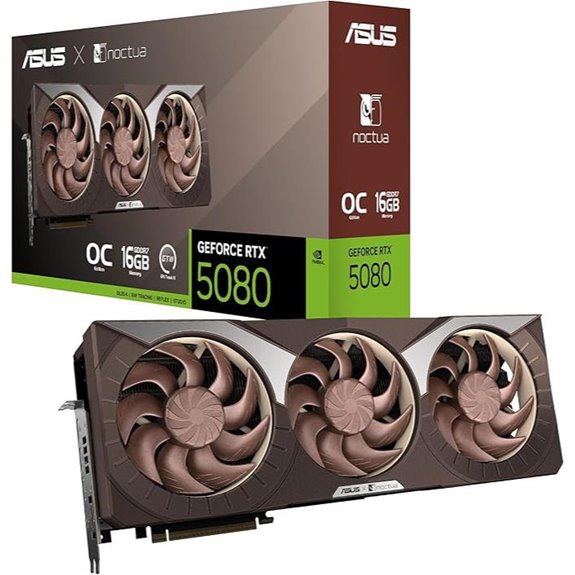 | Quiet Powerhouse | Architecture: NVIDIA Blackwell | Memory Size: 16GB GDDR7 | Max Resolution: 7680×4320 | VIEW LATEST PRICE | See Our Full Breakdown |
| ASUS NVIDIA GeForce RTX 3050 Gaming Graphics Card |  | Budget VR Ready | Architecture: NVIDIA Ampere | Memory Size: 6GB GDDR6 | Max Resolution: 7680×4320 | VIEW LATEST PRICE | See Our Full Breakdown |
| GIGABYTE GeForce RTX 3050 OC 6G Graphics Card | 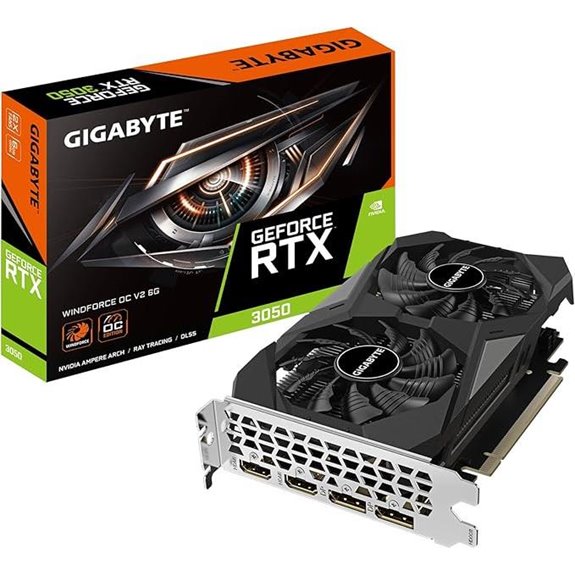 | Reliable Entry-Level | Architecture: NVIDIA Ampere | Memory Size: 6GB GDDR6 | Max Resolution: 7680×4320 | VIEW LATEST PRICE | See Our Full Breakdown |
| ASUS ROG GeForce RTX 5070 Ti 16GB Graphics Card | 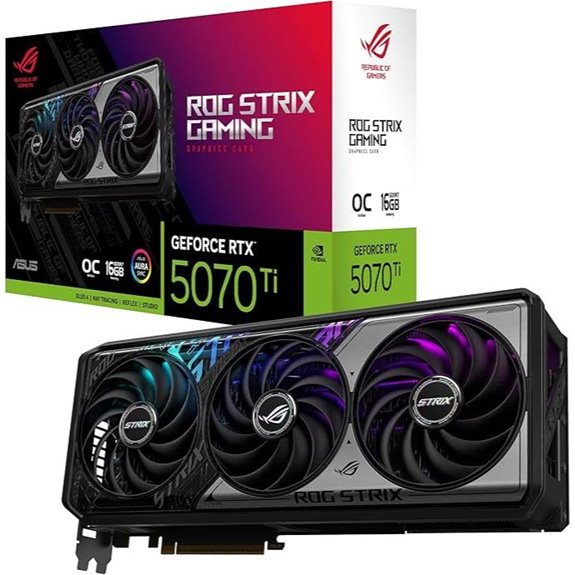 | High-End Customization | Architecture: NVIDIA Blackwell | Memory Size: 16GB GDDR7 | Max Resolution: 7680×4320 | VIEW LATEST PRICE | See Our Full Breakdown |
More Details on Our Top Picks
ASUS ROG Astral GeForce RTX 5090 Gaming GPU
If you’re serious about immersive SteamVR experiences in 2026, the ASUS ROG Astral GeForce RTX 5090 is a top choice thanks to its massive 32GB GDDR7 memory and NVIDIA Blackwell architecture. This high-performance GPU delivers exceptional graphics with a PCIe 5.0 interface and supports up to 7680×4320 resolution. Its robust cooling system, including a vapor chamber and quad-fan design, ensures thermal stability during intense gaming. Built with durable, full-metal components and advanced power delivery, it offers reliability and overclocking potential. Whether you’re pushing VR boundaries or demanding high-end visuals, this GPU combines power, build quality, and thermal efficiency for an unparalleled experience.
- Architecture:NVIDIA Blackwell
- Memory Size:32GB GDDR7
- Max Resolution:7680×4320
- Cooling System:Vapor chamber + quad-fan
- Connectivity:HDMI/DP 2.1
- Power Interface:PCIe 5.0
- Additional Feature:Fully Metal Diecast Shroud
- Additional Feature:GPU Guard Corner Securing
- Additional Feature:4.5-Star Customer Rating
ASUS GeForce RTX 5080 16GB GDDR7 OC Edition
The ASUS GeForce RTX 5080 16GB GDDR7 OC Edition stands out as the top choice for serious SteamVR users seeking smooth, immersive experiences. Powered by NVIDIA’s Blackwell architecture, it delivers impressive AI performance at 1858 TOPS and clock speeds up to 2730 MHz in OC mode. Its advanced cooling system features three Noctua fans, vapor chambers, and phase-change thermal pads, ensuring quiet, efficient operation. With dual BIOS options and customizable thermal controls, it offers tailored performance and thermal management. This GPU provides high reliability, enhanced thermal efficiency, and silent operation, making it ideal for VR enthusiasts who demand both power and quietness for an ideal SteamVR experience.
- Architecture:NVIDIA Blackwell
- Memory Size:16GB GDDR7
- Max Resolution:7680×4320
- Cooling System:Vapor chamber + 3 Noctua fans
- Connectivity:HDMI/DP 2.1
- Power Interface:Not specified (assumed PCIe 4.0)
- Additional Feature:Quiet 0dB Operation
- Additional Feature:Dual BIOS Profiles
- Additional Feature:AI Performance 1858 TOPS
ASUS NVIDIA GeForce RTX 3050 Gaming Graphics Card
For gamers seeking a budget-friendly yet capable GPU for SteamVR in 2026, the ASUS Dual NVIDIA GeForce RTX 3050 6GB OC Edition stands out with its powerful Ampere architecture and advanced ray-tracing features. It offers PCIe 4.0 support, 6GB GDDR6 memory, HDMI 2.1, and DisplayPort 1.4a, delivering high-resolution, high-refresh-rate outputs. The Axial-tech fan design provides efficient cooling while maintaining quiet operation thanks to 0dB technology. Its 2-slot design ensures compatibility with smaller cases. With improved ray-tracing and AI processing via third-generation Tensor Cores, this GPU offers solid performance for immersive VR experiences without breaking the bank.
- Architecture:NVIDIA Ampere
- Memory Size:6GB GDDR6
- Max Resolution:7680×4320
- Cooling System:Axial-tech fan + 0dB tech
- Connectivity:HDMI 2.1 + DisplayPort 1.4a
- Power Interface:Not specified (assumed PCIe 4.0)
- Additional Feature:Supports DLSS 4 Technology
- Additional Feature:Axial-tech Fan Design
- Additional Feature:Steel Bracket Included
GIGABYTE GeForce RTX 3050 OC 6G Graphics Card
Gamers and creative professionals seeking a compact, high-performance GPU will find the GIGABYTE GeForce RTX 3050 OC 6G an excellent choice for SteamVR in 2026. This card packs NVIDIA’s Ampere architecture with 2nd gen RT Cores and 3rd gen Tensor Cores, delivering stunning visuals, fast frame rates, and AI acceleration. Its 6GB GDDR6 memory and high-speed 14,000 MHz coprocessor guarantee smooth gameplay and creative workflows. The dual WINDFORCE fans and advanced cooling technology keep temperatures in check, even during intense VR sessions. Plus, its small size makes it easy to fit into most builds, making it a reliable, versatile option for immersive VR experiences.
- Architecture:NVIDIA Ampere
- Memory Size:6GB GDDR6
- Max Resolution:7680×4320
- Cooling System:WINDFORCE fans + cooling tech
- Connectivity:HDMI + DisplayPort
- Power Interface:Not specified (assumed PCIe 4.0)
- Additional Feature:Real-Time Ray Tracing
- Additional Feature:Compact 7.5 x 4.4 Inches
- Additional Feature:30-Day Return Policy
ASUS ROG GeForce RTX 5070 Ti 16GB Graphics Card
If you’re looking to elevate your SteamVR experience in 2026, the ASUS ROG GeForce RTX 5070 Ti 16GB Graphics Card stands out thanks to its advanced cooling and high-performance features. It supports PCIe 5.0, HDMI/DP 2.1, and boasts a robust 3.2-slot design with a powerful fin array and axial-tech fans for enhanced airflow. Its MaxContact vapor chamber and phase-change thermal pad keep temperatures low, ensuring reliable performance during long VR sessions. With an OC mode pushing to 2625 MHz and AI performance of 1492 TOPS, this card delivers smooth visuals. Aura Sync ARGB lighting adds a customizable aesthetic, making it an excellent choice for serious gamers and VR enthusiasts.
- Architecture:NVIDIA Blackwell
- Memory Size:16GB GDDR7
- Max Resolution:7680×4320
- Cooling System:Vapor chamber + axial-tech fans
- Connectivity:HDMI/DP 2.1
- Power Interface:PCIe 5.0
- Additional Feature:Aura Sync ARGB Lighting
- Additional Feature:MaxContact Heat Transfer
- Additional Feature:15K Capacitors for Power
Factors to Consider When Choosing a GPU for SteamVR
When selecting a GPU for SteamVR, I focus on performance capabilities to make certain smooth, immersive experiences. I also consider GPU memory size, cooling, noise levels, and compatibility with my setup to avoid issues. Finally, I check power requirements and available ports to make sure everything fits seamlessly.
VR Performance Capabilities
Choosing the right GPU for SteamVR hinges on understanding its performance capabilities, which directly impact your VR experience. A high-performing GPU should deliver frame rates above 90 FPS to ensure smooth visuals and avoid motion sickness. It also needs sufficient VRAM, ideally 8GB or more, to handle detailed textures and complex environments without lag. Support for advanced rendering features like ray tracing and DLSS enhances visual fidelity and performance, making worlds look more realistic. A GPU with powerful hardware, such as many CUDA cores or equivalent, ensures consistent performance during demanding VR sessions. Finally, compatibility with the latest standards like HDMI 2.1 and DisplayPort 1.4/2.1 guarantees excellent signal transmission, minimizing latency and maximizing immersion in your SteamVR experiences.
GPU Memory Size
The amount of VRAM on your GPU plays a significant role in delivering a smooth and immersive SteamVR experience. I recommend at least 8GB of memory to handle high-resolution textures and complex scenes without hiccups. If you want a more future-proof setup, 16GB or more can make a noticeable difference by reducing texture loading times and avoiding stuttering during demanding VR environments. Larger memory capacity also helps render detailed visuals at higher resolutions, which is essential for immersion. On the other hand, GPUs with less than 8GB may struggle, leading to frame drops and visual artifacts in intensive virtual scenes. As VR applications evolve, choosing a GPU with ample VRAM ensures smoother performance now and better compatibility with upcoming titles and updates.
Cooling and Noise Levels
Efficient cooling and low noise levels are essential factors that can considerably impact your SteamVR experience. A good cooling system, like vapor chambers or axial-tech fans, keeps temperatures in check during long VR sessions, preventing thermal throttling that can cause performance dips. Quieter GPUs, often equipped with 0dB modes and optimized fan curves, operate below 30 dB during normal use, creating a more immersive environment. High-performance cooling solutions help maintain consistent performance and avoid overheating. Additionally, customizable fan profiles and advanced thermal management features give you control over balancing cooling efficiency and noise output, ensuring your setup remains quiet without sacrificing performance. Overall, choosing a GPU with good cooling and low noise levels enhances comfort and stability in your VR adventures.
Compatibility and Ports
Ensuring your GPU has the right ports and compatibility is essential for a smooth SteamVR experience. I look for GPUs with multiple HDMI 2.1 or DisplayPort 1.4a outputs, as these support high-resolution VR headsets without issues. It’s important to verify that the GPU’s ports match your VR headset’s connection type—whether HDMI or DisplayPort—to avoid adapters or compatibility problems. I also check if the GPU supports the latest VR standards and protocols, guaranteeing seamless communication with SteamVR. Sufficient port bandwidth is critical, as VR demands high data transfer rates for smooth visuals and responsiveness. Finally, I ensure the output ports are accessible and compatible with my PC case and monitor setup, preventing physical or connection conflicts during setup.
Power Supply Requirements
Choosing the right power supply is vital when selecting a GPU for SteamVR, especially since high-end VR setups demand significant power. You need to verify your PSU can handle the GPU’s maximum power draw, which can range from 550W to over 850W for top-tier models. Check that it offers the necessary PCIe connectors, like 8-pin or 6+2-pin, matching the GPU’s requirements. It’s essential to confirm the amperage on the 12V rail to maintain stable power during intense VR sessions. Consider an efficient power supply, such as 80 Plus Gold or higher, to guarantee reliable energy delivery and reduce heat. Keep in mind that some high-performance GPUs need dual or triple PCIe connectors and a more robust power supply overall.
Frequently Asked Questions
How Do GPU Drivers Impact VR Performance in 2026?
GPU drivers directly impact my VR performance by optimizing how my hardware communicates with software. When drivers are up-to-date, I notice smoother visuals, reduced latency, and fewer glitches, which makes my VR experience more immersive. Outdated drivers can cause stuttering or crashes, ruining the experience. I always guarantee my drivers are current to get the best performance, stability, and compatibility with the latest VR titles and updates.
What Is the Recommended VRAM for Future Steamvr Titles?
Back in 2024, I’d recommend at least 16GB of VRAM for future SteamVR titles. As VR graphics become more detailed, higher VRAM helps handle complex textures and large environments smoothly. I expect by 2026, this will be a minimum, with high-end setups pushing toward 24GB or more for peak performance. Staying ahead means choosing GPUs with ample VRAM to guarantee your VR experience stays crisp and immersive.
Do GPU Cooling Solutions Affect VR Experience Quality?
Yes, GPU cooling solutions definitely affect VR experience quality. When my GPU runs cooler, I notice smoother gameplay, fewer frame drops, and less visual artifacts, all of which are essential for an immersive VR experience. Good cooling prevents thermal throttling, ensuring consistent performance during demanding VR sessions. I always invest in effective cooling, like aftermarket fans or liquid cooling, to keep my GPU running at peak performance and enjoy seamless VR adventures.
How Important Is Ray Tracing in VR Gaming GPUS?
Ray tracing is pretty important in VR gaming because it creates more realistic lighting and shadows, enhancing immersion. Some might think it’s unnecessary or performance-heavy, but I believe it adds depth that makes virtual worlds feel genuine. If your GPU handles ray tracing well, your experience becomes more lifelike without sacrificing too much speed. So, for truly engaging VR, I definitely recommend prioritizing a GPU with solid ray tracing capabilities.
Will Integrated GPUS Be Viable for High-End Steamvr in 2026?
Integrated GPUs probably won’t cut it for high-end SteamVR experiences in 2026. I’ve found that they lack the power needed for smooth, immersive VR, especially with demanding titles. To get the best visuals and performance, I recommend a dedicated GPU. It’s worth investing in a high-quality discrete card now, as it’ll future-proof your setup and guarantee you enjoy all the latest VR features without lag or stutter.
Conclusion
Choosing the right GPU for SteamVR is like finding the perfect engine for a smooth ride through virtual worlds. With options like the ASUS ROG Astral RTX 5090 and ASUS RTX 5080, you’ll have the power to immerse yourself fully. Remember, the best GPU is the one that fuels your adventures without hesitation. Gear up, pick wisely, and let your VR journey be as seamless as a perfectly timed dance.