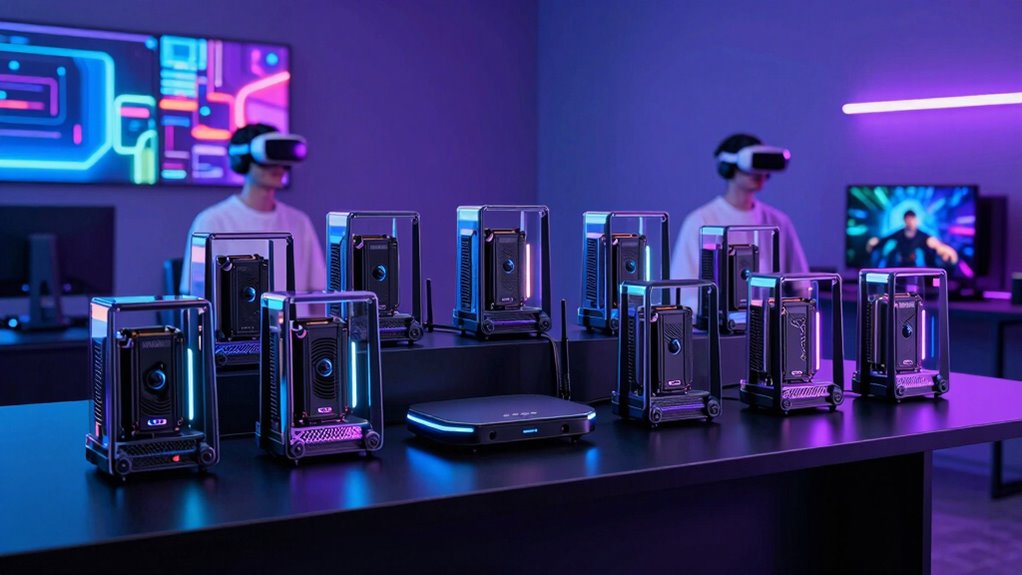

For wireless PCVR, a low latency router is essential to minimize lag, prevent stuttering, and ensure a smooth VR experience. The MSI Radix AXE6600 stands out as the overall best choice, thanks to its robust WiFi 6E support and AI QoS for optimized gaming. The TP-Link Archer BE2300 offers an excellent balance of speed and features, making it suitable for most users, while the GL.iNet Flint 2 provides a compact, budget-friendly option for those just starting out. The main tradeoffs in this category involve balancing speed, stability, coverage, and ease of setup. Continue reading for a detailed breakdown of each option and how they compare to help you find the perfect fit.

Play games on Amazon Luna for your next adventure, included with Prime
- A rotating selection of games, no download needed
- Play on TV, laptop or phone
- Fast, free delivery for your gear, too
Key Takeaways
- High-end routers like the MSI Radix AXE6600 deliver top-tier latency performance but come at a premium price.
- WiFi 7 models, such as the TP-Link BE6500, are emerging as future-proof options with improved speed and stability for PCVR.
- Dual-band routers can handle low latency needs but may require careful placement and network management to avoid congestion.
- Additional features like multiple Ethernet ports and QoS help optimize network performance specifically for VR streaming.
- Budget routers may struggle to deliver consistent low latency for demanding wireless PCVR setups, emphasizing the value of investing in more capable hardware.
| MSI Radix AXE6600 WiFi 6E Tri-Band Gaming Router with RGB and AI QoS |  | Best Overall for High-Speed, Reliable Wireless PCVR | Frequency Bands: 2.4GHz + 5GHz + 6GHz | WiFi Standard: WiFi 6E (802.11ax) | Maximum Speed: 6.6 Gbps | VIEW ON AMAZON | See Our Full Breakdown |
| GL.iNet GL-MT6000 Flint 2 Wi-Fi 6 Gaming Router with Dual 2.5G Ports |  | Best Value for Customizable and High-Speed Wired/Wireless Setup | Wi-Fi Standard: Wi-Fi 6 | Max Speed: 6 Gbps | Dual Ports: 2.5G ports | VIEW ON AMAZON | See Our Full Breakdown |
| TP-Link Dual-Band Wi-Fi 7 Router Archer BE230 (BE3600, BE3600) with 4-Stream, 2×2.5G + 3×1G Ports, USB 3.0, Quad Core 2.0 GHz, 4 Antennas, VPN, EasyMesh, HomeShield, MLO, Private IoT |  | Best for Future-Proof Compatibility and Mesh Flexibility | Wi-Fi Technology: Wi-Fi 7 | Speed: up to 3.6 Gbps | Ports: 1×2.5G WAN/LAN, 3×1G LAN | VIEW ON AMAZON | See Our Full Breakdown |
| TP-Link AXE5400 Tri-Band WiFi 6E Router (Archer AXE75) |  | Best for High-Speed Tri-Band with Advanced Security | Wi-Fi Speed: up to 5400 Mbps | Bands: Tri-Band (6 GHz, 5 GHz, 2.4 GHz) | Max Speed (6 GHz): 2402 Mbps | VIEW ON AMAZON | See Our Full Breakdown |
| GL.iNet GL-BE9300 Flint 3 Tri-Band Wi-Fi 7 Router |  | Best for Ultra-High-Speed, Low-Latency Gaming and Streaming | Wi-Fi Standard: Wi-Fi 7 | Wireless Speed: up to 9 Gbps | Ethernet Ports: 5 x 2.5G | VIEW ON AMAZON | See Our Full Breakdown |
| TP-Link Tri-Band WiFi 7 Router (Archer BE550) – 6-Stream, 2.5G Ports, EasyMesh, VPN |  | Best Overall for High-End Wireless PCVR Needs | WiFi Standard: WiFi 7 | Speed: 5760 Mbps (6 GHz), 2880 Mbps (5 GHz), 574 Mbps (2.4 GHz) | Number of Streams: 6 | VIEW ON AMAZON | See Our Full Breakdown |
| TP-Link Dual-Band AX3000 Wi-Fi 6 Router Archer AX55 |  | Best Value for Fast, Reliable Wireless PCVR | Wi-Fi Speed (5 GHz): 2402 Mbps | Wi-Fi Speed (2.4 GHz): 574 Mbps | Antennas: 4 high-gain external antennas | VIEW ON AMAZON | See Our Full Breakdown |
| ASUS RT-AX1800S Dual Band WiFi 6 Extendable Router |  | Best Compact Extendable Router for PCVR | WiFi Standard: WiFi 6 (802.11ax) | Antenna: External antenna x 4 | Processor: Dual-core | VIEW ON AMAZON | See Our Full Breakdown |
| TP-Link BE6500 Dual-Band WiFi 7 Router (BE400) with 2.5Gbps Ports, USB 3.0, Coverage up to 2,400 sq. ft., Supports 90 Devices, Quad-Core CPU, HomeShield Security |  | Best Premium for Large-Scale Wireless PCVR with Future-Proof Tech | Wi-Fi Technology: Wi-Fi 7 | Max Bandwidth: 6.5 Gbps | Coverage: Up to 2,400 sq. ft. | VIEW ON AMAZON | See Our Full Breakdown |
| low latency router for wireless pcvr | Processor | Coverage |
|---|---|---|
| MSI Radix AXE6600 WiFi 6E Tri- | 1.8 GHz quad-core | Wide coverage |
| GL.iNet GL-MT6000 Flint 2 Wi-F | — | — |
| TP-Link Dual-Band Wi-Fi 7 Rout | Quad-core 2.0 GHz | up to 2,000 sq. ft. |
| TP-Link AXE5400 Tri-Band WiFi | Dual-Core 1.0 GHz | — |
| GL.iNet GL-BE9300 Flint 3 Tri- | — | 2000 sq ft |
| TP-Link Tri-Band WiFi 7 Router | — | Up to 2,000 sq. ft. |
| TP-Link Dual-Band AX3000 Wi-Fi | — | — |
| ASUS RT-AX1800S Dual Band WiFi | Dual-core | — |
| TP-Link BE6500 Dual-Band WiFi | Quad-Core | Up to 2,400 sq. ft. |
More Details on Our Top Picks
MSI Radix AXE6600 WiFi 6E Tri-Band Gaming Router with RGB and AI QoS
The MSI Radix AXE6600 stands out for its support of WiFi 6E, offering speeds up to 6.6 Gbps across three bands, which is essential for minimizing latency in wireless PCVR setups. Compared with the GL.iNet GL-MT6000, it provides a more robust hardware setup with a powerful 1.8 GHz quad-core processor and 8-streams, ensuring smoother performance even with multiple devices connected. Its long-range coverage and AI QoS optimize traffic prioritization for low-latency gaming, but the complex setup process and premium price might deter less technical users or budget-conscious buyers. The RGB customization adds aesthetic appeal but does little for performance. Overall, this router is tailored for enthusiasts seeking top-tier speed and reliability in demanding gaming environments, accepting the tradeoff of higher cost and setup complexity.
Pros:- Supports WiFi 6E with speeds up to 6.6 Gbps for low-latency connections
- Tri-band with 8-streams for multiple device handling
- Powerful 1.8 GHz quad-core processor ensures consistent performance
- Customizable RGB lighting enhances aesthetics
Cons:- Complex setup can be intimidating for non-technical users
- Premium price point may be prohibitive for some buyers
- Limited details on advanced security features
Best for: High-end gamers and PCVR enthusiasts who need maximum throughput and reliable low latency.
Not ideal for: Casual users or those with simpler setups who prefer plug-and-play solutions with minimal configuration.
- Frequency Bands:2.4GHz + 5GHz + 6GHz
- WiFi Standard:WiFi 6E (802.11ax)
- Maximum Speed:6.6 Gbps
- Processor:1.8 GHz quad-core
- Number of Antennas:6
- Coverage:Wide coverage
Our verdict“This router is ideal for dedicated PCVR users who prioritize speed and stability despite its higher price and setup complexity.”
GL.iNet GL-MT6000 Flint 2 Wi-Fi 6 Gaming Router with Dual 2.5G Ports
The GL.iNet GL-MT6000 Flint 2 offers impressive Wi-Fi 6 speeds up to 6 Gbps with dual 2.5G ports, making it a strong contender for low-latency PCVR setups that also benefit from wired connections. Unlike the MSI Radix, it emphasizes versatility with support for over a hundred devices and pre-installed OpenWrt, enabling advanced customization and VPN integration. This flexibility can translate into lower latency for gaming and streaming, but it requires a firmware update for optimal operation and may be complex for less tech-savvy users. Its VPN capabilities are robust yet variable in speed, which could impact latency-sensitive gaming. It makes the most sense for users comfortable with network tweaking who want high speeds at a more accessible price point.
Pros:- Supports Wi-Fi 6 with speeds up to 6 Gbps
- Dual 2.5G ports for ultra-fast wired connections
- Pre-installed OpenWrt offers extensive customization
- Supports over a hundred devices simultaneously
Cons:- Requires firmware update for best performance
- VPN speeds can fluctuate, affecting latency
- Setup may be daunting for non-technical users
Best for: Tech-savvy gamers or streamers seeking a customizable router with fast wired and wireless performance.
Not ideal for: Users preferring simple setup or minimal configuration, as firmware updates and setup may be challenging.
- Wi-Fi Standard:Wi-Fi 6
- Max Speed:6 Gbps
- Dual Ports:2.5G ports
- RAM:1GB DDR4
- Storage:8GB eMMC
- VPN Speed:up to 900 Mbps
Our verdict“This router provides excellent value with high speeds and customization, ideal for users willing to handle some setup complexity.”
TP-Link Dual-Band Wi-Fi 7 Router Archer BE230 (BE3600, BE3600) with 4-Stream, 2×2.5G + 3×1G Ports, USB 3.0, Quad Core 2.0 GHz, 4 Antennas, VPN, EasyMesh, HomeShield, MLO, Private IoT
The TP-Link Archer BE230 leverages Wi-Fi 7’s latest technology to deliver speeds up to 3.6 Gbps, with multiple gigabit ports including 2.5G, making it suitable for low-latency PCVR if paired with a compatible device. Compared to Wi-Fi 6 options like the MSI Radix, it offers newer standards, but with lower maximum throughput, which might not match the raw speed of WiFi 6E routers. Its support for Multi-Link Operation and seamless mesh integration via EasyMesh enhances low-latency connectivity over larger spaces. However, it requires a separate modem and does not support 6 GHz, which could limit future-proofing. Best suited for users planning to expand their network with mesh and needing future Wi-Fi upgrades, accepting slightly lower peak speeds.
Pros:- Supports Wi-Fi 7 with speeds up to 3.6 Gbps
- Multiple gigabit ports including 2.5G for wired connections
- Supports Multi-Link Operation for lower latency
- EasyMesh support enables scalable mesh networks
Cons:- Requires a separate modem for most ISPs
- Dual-band does not include 6 GHz for maximum future-proofing
- Setup may be complex for less experienced users
Best for: Home users planning mesh setups and wanting Wi-Fi 7 compatibility for future expansion.
Not ideal for: Enthusiasts who need the highest possible speed and low latency in demanding PCVR environments, as this offers moderate throughput.
- Wi-Fi Technology:Wi-Fi 7
- Speed:up to 3.6 Gbps
- Ports:1×2.5G WAN/LAN, 3×1G LAN
- Processor:Quad-core 2.0 GHz
- Coverage:up to 2,000 sq. ft.
- Security:HomeShield, VPN
Our verdict“This router is ideal for future-ready mesh setups that value stability and flexibility over raw maximum speed.”
TP-Link AXE5400 Tri-Band WiFi 6E Router (Archer AXE75)
The TP-Link Archer AXE75 delivers tri-band Wi-Fi 6E speeds up to 5.4 Gbps across 6 GHz, 5 GHz, and 2.4 GHz, making it a solid choice for low-latency PCVR. Compared with the Wi-Fi 7 options, it offers higher peak speeds with a mature Wi-Fi 6E standard, but lacks the latest Wi-Fi 7 features like MLO or multi-link. Its dual-core 1.0 GHz CPU and 512 MB memory support robust performance, with features like OneMesh and VPN support for secure, seamless connectivity. While setup is straightforward, it requires a separate modem for internet access. This makes it suitable for users wanting a reliable, high-speed Wi-Fi 6E solution with broad compatibility and proven security, though it might not be as future-proof as Wi-Fi 7 routers.
Pros:- Tri-band Wi-Fi 6E with speeds up to 5.4 Gbps
- Supports OneMesh for whole-home coverage
- Strong security features including WPA3 and VPN support
- Dual-core CPU with ample memory for reliable performance
Cons:- Does not support Wi-Fi 7 or its advanced features
- Requires a separate modem for internet connection
- Setup may be somewhat complex for beginners
Best for: Gamers and streamers seeking proven Wi-Fi 6E performance with strong security features.
Not ideal for: Users committed to cutting-edge Wi-Fi 7 technology or with large, mesh-based networks who need the newest standards.
- Wi-Fi Speed:up to 5400 Mbps
- Bands:Tri-Band (6 GHz, 5 GHz, 2.4 GHz)
- Max Speed (6 GHz):2402 Mbps
- Processor:Dual-Core 1.0 GHz
- Memory:512 MB
- Security:WPA3, VPN
Our verdict“This router offers robust Wi-Fi 6E speeds and security, making it suitable for users prioritizing proven performance over cutting-edge standards.”
GL.iNet GL-BE9300 Flint 3 Tri-Band Wi-Fi 7 Router
The GL.iNet GL-BE9300 Flint 3 pushes Wi-Fi 7 speeds up to 9 Gbps across tri-bands, making it an excellent choice for demanding PCVR applications requiring ultra-low latency. It supports advanced Wi-Fi 7 technologies like MLO and OFDMA, providing a more stable and responsive connection compared to older standards like Wi-Fi 6E. Its five 2.5G Ethernet ports support wired gaming setups, and parental controls add security for family environments. While VPN speeds max out around 680 Mbps, which could limit some latency-sensitive tasks, the router’s ease of setup and extensive device support make it appealing for users who want cutting-edge performance. This router is best suited for tech enthusiasts or gamers who need the fastest possible wireless experience with future-proof features.
Pros:- Supports Wi-Fi 7 with speeds up to 9 Gbps for ultra-low latency
- Tri-band with MLO technology for stability
- Multiple 2.5G Ethernet ports for wired connections
- Parental controls and security features included
Cons:- VPN speeds may not match Wi-Fi throughput, affecting latency
- Firmware updates are needed for optimal performance
- Firmware stability details are limited
Best for: Power users and gamers demanding the highest speeds and lowest latency in a Wi-Fi 7 environment.
Not ideal for: Users with limited technical knowledge or those needing a simple plug-and-play setup, due to firmware updates and configuration requirements.
- Wi-Fi Standard:Wi-Fi 7
- Wireless Speed:up to 9 Gbps
- Ethernet Ports:5 x 2.5G
- Technology:MLO, OFDMA
- Coverage:2000 sq ft
- Parental Controls:Yes
Our verdict“This Wi-Fi 7 router is ideal for users pushing the envelope of wireless performance in PCVR and gaming, accepting some setup complexity and VPN limitations.”
TP-Link Tri-Band WiFi 7 Router (Archer BE550) – 6-Stream, 2.5G Ports, EasyMesh, VPN
The TP-Link Archer BE550 stands out for its blazing tri-band WiFi 7 speeds, making it the best choice for those who need ultra-responsive wireless connections for PCVR. Compared with the AX3000 Archer AX55, it offers significantly higher throughput, which can translate into lower latency for VR streaming. The full 2.5G ports support high-bandwidth wired connections, reducing latency further. However, its complexity and reliance on a modem may make setup challenging for casual users. This router is ideal for dedicated VR enthusiasts who demand top-tier wireless performance, but it may be overkill for typical home use without high-speed internet plans.
Pros:- Ultra-fast tri-band WiFi 7 speeds up to 5760 Mbps
- Full 2.5G ports support high-bandwidth wired connections
- EasyMesh support for seamless whole-home coverage
- Robust security with TP-Link HomeShield
Cons:- Requires a modem for internet connection, adding setup steps
- Advanced features may be too complex for non-technical users
Best for: Gamers and VR users who prioritize the lowest possible latency and maximum speed for wireless PCVR streaming.
Not ideal for: Casual users or those with modest internet needs, as the advanced features and complexity might be unnecessary and intimidating.
- WiFi Standard:WiFi 7
- Speed:5760 Mbps (6 GHz), 2880 Mbps (5 GHz), 574 Mbps (2.4 GHz)
- Number of Streams:6
- Antennas:6 internal antennas
- Coverage:Up to 2,000 sq. ft.
- Ports:1 x 2.5G WAN, 4 x 2.5G LAN
Our verdict“This router is best suited for high-end PCVR setups where top-tier wireless performance is non-negotiable.”
TP-Link Dual-Band AX3000 Wi-Fi 6 Router Archer AX55
The TP-Link Archer AX55 offers strong Wi-Fi 6 performance, making it a solid choice for those seeking reliable wireless connections for PCVR without the premium price of WiFi 7. While it doesn’t match the raw speed of the Archer BE550, its dual-band setup provides speeds up to 2402 Mbps on 5 GHz, which is sufficient for most VR streaming scenarios. Unlike the AX1800, which is more basic, the AX55’s OFDMA and MU-MIMO technology deliver better responsiveness for multiple devices. Its simpler setup and lower cost make it appealing to users who want good performance without the complexity of high-end routers. Still, it requires a modem and may lack the future-proofing of WiFi 7 for the most demanding VR setups.
Pros:- Fast Wi-Fi 6 speeds up to 2402 Mbps
- Supports OFDMA and MU-MIMO for better responsiveness
- Expanded coverage with external antennas
- Supports VPN server and client for added security
Cons:- Requires a modem for internet access
- Limited future-proofing compared to WiFi 7 routers
Best for: Home users looking for a cost-effective, high-performance WiFi 6 router for wireless PCVR gaming.
Not ideal for: Enthusiasts with the latest VR gear who want the absolute lowest latency and maximum throughput—this may not fully meet those needs.
- Wi-Fi Speed (5 GHz):2402 Mbps
- Wi-Fi Speed (2.4 GHz):574 Mbps
- Antennas:4 high-gain external antennas
- Technology:Wi-Fi 6, OFDMA, MU-MIMO
- USB Ports:USB 3.0
- Security:HomeShield
Our verdict“This router provides excellent value for users wanting reliable WiFi 6 performance for wireless PCVR at a reasonable price.”
ASUS RT-AX1800S Dual Band WiFi 6 Extendable Router
The ASUS RT-AX1800S offers WiFi 6 performance in a compact, extendable form, making it suitable for small spaces or setups where flexibility matters. Its four external antennas improve coverage, and the dual-core processor helps maintain responsiveness for wireless PCVR. Compared with the AX55, it emphasizes extendability, though it may lack some advanced features like MU-MIMO or OFDMA on a larger scale. Its security options—including subscription-free VPN—are appealing, but the actual throughput can vary based on environment and device compatibility. This pick makes the most sense for users who need a compact router that can grow with their setup, rather than the highest possible speed or lowest latency.
Pros:- Supports WiFi 6 for faster wireless speeds
- External antennas for better coverage
- Supports VPN and network security features
- Compact and extendable design
Cons:- Throughput may vary depending on environment
- Lacks some advanced WiFi 6 features found in higher-end routers
Best for: Small-space users or those needing a extendable, secure WiFi 6 router for wireless VR streaming.
Not ideal for: High-end VR setups requiring maximum throughput and lowest latency—this model is more about flexibility than raw speed.
- WiFi Standard:WiFi 6 (802.11ax)
- Antenna:External antenna x 4
- Processor:Dual-core
- Ports:1 Gigabit WAN, 4 Gigabit LAN
- Security:AiProtection Classic, VPN
- Power Supply:AC 110V~240V, DC 12V/1.5A
Our verdict“This router suits small or flexible spaces where users want reliable WiFi 6 for wireless PCVR without fuss.”
TP-Link BE6500 Dual-Band WiFi 7 Router (BE400) with 2.5Gbps Ports, USB 3.0, Coverage up to 2,400 sq. ft., Supports 90 Devices, Quad-Core CPU, HomeShield Security
The TP-Link BE6500 provides a compelling mix of WiFi 7 speed and extensive coverage, making it ideal for large households or complex VR setups with many devices. Its wide coverage up to 2,400 sq. ft. and support for 90 devices make it more scalable than smaller routers like the AX55. The quad-core CPU and 6 high-performance antennas ensure reliable, low-latency connections for PCVR. While the high price might deter casual users, the advanced MU-MIMO and OFDMA technology help maintain responsiveness even in dense environments. Compared to the Archer BE550, it offers less raw speed but excels in coverage and capacity, which are often more critical in real-world VR scenarios involving multiple devices.
Pros:- Supports WiFi 7 with up to 6.5 Gbps bandwidth
- Wide coverage up to 2,400 sq. ft. and supports 90 devices
- Quad-Core CPU for stable, low-latency connections
- Supports MU-MIMO and OFDMA for dense environments
Cons:- High price point may be prohibitive for casual users
- Features might be overly complex for basic setups
Best for: Large households with multiple VR headsets or gaming devices seeking robust, future-proof wireless coverage.
Not ideal for: Small or budget-conscious users who do not need extensive coverage or capacity—this router’s premium features may be unnecessary.
- Wi-Fi Technology:Wi-Fi 7
- Max Bandwidth:6.5 Gbps
- Coverage:Up to 2,400 sq. ft.
- Device Capacity:90 devices
- Ports:1x 2.5 Gbps WAN/LAN, 1x 2.5 Gbps LAN, 3x 1 Gbps LAN
- Processor:Quad-Core
Our verdict“This router is best suited for large-scale VR environments where coverage and device capacity outweigh raw speed, offering future-proof scalability.”
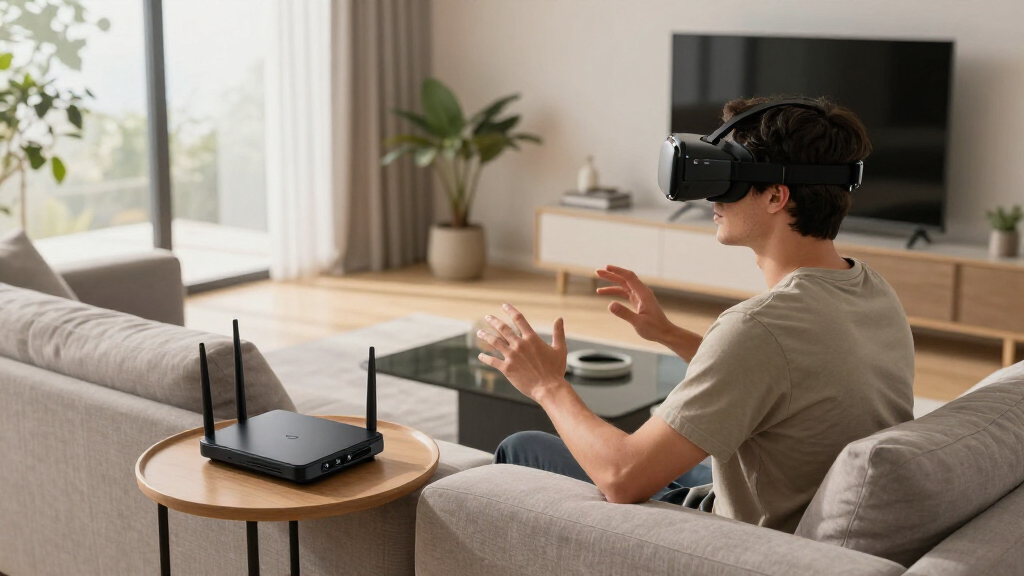
How We Picked
The routers included in this roundup were chosen based on their ability to deliver consistently low latency suitable for wireless PCVR. We prioritized models with advanced WiFi standards like WiFi 6 and WiFi 7, as these provide higher throughput and reduced lag. Ease of setup, build quality, and network stability were also key factors, along with port options and security features that support demanding VR environments. Our rankings reflect a balance of performance, future-proofing, and value, aiming to help different types of buyers—from enthusiasts to newcomers—find the best fit for their needs.Factors to Consider When Choosing Low Latency Router For Wireless Pcvr
Choosing the right low latency router for wireless PCVR involves more than just speed specs. It’s important to consider how the router manages interference, supports multiple devices, and handles the specific data demands of VR streaming. Your environment, the number of connected devices, and the complexity of your network setup influence which features matter most. Here are key factors to evaluate to make an informed decision.WiFi Standard and Speed
For PCVR, higher WiFi standards like WiFi 6 and WiFi 7 are essential because they offer greater bandwidth and lower latency. While WiFi 6 is already capable of handling most current VR setups, WiFi 7 promises even more improvements for future-proofing. Be wary of routers that advertise high speeds but lack the real-time responsiveness needed for VR; actual latency performance is what counts most in this use case.
Coverage and Signal Stability
Wireless VR setups require a stable connection over the entire play area. Routers with multiple antennas and MIMO technology tend to provide better coverage and reduce dead zones. Placement is also critical; higher placement and avoiding interference from other electronics can improve signal stability. For larger rooms or multi-room setups, consider routers with mesh capabilities or additional extenders to maintain low latency across the space.
Ethernet Ports and Backward Compatibility
While wireless is the focus, having multiple Ethernet ports allows for wired connections of VR base stations or other devices, reducing overall network congestion. Compatibility with existing WiFi standards and ease of firmware updates also matter, especially if you plan to upgrade your VR hardware over time. Some routers support VPN and security features that can help protect your VR data stream from interference or malicious attacks.
Ease of Setup and Management
A complex setup process can add frustration, especially for newcomers. Look for routers with user-friendly apps, clear documentation, and straightforward configuration options. Quality of service (QoS) settings that prioritize VR traffic can significantly improve latency and responsiveness during gameplay. Consider future expandability and firmware support to ensure your network stays optimized as technology advances.
Price and Value
Investing in a high-performance router can be worthwhile if you value smooth, lag-free VR experiences. However, more expensive models often include features you might not need, so weigh features against your actual use case and budget. Budget options may suffice for casual users or smaller spaces but can compromise on latency and stability for demanding PCVR setups. Striking the right balance between cost and capability is key to long-term satisfaction.
Frequently Asked Questions
How does WiFi 6E improve low latency for wireless PCVR?
WiFi 6E extends WiFi 6 into the 6 GHz band, which provides less interference and more channels, leading to higher throughput and lower latency. This results in a more responsive VR experience with less lag or stuttering, especially in environments with multiple devices. While not a silver bullet, WiFi 6E offers significant advantages over previous standards for demanding, real-time applications like PCVR.
Is a wired connection always better for low latency VR streaming?
Wired connections generally offer the lowest latency and most stable signals, making them ideal for VR streaming. However, a high-quality wireless router with advanced features can come very close, especially in smaller or optimized environments. For larger spaces or when cable management is an issue, a strong wireless setup with proper placement may suffice, but wired remains the most reliable option for consistent low latency.
Should I prioritize WiFi 7 routers for future-proofing my VR setup?
WiFi 7 routers are still emerging but promise to deliver even lower latency and higher speeds, which can benefit future wireless PCVR systems. If you’re building a new setup and want to invest in the latest technology, choosing a WiFi 7 router makes sense. However, for immediate needs, WiFi 6 models often provide more than enough performance at a lower cost, and current VR hardware may not fully utilize WiFi 7’s capabilities yet.
How important are extra Ethernet ports for wireless PCVR?
Extra Ethernet ports allow you to connect VR base stations, PCs, or other network devices directly, reducing wireless congestion and latency. This hybrid approach can lead to a more stable VR experience, especially in crowded network environments. If your VR setup includes multiple wired components, selecting a router with ample Ethernet ports is a smart move to enhance overall performance and reduce lag.
What features should I look for if I want to expand my VR setup later?
Look for routers with mesh capabilities, multiple high-speed ports, and firmware that supports easy updates. Compatibility with mesh systems allows you to expand coverage without sacrificing latency. Additionally, prioritize routers with strong QoS features, so you can prioritize VR traffic as your setup grows. Planning for future upgrades ensures your network remains low latency and responsive over time.
Conclusion
For most users seeking an all-around balance of speed, stability, and ease of use, the MSI Radix AXE6600 offers the best overall experience, especially if you prioritize low latency and future-proofing. Budget-conscious buyers or newcomers may find the ASUS RT-AX1800S a suitable starting point, while enthusiasts aiming for cutting-edge performance should consider the TP-Link BE6500 with WiFi 7 support. Those with larger spaces or multiple devices should focus on routers with extensive coverage and multiple ports. Ultimately, your choice depends on your specific VR setup and how much you’re willing to invest in network quality.”
Fall Picks
fall essentials
As an affiliate, we earn on qualifying purchases.