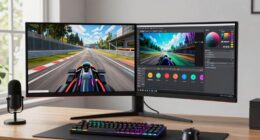

For gamers seeking the best visual fidelity, mini-LED monitors excel in delivering vibrant HDR experiences with deeper blacks and brighter highlights. The KTC 27 Inch Dual Mode Mini LED Monitor stands out for its 4K resolution and high refresh rates, perfect for immersive gaming. The AOC 27 inch Mini-LED Gaming Monitor offers a combination of high brightness and ultra-wide QHD for competitive play, while the KOORUI 27″ 4K QD-Mini LED Gaming Monitor provides a premium HDR experience with broad color coverage. The main challenge is balancing cost, performance, and features—more expensive models tend to offer better HDR and color accuracy, but may be overkill for casual gamers. Continue reading for a detailed comparison to find your ideal HDR mini-LED monitor.
Key Takeaways
- High-end models like the KOORUI 4K QD-Mini LED excel in color accuracy and HDR brightness, ideal for professional-grade setups.
- Refresh rates above 144Hz are common among premium picks, providing smoother gameplay especially in fast-paced titles.
- Vivid HDR performance in mini-LED monitors often correlates with increased dimming zones and brightness levels, which come at a higher price.
- Dual-mode monitors like the KOORUI S2741LM offer versatility for both gaming and content creation, but may feature tradeoffs in gaming-specific features.
- Price often reflects the level of HDR support, color coverage, and build quality—consider your primary use case before investing.



More Details on Our Top Picks
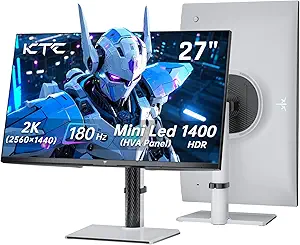
KTC QHD Mini LED Monitor 27 Inch, 1440P 180Hz Gaming PC Monitor, HDR 1400, HDMI2.0, DP1.4, USB, Swivel/Height/Pivot/Tilt Adjustable, VESA Support, White, M27T6
This monitor stands out for its combination of advanced Mini-LED backlighting and extensive ergonomic adjustments, making it ideal for gamers who want a true HDR experience with flexible setup options. Compared to the AOC Q27G4ZMN, it offers slightly lower peak brightness but excels in local dimming zones, resulting in better contrast and deeper blacks. The 180Hz refresh rate and 1ms GTG response time ensure smooth gameplay, rivaling higher-priced models. Its multi-angle adjustments and VESA support make it a strong contender for both gaming and productivity setups. However, the lack of a USB-C port limits direct laptop connectivity, and its HDR brightness, while impressive, is slightly less than the AOC Q27G4ZMN. This pick makes the most sense for gamers who prioritize contrast and flexibility over raw peak brightness.
Pros:- 1152 local dimming zones for exceptional contrast
- 180Hz refresh rate with 1ms GTG response time
- Full ergonomic adjustment including swivel, pivot, tilt, and height
Cons:- Lacks USB-C port for direct laptop connection
- HDR brightness peaks at 1400 nits, slightly below some premium models
Best for: Gamers seeking a versatile, high-contrast HDR monitor with extensive ergonomic options.
Not ideal for: Users who need USB-C connectivity or the absolute highest HDR brightness for professional content creation.
- Screen Size:27 inches
- Resolution:2560×1440
- Refresh Rate:180Hz
- HDR:HDR1400
- Local Dimming Zones:1152
- Connectivity:HDMI2.0, DP1.4, USB
Bottom line: This monitor is ideal for gamers who want rich HDR visuals and flexible positioning at a competitive price.
KTC 27 Inch Dual Mode Mini LED Monitor – 4K UHD at 160Hz & 1080P FHD 320Hz Gaming Monitor, 65W Type-C Port, HDR1400 Fast IPS Panel, Adaptive-Sync, HDMI 2.1 & DP 1.4, Height Adjustment, VESA Wall Mount
This dual-mode monitor makes a compelling case for users who need both 4K and high-refresh 1080p gaming, offering a flexible solution unlike the single-focus AOC Q27G4ZMN. Its 160Hz at 4K and 320Hz at FHD combine high resolution with ultra-fast response, catering well to competitive gamers and content creators alike. The 1152-zone Mini-LED backlight and HDR1400 certification provide rich contrast and vivid visuals, rivaling the AOC Q27G4ZMN’s brightness but with a broader resolution flexibility. The 65W Type-C port adds convenience for laptop users, and VESA mount compatibility enhances its ergonomic versatility. Its main tradeoff is the slightly lower native resolution at 4K (compared to dedicated 4K monitors) and a higher price point. This makes it perfect for players who want a hybrid monitor for both work and high-end gaming.
Pros:- Dual-mode 4K/1080p with 160Hz and 320Hz refresh rates
- HDR1400 with 1152 dimming zones for rich contrast
- Type-C port with 65W power delivery
Cons:- Higher price compared to single-mode monitors
- Native 4K resolution is slightly lower than some dedicated 4K screens
Best for: Professionals and gamers who need high-resolution versatility with ultra-fast refresh for competitive titles.
Not ideal for: Players seeking solely 4K fidelity or those on a strict budget, due to its premium price and complex features.
- Screen Size:27 inches
- Resolution:3840×2160 (4K)
- Refresh Rate:160Hz (4K), 320Hz (FHD)
- HDR:HDR1400
- Local Dimming Zones:1152
- Connectivity:HDMI 2.1, DP 1.4, Type-C 65W
Bottom line: This monitor suits users who want a flexible, high-performance HDR display for both work and ultra-fast competitive gaming.
KTC 27 Inch 4K Mini LED Monitor, Fast IPS, HDR1000 160Hz 144Hz Gaming Monitor, Speakers, Type-C 90W, HDMI/DP/USB, Swivel/Height/Pivot/Tilt, VESA, Vertical Monitor for Gaming & PC
This monitor makes the list for its 4K resolution, HDR1000 certification, and fast IPS panel, making it suitable for gamers and content creators who demand detailed visuals and color accuracy. Unlike the AOC Q27G4ZMN, it emphasizes high resolution and color precision over peak brightness, which is slightly lower at 1000 nits. Its 160Hz refresh rate and 1ms response time provide excellent responsiveness, comparable to high-end gaming displays. The inclusion of a Type-C port with 90W power delivery makes it a strong choice for creators working with laptops, and its ergonomic stand supports various setups. The main tradeoff is a slightly lower HDR brightness ceiling compared to the HDR1400 models, but for users focused on 4K clarity and color fidelity, this monitor is a smart pick.
Pros:- 4K UHD resolution with 160Hz refresh rate
- HDR1000 with full-array local dimming for vivid contrast
- Type-C port with 90W power support
Cons:- HDR brightness peaks at 1000 nits, below some premium models
- Lacks the higher local dimming zones of some competitors
Best for: HDR content creators and gamers prioritizing 4K resolution and color accuracy in a versatile, ergonomic monitor.
Not ideal for: Gamers seeking the absolute highest brightness or HDR peak for cinematic content, as it emphasizes resolution and color fidelity.
- Screen Size:27 inches
- Resolution:3840×2160
- Refresh Rate:160Hz
- HDR:HDR1000
- Local Dimming Zones:576
- Connectivity:HDMI, DP, Type-C 90W
Bottom line: This monitor provides excellent resolution, color fidelity, and HDR for creators and gamers who prioritize detail and accuracy.
AOC 27 inch Mini-LED Gaming Monitor, QHD Ultra Wide 1440p, 240Hz, 1ms, DisplayHDR 1000, Adaptive-Sync, 1152 Dimming Zones, Xbox/PS5/Switch Ready, 3-Year Zero-Bright-dot, Q27G4ZMN
This monitor is designed for gamers who demand ultra-fast response times and high refresh rates, making it ideal for fast-paced titles. Its 240Hz refresh rate and 1ms GtG response time deliver silky-smooth motion, competing with the fastest monitors on the market. The 1152 dimming zones and HDR1000 certification provide impressive contrast and bright highlights, rivaling more expensive models like the KTC dual mode but with a focus on speed. Its ergonomic stand and multiple gaming features, including Shadow Control and Game Mode presets, make it a versatile gaming hub. The main tradeoffs are its higher price point and slightly lower resolution than 4K options, but for high-speed gaming, its performance is unmatched.
Pros:- 240Hz refresh rate with 1ms GtG response
- DisplayHDR 1000 with 1152 zones for contrast
- Gaming-specific features like Shadow Control and presets
Cons:- Higher price compared to standard 144Hz monitors
- Limited to 1440p resolution, not 4K
Best for: Competitive gamers seeking ultra-fast response and high HDR contrast at 1440p resolution.
Not ideal for: Users who prefer higher resolution or HDR brightness above 1000 nits for cinematic or professional content work.
- Screen Size:27 inches
- Resolution:2560×1440
- Refresh Rate:240Hz
- HDR:HDR1000
- Local Dimming Zones:1152
- Connectivity:HDMI, DP
Bottom line: This monitor is perfect for competitive gamers who prioritize speed and contrast in HDR visuals over resolution.
Z-Edge 27 inch Curved Gaming Monitor, FHD 1080P 200Hz 165Hz 144Hz Curved 1500R PC Monitor, MPRT 1ms, FreeSync, Low Blue Light, 350nits,16.7M Colors, UG27 Frameless Bezel, 1X DP and 1X HDMI
This monitor provides a budget-friendly entry point into HDR gaming with its 1500R curved screen and 1080p resolution. Compared to the higher-end AOC Q27G4ZMN, it offers lower HDR brightness at 350 nits and fewer local dimming zones, but still supports FreeSync and a 165Hz refresh rate for smooth gameplay. Its curved design enhances immersion, especially for casual or entry-level gamers looking to experience HDR without breaking the bank. The 1ms MPRT and low blue light technology offer good responsiveness and eye comfort. The main tradeoff is the lower resolution and brightness, making it less suitable for professional content or cinematic HDR. It’s best for gamers on a tight budget wanting a curved, responsive display.
Pros:- Curved 1500R design for immersive gameplay
- Fast 165Hz refresh rate and 1ms MPRT
- Affordable price point with basic HDR support
Cons:- Limited to 1080p resolution, not suitable for detailed work
- Peak HDR brightness only 350 nits, below premium models
Best for: Casual gamers seeking an affordable, curved HDR monitor for immersive gaming.
Not ideal for: Professional users or enthusiasts who need high brightness and resolution for content creation or cinematic HDR experiences.
- Screen Size:27 inches
- Resolution:1920×1080
- Refresh Rate:165Hz
- HDR:HDR10 (350 nits)
- Curvature:1500R
- Connectivity:HDMI, DP
Bottom line: This monitor offers an accessible entry into HDR gaming with a curved display and decent response times for casual players.
Z-Edge 27 inch Curved Gaming Monitor, FHD 1080P 300Hz 280Hz 240Hz Curved Monitor 1500R Computer Monitor, MPRT 1ms Monitor, FreeSync, Low Blue Light,16.7M Colors, UG27S 2X DP and 2X HDMI
This Z-Edge UG27S stands out for its blistering 300Hz refresh rate, making it an excellent choice for competitive gamers who need every millisecond of responsiveness. Its 1ms response time ensures minimal motion blur, comparable to the KTC 27 Inch Mini LED, but at a more accessible price point. The curved 1500R screen adds immersion, especially for fast-paced titles, while the 4000:1 contrast ratio enhances dark scenes. However, its 1080p resolution limits clarity compared to higher-res options like the KOORUI 4K, making it less ideal for detailed content creation. Connectivity is robust with dual DisplayPorts supporting 300Hz, and dual HDMI ports for consoles. The monitor’s Flicker-free and Low Blue Light features help reduce eye strain during long sessions. Nonetheless, it’s less suited for users who prioritize HDR or color accuracy beyond gaming.
Pros:- Incredibly high 300Hz refresh rate for smooth gameplay
- Rapid 1ms response time minimizes motion blur
- Immersive curved display enhances fast-paced gaming experience
- Strong connectivity with dual DisplayPort and HDMI
Cons:- Limited to 1080p resolution, less ideal for detailed visuals
- HDR support is basic and not suitable for professional HDR workflows
- Design may be less suited for non-gaming use
Best for: Gamers who prioritize ultra-fast response times and competitive performance in fast-paced games.
Not ideal for: Content creators or users seeking true HDR or high-fidelity color for professional work.
- Screen Size:27 inches
- Resolution:1920 x 1080
- Refresh Rate:300Hz
- Response Time:1ms
- Contrast Ratio:4000:1
- Connectivity:2x DisplayPort, 2x HDMI
- Curvature:1500R
- HDR:Basic HDR support
Bottom line: This monitor is perfect for competitive gamers who need speed and responsiveness above all else.
KTC 27 Inch Mini LED Gaming Monitor – 1440P Monitor 2K, HDR1400, 180Hz, Adaptive Sync, 148% sRGB, HDMI 2.0 x 2, DisplayPort 1.4 x 1, Monitors Gamer with Height Angles Adjustable
The KTC 27 Inch Mini LED excels with its HDR1400 certification and wide 148% sRGB color gamut, making it a top pick for gamers and creatives who want vibrant visuals with deep contrast. Its 180Hz refresh rate provides smooth gaming, slightly below the 300Hz of the Z-Edge, but still highly responsive. The monitor’s 1152-zone Mini LED backlight offers precise local dimming, creating stunning light and shadow effects similar to the KOORUI 4K, but with a focus on gaming. Its ergonomic stand allows tilt, swivel, and height adjustments, enhancing comfort during long sessions. While its resolution is QHD, which is sharper than 1080p, it does not reach 4K quality. Connectivity includes HDMI 2.0 and DisplayPort 1.4, supporting high refresh rates. The main tradeoff is that its HDR performance, while impressive, might not match the professional-grade color accuracy of higher-end models like KOORUI.
Pros:- Excellent HDR1400 certification with deep contrast
- Vivid 148% sRGB and precise local dimming
- Good response time at 180Hz for smooth gaming
- Adjustable stand for ergonomic comfort
Cons:- Lower refresh rate than 300Hz models, less optimal for e-sports
- QHD resolution may fall short for detailed content creation
- Not a 4K monitor, limiting ultra-high-res applications
Best for: Gamers who want excellent HDR visuals combined with vibrant colors and ergonomic comfort.
Not ideal for: Professionals needing pixel-perfect color accuracy for editing or high-end content creation.
- Screen Size:27 inches
- Resolution:2560×1440 (QHD)
- HDR:HDR1400
- Refresh Rate:180Hz
- Color Gamut:148% sRGB
- Connectivity:2x HDMI 2.0, 1x DisplayPort 1.4
- Backlight Zones:1152 zones
- Adjustments:Height, tilt, swivel
Bottom line: Ideal for gamers seeking vibrant HDR visuals with good response times and ergonomic flexibility.
KOORUI 27″ 4K QD-Mini LED Gaming Monitor – Dual-Mode (UHD 160Hz or FHD 320Hz), 1ms, 99% Adobe RGB, HDR1400, 90W USB-C, HDMI 2.1/DP1.4, VESA, Tilt Height Swivel Vertical Adjustment, Black, S2741LM
The KOORUI 27″ 4K Mini LED offers a remarkable balance of high resolution, superb HDR, and professional-grade color accuracy, making it the best choice for content creators and serious gamers alike. Its 1152-zone Mini LED backlight and 3840×2160 resolution deliver breathtaking detail and contrast, surpassing the resolution of the other models here. The dual-mode feature allows switching between UHD 160Hz and FHD 320Hz, providing flexibility for both high-end gaming and ultra-smooth e-sports action. The 99% Adobe RGB and factory calibration ensure color precision suitable for professional work, unlike the more gaming-focused displays. Its connectivity with USB-C charging, HDMI 2.1, and VESA mount support adds versatility. The main tradeoff is its size and weight, which may be less suitable for compact setups. Also, its premium features come at a higher price point.
Pros:- Stunning 4K UHD clarity with 1152-zone local dimming
- Dual-mode for 160Hz UHD and 320Hz FHD gaming
- Exceptional color accuracy with 99% Adobe RGB
- Versatile connectivity including USB-C with 90W charging
Cons:- Larger size and weight may limit desk placement
- Higher price compared to other gaming monitors
- Complex setup for dual-mode switching
Best for: Content creators and gamers who need true 4K resolution with professional color accuracy and HDR.
Not ideal for: Budget-conscious gamers or users who prioritize high refresh rates over 4K resolution.
- Screen Size:27 inches
- Resolution:3840×2160 (4K UHD)
- HDR:HDR1400
- Response Time:1ms
- Refresh Rate:160Hz (UHD Mode), 320Hz (FHD Mode)
- Color Gamut:99% Adobe RGB
- Connectivity:HDMI 2.1, DP 1.4, USB-C
- Local Dimming Zones:1152
Bottom line: This monitor is best suited for professionals and gamers demanding top-tier HDR and color fidelity in a 4K display.

How We Picked
The monitors in this roundup were selected based on a combination of performance, build quality, and feature set tailored to HDR gaming. Key factors included HDR brightness levels (measured in nits), local dimming zone count, refresh rate, response time, and color accuracy. We prioritized models that balance high HDR performance with usability features like ergonomic adjustments and connectivity options. Cost-effectiveness was also considered, ensuring options range from budget-friendly to premium, so readers can find a suitable choice regardless of budget. The ranking reflects overall value, with the best overall pick offering a blend of top-tier HDR and gaming features, while other positions highlight niche advantages.Factors to Consider When Choosing Best Mini-LED Gaming Monitors For HDR Setups
Choosing the right mini-LED gaming monitor for HDR involves understanding several critical factors that affect visual quality and usability. Beyond raw specs, it’s essential to consider how these features translate into real-world gaming experiences, durability, and compatibility with your setup. Making an informed decision ensures that you get a monitor that not only looks stunning but also performs reliably over time.HDR Brightness and Local Dimming Zones
High HDR brightness levels, measured in nits, are vital for vibrant visuals. Monitors with more local dimming zones can produce deeper blacks and brighter highlights, enhancing contrast and overall HDR performance. However, increasing these features also raises costs, so assess whether your gaming needs justify a higher-end model or if a mid-range option suffices for your typical content.
Refresh Rate and Response Time
Fast refresh rates (above 144Hz) and low response times are key for smooth gameplay, especially in fast-paced genres like shooters or racing games. While some mini-LED models prioritize HDR and color, ensuring high refresh rates prevents motion blur and input lag. Be cautious of models that compromise on these core gaming metrics for better HDR specs; the best monitors balance both for an optimal experience.
Color Coverage and Accuracy
For HDR content, color coverage—such as sRGB, Adobe RGB, or DCI-P3—is critical. Monitors with broader color gamuts deliver richer, more lifelike images. But higher color accuracy often comes with increased prices. If you mainly game but also do content creation, prioritize models that offer wide color spaces and calibration options to get the most from HDR visuals.
Connectivity and Ergonomics
Multiple input options like HDMI 2.1 and DisplayPort 1.4 ensure compatibility with the latest gaming hardware. Ergonomic features such as height adjustment, swivel, and tilt improve comfort during long sessions. Consider your desk setup and whether these features are necessary, as they can significantly enhance your overall experience but may add to the cost.
Price and Value
Higher-priced models often deliver superior HDR brightness, local dimming, and color accuracy, but they might be overkill for casual gamers. Conversely, budget options may lack advanced HDR features but still offer solid performance for standard gaming. Define your priorities: if HDR is a primary concern, investing more makes sense; for casual use, a mid-range monitor could meet your needs at a better price point.
Frequently Asked Questions
Can I use a mini-LED monitor for competitive gaming?
Yes, many mini-LED monitors offer high refresh rates and low response times suitable for competitive gaming, especially models with 165Hz or higher. However, ensure that the monitor also has fast response times and adaptive sync technology to minimize input lag and tearing. While HDR and color accuracy enhance visual quality, prioritize gaming-specific features if fast-paced gameplay is your main focus.
Is HDR support worth paying extra for in a gaming monitor?
HDR support can significantly improve visual immersion by providing brighter highlights and deeper blacks, especially on mini-LED panels with local dimming. If you mostly play visually rich titles or enjoy cinematic experiences, investing in a monitor with robust HDR capabilities is worthwhile. For competitive gamers who prioritize response times and refresh rates, HDR may be a secondary consideration, and a more affordable model might suffice.
What is the ideal size for a mini-LED gaming monitor?
Most mini-LED gaming monitors are 27 inches, balancing immersive visuals with desk space and pixel density. Larger sizes, like 32 inches, can enhance immersion but may require more powerful hardware for optimal performance and could be less suitable for smaller desks. Smaller options, such as 24 inches, may offer better pixel density but lack the expansive viewing experience HDR gaming benefits provide. Your choice should align with your available space and preferred gaming style.
Do I need a high-end GPU to take advantage of HDR mini-LED monitors?
Yes, to fully utilize the HDR capabilities and high refresh rates of premium mini-LED monitors, a powerful GPU is essential. Modern graphics cards that support HDMI 2.1 or DisplayPort 1.4 are necessary to drive 4K or high-refresh-rate displays at their maximum settings. Without a capable GPU, you might not see the full benefits of HDR or high frame rates, making it less worthwhile to invest in the most advanced monitors without matching hardware.
Are mini-LED monitors durable for long-term use?
Mini-LED monitors generally feature robust build quality, especially higher-end models with metal frames and durable stands. Their longevity depends on proper care, including avoiding static images that can cause burn-in and ensuring the monitor is used within recommended brightness levels. When selecting a model, look for brands with good warranties and reliable customer reviews to ensure long-term performance and support.