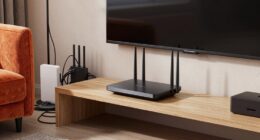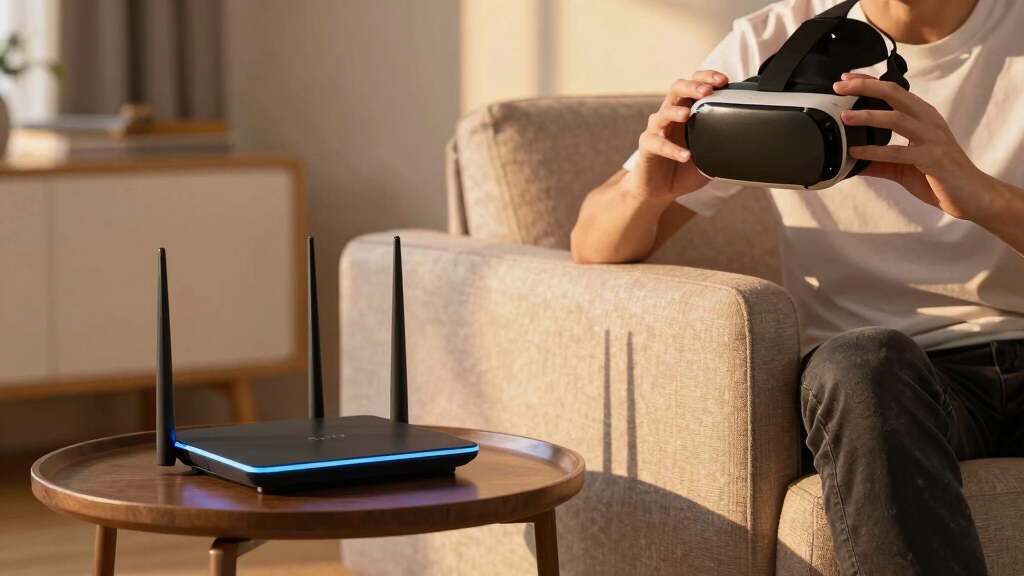

Choosing the best gaming router for VR requires balancing speed, stability, and coverage to ensure a smooth, lag-free experience. The NETGEAR Nighthawk Dual-Band WiFi 7 Router stands out as the overall top pick thanks to its blazing fast speeds and extensive coverage. For those seeking a more budget-friendly option, the TP-Link Archer BE230 offers solid performance with advanced features, while the MSI Radix AXE6600 excels in high-speed, long-range gaming. The main challenge in this category is finding a router that can handle multiple devices and high-bandwidth VR streams without sacrificing latency or stability. Continue reading for a detailed breakdown of each choice and how they compare for VR gaming.
Key Takeaways
- High-speed WiFi 7 routers generally outperform WiFi 6 models in VR streaming due to faster data transfer rates.
- Tri-band routers like the MSI Radix AXE6600 offer better stability for multiple VR devices and concurrent gaming streams.
- Advanced features such as MU-MIMO, MLO, and AI QoS significantly improve VR performance and reduce lag.
- The best routers balance raw speed with coverage and device capacity, avoiding bottlenecks during intense gaming sessions.
- Premium models tend to include more ports and features like dual 10G ports, but may be overkill for casual VR gamers.




More Details on Our Top Picks
NETGEAR Nighthawk Dual-Band WiFi 7 Router (RS140) – Router Only, BE5000 Wireless Speed (up to 5.0 Gbps) – Covers up to 2,250 sq. ft., 80 Devices – 2.5 Gig Internet Port – Free Expert Help
This router stands out for leveraging the latest WiFi 7 technology, delivering speeds up to 5.0 Gbps, which is essential for smooth VR experiences and high-quality streaming. Compared with the MSI Radix AXE6600, it offers slightly higher coverage and supports more devices, making it ideal for larger households with multiple VR headsets and smart devices. Its simple setup process via the app makes it accessible even for users upgrading from older models like the ASUS RT-AX1800S, though it does require a separate modem for internet access. The 2.5 Gig port ensures future-proof multi-gig internet support, but the lack of an integrated modem means additional equipment might be necessary. This makes it a strong pick for gamers or families needing reliable, fast WiFi over a wide area, though it’s less suited for those with limited space or lower device counts.
Pros:- Supports WiFi 7 for top speeds and future compatibility
- Covers up to 2,250 sq. ft. for large homes
- Handles up to 80 devices simultaneously
- Includes a 2.5 Gigabit Ethernet port for multi-gig internet
Cons:- Requires a separate modem, adding complexity and cost
- Higher price point compared to some WiFi 6 options
- No built-in security features, reliance on external protection
Best for: Gamers and households with multiple VR headsets and smart home devices needing fast, extensive coverage.
Not ideal for: Small apartments or users with only a few devices, since its coverage and capabilities may be overkill.
- WiFi Speed:up to 5.0 Gbps
- Coverage:up to 2,250 sq. ft.
- Device Capacity:80 devices
- Internet Port:2.5 Gigabit Ethernet
- WiFi Generation:WiFi 7
- Security Protocol:WPA3
Bottom line: This router is ideal for those seeking the fastest, most reliable WiFi for VR and large home coverage, despite its higher cost and setup complexity.
ASUS RT-AX1800S Dual Band WiFi 6 Extendable Router, Subscription-Free Network Security, Parental Control, Built-in VPN, AiMesh Compatible, Gaming & Streaming, Smart Home
This model makes the most sense for budget-conscious gamers or families seeking reliable WiFi 6 speeds, comparable to the MSI Radix AXE6600 but at a lower price point. Its support for AiMesh allows extension across multiple units, which is a distinct advantage over the MSI AXE6600, especially in larger homes with VR setups. While it doesn’t support WiFi 7 like the NETGEAR RS140, it provides ample coverage and stable connections for VR gaming and streaming, with the added benefit of built-in security and parental controls—features many higher-end routers lack by default. The setup process is straightforward via its app, although the maximum speed of 1.8 Gbps isn’t quite as fast as WiFi 7 standards, so it’s less future-proof for ultra-high-speed VR content. For those with smaller spaces or a limited budget, it offers excellent performance without sacrificing expandability.
Pros:- Supports WiFi 6 with MU-MIMO and OFDMA
- Expandable via AiMesh for larger coverage
- Built-in VPN and security features free of extra charge
- Easy setup with the ASUS app
Cons:- Limited to 1.8 Gbps max speed, below WiFi 7 standards
- Not compatible with WiFi 7 devices yet
- Coverage might be insufficient for very large homes with many VR headsets
Best for: Budget-conscious users who want reliable WiFi 6 coverage and easy mesh expansion for VR gaming.
Not ideal for: Tech enthusiasts seeking WiFi 7 speeds or ultra-low latency for competitive VR gaming.
- WiFi Speed:up to 1.8 Gbps
- Coverage:varies, suitable for small to medium homes
- Device Support:Supports multiple devices with MU-MIMO
- Security:WPA3, built-in VPN
- WiFi Generation:WiFi 6
- Additional Features:AiMesh support, parental controls
Bottom line: This router offers excellent value for stable, expandable WiFi 6 coverage suited to VR gaming in smaller or mid-sized homes.
TP-Link Dual-Band BE3600 Wi-Fi 7 Router Archer BE230 | 4-Stream | 2×2.5G + 3×1G Ports, USB 3.0, 2.0 GHz Quad Core, 4 Antennas | VPN, EasyMesh, HomeShield, MLO, Private IOT | Free Expert Support
The Archer BE230 is a solid choice for users wanting to upgrade to Wi-Fi 7 without the high cost of premium models like the MSI Radix AXE6600. Its support for Multi-Link Operation (MLO) and dual 2.5 Gbps ports make it well-suited for VR streaming, gaming, and smart home integration at a more accessible price. While it doesn’t match the MSI Radix AXE6600’s speed or RGB aesthetics, its robust security features with HomeShield and support for EasyMesh provide added reliability and extendability. Setup is straightforward via the app, although advanced users might prefer the browser interface for detailed configuration. The coverage is adequate for most home environments, but for larger spaces, mesh extenders might be needed. It’s a good choice for those seeking to future-proof their network with Wi-Fi 7 at a reasonable cost.
Pros:- Supports Wi-Fi 7 with Multi-Link Operation
- Dual 2.5 Gbps ports for multi-Gigabit internet
- Affordable Wi-Fi 7 upgrade compared to premium models
- Includes security features with HomeShield
Cons:- Speed may be lower than high-end Wi-Fi 7 routers
- Coverage might require mesh extenders in larger homes
- Design is less flashy than premium gaming routers
Best for: Tech-savvy households aiming for Wi-Fi 7 upgrade with future expandability and security.
Not ideal for: Users with very large homes or those wanting maximum raw speed for ultra-high-demand VR sessions.
- WiFi Speed:up to 3.6 Gbps
- Coverage:up to 2,000 sq. ft.
- Device Support:Multiple with MU-MIMO
- Ports:3×1G, 2×2.5G
- Security:HomeShield, VPN
- WiFi Generation:WiFi 7
Bottom line: This router offers a balanced mix of future-proof Wi-Fi 7 features and affordability, ideal for mid-sized homes and smart setups.
Cudy AX3000 WiFi 6 Router – 802.11ax Wireless Dual Band Gigabit Internet Router, VPN Compatible, MU-MIMO, WireGuard, Cudy Mesh Compatible WR3000 V2.0
The Cudy AX3000 is a compelling option for users who need a high-capacity WiFi 6 router capable of supporting over 100 devices simultaneously, which is advantageous for VR setups with multiple headsets and smart devices. While it doesn’t support WiFi 7 like the NETGEAR RS140, its MU-MIMO and Beamforming technologies provide reliable, consistent performance at a much lower cost. The 160MHz bandwidth and 1024-QAM support ensure fast enough speeds for VR streaming, though not at the same ultra-low latency levels as WiFi 7. Its VPN compatibility and support for WireGuard make it suitable for privacy-conscious users but might be less appealing to those wanting the latest WiFi standard. Given its price and performance, it’s excellent for large households or small businesses needing durable, high-capacity WiFi 6.
Pros:- Supports over 100 devices simultaneously
- MU-MIMO and Beamforming for reliable connections
- Affordable WiFi 6 with high throughput
- VPN compatibility with WireGuard
Cons:- Limited to WiFi 6, so less future-proof
- Speed not comparable to WiFi 7 or WiFi 6E routers
- Coverage might be insufficient for very large homes without extenders
Best for: Large households or small businesses with many connected devices and VR applications on a budget.
Not ideal for: High-end VR users seeking WiFi 7 speeds or ultra-low latency for competitive gaming.
- WiFi Speed:up to 3000 Mbps
- Coverage:suitable for large device counts
- Number of Antennas:4
- Security:VPN, WireGuard
- WiFi Generation:WiFi 6
- Ports:3×1G
Bottom line: This router is an excellent choice for high-capacity, budget-friendly WiFi 6 setups supporting multiple VR devices and smart tech.
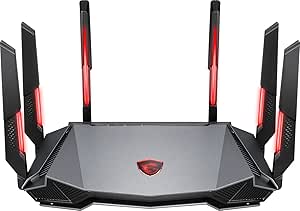
MSI Radix AXE6600 WiFi 6E Tri-Band Gaming Router, AI QoS, RGB, 1.8GHz Quad-Core Processor, MU-MIMO, Tri Band Gigabit Wireless, 8-Stream, High Speed Long Range Gaming Router
The MSI Radix AXE6600 is designed for gamers and VR enthusiasts demanding the highest speeds and lowest latency, supported by WiFi 6E’s 6 GHz band and an 8-stream setup. Its 1.8 GHz quad-core processor and AI QoS optimize traffic for immersive VR and competitive gaming, outperforming WiFi 6 routers like the ASUS RT-AX1800S in speed and responsiveness. The RGB lighting adds aesthetic appeal for gaming setups, but it might be a distraction for some. While the setup is more complex, the advanced features such as MU-MIMO, Tri-Band, and long-range coverage make it ideal for high-performance VR experiences in large or multi-room environments. The main tradeoff is its premium price, which might be prohibitive for casual users, and the RGB lighting could be unnecessary for others.
Pros:- Supports WiFi 6E for ultra-fast speeds
- Tri-band with 8 streams for low latency
- Powerful 1.8 GHz quad-core processor
- RGB lighting for aesthetic customization
Cons:- High cost suitable for enthusiasts only
- Complex setup and configuration required
- RGB lighting might be distracting or unnecessary for some
Best for: High-end gamers and VR users seeking top-tier performance and low latency in large homes or dedicated gaming spaces.
Not ideal for: Casual users or those with smaller spaces who don’t need the advanced features or high price point.
- WiFi Speed:up to 6.6 Gbps
- Coverage:High-speed long-range
- Number of Streams:8
- WiFi Bands:Tri-Band (2.4, 5, 6 GHz)
- Processor:1.8 GHz quad-core
- Security:AI QoS, MU-MIMO
Bottom line: This router is perfect for serious gamers and VR users who demand maximum speed, lowest latency, and are willing to invest in premium hardware.
PRISMXR PC-VR Streaming Air Link Compatible with Meta Quest 3S/3/2 AX3000 WiFi6 VR Router, Replace Link Cable, Wireless Stable and Fast (AX3000)
This router stands out for its tailored software, Puppis S1, which is optimized specifically for PC-VR streaming, providing a stable and ultra-fast 3000 Mbps connection. Compared with general routers like the ASUS GT-BE98 PRO, it prioritizes low latency and interference resistance, crucial for immersive VR experiences. The PrismXR Desktop app simplifies setup with one-click scans and fixes, making it ideal for users who want hassle-free performance. However, its narrow focus on VR means it offers fewer features for general networking needs, and its compatibility is limited to VR headsets and specific PC software. The single antenna design and dual-band support are sufficient for most home VR setups but might fall short in very large or heavily congested networks. Overall, this makes the most sense for dedicated VR enthusiasts who need consistent, wired-like stability without complex configurations.
Pros:- Highly optimized for PC-VR streaming with PrismPulse mode
- Supports ultra-fast 3000 Mbps Wi-Fi 6 speeds
- Simplified setup with PrismXR Desktop app
Cons:- Limited compatibility outside VR headsets and specific PC software
- Narrow feature set mainly focused on VR, lacking broader networking tools
Best for: VR gamers and streamers who require a dedicated, interference-resistant connection for seamless PC-VR streaming.
Not ideal for: Home users seeking a multi-purpose router for broader internet activities or larger household networks, due to its specialized focus.
- Wi-Fi Speed:3000 Mbps
- Frequency Bands:Dual-Band
- Supported Devices:Meta Quest 3/2/3S/Pro, Pico 4/Ultra
- Processor:1.3GHz Dual-core
- Ports:5 LAN
- Security:WPA3
Bottom line: This router is perfect for dedicated VR streamers prioritizing stable, high-speed wireless streaming over general networking features.
ASUS ROG Rapture GT-BE98 PRO First Quad-Band WiFi 7 Gaming Router supports 320MHz, Dual 10G Port, Triple-level Game Acceleration, Mobile Game Mode, Subscription-Free Security, AiMesh, and VPN features
This flagship WiFi 7 router makes a compelling case for gamers who want to maximize network speeds with cutting-edge technology, supporting speeds up to 30 Gbps across quad bands, including 6 GHz with 320 MHz channels. Its multi-link operation ensures stable, multi-device connections, surpassing the more single-purpose Puppis S1, which is limited to VR streaming. The dual 10G ports and quad 2.5G ports offer extensive wired flexibility, ideal for high-end gaming setups or demanding smart home devices. Nonetheless, this router’s complexity and premium features come with a higher price point and a steep learning curve for setup and management. Its size and power requirements might be overkill for typical small households. It’s best suited for avid gamers and tech-savvy users who demand maximum throughput and network stability across many devices.
Pros:- Supports WiFi 7 with speeds up to 30 Gbps
- Quad-band with 320 MHz channels for maximum capacity
- Dual 10G ports and quad 2.5G ports for extensive wired connectivity
- Multi-link operation for stable multi-device connections
Cons:- High cost and complexity for setup and management
- Large size and power consumption may be impractical for small spaces
Best for: Hardcore gamers and tech enthusiasts needing ultra-fast, multi-band WiFi 7 with extensive wired options for large, high-demand networks.
Not ideal for: Casual users or small households with modest internet needs, who might find it too expensive and feature-rich for their purposes.
- Wi-Fi Generation:WiFi 7 (802.11be)
- Max Speed:30 Gbps
- Ports:2x 10G, 4x 2.5G
- Antenna Count:8
- Coverage:Large home or gaming setup
- Security:WPA3
Bottom line: This router is suited for serious gamers and network enthusiasts who need the fastest, most reliable multi-device connection available today.
How We Picked
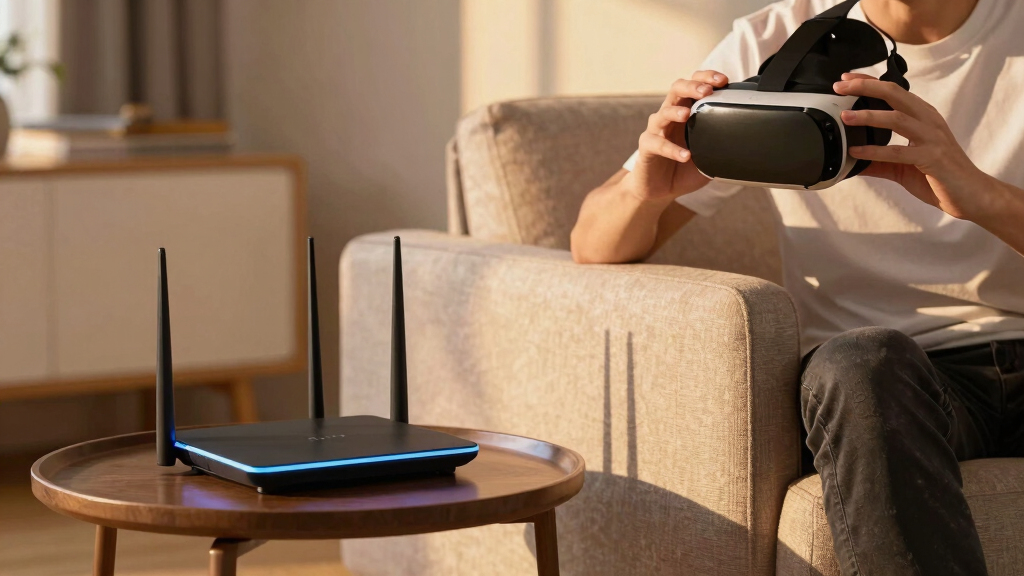
I evaluated these routers based on their ability to deliver fast, stable connections suitable for VR gaming, focusing on speed, latency, coverage, and device capacity. Performance benchmarks like WiFi standards (WiFi 6, 6E, 7), real-world range, and the presence of gaming-optimized features played a key role. Build quality and ease of setup also influenced the rankings, alongside value for money and feature sets. These criteria helped identify models that can handle the demanding data streams of VR without compromising on stability or speed, ensuring a lag-free experience for gamers at different levels of investment.Factors to Consider When Choosing Best Gaming Routers For VR
When selecting a gaming router for VR, it’s essential to consider several factors that directly impact your experience. Speed and latency are critical, as VR applications require fast, responsive connections to prevent motion sickness and lag. Coverage and device capacity matter too, especially if you have multiple VR headsets or other devices streaming simultaneously. Compatibility with the latest WiFi standards ensures future-proof performance. Additionally, features like MU-MIMO, AI QoS, and MLO can help prioritize VR traffic and reduce interference. Understanding these factors helps you avoid common pitfalls such as underpowered routers or models with limited range that can cause frustrating interruptions during gameplay.Speed and Latency
The core of a VR gaming router’s performance lies in its ability to deliver high throughput with minimal lag. Look for routers supporting WiFi 6 or 7, as these standards offer faster speeds and lower latency, essential for real-time VR interactions. The difference between a router with 2.4 GHz and 5 GHz bands can be stark, with 5 GHz providing a much more stable and fast connection. Prioritizing routers with advanced Quality of Service (QoS) features helps allocate bandwidth specifically for VR streams, reducing lag and jitter. Remember, even the fastest router won’t help if your internet plan can’t support high data rates; pairing a fast router with a high-speed internet connection maximizes your VR experience.
Coverage and Device Capacity
VR gaming often involves multiple devices, especially if you share your network with other gamers or smart home devices. A router with extensive coverage and the ability to handle dozens of concurrent connections minimizes dead zones and ensures stable data flow. Mesh-compatible routers or tri-band models can extend coverage more effectively, maintaining low latency across your entire space. Overloading a router with too many devices can cause congestion, resulting in lag spikes during critical moments. Considering your space size and device count helps select a router that maintains performance without compromise.
Compatibility and Future-Proofing
With the rapid evolution of WiFi standards, choosing a router that supports the latest technologies like WiFi 6E or 7 can extend the lifespan of your setup. Compatibility with VR-specific features like MLO (Multi-Link Operation) enhances stability and reduces interference, which is vital for immersive experiences. Investing in a future-proof router ensures you won’t need to upgrade for several years, even as VR hardware and applications become more demanding. Furthermore, check if the router supports mesh networking, so you can expand coverage easily if needed, avoiding performance bottlenecks.
Ease of Setup and Management
While high performance is critical, a router’s usability shouldn’t be overlooked. Modern gaming routers often include user-friendly apps for quick setup and network management, allowing you to prioritize VR traffic easily. Features like parental controls and security measures add value, especially if you share your network with family or children. A complex setup process can lead to misconfigurations that impair VR performance, so look for models with clear instructions and robust support. Balancing advanced features with simplicity ensures you can optimize your network without technical frustration.
Frequently Asked Questions
Do I need a WiFi 7 router for VR gaming?
While WiFi 7 routers offer the latest advancements in speed and efficiency, they are not strictly necessary for VR gaming. WiFi 6 routers already provide substantial improvements over older standards, with lower latency and higher throughput. If your internet plan supports higher speeds and you want maximum future-proofing, a WiFi 7 model can be beneficial, especially for demanding VR applications or multiple devices. However, for most users, a high-quality WiFi 6 router will deliver a smooth VR experience without overpaying for the latest standard that might not yet be fully supported by all VR hardware.
How important is coverage area for VR routers?
Coverage is a vital aspect because VR setups often require a stable connection across a specific area. If your space is large or involves multiple rooms, a router with broad coverage or a mesh system becomes more valuable. Dead zones or weak signals can cause lag spikes or disconnections during gameplay, disrupting immersion and comfort. Assessing your actual space and device placement helps determine whether a single high-power router suffices or if an extended mesh network is necessary. Remember, a router with excellent range can be the difference between seamless VR sessions and frustrating interruptions.
Should I prioritize gaming-specific features in my router?
Yes, features like AI QoS, game acceleration, and traffic prioritization are designed to reduce lag and jitter during gaming sessions. These tools automatically detect gaming traffic and allocate bandwidth accordingly, which is especially helpful for VR where even minor delays can cause motion sickness. However, not all gaming features are equally effective or necessary for VR; consider your specific setup and whether these features are user-friendly and easy to customize. Overinvesting in overly complex features might complicate setup, so choose a router with core gaming optimizations aligned with your actual needs.
Is a wired connection better for VR than WiFi?
Generally, wired Ethernet connections provide the most stable and lowest-latency link for VR, reducing interference and lag that can occur over WiFi. If your VR hardware supports Ethernet, connecting directly offers a more consistent experience, especially for high-resolution streams or multiplayer scenarios. However, wired setups may not always be practical depending on your room layout or mobility needs. In such cases, a high-quality WiFi 6 or 7 router with strong coverage and minimal interference can deliver nearly comparable performance. Balancing convenience with stability is the key decision point.
How much should I spend on a router for VR gaming?
The amount to spend depends on your specific needs and setup complexity. Budget routers under $150 can handle basic VR streaming for smaller spaces, but they often lack the advanced features and coverage necessary for larger homes or multiple devices. Mid-range models ($150-$300) typically offer better speed, range, and gaming optimization, making them suitable for most VR enthusiasts. Premium routers over $300 include extra features like multi-Gig ports, mesh compatibility, and advanced QoS, which benefit serious gamers with demanding setups. Carefully matching your budget with your performance expectations ensures you get the best value without overspending.
Conclusion
For most gamers seeking a balanced experience, the NETGEAR Nighthawk Dual-Band WiFi 7 Router offers exceptional speed and coverage, making it the best overall choice. Budget-conscious users or those with smaller spaces will find the TP-Link Archer BE230 delivers good performance at a lower cost. Serious enthusiasts or those with large setups should consider the MSI Radix AXE6600 for its tri-band, high-speed capabilities. Beginners or casual VR players might prefer routers with straightforward setup and management, like the ASUS RT-AX1800S. Ultimately, your choice depends on your space, device count, and performance demands, but prioritizing speed, stability, and future-proof features will ensure a smooth VR experience in 2026.