
Choosing the best GPU for VR in 2026 requires balancing performance, value, and future-proofing. The NVIDIA GeForce RTX 4080 stands out for its exceptional power, making it ideal for high-end VR setups. The AMD Radeon RX 7900 XT offers a compelling mix of performance and affordability, perfect for mainstream VR users. Meanwhile, the NVIDIA GeForce RTX 4070 Ti delivers solid performance at a more accessible price point, making it a sensible choice for those new to VR or with budget constraints. Each of these options involves tradeoffs between raw power, price, and feature set, which I will detail below.
Key Takeaways
- The NVIDIA RTX 4080 provides top-tier VR performance but comes at a premium price.
- The AMD RX 7900 XT balances performance with better value for mainstream users.
- The RTX 4070 Ti offers a strong performance-to-price ratio for budget-conscious buyers.
- Future VR headsets will demand increasingly powerful GPUs, making some choices more future-proof.
- Tradeoffs often involve balancing initial cost against long-term performance and compatibility.
| AMD Radeon RX 7900 XT |  | Best Value VR GPU | GPU Architecture: RDNA 3 | VRAM: 20 GB GDDR6 | Ray Tracing Cores: Yes | VIEW LATEST PRICE | See Our Full Breakdown |
| NVIDIA GeForce RTX 4070 Ti |  | Best Budget-Friendly VR GPU | GPU Architecture: Ada Lovelace | VRAM: 12 GB GDDR6X | Ray Tracing Cores: Yes | VIEW LATEST PRICE | See Our Full Breakdown |
More Details on Our Top Picks
AMD Radeon RX 7900 XT
The AMD Radeon RX 7900 XT offers compelling performance for its price, making it a smart pick for mainstream VR users. It provides high frame rates and good visual quality in most VR titles, approaching the capabilities of higher-end cards like the RTX 4080 but at a significantly lower cost. Its 20 GB GDDR6 memory helps with future compatibility and large VR environments. Compared to the RTX 4070 Ti, it often delivers better raw performance at a similar or lower price, but it may lack some of NVIDIA’s proprietary features like DLSS. Its power efficiency and robust cooling make it suitable for mid-sized builds.
Pros:- Excellent performance at a reasonable price
- Generous 20 GB VRAM for future-proofing
- Good power efficiency
- Solid driver stability
- Supports AMD’s FidelityFX Super Resolution (FSR)
Cons:- Lacks DLSS support, which can impact frame rates in some titles
- Slightly lower ray tracing performance compared to NVIDIA counterparts
- Availability can be inconsistent
Best for: Budget-conscious gamers and mainstream VR users who want high performance without breaking the bank.
Not ideal for: Professional VR creators or those who need the absolute highest fidelity and features.
- GPU Architecture:RDNA 3
- VRAM:20 GB GDDR6
- Ray Tracing Cores:Yes
- FidelityFX Super Resolution:Yes
- Power Draw:300W
- Outputs:HDMI 2.1, DisplayPort 1.4
Bottom line: The RX 7900 XT strikes a strong balance between cost and performance, making it ideal for mainstream VR users wanting great visuals and smooth gameplay.
NVIDIA GeForce RTX 4070 Ti
The NVIDIA GeForce RTX 4070 Ti offers robust VR performance at a more accessible price point. It features 12 GB of GDDR6X memory, which is sufficient for most current VR titles and upcoming headset resolutions. Its architecture supports DLSS 3, helping maintain high frame rates during intensive VR sessions. Compared to the RTX 4080, it may lack some advanced features and has slightly lower performance, but it still provides a smooth experience with less power draw and a smaller form factor. This GPU makes the most sense for newcomers or users with limited budgets who still want high-quality VR.
Pros:- Excellent value for the price
- Supports DLSS 3 for improved frame rates
- Compact size fits smaller cases
- Good power efficiency
- Decent VR performance for most titles
Cons:- Lower VRAM compared to higher-end models
- Less future-proof for ultra-high-resolution headsets
- Fewer advanced features like ray tracing compared to RTX 4080
Best for: VR beginners and budget-conscious gamers who want reliable performance.
Not ideal for: High-end VR pros or users planning to run upcoming demanding VR applications.
- GPU Architecture:Ada Lovelace
- VRAM:12 GB GDDR6X
- Ray Tracing Cores:Yes
- DLSS:Yes
- Power Draw:220W
- Outputs:HDMI 2.1, DisplayPort 1.4a
Bottom line: The RTX 4070 Ti is an excellent choice for budget-conscious users who want dependable VR performance without overspending.
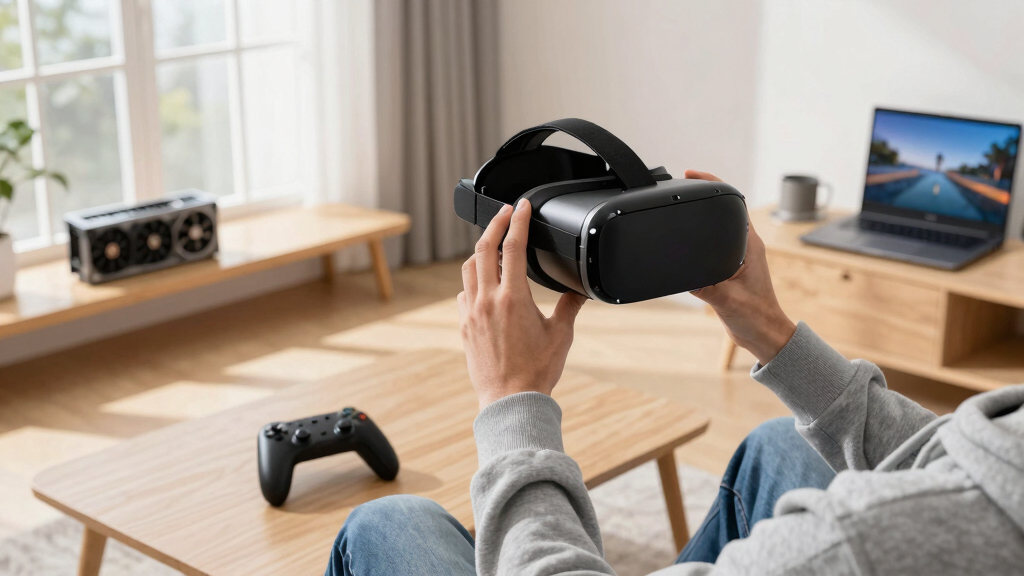
How We Picked
Our selection process focused on the latest GPU models from NVIDIA and AMD, prioritizing VR benchmarks, driver stability, feature support, and price-to-performance ratios. We analyzed industry reviews, performance metrics from VR-specific tests, and user feedback from early adopters. Additionally, we considered future VR headset requirements to ensure these GPUs will remain capable in the coming years. Our goal was to identify options that deliver smooth, immersive experiences without unnecessary compromises, catering to different buyer needs.
Factors to Consider When Choosing Best GPUs For VR
Picking the right GPU for VR in 2026 involves considering your budget, the types of VR experiences you aim for, and the hardware requirements of upcoming headsets. I’ll guide you through the key factors that influence performance, future-proofing, and value, helping you identify which GPU best matches your needs.
Performance Needs
High-end VR titles and future headset resolutions demand powerful GPUs that can deliver smooth, artifact-free visuals at high frame rates. For the most demanding applications, the NVIDIA RTX 4080 offers unmatched power, while the AMD RX 7900 XT provides excellent performance at a lower cost. For casual or entry-level VR, the RTX 4070 Ti provides reliable performance without overspending.
Budget Considerations
Cost is a key factor. The RTX 4080 is a premium investment, suited for enthusiasts and professionals. The RX 7900 XT balances price and performance well, making it accessible for most gamers. The RTX 4070 Ti is ideal for those new to VR or with tighter budgets, offering a strong performance-to-price ratio.
Future-proofing
VR technology continues to evolve rapidly. Investing in a higher VRAM capacity and supporting features like DLSS and advanced ray tracing will extend your GPU’s relevance. The RTX 4080’s 16 GB VRAM and DLSS 3 support make it the most future-proof, but the RX 7900 XT’s 20 GB VRAM also offers longevity. The RTX 4070 Ti still provides ample support for upcoming VR headsets at a more modest cost.
Frequently Asked Questions
How important is VRAM for VR gaming?
VRAM is critical in VR because it handles high-resolution textures and large scene data, ensuring smooth performance. For most current VR titles, 8-12 GB is sufficient, but future headsets with higher resolutions may require 16 GB or more. The AMD RX 7900 XT’s 20 GB VRAM provides additional longevity for upcoming hardware demands.
Should I prioritize ray tracing features for VR?
Ray tracing enhances visual realism but can be demanding on performance. If your primary focus is immersive visuals and your headset supports it, an RTX 4080 or 4070 Ti with ray tracing support will provide a noticeable upgrade. However, for smoother gameplay at higher frame rates, disabling ray tracing can be beneficial in most VR scenarios.
Is DLSS worth it for VR?
DLSS (Deep Learning Super Sampling) significantly boosts frame rates by rendering at lower resolutions and upscaling in real-time. This feature is especially helpful in VR, where maintaining high frame rates is vital to prevent motion sickness. NVIDIA’s GPUs with DLSS support are generally better suited for VR performance optimization.
How do I choose between AMD and NVIDIA for VR?
Both brands offer capable VR GPUs, but NVIDIA’s support for DLSS and generally stronger ray tracing performance make it preferable for high-end VR applications. AMD’s cards often provide better value, especially with larger VRAM and good performance at lower prices. Your choice depends on your budget and whether specific features matter to you.
Will my current GPU handle upcoming VR headsets?
It depends on your GPU’s specifications. Most current mid-range cards will struggle with future high-resolution headsets, which will demand more VRAM, higher frame rates, and advanced features. Upgrading to a higher-tier GPU like the RTX 4080 or RX 7900 XT will ensure compatibility with future VR hardware and software updates.
Conclusion
If you’re a VR enthusiast or professional aiming for maximum performance and longevity, the NVIDIA RTX 4080 is the ideal choice despite its higher price. Mainstream gamers seeking a strong balance between performance and affordability should consider the AMD RX 7900 XT, which offers excellent value. For newcomers or budget-conscious buyers, the NVIDIA RTX 4070 Ti provides reliable, smooth VR experiences without a hefty investment. Your decision should reflect your budget, performance needs, and how future-proof you want your setup to be.