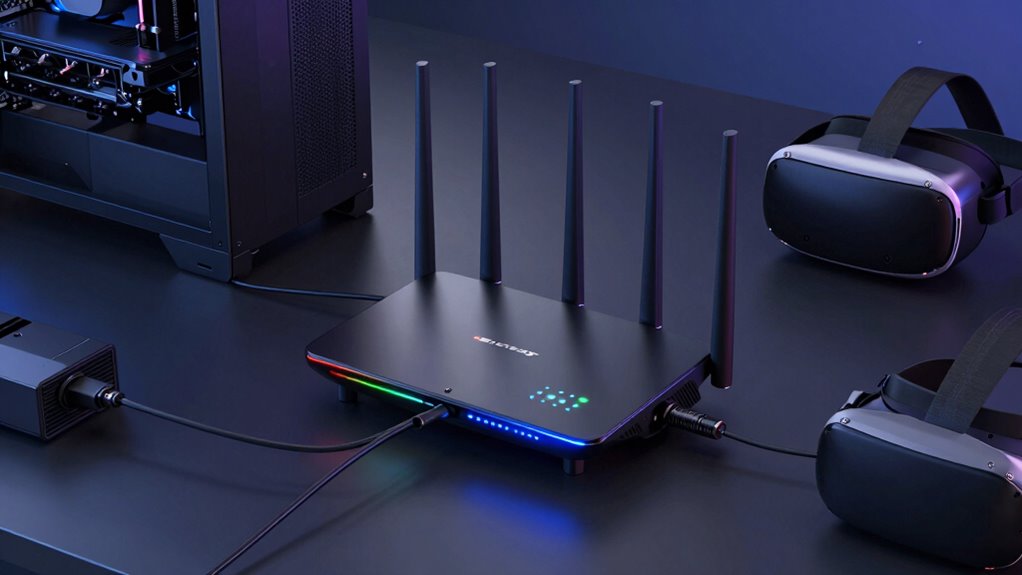

When selecting a tri band router for VR streaming, the goal is to handle high data loads with minimal lag and interference. The TP-Link Archer BE600 stands out as the best overall choice, thanks to its WiFi 7 support and robust performance. The ASUS RT-BE96U offers excellent speed and mesh compatibility for larger setups, while the Linksys Hydra Pro 6E provides reliable coverage for medium-sized spaces. The main challenge in this category is balancing raw speed, network stability, and coverage without overspending. Continue reading for a detailed breakdown of each model’s strengths and tradeoffs.

Get VR and gaming gear delivered free — and shop member deals
- Fast, free delivery on millions of items
- Access to Prime Big Deal Days deals on October 6–7
- Prime Video, Amazon Music and more included
Key Takeaways
- Tri band routers with WiFi 7 support generally deliver the highest speeds and future-proofing for VR streaming.
- Mesh-capable models excel in covering larger or multi-room VR setups without dead zones.
- Price varies significantly; the most expensive options typically have the latest tech but may offer diminishing returns for casual users.
- Performance depends heavily on your home’s size and interference levels; a high-end router won’t help if placement is poor.
- Not all tri band routers are equally easy to set up; user-friendly interfaces are a key factor for beginners.
| TP-Link Tri-Band WiFi 7 Router (Archer BE600) |  | Best Overall for Future-Proof VR Streaming | WiFi Technology: WiFi 7 | Max Speed: 5,765 Mbps | Coverage: Up to 2,600 sq. ft. | VIEW ON AMAZON | See Our Full Breakdown |
| TP-Link Tri-Band AXE5400 Wi-Fi 6E Gaming Router Archer GXE75 |  | Best for Gaming and High-Performance VR | Wi-Fi Standard: Wi-Fi 6E | Tri-Band: Yes | Maximum Speed: 5.4 Gbps | VIEW ON AMAZON | See Our Full Breakdown |
| ASUS RT-BE96U WiFi 7 Router – Tri-Band, 19 Gbps, Dual 10G WAN, Mesh Support |  | Best for High-Speed, Bandwidth-Intensive VR Tasks | WiFi Standard: WiFi 7 (802.11BE) | Bands: Tri-band (2.4GHz, 5GHz, 6GHz) | Max Speed: 19 Gbps | VIEW ON AMAZON | See Our Full Breakdown |
| Linksys Mesh WiFi Hydra Pro 6E Tri-Band Router (Renewed) |  | Best for Budget-Conscious Multi-Device VR Streaming | Model: MR7500 | WiFi Bands: Tri-Band (including 6 GHz) | Max Speed: 6.6 Gbps | VIEW ON AMAZON | See Our Full Breakdown |
| Linksys Hydra Pro 6E Tri-Band Mesh WiFi AXE6600 Router |  | Best for Seamless Mesh Coverage and Easy Setup | WiFi Standard: AXE6600 | Bands: Tri-Band | Range: 2700 sq ft | VIEW ON AMAZON | See Our Full Breakdown |
| TP-Link Tri-Band WiFi 7 Router Archer BE700 |  | Best Overall for Ultra-Fast, Future-Proof VR Streaming | WiFi Technology: WiFi 7 | Speed: up to 11528 Mbps | Bands: Tri-band (6GHz, 5GHz, 2.4GHz) | VIEW ON AMAZON | See Our Full Breakdown |
| MSI Radix AXE6600 WiFi 6E Tri-Band Gaming Router |  | Best for Gaming-Focused VR Streaming with Customization | WiFi Bands: 2.4GHz, 5GHz, 6GHz | Speed: Up to 6.6Gbps | Streams: 8 | VIEW ON AMAZON | See Our Full Breakdown |
| TP-Link Tri-Band WiFi 7 Router, Archer BE770 |  | Best for Large Homes with Extensive Coverage and Speed | WiFi Bands: Tri-band (6 GHz, 5 GHz, 2.4 GHz) | Maximum Speed: 11,528 Mbps (6 GHz) | Antennas: 10 internal | VIEW ON AMAZON | See Our Full Breakdown |
| TP-Link Archer BE12000 Tri-Band Wi-Fi 7 Router |  | Best for Large-Scale, Multi-Device VR and Smart Home Setups | Wi-Fi Bands: Tri-band | Max Speed: Up to 5,765 Mbps (6 GHz) | Ports: 1x 10 Gbps WAN/LAN, 1x 2.5 Gbps WAN/LAN, 3x 1 Gbps LAN, 1x USB 3.0 | VIEW ON AMAZON | See Our Full Breakdown |
| Deco 7 Pro Tri-Band WiFi 7 BE10000 Whole Home Mesh System 6-Stream 10 Gbps |  | Best for Seamless Whole-Home VR Coverage with Mesh | Coverage: 7,600 sq.ft. | Wi-Fi Speed: up to 5,188 Mbps | Number of Devices Supported: 200+ | VIEW ON AMAZON | See Our Full Breakdown |
| TP-Link Tri-Band WiFi 7 Router (Archer BE550) |  | Best Overall for Future-Proof High-Speed Home Networks | WiFi Bands: Tri-Band | Max Speed: 5760 Mbps (6 GHz), 2880 Mbps (5 GHz), 574 Mbps (2.4 GHz) | Ports: 1 x 2.5G WAN, 4 x 2.5G LAN | VIEW ON AMAZON | See Our Full Breakdown |
| NETGEAR Nighthawk Tri-Band WiFi 7 Router (RS700S) – Up to 19Gbps, 10 Gig Port, Covers 3,500 sq. ft., Supports 200 Devices (Renewed) |  | Best for Ultra-High-Speed, Large Coverage VR Streaming | WiFi Speed: up to 19Gbps | Coverage: up to 3,500 sq. ft. | Device Support: up to 200 devices | VIEW ON AMAZON | See Our Full Breakdown |
| TP-Link Deco XE70 Pro AXE4900 Tri-Band WiFi 6E Mesh Router, 1-Pack |  | Best for Large Homes Needing WiFi 6E with Mesh Coverage | Wi-Fi Standard: Wi-Fi 6E | Speed: up to 4.9 Gbps | Coverage: up to 2,900 sq. ft. | VIEW ON AMAZON | See Our Full Breakdown |
| TP-Link Deco 7 Pro BE10000 Tri-Band WiFi 7 Whole Home Mesh System |  | Best for Extensive Coverage and Ultra-Fast WiFi 7 Speeds | Coverage: 5,800 sq. ft. | Wi-Fi Speed: up to 10 Gbps | Device Support: Over 200 devices | VIEW ON AMAZON | See Our Full Breakdown |
| TP-Link AXE5400 Tri-Band WiFi 6E Router |  | Best for Speed and Low Latency with WiFi 6E for VR Streaming | WiFi Speed: up to 5400 Mbps | Bands: Tri-Band (6 GHz, 5 GHz, 2.4 GHz) | Processor: 1.0 GHz dual-core CPU | VIEW ON AMAZON | See Our Full Breakdown |
| tri band router for vr streaming | Ports | Coverage | Security |
|---|---|---|---|
| TP-Link Tri-Band WiFi 7 Router | 1x 10 Gbps WAN/LAN, 1x 2.5 Gbps WAN/LAN, 3x 2.5 Gbps LAN | Up to 2,600 sq. ft. | TP-Link HomeShield |
| TP-Link Tri-Band AXE5400 Wi-Fi | 1 x 2.5G WAN, 4 x 1G LAN | Whole-home with EasyMesh | TP-Link HomeShield |
| ASUS RT-BE96U WiFi 7 Router | 2x 10G WAN/LAN | — | AiProtection Pro |
| Linksys Mesh WiFi Hydra Pro 6E | — | — | — |
| Linksys Hydra Pro 6E Tri-Band | — | — | — |
| TP-Link Tri-Band WiFi 7 Router | 1x 10 Gbps WAN, 1x 2.5 Gbps LAN, 3x 1 Gbps LAN | — | TP-Link HomeShield |
| MSI Radix AXE6600 WiFi 6E Tri- | — | — | — |
| TP-Link Tri-Band WiFi 7 Router | 1x 10 Gbps WAN/LAN, 1x 10 Gbps WAN, 4x 1 Gbps LAN | Up to 3,600 sq. ft. | — |
| TP-Link Archer BE12000 Tri-Ban | 1x 10 Gbps WAN/LAN, 1x 2.5 Gbps WAN/LAN, 3x 1 Gbps LAN, 1x USB 3.0 | Up to 3,000 sq. ft. | — |
| Deco 7 Pro Tri-Band WiFi 7 BE1 | — | 7,600 sq.ft. | — |
| TP-Link Tri-Band WiFi 7 Router | 1 x 2.5G WAN, 4 x 2.5G LAN | — | WPA3, HomeShield |
| NETGEAR Nighthawk Tri-Band WiF | 1 x 10 Gig, 4 x 1 Gig LAN | up to 3,500 sq. ft. | — |
| TP-Link Deco XE70 Pro AXE4900 | 1x 2.5 Gbps, 2x Gigabit | up to 2,900 sq. ft. | Advanced security with parental controls |
| TP-Link Deco 7 Pro BE10000 Tri | Four 2.5G WAN/LAN, USB 3.0 | 5,800 sq. ft. | HomeShield |
| TP-Link AXE5400 Tri-Band WiFi | — | — | VPN, HomeShield |
More Details on Our Top Picks
TP-Link Tri-Band WiFi 7 Router (Archer BE600)
The TP-Link Archer BE600 stands out as the most forward-looking choice thanks to its WiFi 7 support, offering speeds up to 5,765 Mbps that can handle multiple VR streams simultaneously. Compared with the ASUS RT-BE96U, it provides wider coverage for large homes, but the setup process is more involved, making it less ideal for less tech-savvy users. Its advanced security and multiple gigabit ports support wired connections essential for low-latency VR experiences. However, it’s a premium investment that benefits only those with compatible WiFi 7 devices to fully leverage its capabilities.
Pros:- Supports WiFi 7 for future-proof high speeds
- Wide coverage suitable for large homes
- Multiple gigabit ports for wired stability
- Advanced security features
Cons:- Complex setup for non-technical users
- Premium price point
- Requires WiFi 7 devices to maximize benefits
Best for: Tech-savvy users with large homes seeking the latest WiFi standard for seamless VR streaming.
Not ideal for: Casual users or those with smaller spaces who won’t utilize WiFi 7 speeds or advanced features.
- WiFi Technology:WiFi 7
- Max Speed:5,765 Mbps
- Coverage:Up to 2,600 sq. ft.
- Antennas:6
- Ports:1x 10 Gbps WAN/LAN, 1x 2.5 Gbps WAN/LAN, 3x 2.5 Gbps LAN
- Security:TP-Link HomeShield
- Setup:Tether app, web interface
- VPN Support:Yes
Our verdict“This router is ideal for advanced users who want top-tier performance and have the budget for future-ready tech.”
TP-Link Tri-Band AXE5400 Wi-Fi 6E Gaming Router Archer GXE75
The TP-Link Archer GXE75 offers an impressive Wi-Fi 6E tri-band setup with speeds up to 5.4 Gbps, making it a strong choice for demanding VR streaming alongside gaming. Unlike the ASUS RT-BE96U, it adds dedicated gaming acceleration features and real-time network insights, which can significantly reduce lag. Its EasyMesh support ensures broad coverage, but the complex settings may challenge less experienced users. While it’s priced higher than some basic routers, its performance benefits make it worth considering for gamers and VR enthusiasts needing both speed and stability.
Pros:- High-speed Wi-Fi 6E with 5.4 Gbps throughput
- Dedicated gaming acceleration features
- Easy setup via Tether app
- Supports whole-home coverage with EasyMesh
Cons:- Complex configuration for beginners
- Premium price
- Requires compatible Wi-Fi 6E devices for full benefit
Best for: Gamers and VR streamers seeking high-speed, low-latency network performance with advanced management tools.
Not ideal for: Casual users with simple browsing needs who won’t benefit from Wi-Fi 6E features or gaming enhancements.
- Wi-Fi Standard:Wi-Fi 6E
- Tri-Band:Yes
- Maximum Speed:5.4 Gbps
- Ports:1 x 2.5G WAN, 4 x 1G LAN
- Coverage:Whole-home with EasyMesh
- Security:TP-Link HomeShield
Our verdict“This router excels for high-performance VR and gaming, especially for users who want advanced network control.”
ASUS RT-BE96U WiFi 7 Router – Tri-Band, 19 Gbps, Dual 10G WAN, Mesh Support
The ASUS RT-BE96U delivers astonishing 19 Gbps speeds across tri-bands, making it a powerhouse for VR streaming that demands massive bandwidth. Its dual 10G ports stand out for fast wired connections, ideal for minimizing latency in demanding VR setups. Compared with the TP-Link BE600, it provides more raw speed and advanced features like MLO for stability, but its setup is more complex, which could be intimidating for less tech-savvy users. This model is best suited to users who need maximum throughput and are comfortable configuring sophisticated home networks.
Pros:- Exceptional 19 Gbps tri-band performance
- Dual 10G ports for fast wired connections
- Lifetime AiProtection Pro security
- Mesh support for extended coverage
Cons:- Complex setup process
- High price point
- Overkill for typical home VR use
Best for: Power users with bandwidth-hungry VR applications and experience with advanced networking setups.
Not ideal for: Average users or those seeking simple plug-and-play solutions without the need for ultra-high speeds.
- WiFi Standard:WiFi 7 (802.11BE)
- Bands:Tri-band (2.4GHz, 5GHz, 6GHz)
- Max Speed:19 Gbps
- Ports:2x 10G WAN/LAN
- Bandwidth:320MHz
- Security:AiProtection Pro
Our verdict“This router is perfect for users requiring maximum throughput and who can handle advanced configuration tasks.”
Linksys Mesh WiFi Hydra Pro 6E Tri-Band Router (Renewed)
The Linksys Hydra Pro 6E offers a compelling blend of tri-band WiFi 6E speeds up to 6.6 Gbps, supporting over 55 devices, making it suitable for multi-user VR streaming. Compared with the ASUS RT-BE96U, it is more accessible for users who prefer an easier setup with the Linksys app, but being a renewed product, it may carry some risks regarding longevity and warranty, despite including all accessories. Its interference-free 6 GHz band helps with smooth VR experiences without needing the latest high-end hardware, making it a good choice for budget-conscious households.
Pros:- High-speed tri-band WiFi with 6 GHz interference-free band
- Supports 55+ devices simultaneously
- Easy app-based setup
- Includes all original accessories
Cons:- Refurbished status may impact durability
- Coverage depends on environment
- Limited warranty (90 days)
Best for: Users seeking reliable VR streaming with multiple devices at a lower upfront cost and simple setup.
Not ideal for: Power users or those wanting brand-new equipment with maximum performance guarantees.
- Model:MR7500
- WiFi Bands:Tri-Band (including 6 GHz)
- Max Speed:6.6 Gbps
- Coverage Area:2700 sq. ft.
- Device Support:55+ devices
- Refurbishment:Certified Refurbished
Our verdict“This router offers strong multi-device VR support at a more affordable price, ideal for budget-conscious families.”
Linksys Hydra Pro 6E Tri-Band Mesh WiFi AXE6600 Router
The Linksys Hydra Pro 6E shines in providing expansive, ultra-fast WiFi speeds with its AXE6600 tri-band setup, making it ideal for VR streaming across a large home. Its mesh technology simplifies coverage expansion, reducing dead zones more effectively than standalone routers like the TP-Link BE600. The app-based setup makes it accessible for most users, but the higher price might deter those with simpler needs or limited budgets. For VR users with extensive home layouts, this router’s mesh capabilities are a clear advantage.
Pros:- Ultra-fast multi-gigabit speeds
- Wide coverage of up to 2,700 sq ft
- Mesh technology for easy coverage expansion
- App-based setup and management
Cons:- Requires compatible devices to realize full WiFi 6E benefits
- Higher cost than single-router options
- Potential complexity in multi-node setups
Best for: Homeowners needing extensive coverage and easy management for multi-room VR streaming and gaming.
Not ideal for: Budget buyers or those who only need a small coverage area, as it comes with a higher price tag.
- WiFi Standard:AXE6600
- Bands:Tri-Band
- Range:2700 sq ft
- Ethernet Ports:5
- Setup:App-based
Our verdict“Ideal for large homes requiring reliable, seamless VR streaming with minimal dead zones and easy expansion.”
TP-Link Tri-Band WiFi 7 Router Archer BE700
The TP-Link Archer BE700 stands out for its WiFi 7 speeds up to 11,528 Mbps, making it ideal for high-bandwidth VR streams and demanding gaming. Compared with the Archer BE770, it offers faster speeds on the 6GHz band, though at the cost of potentially more complex setup for advanced features. Its multi-gigabit ports support wired connections that reduce latency, a key factor for VR performance. However, it requires a separate modem and may be overwhelming for users unfamiliar with networking configurations. The combination of blazing-fast WiFi 7 and extensive coverage positions it as a future-proof choice for tech-savvy gamers and streamers, but less suitable for casual users who prefer plug-and-play simplicity.
Pros:- Exceptional WiFi 7 speeds up to 11,528 Mbps for demanding applications
- Multiple multi-gigabit ports support wired, low-latency connections
- Easy setup via Tether app with voice control integration
Cons:- Requires a separate modem for internet access
- Complex features may challenge non-technical users
Best for: Tech enthusiasts and gamers needing ultra-fast, reliable VR streaming with extensive coverage
Not ideal for: Non-technical users or those seeking a simple setup without advanced customization
- WiFi Technology:WiFi 7
- Speed:up to 11528 Mbps
- Bands:Tri-band (6GHz, 5GHz, 2.4GHz)
- Ports:1x 10 Gbps WAN, 1x 2.5 Gbps LAN, 3x 1 Gbps LAN
- Antennas:6
- Security:TP-Link HomeShield
Our verdict“This router suits users who want cutting-edge speed and coverage for VR streaming and are comfortable with advanced setup.”
MSI Radix AXE6600 WiFi 6E Tri-Band Gaming Router
The MSI Radix AXE6600 offers speeds up to 6.6Gbps across three bands, making it a strong choice for gamers who demand reliable, high-speed connections for VR. Its AI QoS and game acceleration features optimize bandwidth for seamless gameplay, but the setup can be intimidating for users unfamiliar with network settings. Unlike the Archer BE700, it sacrifices some raw speed for gaming-specific features, which may be less relevant for purely streaming-focused VR. Its RGB lighting adds aesthetic appeal but isn’t necessary for performance, and the 1.8GHz quad-core processor ensures stable data handling during intense sessions. This pick is best for gamers prioritizing low latency and customization over maximum throughput.
Pros:- High-speed tri-band WiFi 6E with 6.6Gbps capacity
- AI QoS and game acceleration for optimized gaming performance
- Powerful 1.8GHz quad-core processor for stability
Cons:- Setup can be complex for non-technical users
- RGB lighting is more aesthetic than functional
Best for: Gamers who want a router optimized for low latency and gaming VR experiences
Not ideal for: Users seeking maximum WiFi 7 speeds or simple plug-and-play setup
- WiFi Bands:2.4GHz, 5GHz, 6GHz
- Speed:Up to 6.6Gbps
- Streams:8
- Processor:1.8GHz quad-core
- Features:AI QoS, RGB Mystic Light, Game Accelerator
Our verdict“Ideal for gamers who want a customizable, low-latency setup for VR gaming, but less suited for casual streaming users.”
TP-Link Tri-Band WiFi 7 Router, Archer BE770
The TP-Link Archer BE770 offers speeds up to 11,528 Mbps on the 6GHz band, matching the BE700, but extends coverage with 10 internal antennas for large, connected homes. Its multiple gigabit ports and mesh compatibility make it versatile, yet it’s not compatible with some mesh systems like Deco, which could limit expandability. Unlike the BE700, it emphasizes coverage and wired connectivity, making it better suited for big households with many devices. Setup is straightforward via the Tether app, but performance may vary depending on environmental factors. This router makes sense for users needing high speeds and large coverage, with some compromise on mesh flexibility.
Pros:- High-speed WiFi 7 performance with up to 11,528 Mbps
- Extensive coverage with 10 internal antennas
- Multiple gigabit ports for fast wired connections
Cons:- Not compatible with some mesh systems like Deco
- Complex setup may challenge less experienced users
Best for: Large households requiring extensive coverage and high-speed wired connections
Not ideal for: Small apartments or users seeking seamless mesh integration with existing systems
- WiFi Bands:Tri-band (6 GHz, 5 GHz, 2.4 GHz)
- Maximum Speed:11,528 Mbps (6 GHz)
- Antennas:10 internal
- Ports:1x 10 Gbps WAN/LAN, 1x 10 Gbps WAN, 4x 1 Gbps LAN
- Coverage:Up to 3,600 sq. ft.
- Setup:Easy via Tether app
Our verdict“Best suited for large homes needing speed and coverage, but less ideal for existing mesh system users.”
TP-Link Archer BE12000 Tri-Band Wi-Fi 7 Router
The TP-Link Archer BE12000 is designed for very large homes, offering speeds up to approximately 5.7Gbps per band and supporting over 200 devices. Its 6 high-gain antennas and multiple high-speed ports—including 10 Gbps WAN and USB 3.0—make it highly versatile, especially for busy environments with demanding smart home and VR needs. Compared with the BE770, it provides broader device support and more ports, but its maximum speed per band is lower, which could impact VR streaming if multiple high-bandwidth activities occur simultaneously. The setup remains manageable via the Tether app, but environmental factors can influence actual performance. It’s best for large, device-dense homes requiring robust, multi-purpose connectivity.
Pros:- Supports over 200 devices with high-speed tri-band WiFi 7
- Extensive coverage up to 3,000 sq. ft. with beamforming
- Multiple high-speed ports including 10 Gbps WAN and USB 3.0
Cons:- Lower maximum per-band speed compared to smaller, faster routers
- Setup can be complex for non-technical users
Best for: Large, device-heavy homes with demanding VR, gaming, and smart home needs
Not ideal for: Small homes or users prioritizing maximum speed over device support
- Wi-Fi Bands:Tri-band
- Max Speed:Up to 5,765 Mbps (6 GHz)
- Ports:1x 10 Gbps WAN/LAN, 1x 2.5 Gbps WAN/LAN, 3x 1 Gbps LAN, 1x USB 3.0
- Coverage:Up to 3,000 sq. ft.
- Antennas:6 high-gain antennas
Our verdict“A solid choice for large, busy homes needing extensive device support and reliable coverage for VR and smart home applications.”
Deco 7 Pro Tri-Band WiFi 7 BE10000 Whole Home Mesh System 6-Stream 10 Gbps
The Deco 7 Pro mesh system provides coverage up to 7,600 sq.ft., supporting over 200 devices with speeds up to 5,188 Mbps. Its AI-driven seamless roaming ensures stable VR streaming across a large home, which is a major advantage over standalone routers like the Archer BE700. Its four 2.5G ports and USB 3.0 add flexibility, but it requires a separate modem and can be complex to set up for those unfamiliar with mesh systems. While the maximum speeds are slightly lower than some WiFi 7 routers, the extensive coverage and device support make it a strong choice for large, connected households. This system is best for users who prioritize whole-home coverage and easy device roaming over raw speed.
Pros:- Expansive coverage up to 7,600 sq.ft.
- Supports over 200 devices with AI-driven roaming
- Fast WiFi 7 speeds with four 2.5G ports
Cons:- Requires a separate modem
- Setup can be challenging for non-technical users
Best for: Large homes needing seamless, stable VR streaming across multiple rooms and devices
Not ideal for: Small apartments or users wanting maximum WiFi 7 speed in a single point setup
- Coverage:7,600 sq.ft.
- Wi-Fi Speed:up to 5,188 Mbps
- Number of Devices Supported:200+
- WAN Ports:Four 2.5G ports
- Mesh System:Yes
- App Compatibility:Deco App
Our verdict“An excellent choice for large, multi-room VR environments needing seamless connectivity with mesh flexibility.”
TP-Link Tri-Band WiFi 7 Router (Archer BE550)
The TP-Link Archer BE550 stands out for its combination of WiFi 7 technology, high speeds up to 5760 Mbps, and easyMesh support, making it an excellent choice for VR streaming that demands stable, high-bandwidth connections. Compared with the NETGEAR Nighthawk RS700S, it offers simpler setup and better security features, but falls short on raw speed and coverage. Its multiple 2.5G ports enable flexible wired connections, which are crucial for minimizing latency during VR sessions. However, its reliance on a separate modem means it’s less of an all-in-one solution, and the advanced features might overwhelm non-technical users. Overall, this router suits users seeking a reliable, future-ready network that can handle demanding VR streaming and gaming with ease.
Pros:- High-speed WiFi 7 performance up to 5760 Mbps
- Supports EasyMesh for whole-home coverage
- Multiple 2.5G ports for flexible wired connections
- Enhanced security with TP-Link HomeShield
Cons:- Requires a separate modem for most ISPs
- Complex setup for non-technical users
Best for: Tech-savvy homeowners seeking a high-performance, future-proof WiFi 7 router for VR and seamless smart home integration
Not ideal for: Casual users or those preferring an all-in-one device without the need to manage a separate modem
- WiFi Bands:Tri-Band
- Max Speed:5760 Mbps (6 GHz), 2880 Mbps (5 GHz), 574 Mbps (2.4 GHz)
- Ports:1 x 2.5G WAN, 4 x 2.5G LAN
- Antennas:6 strategically positioned antennas
- Security:WPA3, HomeShield
- Compatibility:Works with Alexa, Google Assistant, all WiFi generations
Our verdict“This router is perfect for users wanting cutting-edge WiFi 7 performance with smart home and gaming needs in mind.”
NETGEAR Nighthawk Tri-Band WiFi 7 Router (RS700S) – Up to 19Gbps, 10 Gig Port, Covers 3,500 sq. ft., Supports 200 Devices (Renewed)
Compared with the TP-Link BE550, the NETGEAR Nighthawk RS700S offers far higher speeds—up to 19Gbps—and extensive coverage of 3,500 sq. ft., making it ideal for large households with multiple VR headsets and smart devices. Its 10 Gig port is a standout feature for rapid downloads and streaming large VR files. Yet, being a renewed product, it may carry warranty limitations, and it requires a separate modem, adding complexity. Its support for up to 200 devices ensures no VR or smart home device is left behind, though the sheer power may be overkill for smaller setups. This pick is best for users demanding maximum speed and coverage for demanding VR streaming, but not for those seeking an all-in-one straightforward solution.
Pros:- Speeds up to 19Gbps for data-heavy VR content
- Coverage of up to 3,500 sq. ft.
- Supports up to 200 devices simultaneously
- Includes 10 Gig internet port for fast data transfer
Cons:- Requires a separate modem for internet access
- Renewed product may have warranty or reliability issues
Best for: Power users with large homes and multiple VR headsets needing extreme speed and coverage
Not ideal for: Casual users or small households where high speed isn’t a primary concern
- WiFi Speed:up to 19Gbps
- Coverage:up to 3,500 sq. ft.
- Device Support:up to 200 devices
- Ports:1 x 10 Gig, 4 x 1 Gig LAN
- Chipset:Broadcom BCM6726/3
- Compatibility:Any ISP (modem required)
Our verdict“This router suits users with large homes and high-performance needs who prioritize speed and extensive device support for VR streaming.”
TP-Link Deco XE70 Pro AXE4900 Tri-Band WiFi 6E Mesh Router, 1-Pack
The TP-Link Deco XE70 Pro offers a compelling option for those looking to future-proof their VR streaming with WiFi 6E’s lower latency and faster speeds—up to 4.9 Gbps. Its mesh design provides coverage up to 2,900 sq. ft., ideal for large homes with multiple VR headsets and smart devices. Its support for up to 200 devices ensures smooth simultaneous use, and setup via the Deco app simplifies initial configuration. While it’s not as fast as WiFi 7 routers like the Archer BE550 or Deco 7 Pro, it balances speed, coverage, and device support well. The main tradeoff is the premium price, which might be less attractive for users on a tighter budget or those with smaller spaces. It’s best suited for those prioritizing WiFi 6E’s low latency for VR, but not necessarily the highest speeds available today.
Pros:- Fast WiFi speeds up to 4.9 Gbps with WiFi 6E
- Supports up to 200 devices simultaneously
- Easy setup via Deco app
- Extended coverage for large homes
Cons:- Higher price point compared to basic routers
- Setup relies on app, may not appeal to all
Best for: Large households with multiple VR devices seeking reliable WiFi 6E coverage and future compatibility
Not ideal for: Users needing the absolute fastest speeds or those with small, simple setups
- Wi-Fi Standard:Wi-Fi 6E
- Speed:up to 4.9 Gbps
- Coverage:up to 2,900 sq. ft.
- Number of Devices Supported:up to 200
- Ports:1x 2.5 Gbps, 2x Gigabit
- Security:Advanced security with parental controls
Our verdict“Ideal for large homes wanting WiFi 6E’s low latency and reliable coverage for VR streaming and multiple devices.”
TP-Link Deco 7 Pro BE10000 Tri-Band WiFi 7 Whole Home Mesh System
The TP-Link Deco 7 Pro excels at delivering ultra-fast WiFi 7 speeds—up to 10 Gbps—and covering large areas up to 5,800 sq. ft., making it a prime choice for VR streaming in massive homes. Its multi-gig Ethernet ports and support for over 200 devices ensure a smooth experience, even with multiple VR headsets and smart gadgets active simultaneously. Compared to the Archer BE550, it offers significantly more coverage and higher speeds, but at a likely higher price and with potentially more complex setup. Its mesh nature makes it easier to expand coverage seamlessly across large spaces, but the advanced features might be overwhelming for less tech-savvy users. This system is best for those who prioritize speed, coverage, and scalability in a demanding VR environment.
Pros:- Ultra-fast speeds up to 10 Gbps
- Coverage up to 5,800 sq. ft.
- Supports over 200 devices simultaneously
- Multi-gig Ethernet ports and easy setup
Cons:- Likely higher cost compared to single-router options
- Requires a modem for internet access
Best for: Homeowners with large properties needing high-speed, extensive mesh coverage for VR and smart home devices
Not ideal for: Small households or users with tight budgets looking for simple, single-router solutions
- Coverage:5,800 sq. ft.
- Wi-Fi Speed:up to 10 Gbps
- Device Support:Over 200 devices
- Ports:Four 2.5G WAN/LAN, USB 3.0
- Security:HomeShield
Our verdict“Best suited for large homes needing scalable, high-speed WiFi 7 coverage for VR streaming and device-heavy environments.”
TP-Link AXE5400 Tri-Band WiFi 6E Router
The TP-Link AXE5400 offers speeds up to 5400 Mbps across its tri-band setup, including the new 6 GHz band, making it an excellent choice for VR streaming that benefits from low latency and fast data rates. Its dual-core CPU and robust hardware ensure stable performance, especially compared to WiFi 6E routers with less processing power. The inclusion of EasyMesh allows for expanded coverage, similar to the Deco XE70 Pro, but with a focus on gaming and streaming performance. The main drawback is the need for a separate modem, and its advanced features may be more than what casual users need. It fits best in homes where high-speed, low-latency connections are critical for immersive VR experiences, but the price might be a barrier for some.
Pros:- Fast speeds up to 5400 Mbps
- Supports WiFi 6E with 6 GHz band for minimal latency
- Powerful dual-core CPU for stability
- EasyMesh compatibility for expanded coverage
Cons:- Requires a modem for most ISPs
- Complex setup for non-technical users
Best for: Enthusiasts seeking the latest WiFi 6E tech for low-latency VR streaming and gaming
Not ideal for: Budget-conscious users or those with small spaces that don’t require WiFi 6E’s advanced features
- WiFi Speed:up to 5400 Mbps
- Bands:Tri-Band (6 GHz, 5 GHz, 2.4 GHz)
- Processor:1.0 GHz dual-core CPU
- Memory:512 MB high-speed memory
- Compatibility:EasyMesh, all major ISPs
- Security:VPN, HomeShield
Our verdict“Ideal for tech-savvy users prioritizing cutting-edge WiFi 6E low-latency performance for VR streaming and gaming.”

How We Picked
These routers were evaluated based on their overall performance in handling high-bandwidth VR streams, network stability, ease of setup, coverage area, and future-proof features like WiFi 6E and WiFi 7. We also considered build quality, firmware reliability, and value for the price. Models that excelled in multiple categories or offered unique features for VR streaming earned higher rankings. Our goal was to identify routers that balance speed, coverage, and user experience, helping buyers find options suitable for various needs and budgets.| tri band router for vr streaming | Security |
|---|---|
| TP-Link Tri-Band WiFi 7 Router | TP-Link HomeShield |
| TP-Link Tri-Band AXE5400 Wi-Fi | TP-Link HomeShield |
| ASUS RT-BE96U WiFi 7 Router | AiProtection Pro |
| Linksys Mesh WiFi Hydra Pro 6E | — |
| Linksys Hydra Pro 6E Tri-Band | — |
| TP-Link Tri-Band WiFi 7 Router | TP-Link HomeShield |
| MSI Radix AXE6600 WiFi 6E Tri- | — |
| TP-Link Tri-Band WiFi 7 Router | — |
| TP-Link Archer BE12000 Tri-Ban | — |
| Deco 7 Pro Tri-Band WiFi 7 BE1 | — |
| TP-Link Tri-Band WiFi 7 Router | WPA3, HomeShield |
| NETGEAR Nighthawk Tri-Band WiF | — |
| TP-Link Deco XE70 Pro AXE4900 | Advanced security with parental controls |
| TP-Link Deco 7 Pro BE10000 Tri | HomeShield |
| TP-Link AXE5400 Tri-Band WiFi | VPN, HomeShield |
Factors to Consider When Choosing Tri Band Router For Vr Streaming
Choosing the right tri band router for VR streaming involves considering several key factors. First, speed and bandwidth are critical to ensure smooth, lag-free experiences. Second, coverage area and scalability determine whether your network can support multi-room or multi-user setups. Third, compatibility with the latest WiFi standards like WiFi 6E and WiFi 7 can future-proof your investment. Fourth, ease of setup and management matter especially for less tech-savvy users. Finally, price and value should align with your specific needs—more expensive models often come with features that may not be necessary for casual streaming.Performance and Speed
VR streaming demands high and stable data transfer rates. Look for routers with support for WiFi 6E or WiFi 7, which provide greater bandwidth and reduced latency. The fastest models often feature multiple high-speed bands, but even mid-range tri band routers can handle VR if they prioritize stable connections. Keep in mind that actual speeds depend on your internet plan, device compatibility, and network congestion. Overpaying for top-tier speed may not provide a noticeable benefit if your internet connection is slower or your devices are older.
Coverage Area and Mesh Compatibility
For VR setups that span multiple rooms or floors, coverage becomes a vital consideration. Mesh systems or routers with multiple antennas can extend WiFi coverage seamlessly, reducing dead zones. While standalone routers may suffice for small spaces, larger homes benefit from mesh configurations. Be aware that mesh systems usually come at a premium, but they deliver more consistent performance across expansive areas. Placement is also key—router positioning can significantly influence coverage quality and VR experience.
Future-Proofing with Latest Standards
Investing in routers with WiFi 6E or WiFi 7 support can extend the lifespan of your network. These standards handle higher data loads more efficiently and are better suited for future devices and VR applications. However, compatibility with your VR headset and other hardware is essential; not all devices support these standards yet. Balancing budget and future needs is important—sometimes, a WiFi 6 model offers enough performance at a lower price point if you don’t plan to upgrade soon.
Ease of Setup and Management
A user-friendly interface simplifies initial setup and ongoing network management. Features like mobile app controls, guest networks, and parental controls add convenience and security. For beginners, routers with guided setup wizards and clear documentation can save frustration. More advanced users might prioritize customizable settings and firmware updates. Remember, even the most powerful router is less useful if it’s difficult to configure or troubleshoot.
Price and Value
High-end tri band routers with cutting-edge features come with a premium price tag. Consider your actual needs—if you only stream VR in a small apartment, a mid-range model may suffice. Conversely, for large households or multi-user environments, investing in a top-tier system can provide noticeable improvements. Look for models offering a good balance of speed, coverage, and features for your budget. Sometimes, paying more guarantees longer-term relevance, but not always—evaluate whether the extra features align with your usage.
Frequently Asked Questions
Will a tri band router significantly improve VR streaming compared to a dual band?
Yes, a tri band router can improve VR streaming by dedicating separate bands for different devices or tasks, reducing congestion and interference. This is especially beneficial in busy households with multiple connected devices. The additional band allows streaming devices to operate on a less congested frequency, providing more stable and lower latency connections—crucial for VR where lag can ruin the experience. However, the actual impact depends on your network environment and device compatibility, so consider your specific setup before investing.
Is WiFi 6E necessary for VR streaming, or is WiFi 6 enough?
WiFi 6E offers additional spectrum in the 6 GHz band, which can significantly reduce interference and increase speeds—beneficial for high-bandwidth VR streams. For most users, WiFi 6 provides ample performance and is more affordable. However, if your VR headset and other devices support WiFi 6E, upgrading can future-proof your network and deliver smoother experiences, especially in crowded environments. The decision depends on your current devices and long-term plans—WiFi 6E is a step forward but not an absolute necessity for VR today.
Should I prioritize coverage or speed in my tri band router for VR?
Both coverage and speed matter, but the right balance depends on your home layout and usage. For a small apartment, a router with high speeds and good coverage might suffice, while larger homes benefit more from mesh systems that extend coverage. VR streaming requires stable, high-speed connections, so prioritize models that offer both high bandwidth and wide coverage if your space is large. In many cases, expanding coverage with mesh systems can prevent lag spikes caused by weak signals, enhancing the overall VR experience.
Are mesh tri band routers better than standalone routers for VR?
Mesh tri band routers typically provide better coverage for larger or multi-room setups, reducing dead zones that can cause lag or disconnections during VR sessions. They are especially advantageous if your home layout makes it difficult for a single router to reach all areas effectively. However, they tend to cost more and require more space for optimal placement. If your VR setup is confined to a single room or small area, a high-performance standalone tri band router might be sufficient. Consider your home’s size and your VR usage patterns when choosing between the two.
Conclusion
For general users seeking the best overall performance, the TP-Link Archer BE600 offers a balanced mix of speed, coverage, and future-proofing. Budget-conscious buyers can find solid value in models like the TP-Link Archer BE550, which still supports high-bandwidth VR streaming without breaking the bank. Those with larger homes or multi-room setups should consider mesh options such as the Linksys Hydra Pro 6E for seamless coverage. Beginners or less tech-savvy users will benefit from routers with simple interfaces and straightforward setup. For enthusiasts wanting cutting-edge tech, models supporting WiFi 7 like the ASUS RT-BE96U represent a premium choice with long-term relevance.
Halloween Picks
halloween
As an affiliate, we earn on qualifying purchases.