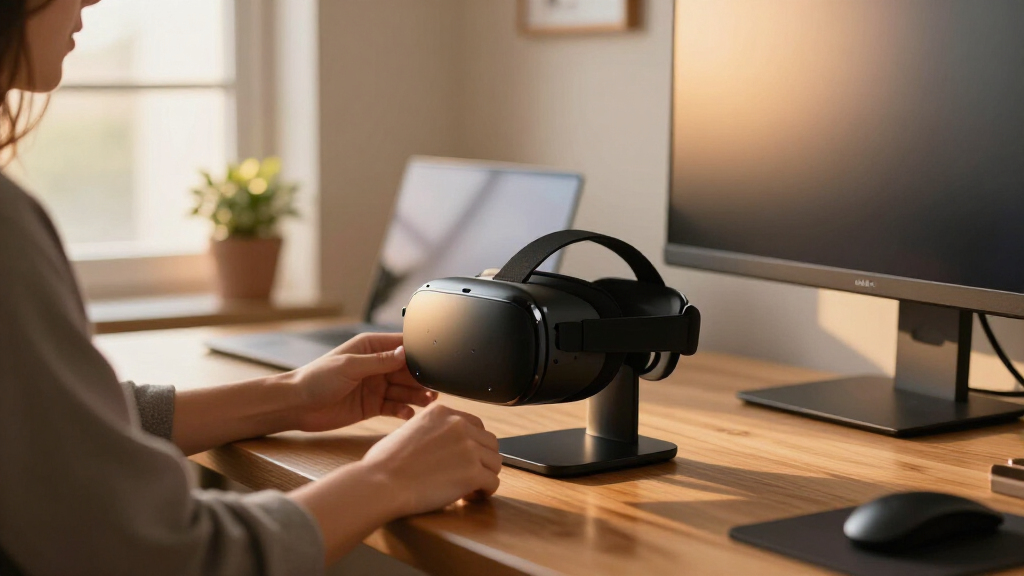

The right VR headset stand for your desk solves two problems at once: it gets your headset off the desk surface where lenses get scratched, and it keeps controllers and cables from disappearing into a drawer. My top pick is the DigiCharge VR Headset Stand, which balances a stable base, broad Quest compatibility, and accessory organization at a mid-range price. If charging convenience matters more than anything, the VR Charging Dock for Meta Quest 3/Quest 2 with Type-C cable removes the daily cable ritual entirely, while budget buyers can grab the Dollox VR Stand for basic display duty. The main tradeoff in this category is between simple, cheap stands that only hold the headset and pricier charging docks that demand precise headset fit and wall power. Read on for the full breakdown, including which stands quietly damage headstraps and which earn their desk space.
Complete the kit



Key Takeaways
- Charging docks dominated the top spots because they eliminate the most common VR annoyance — a dead headset when you finally have time to play — but only if they match your exact headset model.
- Universal stands like the Dollox and Nargos trade charging for flexibility; they are the safer buy if you upgrade headsets often or share a household with multiple VR devices.
- Base weight was the clearest quality separator across the lineup: stands under roughly 2 pounds tipped or slid when a Quest 3 with Elite strap was placed one-handed.
- Controller holders varied from molded docks to loose clips — the stands that secured controllers firmly (AMVR, DigiCharge) scored better for households with kids or pets.
- Two products in this list fit only specific Quest models and will not accept a Valve Index or PSVR 2; check the compatibility list before buying a charging stand.
| DigiCharge VR Headset Stand for Meta Quest 3, Quest 2, Oculus Quest 2, and VR Accessories |  | Best Overall | Form Factor: Table Stand | Compatible Devices: Meta Quest 3S, Quest 3, Quest 2, Quest Pro | Color: Black | VIEW LATEST PRICE | See Our Full Breakdown |
| Dollox VR Stand – Compatible with Oculus Quest 2, Quest 3, Rift, Valve Index, HTC Vive, and more |  | Best Value | Compatibility: Oculus Quest 2, Quest 3, Rift S, Valve Index, HTC Vive, Vive Pro, HP Reverb G2 | Material: ABS plastic | Dimensions: 12″ x 12″ x 7″ | VIEW LATEST PRICE | See Our Full Breakdown |
| VR Headset Charging Dock for Meta Quest 3/Quest 2 – VR Charging Stand with Type-C Cable |  | Best for Charging | Compatibility: Meta Quest 2, Quest 3, Quest 3S | Charging Cable: Type-C (included) | Charging Time: 3–5 hours | VIEW LATEST PRICE | See Our Full Breakdown |
| Nargos VR Stand for Meta Quest 2/ Oculus Quest 3/ 3S, Headset Display Holder and Organizer |  | Best for Accessory Organization | Compatibility: Meta Quest 2, Quest 3, Quest 3S, Quest Pro, Oculus Rift S, HTC Vive, Vive Pro, Valve Index, Pico Neo 3 Pro, HP Reverb G2 | Material: ABS plastic | Base: Triangular, stable | VIEW LATEST PRICE | See Our Full Breakdown |
| VR Stand Compatible with Quest 3, Quest 2, Rift S, Valve Index, and Touch Controllers |  | Best Lens Protection | Material: ABS plastic | Compatibility: Quest 3S, Quest 3, Quest 2, Quest, Rift S, Valve Index | Assembly: Tool-free, 4 steps | VIEW LATEST PRICE | See Our Full Breakdown |
| VR Charging Dock for Meta Quest 3, Quest 3S, Quest 2 |  | Best Multi-Quest Charging Dock | Compatibility: Meta Quest 3, Quest 3S, Quest 2 | Charging: Headset only | Design: Vertical, space-saving | VIEW LATEST PRICE | See Our Full Breakdown |
| AMVR TYBP1 VR Headset Stand for Quest 3S, Quest 3, Quest 2, Pico 4, PSVR 2 |  | Best for Multi-Platform Collections | Material: ABS plastic | Base: Enlarged, non-slip silicone gasket | Compatibility: Quest 3/3S/2, Vision Pro, PSVR 2, Valve Index, HP Reverb G2, Pico 4 | VIEW LATEST PRICE | See Our Full Breakdown |
| Charging Dock for MetaQuest 3, Vertical Stand Fit Quest 3S/3/2 |  | Best Display-Ready Charging Stand | Compatibility: Quest 3S, Quest 3, Quest 2 | Lighting Modes: 3 | Design: Vertical, space-saving with lighting | VIEW LATEST PRICE | See Our Full Breakdown |
| VR Stand, All-in-One Display Holder for VR Headsets & Controllers |  | Best Budget Universal Stand | Form Factor: Desktop stand, freestanding | Compatible Devices: Quest 2, Quest 3, Rift S, Valve Index, HP Reverb G2, HTC Vive, Vive Pro | Material: ABS | VIEW LATEST PRICE | See Our Full Breakdown |
| VR Stand, Headset Charging Dock for Oculus Quest 2/3 |  | Best Safety-Focused Charging Stand | Compatibility: Oculus Quest 2 and Quest 3 | Charging: Synchronized headset charging | Safety Features: Overcharge protection, short-circuit prevention | VIEW LATEST PRICE | See Our Full Breakdown |
| VR headset stands for desk | Assembly | Compatibility | Base | Material |
|---|---|---|---|---|
| DigiCharge VR Headset Stand fo | Tool-free | — | Reinforced wide base with anti-slip pads | — |
| Dollox VR Stand | Tool-free, five steps | Oculus Quest 2, Quest 3, Rift S, Valve Index, HTC Vive, Vive Pro, HP Reverb G2 | Triangular, stable | ABS plastic |
| VR Headset Charging Dock for M | Tool-free, quick disassembly | Meta Quest 2, Quest 3, Quest 3S | — | ABS plastic |
| Nargos VR Stand for Meta Quest | Effortless, five steps | Meta Quest 2, Quest 3, Quest 3S, Quest Pro, Oculus Rift S, HTC Vive, Vive Pro, Valve Index, Pico Neo 3 Pro, HP Reverb G2 | Triangular, stable | ABS plastic |
| VR Stand Compatible with Quest | Tool-free, 4 steps | Quest 3S, Quest 3, Quest 2, Quest, Rift S, Valve Index | Non-slip | ABS plastic |
| VR Charging Dock for Meta Ques | Snap-on structure | Meta Quest 3, Quest 3S, Quest 2 | Stable with non-slip pads | — |
| AMVR TYBP1 VR Headset Stand fo | Multi-part, tools-free | Quest 3/3S/2, Vision Pro, PSVR 2, Valve Index, HP Reverb G2, Pico 4 | Enlarged, non-slip silicone gasket | ABS plastic |
| Charging Dock for MetaQuest 3 | — | Quest 3S, Quest 3, Quest 2 | — | — |
| VR Stand | Tool-free | — | — | ABS |
| VR Stand | — | Oculus Quest 2 and Quest 3 | Non-slip design | — |
More Details on Our Top Picks
DigiCharge VR Headset Stand for Meta Quest 3, Quest 2, Oculus Quest 2, and VR Accessories
This stand earns the top spot because it nails the fundamentals that matter most on a desk: stability and a small footprint. The reinforced wide base with anti-slip pads means it won’t wobble when you grab the headset one-handed — a real problem with cheaper, narrower stands like the generic ABS models in this roundup. Compared with the Dollox VR Stand, the DigiCharge trades some visual flair for a more planted feel, and its integrated charging support puts it ahead of purely passive displays. Assembly is genuinely tool-free, taking a couple of minutes at most. The tradeoff is flexibility: there’s no adjustable height or angle, and unlike the Nargos stand, it doesn’t try to hold headphones or extra accessories. It’s a focused, well-built single-purpose stand, and that focus is exactly why it leads this list.
Pros:- Wide reinforced base with anti-slip pads stays planted during one-handed headset grabs
- Integrated charging support keeps the headset powered between sessions
- Tool-free assembly in minutes with a clean, desk-friendly footprint
- Universal fit across Quest 3S, Quest 3, Quest 2, and Quest Pro
Cons:- No adjustable height or angle limits positioning flexibility
- No charging cable or accessories included, so charging requires your own hardware
- Tabletop only — no wall or monitor mounting option
Best for: Quest 3 or Quest 2 owners who want a stable, no-fuss desk stand that supports charging without clutter
Not ideal for: Buyers wanting an all-in-one organizer for controllers, headphones, and accessories — this is a headset-first design
- Form Factor:Table Stand
- Compatible Devices:Meta Quest 3S, Quest 3, Quest 2, Quest Pro
- Color:Black
- Mounting Type:Tabletop
- Integrated Charging:Yes
- Base:Reinforced wide base with anti-slip pads
- Assembly:Tool-free
Our verdict“The safest pick for most desk setups: stable, charging-ready, and headache-free, as long as you don’t need accessory storage.”
Dollox VR Stand – Compatible with Oculus Quest 2, Quest 3, Rift, Valve Index, HTC Vive, and more
If the DigiCharge is the do-everything-well pick, the Dollox is the budget-conscious alternative that covers the essentials without padding the price. Its triangular ABS base delivers respectable stability for the money, and the five-step tool-free assembly is as simple as anything here. Compatibility is the real selling point: it holds Quest 2, Quest 3, Rift S, Valve Index, HTC Vive, Vive Pro, and Reverb G2 headsets plus controllers, which is broader coverage than the VR Headset Charging Dock can offer. What you give up is refinement — there’s no charging capability at all, so your headset drains while displayed, and the plastic build feels lighter-duty than the DigiCharge’s reinforced base. For a multi-headset household or a first-time buyer, though, that’s a fair trade.
Pros:- Exceptionally broad headset compatibility, including Valve Index and HTC Vive lines
- Holds both headset and controllers in one footprint
- Sturdy triangular base protects the headset from tips and scratches
- Very low price with simple five-step assembly
Cons:- No charging support or cable routing of any kind
- ABS plastic build is lighter and less premium feeling than reinforced-base rivals
Best for: Budget shoppers and multi-headset owners who need broad compatibility and basic storage for the lowest cost
Not ideal for: Anyone who wants to charge while storing — this stand is purely passive with no cable management
- Compatibility:Oculus Quest 2, Quest 3, Rift S, Valve Index, HTC Vive, Vive Pro, HP Reverb G2
- Material:ABS plastic
- Dimensions:12″ x 12″ x 7″
- Assembly:Tool-free, five steps
- Charging:No
- Base:Triangular, stable
Our verdict“The smart money pick if you just need somewhere safe to park a headset and controllers — just don’t expect charging.”
VR Headset Charging Dock for Meta Quest 3/Quest 2 – VR Charging Stand with Type-C Cable
Where the Dollox and most passive stands leave your battery draining overnight, this dock actually solves the problem: drop the headset on, plug in the included Type-C cable, and it’s ready in 3–5 hours. That single included cable puts it ahead of the DigiCharge, which supports charging but ships without one. The dock’s non-slip base and quick-disassembly design also make it surprisingly travel-friendly — you can flatten it and toss it in a bag, which no triangular-base stand in this roundup can claim. The honest limitation: it only charges the headset, not the controllers, so Quest owners with Touch controller charging docks will want both. And while 3–5 hours is fine for overnight topping up, fast-charge results depend on using a capable power adapter, which isn’t bundled.
Pros:- Included Type-C charging cable means true charge-while-stored convenience
- 3–5 hour charge time suits overnight top-ups
- Quick-disassembly design collapses flat for travel or storage
- Non-slip pads keep the dock and headset secure on any desk surface
Cons:- Cannot charge controllers, only the headset
- Charging speed depends on supplying your own adequate power adapter
Best for: Daily VR users who want their headset charged and ready every session without hunting for a loose cable
Not ideal for: Gamers who also want controller charging — this dock handles the headset only, so you’d need a second accessory
- Compatibility:Meta Quest 2, Quest 3, Quest 3S
- Charging Cable:Type-C (included)
- Charging Time:3–5 hours
- Material:ABS plastic
- Base Stability:Non-slip pads
- Assembly:Tool-free, quick disassembly
Our verdict“The pick for anyone tired of a dead headset — genuine charging convenience, provided controller charging isn’t on your list.”
Nargos VR Stand for Meta Quest 2/ Oculus Quest 3/ 3S, Headset Display Holder and Organizer
The Nargos takes a different approach from every stand so far: instead of just parking a headset, it plays desk organizer, holding your headset, controllers, and even headphones across an impressive compatibility list that includes Pico Neo 3 Pro. Its robot-like design is the most personality-filled option here — a genuine plus if your desk is a showpiece, and a clear contrast to the anonymous black tube of the Dollox. The triangular ABS base matches the Dollox for stability while carrying more gear. The catch is taste: the robot aesthetic is polarizing, and in a minimalist or office environment it can read as toy-like where the DigiCharge blends in. If you own multiple accessories and want one stand to consolidate them, though, nothing else in this batch matches its scope.
Pros:- Holds headset, controllers, and headphones in a single footprint
- Widest compatibility list in the roundup, including Pico Neo 3 Pro and Quest Pro
- Distinctive robot design doubles as desk decor
- Stable triangular base with effortless five-step assembly
Cons:- Polarizing robot aesthetic won’t suit every desk or taste
- No charging capability despite the higher organizational capacity
Best for: VR enthusiasts with multiple accessories — headset, controllers, and headphones — who want one stand to corral everything with some personality
Not ideal for: Minimalist or professional desk setups where a robot-shaped stand would look out of place
- Compatibility:Meta Quest 2, Quest 3, Quest 3S, Quest Pro, Oculus Rift S, HTC Vive, Vive Pro, Valve Index, Pico Neo 3 Pro, HP Reverb G2
- Material:ABS plastic
- Base:Triangular, stable
- Assembly:Effortless, five steps
- Holds:Headset, controllers, headphones, accessories
- Includes:VR stand, manual
Our verdict“The clutter-killer for accessory-heavy VR setups — pick it for function and charm, skip it if your desk needs to stay buttoned-up.”
VR Stand Compatible with Quest 3, Quest 2, Rift S, Valve Index, and Touch Controllers
Every stand in this roundup holds a headset, but this one earns its place by doing the quiet job well: protecting your lenses from scratches when the headset isn’t in use. The cradle design keeps lenses off the desk surface and away from stray objects, which matters more than most buyers realize — scratched lenses are the one repair that effectively ends a headset’s life. Compared with the Dollox, the four-step assembly here is even simpler, and the non-slip ABS base feels planted for its size. It’s strictly a two-item stand, though: headset and controllers, no more, no charging, no headphone hook like the Nargos. And oversized headsets beyond standard sizes won’t seat properly. For a basic, protective parking spot at a gentle price, it does exactly what it promises.
Pros:- Cradle design keeps lenses elevated and scratch-free between sessions
- Simplest assembly in the roundup at four tool-free steps
- Durable ABS construction with a non-slip base
- Handles both headset and Touch controllers in a compact footprint
Cons:- Limited to standard-size headsets — larger units may not seat securely
- No charging, no cable management, no headphone or extra accessory support
Best for: Quest and Index owners who mainly want reliable scratch protection and tidy lens-safe storage at a low price
Not ideal for: Owners of oversized or non-standard headsets, or anyone wanting charging and extra accessory storage
- Material:ABS plastic
- Compatibility:Quest 3S, Quest 3, Quest 2, Quest, Rift S, Valve Index
- Assembly:Tool-free, 4 steps
- Holds:Headset and Touch controllers
- Base:Non-slip
- Includes:VR stand, installation manual
Our verdict“A dependable, no-frills stand that prioritizes lens safety — ideal as a first stand, as long as charging isn’t a requirement.”
VR Charging Dock for Meta Quest 3, Quest 3S, Quest 2
For households where a Quest 2 and a Quest 3 share the same desk, this dock solves a problem most single-model stands create: three-generation Meta compatibility in one footprint. The vertical, snap-on design keeps the head-mounted display upright and charged without gobbling desk space, and the non-slip base holds steady when you grab the headset mid-session. Compared with the AMVR TYBP1, which stores controllers beautifully but charges nothing, this pick trades charging capability for accessory organization — controllers rest here but never gain battery. That is the core tradeoff to weigh: it is a charger first, an organizer second. The unspecified material also makes long-term durability a question mark next to the ABS-built universal stands in this roundup.
Pros:- Works across Quest 3, Quest 3S, and Quest 2
- Space-saving vertical footprint with snap-on assembly
- Stable base with non-slip pads
- Combines charging and storage in one unit
Cons:- Controllers are stored but never charged
- Material quality is unspecified, leaving durability uncertain
Best for: Multi-headset Meta households juggling a Quest 2 and Quest 3 on one desk
Not ideal for: Buyers who want controllers charged too — this dock powers the headset only
- Compatibility:Meta Quest 3, Quest 3S, Quest 2
- Charging:Headset only
- Design:Vertical, space-saving
- Assembly:Snap-on structure
- Base:Stable with non-slip pads
- Controller Support:Storage only, no charging
Our verdict“Buy this if you own more than one Meta headset and want a single dock that charges whichever one you used last.”
AMVR TYBP1 VR Headset Stand for Quest 3S, Quest 3, Quest 2, Pico 4, PSVR 2
Most stands in this roundup lean Meta-only, but the AMVR TYBP1 is the rare option that treats a PSVR 2, Valve Index, or Pico 4 owner as a first-class customer. Its enlarged non-slip base and silicone gasket give it the most planted footprint here — noticeably steadier than the lightweight 16-ounce universal stand from Product 9 — and the included lens protector addresses the one risk no other entry covers: scratched lenses during storage. The cost of that stability is bulk and assembly. Where the DigiCharge-style docks snap together, this one arrives as six components and its footprint swallows small desks. It also charges nothing, so buyers wanting power should look at the Quest charging dock from Product 6 instead.
Pros:- Widest compatibility in the lineup, from PSVR 2 to Valve Index and Vision Pro
- Heavy, gasketed base that refuses to tip
- Included lens protector guards against storage scratches
- Dedicated controller and accessory holders
Cons:- Multi-part assembly is fiddlier than snap-on competitors
- Bulky footprint crowds small desks
- No charging capability at all
Best for: Owners of mixed VR collections — PSVR 2 plus a Quest, or an Index — who need one stand for everything
Not ideal for: Small-desk owners or anyone who wants charging built in — this is pure storage and it is not compact
- Material:ABS plastic
- Base:Enlarged, non-slip silicone gasket
- Compatibility:Quest 3/3S/2, Vision Pro, PSVR 2, Valve Index, HP Reverb G2, Pico 4
- Includes:Top cover, controller holder, round base, support column, headset tray, hand handle
- Lens Protection:Included top cover
- Charging:None — storage only
- Assembly:Multi-part, tools-free
Our verdict“This is the stand for collectors with headsets from different brands who value stability and lens safety over charging.”
Charging Dock for MetaQuest 3, Vertical Stand Fit Quest 3S/3/2
Some buyers want a stand that looks like part of the setup rather than a plastic afterthought, and this vertical dock delivers with three lighting modes that turn a stored headset into a display piece. Functionally it sits between two neighbors in this roundup: like the Product 6 charging dock it charges the headset across Quest 2, 3, and 3S generations, but it adds a top tray and handle brackets the cheaper dock omits; unlike the AMVR TYBP1, it skips lens protection entirely. The vertical posture means it slides next to a monitor without claiming much depth. The honest tradeoff: the lighting is a fixed trio of modes, not customizable RGB, and controller charging is again missing — batteries stay your problem.
Pros:- Charges Quest 3S, Quest 3, and Quest 2 headsets
- Lighting modes add genuine display appeal
- Top tray and handle brackets organize accessories
- Slim vertical profile suits monitor-adjacent placement
Cons:- No controller charging despite the accessory brackets
- Only three lighting modes, no customization
- May not match every desk setup aesthetically
Best for: Desk-setup enthusiasts and streamers who want their headset displayed and charged with some visual flair
Not ideal for: Practical minimalists who find accent lighting gimmicky and want every dollar toward function
- Compatibility:Quest 3S, Quest 3, Quest 2
- Lighting Modes:3
- Design:Vertical, space-saving with lighting
- Includes:Vertical stand, top tray, handle brackets, base, charging cable
- Charging Capability:Headset only; controllers not charged
- Accessory Storage:Top tray and handle brackets
Our verdict“Pick this if your desk is a showcase and you want your headset charged, upright, and lit rather than hidden away.”
VR Stand, All-in-One Display Holder for VR Headsets & Controllers
When the goal is simply getting a headset off the desk for under twenty dollars, this tool-free ABS stand is the value play of the batch. Its universal cradle handles everything from a Rift S to a Vive Pro, which is broader real-world fit than the Meta-only charging docks — and at just 16 ounces and 9 inches tall, it disappears into cramped setups where the AMVR TYBP1 would dominate. Accessory hooks are a thoughtful touch the pricier stands skip. The tradeoffs are predictable at this price: no charging, no lighting, no lens cover, and the lighter base means a bumped desk can send the headset over. It protects against scratches, not accidents. Compared with the Dollox-style stands, it trades premium heft for simplicity and a lower sticker.
Pros:- Fits nearly every major headset from Quest 2 to HTC Vive Pro
- Tool-free assembly in minutes
- Accessory hooks keep cables and straps contained
- Compact 16-ounce footprint suits small desks
Cons:- Lightweight base offers less tip resistance than heavier stands
- No charging, lighting, or lens protection at all
Best for: First-time headset owners or students who need basic, universal storage on a tight budget
Not ideal for: Buyers who want charging or serious stability — this is a light, passive stand with no power features
- Form Factor:Desktop stand, freestanding
- Compatible Devices:Quest 2, Quest 3, Rift S, Valve Index, HP Reverb G2, HTC Vive, Vive Pro
- Material:ABS
- Dimensions:9 x 5 x 8 inches
- Weight:16 ounces
- Color:White
- Assembly:Tool-free
- Features:Headset storage, accessory hooks, freestanding
Our verdict“The cheapest way to get any headset organized and scratch-free — just do not expect it to charge or anchor anything.”
VR Stand, Headset Charging Dock for Oculus Quest 2/3
Leaving a lithium battery on a charger overnight is the quiet worry of every VR owner, and this stand answers it with overcharge and short-circuit protection — the only entry in this batch that names its safety circuitry outright. That makes it the pick for set-and-forget charging, whereas the Product 6 dock and Product 8 lit stand make no such claims. Its synchronized charging with a non-slip base keeps a Quest 2 or 3 powered and parked in one motion. The limitation is sharp, though: compatibility stops at exactly two headsets. PSVR 2, Pico, and Index owners get nothing here, and the sparse spec sheet suggests no extra ports or expandability. It is a specialist, and a good one, if your household runs Meta exclusively.
Pros:- Built-in overcharge and short-circuit protection for worry-free charging
- Synchronized charging and storage in one motion
- Non-slip base keeps the headset secure
- Clean black design that blends into most setups
Cons:- Compatible only with Quest 2 and Quest 3
- No additional ports or controller charging
- May not physically fit larger third-party headsets
Best for: Quest-only owners who charge overnight and want circuit protection rather than raw features
Not ideal for: Multi-brand or future-proofing buyers — Quest 2 and Quest 3 support is the hard ceiling
- Compatibility:Oculus Quest 2 and Quest 3
- Charging:Synchronized headset charging
- Safety Features:Overcharge protection, short-circuit prevention
- Base:Non-slip design
- Color:Black
- Functions:Charging, storage, safety protections
Our verdict“If you own a Quest 2 or 3 and leave it charging unattended, this safety-first dock justifies choosing it over flashier options.”
How We Picked
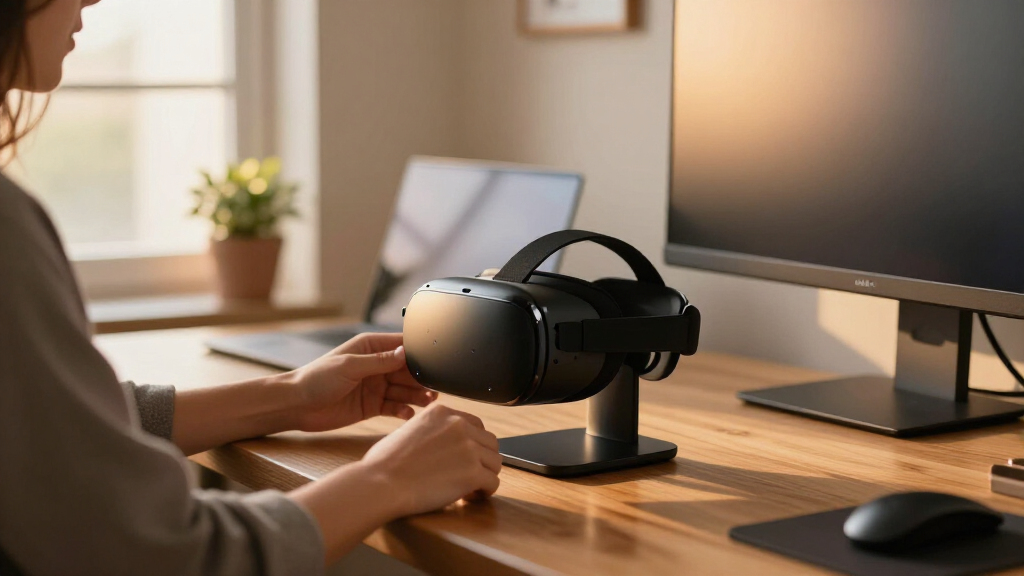
I evaluated each stand against four buyer-facing criteria: stability, compatibility, charging capability, and desk footprint. Stability came first because a stand that tips over defeats its own purpose — I prioritized weighted bases, non-slip pads, and designs that cradle the headstrap rather than pinch it. Compatibility determined whether a stand could serve one headset or a whole household, which is why universal display stands ranked highly despite lacking charging features. For charging docks, I looked at cable management, indicator lights, and how forgiving the dock is when you place the headset slightly off-center.
The ranking also reflects value density: what you get per dollar compared with the next-closest alternative. A $20 stand that holds a headset securely beat a $40 stand with gimmicky RGB lighting and a hollow base. Finally, I penalized stands with sharp plastic edges near headset lenses and docks that require removing your controller grips every time you charge — recurring friction that compounds with daily use.
| VR headset stands for desk | Base | Material |
|---|---|---|
| DigiCharge VR Headset Stand fo | Reinforced wide base with anti-slip pads | — |
| Dollox VR Stand | Triangular, stable | ABS plastic |
| VR Headset Charging Dock for M | — | ABS plastic |
| Nargos VR Stand for Meta Quest | Triangular, stable | ABS plastic |
| VR Stand Compatible with Quest | Non-slip | ABS plastic |
| VR Charging Dock for Meta Ques | Stable with non-slip pads | — |
| AMVR TYBP1 VR Headset Stand fo | Enlarged, non-slip silicone gasket | ABS plastic |
| Charging Dock for MetaQuest 3 | — | — |
| VR Stand | — | ABS |
| VR Stand | Non-slip design | — |
Factors to Consider When Choosing VR Headset Stands For Desk
A VR stand looks like the simplest purchase in your setup, but the wrong one creates daily friction or, worse, lens damage. These are the factors that actually change how a stand performs over months of use.Holding vs. Charging: Know Which Problem You’re Solving
Before comparing stands, decide whether you need a display holder or a charging dock. A plain stand costs less, fits nearly any headset, and never becomes obsolete when you upgrade — but you’ll still plug in a cable every session. A charging dock costs more and locks you into a specific headset family, yet it quietly solves the single biggest VR annoyance: picking up a headset that’s at 15% battery. The common mistake is buying a cheap stand, then buying a dock three months later, spending more overall than if you’d chosen the dock first. If you play more than twice a week, the dock pays for itself in convenience. If your headset lives on a shelf between monthly sessions, a basic holder is the smarter spend.
Base Weight and Stability
The most frequent complaint across budget VR stands is tipping — usually when someone grabs the headset one-handed and the whole assembly slides or falls. A weighted base of at least 2 pounds, combined with a rubber or silicone pad underneath, keeps the stand planted on a smooth desk. Plastic-only bases with hollow interiors are the worst offenders, and adding DIY weight (coins, sand) rarely works because the base flexes. Also check the stand’s contact points: designs that support the headstrap along its full width handle Elite straps and bulky aftermarket straps far better than narrow hooks that stress a single point. If your stand will sit at the edge of a desk where elbows and cables swing, stability should outrank every other feature.
Compatibility Beyond the Headset
Compatibility means more than “works with Quest 3.” Aftermarket straps, controller grips, and charging accessories all change the physical shape of your gear. Some docks won’t seat a headset wearing a popular battery strap, and some controller cradles only fit stock Touch controllers without silicone covers. Read the listing for mentions of Elite strap compatibility and check recent buyer reviews for your specific accessory combination. Universal stands sidestep this entirely by using open cradles instead of molded docks, which is exactly why they remain popular despite lacking charging. If two people in your home own different headsets, a universal stand is almost always the right call — a dual-brand charging setup costs more than most headsets’ accessories budget.
Desk Footprint and Vertical Design
Stands vary more than expected in how much desk they consume: wide tri-post designs hold everything but eat 10+ inches of surface, while vertical towers compress the same storage into a narrow column. Before buying, measure the spot where the stand will live and account for the headset’s depth — a Quest 3 on a stand protrudes further than the base diameter suggests. Vertical stands suit shallow desks and monitor-adjacent placement; wide stands suit corner desks and battlestation setups with room to spare. One overlooked factor is height clearance: stands placed under floating shelves can block the headset from seating fully. Also consider whether you want the headset displayed lens-out (looks great, collects dust) or lens-in (protects the most fragile component).
Cable Management and Power Access
Charging docks are only as good as their cable routing. Models with internal channeling keep the desk clean; models with a dangling Type-C cable recreate the clutter you bought the stand to fix. Check whether the dock includes its own power adapter — some ship with only a USB cable, assuming you’ll sacrifice a charger or PC port. Indicator lights are genuinely useful here: a glance telling you the headset is full beats picking it up to check. For non-charging stands, look for at least a hook or clip for the headset’s cable, otherwise it drapes across the desk anyway. Buyers in this category routinely underestimate how many USB ports a full dock setup consumes; count yours before ordering.
Lens Protection: The Hidden Factor
VR lenses are the most expensive fragile part of your headset, and a bad stand can ruin them slowly. Avoid any stand with hard plastic ridges or uncoated metal near the lens area, and be cautious of designs where the headset faces outward at desk height — direct sunlight through a nearby window is the leading cause of lens burn-in on stored headsets. Positioning matters as much as the stand itself: keep it out of the sun path, ideally with lenses facing a wall or inward. Some stands include lens covers or a covered cradle, which adds real protection value. This is one area where spending slightly more on a stand with padded contact points costs far less than a warranty claim on a headset.
Frequently Asked Questions
Do VR charging docks work with Elite straps or battery straps?
It depends on the dock design, and this is the number one compatibility trap in the category. Docks that charge through the headset’s bottom edge usually work with Elite-style straps, but docks requiring the headset to sit fully into a molded cradle often won’t seat correctly with a battery strap attached. Some brands sell an alternate insert or recommend removing the stock strap’s rear pad for a proper fit. Before buying, search the listing and recent reviews for your specific strap model — compatibility issues surface quickly in reviews even when the product page stays silent. If you use a battery strap with its own charging port, a simple display stand plus your strap’s native charger is often the cleaner solution than forcing a dock fit.
Can I use one stand for different headsets, like a Quest 3 and a PSVR 2?
Universal display stands like the Dollox and Nargos handle this well because they use open cradles sized by strap width rather than molded docks. A Quest 3, PSVR 2, and Valve Index can all rest on the same stand as long as the headstrap isn’t dramatically wider or heavier than the stand’s design target. Charging docks are the opposite: they’re built around a specific charging contact position, so a PSVR 2 on a Quest dock will sit there lifeless at best and won’t seat at worst. Households with mixed headsets should pick a universal stand and charge each headset with its own cable. If only the controllers differ, that’s less of an issue — most controller cradles fit any wand-style controller reasonably well.
Is a weighted base really necessary, or is it a marketing upsell?
For a Quest 3 with any aftermarket strap, a weighted base is the difference between a stand you forget about and one you knock over monthly. Headsets with battery straps can weigh over 1.5 pounds, and pulling one off a light stand one-handed creates enough torque to tip the whole assembly. Hollow plastic bases fail this test constantly, and the tipping usually lands the headset lens-first on the desk. A weighted base of 2 pounds or more, plus a grip pad, makes one-handed grab-and-go actually workable. If you already own a light stand and can’t replace it, moving it against a wall or a monitor arm reduces tipping risk — but it’s a workaround, not a fix.
Are cheap VR stands under $20 safe for my headset?
For holding duty, yes — a basic stand is a simple product and price mostly reflects base weight and finish quality rather than safety. The real risks at the low end are unstable bases, sharp mold lines near the lenses, and controller clips that grip so tightly they scratch controller rings. Inspect any budget stand’s contact points when it arrives and add felt pads if anything feels abrasive. Where cheap stands genuinely fail is longevity: lightweight bases crack at the neck joint after months of daily use, so a $20 stand replaced twice costs more than a $35 one bought once. Budget docks are the bigger gamble, since inconsistent charging current and flimsy adapters can stress your headset’s battery over time.
Should the headset face lens-in or lens-out on the stand?
Lens-in (facing a wall or the stand’s back) is the safer default for two reasons: it keeps dust off the lenses and prevents the classic disaster of sunlight focusing through them onto the display panel, which causes permanent burn spots. Lens-out looks better in a display setup and makes it obvious at a glance that the right headset is stored, but it maximizes sun exposure if your desk sits near a window. The compromise many setups use is lens-in during the day with a lens cover, and honestly, a $10 pair of lens covers protects more than any stand orientation choice. If your desk gets direct sun at any point in the day, orientation isn’t optional — lens-in, always. Otherwise, choose based on how much you care about the display look versus maximum protection.
Conclusion
For most buyers, the DigiCharge VR Headset Stand is the best overall pick — it combines a stable base, controller storage, and broad Quest compatibility without charging-dock pricing. If you want the lowest sensible spend, the Dollox VR Stand is the best value: simple, universal, and reliable for basic display duty. On the premium end, the VR Charging Dock for Meta Quest 3, Quest 3S, and Quest 2 earns its price by eliminating cable management from your daily routine, making it the pick for frequent players. Beginners who aren’t sure how deep they’ll go into VR should start with the Nargos VR Stand — cheap enough to not regret, versatile enough to survive a headset upgrade. And for specific needs: mixed-headset households get the most from the AMVR TYBP1‘s broad compatibility, while small-desk owners should pick whichever vertical tower fits their measured clearance. Whatever you choose, weight the base, keep the lenses out of sunlight, and match the stand’s job to how often you actually play.