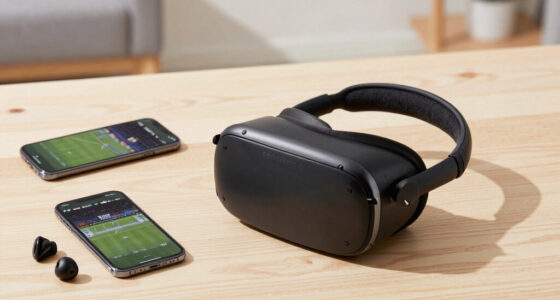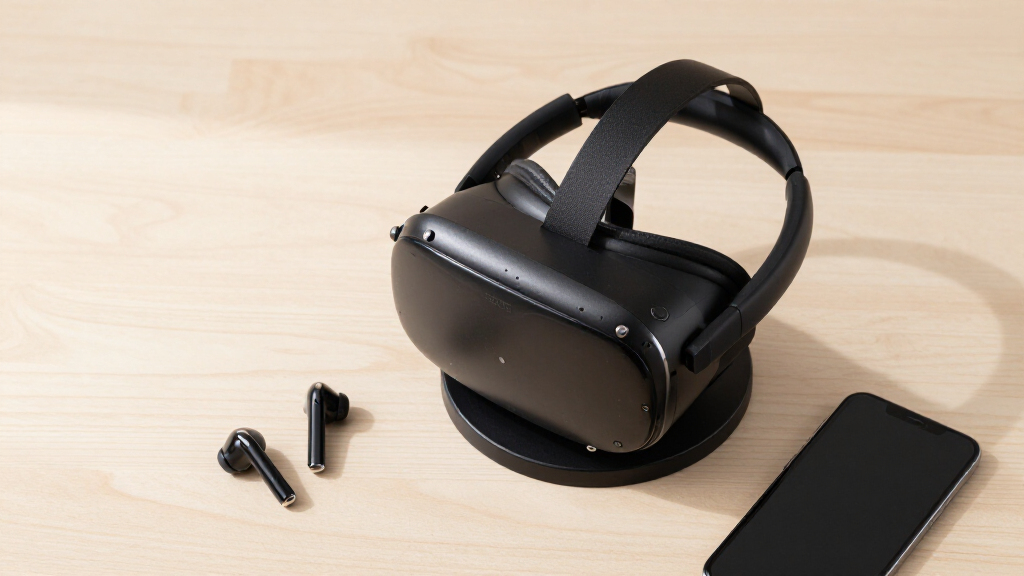

The best VR headset stand for most people is the AMVR VR Headset Stand Holder, a wide-cradle display stand that fits nearly every major headset — Quest 3, Vision Pro, PSVR 2, Pico 4 — without locking you into one ecosystem. If you own a Quest and want the stand to also refill the battery, the Lampelc VR Charging Stand delivers the best charging-per-dollar value in this lineup, while the Syntech MR Walnut Stand is the premium pick for anyone who wants furniture-grade looks. The main decision in this category comes down to three tradeoffs: display stands versus charging docks, universal fit versus Quest-only molding, and plastic utility versus materials you actually want on a shelf. Docks cost more and tie you to one headset family, but they solve the dead-battery problem that plain stands ignore. Below, I break down all 13 options, who each one suits, and who should skip it.

Play games on Amazon Luna for your next adventure, included with Prime
- A rotating selection of games, no download needed
- Play on TV, laptop or phone
- Fast, free delivery for your gear, too
Complete the kit



Key Takeaways
- The category splits cleanly in two: 8 of the 13 stands reviewed are Quest-focused charging docks, while only 5 are passive display stands — and the passive ones are the only realistic choice for PSVR 2, Vision Pro, or Valve Index owners.
- The AMVR stand took Best Overall because its universal cradle fit every major headset in the lineup while undercutting most charging docks on price — versatility beat features.
- Charging wattage was the clearest spec gap among docks: the 18W dock refills a Quest 3 meaningfully faster than the 10W-class models, a difference daily players will feel and weekend players can ignore.
- Stands under about $15 (Nargos and the basic all-in-one holders) hold a headset fine but tend to skip weighted bases and proper controller storage — the savings show up as wobble and clutter, not outright failure.
- Only one pick, the Syntech walnut stand, passes as furniture; every other option reads as plastic desk gear, which is why it claims the premium slot despite offering no charging at all.
| AMVR VR Headset Stand Holder Compatible with Quest 3, Quest 2, Vision Pro, PSVR 2, Pico 4, and More |  | Best Overall | Material: ABS plastic | Base: Round, weighted, with non-slip silicone gasket | Compatibility: Quest 3, Quest 2, Vision Pro, PSVR 2, Pico 4, Valve Index, HP Reverb G2, and more | VIEW LATEST PRICE | See Our Full Breakdown |
| VR Stand, All-in-One Display Holder for VR Headsets & Controllers |  | Best for Beginners | Form Factor: Desktop stand | Compatible Devices: Oculus Quest 2, Quest 3, Rift S, Valve Index, HP Reverb G2, HTC Vive, Vive Pro | Mounting Type: Tabletop | VIEW LATEST PRICE | See Our Full Breakdown |
| Charging Dock for MetaQuest 3, Vertical Stand for Quest 3S/3/2 with LED Light Modes |  | Best Lighted Display Stand | Form Factor: Vertical tabletop stand | Compatible Devices: Meta Quest 3S, Quest 3, Quest 2 | Mounting Type: Tabletop | VIEW LATEST PRICE | See Our Full Breakdown |
| Syntech MR Walnut Stand Compatible with Meta Quest 2/3/3S/Pro |  | Best Premium Design | Material: Walnut wood | Compatible Devices: Meta Quest 2, Quest 3, Quest 3S, Quest Pro | Form Factor: Desk stand | VIEW LATEST PRICE | See Our Full Breakdown |
| Lampelc VR Charging Stand for Meta Quest 3, Quest 3S, Quest 2 |  | Best Charging Stand | Compatibility: Meta Quest 3, Quest 3S, Quest 2 | Charging: Type-C; supports 5V/3A, 9V/3A, 12V/3A adapters | Controller Support: Storage only, no charging | VIEW LATEST PRICE | See Our Full Breakdown |
| Dollox VR Stand – VR Headset Display Holder and Storage |  | Best Universal Stand | Compatibility: Oculus Quest 2, Quest 3, Rift S, Valve Index, HTC Vive, Vive Pro, HP Reverb G2 | Material: ABS plastic | Dimensions: 12″ x 12″ x 7″ | VIEW LATEST PRICE | See Our Full Breakdown |
| VR Headset Charging Dock for Meta Quest 3/Quest 2 with Type-C Cable |  | Best Budget Charging Dock | Compatibility: Meta Quest 2, Quest 3, Quest 3S | Charging Port: USB Type-C | Charging Time: 3-5 hours | VIEW LATEST PRICE | See Our Full Breakdown |
| TicEaik VR Charging Display Stand for Quest 2 and Quest 3 |  | Best Drop-and-Go Convenience | Compatibility: Quest 2, Quest 3, Quest 3S, Quest Pro | Charging Method: Magnetic connector | Charging Time: 3-5 hours | VIEW LATEST PRICE | See Our Full Breakdown |
| G-STORY Charging Dock for Quest 3/3S/2 with LED Lights |  | Best for Battery Longevity | Compatibility: Meta Quest 3, Quest 3S, Quest 2 | Special Feature: Fast charging with intelligent protection | Indicators: LED charging status lights | VIEW LATEST PRICE | See Our Full Breakdown |
| 18W VR Charging Dock for Meta Quest 3S/Quest 3 Headset & Controller |  | Best Overall | Compatibility: Meta Quest 3S, Quest 3 | Power: 18W PD fast charging | Charging Time (Headset): 2-2.5 hours | VIEW LATEST PRICE | See Our Full Breakdown |
| Nargos VR Stand for Meta Quest 2, Quest 3, and More |  | Best for Multi-Brand Headset Collections | Compatibility: Meta Quest 2/3/3S/Pro, Oculus Rift S, HTC Vive/Vive Pro, Valve Index, Pico Neo 3 Pro, HP Reverb G2 | Material: ABS plastic | Base Design: Triangular, stability-focused | VIEW LATEST PRICE | See Our Full Breakdown |
| VR Headset Stand for Meta Quest 3, Quest 3, Quest 2, and Quest Pro |  | Best Simple Stand for Quest Owners | Compatibility: Meta Quest 3S, Quest 3, Quest 2, Quest Pro | Build: Lightweight, durable construction | Base: Non-slip for secure placement | VIEW LATEST PRICE | See Our Full Breakdown |
| Bioherm RGB Charging Dock for Meta Quest 2/3/Pro |  | Best Charging Dock with Ambient Lighting | Compatibility: Meta Quest 2, Quest 3, Quest 3S, Quest Pro | Charging Port: USB Type-C | Charging: Fast charging with safety protection | VIEW LATEST PRICE | See Our Full Breakdown |
| VR headset stand | Compatibility | Material | Assembly | Charging |
|---|---|---|---|---|
| AMVR VR Headset Stand Holder C | Quest 3, Quest 2, Vision Pro, PSVR 2, Pico 4, Valve Index, HP Reverb G2, and more | ABS plastic | Required, manual included | No |
| VR Stand | — | Durable ABS | Tool-free | — |
| Charging Dock for MetaQuest 3 | — | Plastic | — | Headset only; controllers stored, not charged |
| Syntech MR Walnut Stand Compat | — | Walnut wood | Three-part structure with three screws | — |
| Lampelc VR Charging Stand for | Meta Quest 3, Quest 3S, Quest 2 | ABS | Tool-free | Type-C; supports 5V/3A, 9V/3A, 12V/3A adapters |
| Dollox VR Stand | Oculus Quest 2, Quest 3, Rift S, Valve Index, HTC Vive, Vive Pro, HP Reverb G2 | ABS plastic | Tool-free, 5-step process | None — storage and display only |
| VR Headset Charging Dock for M | Meta Quest 2, Quest 3, Quest 3S | ABS plastic | — | — |
| TicEaik VR Charging Display St | Quest 2, Quest 3, Quest 3S, Quest Pro | — | Tool-free, quick disassembly | — |
| G-STORY Charging Dock for Ques | Meta Quest 3, Quest 3S, Quest 2 | — | — | — |
| 18W VR Charging Dock for Meta | Meta Quest 3S, Quest 3 | — | — | — |
| Nargos VR Stand for Meta Quest | Meta Quest 2/3/3S/Pro, Oculus Rift S, HTC Vive/Vive Pro, Valve Index, Pico Neo 3 Pro, HP Reverb G2 | ABS plastic | 5 steps | None — display and storage only |
| VR Headset Stand for Meta Ques | Meta Quest 3S, Quest 3, Quest 2, Quest Pro | — | Tool-free, under one minute | None |
| Bioherm RGB Charging Dock for | Meta Quest 2, Quest 3, Quest 3S, Quest Pro | — | — | Fast charging with safety protection |
More Details on Our Top Picks
AMVR VR Headset Stand Holder Compatible with Quest 3, Quest 2, Vision Pro, PSVR 2, Pico 4, and More
The AMVR stand earns the top spot because it does the fundamentals better than anything else here. The heavy round base with a non-slip silicone gasket keeps even a Vision Pro steady, and the compatibility list — Quest 3, PSVR 2, Pico 4, Valve Index, Reverb G2 — is the broadest in this roundup, so multi-headset households aren’t stuck buying a second stand. A rounded top cover protects straps from creases and scratches. Where it gives ground: there’s no charging, which the Lampelc charging stand offers, and it’s plain ABS plastic next to the Syntech walnut stand, so it reads as utilitarian rather than decorative. Assembly takes a few minutes with the manual. I’d call this the safe default — if you own more than one headset or plan to upgrade soon, nothing else covers as many devices this securely.
Pros:- Broadest compatibility in the roundup, from Vision Pro to PSVR 2
- Heavy non-slip base stays planted even with heavier headsets
- Dedicated holders keep controllers and accessories together
- Rounded top cover protects head straps from creasing
Cons:- No charging capability — headset battery management stays manual
- Requires manual assembly with several pieces
- Bulky round base eats more desk space than slim vertical stands
Best for: Multi-headset households or owners of less common headsets (Vision Pro, PSVR 2, Pico 4, Index) who want one stable stand that fits everything
Not ideal for: Buyers who want charging built in — this is storage only, and its footprint is bigger than compact picks like the all-in-one desktop stand
- Material:ABS plastic
- Base:Round, weighted, with non-slip silicone gasket
- Compatibility:Quest 3, Quest 2, Vision Pro, PSVR 2, Pico 4, Valve Index, HP Reverb G2, and more
- Controller Storage:Yes, dedicated holder included
- Included Accessories:Top cover, controller holder, round base, support column, headset tray, hand handle
- Charging:No
- Assembly:Required, manual included
Our verdict“The stand to buy if you want one rock-solid, universal home for any current VR headset and don’t need built-in charging.”
VR Stand, All-in-One Display Holder for VR Headsets & Controllers
This all-in-one desktop stand is the one I’d hand to someone who just unboxed their first Quest. Tool-free assembly means it snaps together in minutes, and the open cradles hold a headset plus both controllers without any fiddly alignment — you set things down and walk away. Compared with the AMVR stand, you give up the heavier weighted base and the extra accessory tray, so it feels lighter and a touch less planted on a crowded desk; that’s the tradeoff for a lower price and simpler build. It also sits on the plain side visually, without the LED flair of the MetaQuest charging dock. Scratch protection on the contact points is a welcome touch at this price. For a first VR setup, or a spare stand for a second room, it covers the basics without demanding much money, time, or tools.
Pros:- Snaps together without tools in minutes
- Wide compatibility across Quest, Rift S, Index, Vive, and Reverb G2
- Scratch-free contact points protect headset finish
- Compact 9 x 5 x 8 inch footprint fits small desks
Cons:- Lightweight 16-ounce build feels less stable than weighted stands
- No charging, lighting, or extra features — storage only
- Plain looks compared with walnut or LED-equipped rivals
Best for: First-time VR owners who want a cheap, frustration-free way to store a Quest, Rift S, or Vive without tools or instructions
Not ideal for: Owners of heavy premium headsets or anyone wanting charging — the 16-ounce frame is light and it’s strictly a passive holder
- Form Factor:Desktop stand
- Compatible Devices:Oculus Quest 2, Quest 3, Rift S, Valve Index, HP Reverb G2, HTC Vive, Vive Pro
- Mounting Type:Tabletop
- Material:Durable ABS
- Color:White
- Dimensions:9 x 5 x 8 inches
- Weight:16 ounces
- Assembly:Tool-free
- Warranty:30-day return guarantee
Our verdict“A sensible, low-commitment first stand for new VR owners who value simplicity over extras.”
Charging Dock for MetaQuest 3, Vertical Stand for Quest 3S/3/2 with LED Light Modes
Where most stands here treat your headset as clutter to put away, this vertical charging dock treats it as part of the setup. Three LED light modes let a Quest 3S, 3, or 2 glow on a shelf the way a console does, and the weighted base keeps that vertical posture from becoming a tipping hazard. The open design means you grab the headset and go — nothing to unclip. Against the Lampelc charging stand, which leans into faster, more flexible power delivery, this one plays the looks card, so pick it if presentation matters more than charge speed. The honest drawback: controllers don’t charge here — they rest on hooks, so you’ll still handle their batteries separately. It’s also Meta-only; PSVR 2 or Index owners should look at the AMVR stand instead.
Pros:- Three LED light modes turn the headset into a display piece
- Vertical design saves desk space while charging the headset
- Weighted base resists tipping despite the tall profile
- Open layout allows quick grab-and-go pickup
Cons:- Controllers are held, not charged — batteries stay a separate chore
- Works only with Meta Quest 3S, 3, and 2
- You’re paying partly for lighting rather than pure function
Best for: Meta Quest owners with a visible gaming setup who want their headset displayed with LED accent lighting and topped up between sessions
Not ideal for: Anyone outside the Meta ecosystem, or buyers who need controller charging — both are better served by the AMVR stand or a full charging dock
- Form Factor:Vertical tabletop stand
- Compatible Devices:Meta Quest 3S, Quest 3, Quest 2
- Mounting Type:Tabletop
- Material:Plastic
- Color:White
- Lighting:Three LED light modes
- Charging:Headset only; controllers stored, not charged
- Warranty:30-day return guarantee
Our verdict“The right pick for Quest owners who want their headset lit up and on show, not hidden in a drawer.”
Syntech MR Walnut Stand Compatible with Meta Quest 2/3/3S/Pro
Every other stand in this lineup is plastic; the Syntech walnut stand is furniture. The real walnut finish looks deliberate on a desk in a way the AMVR stand’s ABS shell never will, and a built-in cable management channel keeps the charging lead routed instead of dangling across the desk. Anti-slip pads and a slight tilt hold Quest 2, 3, 3S, or Pro headsets securely, and assembly is three parts and three screws — simpler than the AMVR’s multi-piece build. The tradeoffs are real: it’s Meta Quest only, there’s no charging despite the cable routing, and the footprint is generous enough that cramped desks will notice. No height or angle adjustment either. I’d pick this for a living room or office where the stand stays in view — you’re paying for materials and appearance, not extra function, and on those terms it delivers.
Pros:- Genuine walnut construction elevates a desk or shelf
- Cable management channel hides the charging lead
- Anti-slip pads and tilt keep the headset seated securely
- Simple three-screw assembly
Cons:- Meta Quest compatibility only — no PSVR 2, Index, or Pico
- No charging or lighting; functionally it’s a passive stand
- Large footprint and fixed geometry with no height or angle adjustment
Best for: Quest owners whose VR setup lives in a shared or styled space — an office shelf or living-room console — where a plastic stand would look out of place
Not ideal for: Multi-brand headset owners or anyone wanting powered charging; the Lampelc charging stand does more for less money if looks don’t matter
- Material:Walnut wood
- Compatible Devices:Meta Quest 2, Quest 3, Quest 3S, Quest Pro
- Form Factor:Desk stand
- Mounting Type:Tabletop
- Color:Brown
- Assembly:Three-part structure with three screws
- Extras:Anti-slip pads, cable management channel
Our verdict“The stand to buy when the stand itself has to look good — premium materials for Meta Quest owners who keep their setup on display.”
Lampelc VR Charging Stand for Meta Quest 3, Quest 3S, Quest 2
The Lampelc charging stand solves the one problem passive stands ignore: a dead headset. Its Type-C connector works with 5V/3A, 9V/3A, and 12V/3A adapters, so a Quest 3 tops up at full speed between sessions and is ready whenever you are. The enlarged anti-slip base is genuinely planted — more reassuring than the lightweight all-in-one VR stand — and tool-free assembly matches that pick’s simplicity. Against the LED-equipped MetaQuest charging dock, you’re trading light-show aesthetics for more flexible power delivery, which I’d call the more useful exchange for daily players. The catch mirrors its rivals: controllers are stored, not charged, so Touch controllers still need their own battery routine. Compatibility also stops at the Quest 2/3/3S family. If your headset lives on its charger and you play most days, this is the most practical stand here.
Pros:- Type-C charging supports up to 12V/3A for fast headset top-ups
- Enlarged anti-slip base is more stable than budget stands
- Tool-free assembly gets it working in minutes
- Organizes headset, controllers, and accessories in one footprint
Cons:- Controllers can’t charge — storage hooks only
- Locked to Meta Quest 2, 3, and 3S
- No lighting or premium materials; it’s function over form
Best for: Daily Quest players who want the headset always charged and grab-ready, with a base stable enough to survive being next to a play area
Not ideal for: Owners of non-Meta headsets, or anyone who expects the controllers to charge too — this handles the headset only
- Compatibility:Meta Quest 3, Quest 3S, Quest 2
- Charging:Type-C; supports 5V/3A, 9V/3A, 12V/3A adapters
- Controller Support:Storage only, no charging
- Material:ABS
- Base:Enlarged anti-slip base
- Assembly:Tool-free
- Mounting Type:Tabletop
Our verdict“The most practical buy for regular Quest players who want fast headset charging and tidy storage in one stand.”
Dollox VR Stand – VR Headset Display Holder and Storage
Most stands in this roundup lock you into the Meta ecosystem, but the Dollox VR Stand is the one I’d point mixed-hardware households toward. It holds the Quest 2 and 3 alongside the Valve Index, HTC Vive, and HP Reverb G2, which neither the TicEaik nor the G-STORY dock can claim. The triangular base keeps heavier PC-VR headsets stable, and the five-step, tool-free assembly means you’re set up in minutes. The tradeoff is clear: there’s no charging of any kind, so your headset still needs its own cable and wall adapter. Compared with the 18W Charging Dock, you’re buying organization, not power. If you own more than one brand of headset — or a bulky Index that charging docks simply don’t cradle — that tradeoff makes sense.
Pros:- Fits an unusually wide range of headsets, including Valve Index and HTC Vive
- Stable triangular base handles heavier PC-VR headsets without tipping
- Tool-free five-step assembly
- Genuinely tidies a desk by holding headset and controllers together
Cons:- No charging capability — headset and controllers still need separate cables
- Limited to standard-sized headsets, so some models may not seat properly
Best for: Multi-headset households or PC-VR owners with an Index, Vive, or Reverb G2 who need one stand for everything
Not ideal for: Quest-only users who want their headset topped up between sessions — this stand stores but never charges
- Compatibility:Oculus Quest 2, Quest 3, Rift S, Valve Index, HTC Vive, Vive Pro, HP Reverb G2
- Material:ABS plastic
- Dimensions:12″ x 12″ x 7″
- Assembly:Tool-free, 5-step process
- Base Design:Triangular stability base
- Charging:None — storage and display only
Our verdict“The right pick for anyone juggling multiple VR brands who values storage and display over charging convenience.”
VR Headset Charging Dock for Meta Quest 3/Quest 2 with Type-C Cable
If all you want is a Quest headset that’s charged and off the desk, this dock is the lowest-commitment way to get there. It covers the Quest 2, 3, and 3S over a simple Type-C connection, with non-slip pads keeping everything planted. Against the TicEaik stand, you give up the magnetic connector — docking here means lining up a port rather than dropping the headset onto a contact. It also can’t charge controllers, a gap the 18W Charging Dock fills with rechargeable batteries included in the box. Charging takes 3 to 5 hours, and hitting the faster end depends on pairing it with a proper 9V or 12V 3A adapter rather than a leftover phone brick. For the price tier, that’s a fair set of compromises for a headset-only household.
Pros:- Covers Quest 2, 3, and 3S plus most Type-C headsets
- Non-slip base keeps the headset secure on a crowded desk
- Compact footprint with tool-free assembly and disassembly
- Cheapest route into dock-style charging in this lineup
Cons:- Controllers can’t be charged on the dock
- Full charging speed requires a specific 5V/9V/12V 3A adapter you may need to buy separately
Best for: Quest owners on a tight budget who play in short sessions and just want the headset charged and stored in one spot
Not ideal for: Players who burn through controller batteries — they’d be better served by the 18W dock’s controller charging
- Compatibility:Meta Quest 2, Quest 3, Quest 3S
- Charging Port:USB Type-C
- Charging Time:3-5 hours
- Power Requirements:5V-3A, 9V-3A, or 12V-3A adapter
- Material:ABS plastic
- Base:Non-slip pads
- Controller Charging:Not supported
Our verdict“A sensible starter dock for Quest owners who want basic headset charging without paying for extras they won’t use.”
TicEaik VR Charging Display Stand for Quest 2 and Quest 3
The TicEaik’s magnetic charging connector is the whole pitch: instead of fishing a Type-C plug into the port like you would with the budget B0CSYV9VS5 dock, the headset seats itself and starts charging. That sounds minor until you’re docking it every night — it also spares the headset’s charging port from repeated plug wear. LED indicators (green while charging, red on standby) tell you the status at a glance, and the round base keeps a small desk footprint. It’s also the only charging stand here besides the 18W dock that lists the Quest Pro as compatible. The compromises mirror the budget dock: controllers don’t charge, and a full top-up still takes 3 to 5 hours. I’d call it the quality-of-life upgrade pick rather than a capability upgrade.
Pros:- Magnetic connector makes docking effortless and reduces port wear
- LED indicators show charging vs. standby status at a glance
- Covers Quest 2, 3, 3S, and Quest Pro
- Tool-free assembly with quick disassembly for travel
Cons:- Headset-only charging — controllers are left out
- 3-5 hour charge time is no faster than cheaper docks
Best for: Daily Quest players who dock their headset every night and want the least fiddly charging routine possible
Not ideal for: Anyone who wants controllers charged on the same stand, or buyers who’d rather save money with the simpler Type-C budget dock
- Compatibility:Quest 2, Quest 3, Quest 3S, Quest Pro
- Charging Method:Magnetic connector
- Charging Time:3-5 hours
- LED Indicators:Green for charging, red for standby
- Base:Round, stable
- Assembly:Tool-free, quick disassembly
- Controller Charging:Not supported
Our verdict“Worth the step up from a basic dock if you charge daily and want drop-and-go simplicity, especially for Quest Pro owners.”
G-STORY Charging Dock for Quest 3/3S/2 with LED Lights
The G-STORY dock’s angle is battery protection: its intelligent charging circuit manages power delivery to avoid the slow damage of leaving a headset on a dumb charger overnight. If you tend to plug in and forget — and most people do — that matters more over a few years than raw speed. The LED status lights are clearer than the TicEaik’s basic red/green pair, and the silicone anti-slip contact points cradle the headset more gently than bare ABS plastic. Where it falls short next to the 18W Charging Dock is scope: controllers don’t charge here, and non-Quest headsets are a poor fit, so mixed setups should look at the Dollox instead. It also asks for dedicated tabletop space rather than tucking into a corner. For a careful Quest owner, though, the protection focus justifies the pick.
Pros:- Intelligent protection manages charging to preserve battery lifespan
- Clear LED indicators for monitoring charge status
- Silicone anti-slip materials protect the headset’s finish
- Easy assembly and disassembly
Cons:- Charges the headset only — controllers need their own solution
- Limited compatibility outside the standard Quest line
- Demands permanent tabletop space
Best for: Quest owners who leave their headset on the charger for days at a stretch and worry about long-term battery health
Not ideal for: Households with non-Meta headsets, or anyone wanting one dock to handle both headset and controllers
- Compatibility:Meta Quest 3, Quest 3S, Quest 2
- Special Feature:Fast charging with intelligent protection
- Indicators:LED charging status lights
- Materials:ABS plastic and silicone
- Mounting Type:Tabletop
- Anti-Slip:Yes, silicone contact points
- Warranty:Product warranty available
Our verdict“The dock for cautious owners who prioritize their Quest’s battery health over charging extras.”
18W VR Charging Dock for Meta Quest 3S/Quest 3 Headset & Controller
This is the only dock in the batch that solves the whole charging problem, not half of it. Every other charging stand here — TicEaik, G-STORY, the budget Type-C dock — leaves your controllers to fend for themselves; this one charges them, and ships with two rechargeable batteries and controller covers so you’re not burning through AAs. The 18W PD fast charging cuts headset time to roughly 2 to 2.5 hours, about half of what the other docks manage, which changes how usable the headset feels between sessions. RGB ambient lighting doubles as a charge-status cue. The tradeoffs: the magnetic heads demand proper alignment to charge reliably, the included cable is on the short side, and it’s the priciest option here. For a dedicated Quest 3 or 3S setup, I’d still call it the most complete buy.
Pros:- Charges both headset and controllers — unique in this lineup
- 18W PD charging tops up the headset in about 2-2.5 hours
- Includes two rechargeable batteries and controller covers
- RGB lighting plus overcharge and short-circuit protection
Cons:- Magnetic connectors need careful alignment to charge properly
- Short charging cable limits where you can place the dock
- Costs more than headset-only alternatives
Best for: Committed Quest 3/3S players who want headset and controllers fully charged from one station with no disposable batteries
Not ideal for: Owners of Index, Vive, or other non-Quest headsets, and casual players who won’t recoup the higher price through heavy use
- Compatibility:Meta Quest 3S, Quest 3
- Power:18W PD fast charging
- Charging Time (Headset):2-2.5 hours
- Charging Time (Controllers):4 hours
- Connection:Magnetic USB-C interfaces
- Safety Features:Overcharge and short-circuit protection
- Lighting:RGB ambient light
- Included:2 rechargeable batteries, 2 controller covers, magnetic charging heads, USB-C cable
Our verdict“The most complete charging station for Quest owners who play often and want every device handled in one place.”
Nargos VR Stand for Meta Quest 2, Quest 3, and More
Most stands in this roundup only make sense if you own a Meta Quest, but the Nargos VR Stand casts a much wider net — Valve Index, HTC Vive, HP Reverb G2, and Pico owners can all use it, which is why I’d point mixed-hardware households here first. Compared with the Bioherm RGB Charging Dock, you give up charging entirely, so this is a storage piece, not a power solution. The robot-like design is genuinely charming, though it’s also the most polarizing look in the lineup; the plain white Quest stand blends into a setup far more quietly. The triangular base keeps heavier headsets like the Index stable, and five-step assembly means you’re done in minutes. If your shelf holds more than one brand of headset, this is the flexible pick.
Pros:- Works with an unusually wide range of headsets, including Valve Index, HTC Vive, and HP Reverb G2
- Triangular base stays stable under heavier PC-VR headsets
- Playful robot design doubles as desk decor
- Assembles in five steps with no frustration
Cons:- No charging capability — it’s purely a display and storage stand
- The cartoonish robot look clashes with minimalist or professional setups
- Headset and controllers are not included
Best for: Gamers who own headsets from multiple brands — Quest plus a Valve Index or HTC Vive — and want one stand that fits them all
Not ideal for: Buyers who want charging built in — this is storage only, so Quest owners who want powered docks should look at the Bioherm instead
- Compatibility:Meta Quest 2/3/3S/Pro, Oculus Rift S, HTC Vive/Vive Pro, Valve Index, Pico Neo 3 Pro, HP Reverb G2
- Material:ABS plastic
- Base Design:Triangular, stability-focused
- Assembly:5 steps
- Charging:None — display and storage only
- Design:Robot-inspired look
- In the Box:VR stand, user manual
Our verdict“The stand to buy if your VR collection spans brands and you care more about universal fit than built-in charging.”
VR Headset Stand for Meta Quest 3, Quest 3, Quest 2, and Quest Pro
Not everyone wants RGB glow or a robot on the desk. This Quest-only stand is the quiet counterpoint to the Nargos — narrower compatibility, but a clean white design that disappears into a modern setup instead of demanding attention. Where the Bioherm RGB Charging Dock justifies its price with powered charging and light effects, this model wins on simplicity: tool-free assembly in under a minute and a non-slip base that keeps a Quest 3 from sliding when you grab it one-handed. The honest tradeoff is scope. It holds a headset and controllers, nothing more, and it won’t fit a Valve Index or PSVR 2 the way broader stands in this roundup can. For a single-Quest household that just wants the headset off the desk and scratch-free, I see little reason to spend more.
Pros:- Non-slip base keeps the headset secure during one-handed grabs
- Tool-free assembly takes under a minute
- Sleek white finish blends into modern gaming setups
- Space-saving footprint suits crowded desks
Cons:- Meta Quest only — no support for other headset brands
- No charging function, so the headset still needs a separate cable
- Holds just the headset and controllers, with no room for accessories
Best for: Single-headset Meta Quest owners who want a tidy, unobtrusive stand and have no interest in paying for charging features
Not ideal for: Anyone with non-Meta hardware like a Valve Index or PSVR 2 — compatibility stops at the Quest lineup
- Compatibility:Meta Quest 3S, Quest 3, Quest 2, Quest Pro
- Build:Lightweight, durable construction
- Base:Non-slip for secure placement
- Assembly:Tool-free, under one minute
- Design:Sleek white, space-saving
- Charging:None
- Capacity:Headset and controllers only
Our verdict“The right call for Quest owners who want a clean, cheap, no-fuss stand and nothing extra.”
Bioherm RGB Charging Dock for Meta Quest 2/3/Pro
Everything else in this batch is passive storage; the Bioherm RGB Charging Dock is the one pick that actually powers your gear. Drop the headset on its Type-C connector after a session and it’s topped up for next time — a habit that passive stands like the Nargos and the basic white Quest stand simply can’t support. The 14 RGB light effects with brightness control let it match a lit battlestation, which gives it a showpiece quality the plain white stand lacks. The tradeoffs are real, though: it’s Meta Quest only, it needs to live near an outlet, and buyers who find lighting gimmicky are paying for a feature they’ll switch off. I’d place it above the G-STORY and Lampelc docks in this roundup for its broader Quest model coverage, but multi-brand households should look elsewhere.
Pros:- Charges the headset via Type-C so it’s always ready to play
- 14 RGB effects with adjustable brightness for a customized look
- Built-in safety protection guards against charging issues
- Covers the full modern Quest range: 2, 3, 3S, and Pro
Cons:- Locked to Meta Quest devices — useless for Index, Vive, or PSVR 2 owners
- Requires a permanent power connection, limiting where it can sit
- RGB lighting adds cost that minimalist buyers won’t value
Best for: Dedicated Quest players with an RGB-lit setup who want their headset charged and on display between sessions
Not ideal for: Multi-brand VR households or outlet-scarce setups — it’s Quest-only and must stay plugged in to be useful
- Compatibility:Meta Quest 2, Quest 3, Quest 3S, Quest Pro
- Charging Port:USB Type-C
- Charging:Fast charging with safety protection
- Lighting:14 RGB effects
- Brightness:Adjustable
- Power Source:Wired — requires outlet connection
- Extras:Accessory organization, customer support
Our verdict“The dock to choose if you live in Meta’s ecosystem and want charging plus a light show in one footprint.”
How We Picked
I ranked these 13 stands on the factors that decide whether a stand earns its desk space: stability under a top-heavy load, headset and controller fit, charging performance where applicable, footprint, build materials, and price relative to similar options. For charging docks, charge rate and connector design carried the most weight — an 18W dock that tops up a Quest 3 quickly scores above a slow dock with a flashy light show. For passive stands, the range of headsets a cradle actually fits and the steadiness of the base mattered more than looks. Every pick was weighed against owner feedback on long-term durability, since wobble and weak joints are the most common complaints in this category.
The ranking follows a simple logic: versatility beats specialization unless the specialization solves a real problem. That is why the AMVR universal stand leads — it works with nearly every headset a reader might own — while Quest-only docks rank behind it unless charging speed or price gives them a clear edge, as with the 18W dock and the Lampelc. The Syntech walnut stand places high on materials alone because it is the only option here that suits a living room. Budget stands like the Nargos rank lower not because they fail, but because their lighter bases and missing controller storage are real tradeoffs, not just smaller price tags.
| VR headset stand | Material |
|---|---|
| AMVR VR Headset Stand Holder C | ABS plastic |
| VR Stand | Durable ABS |
| Charging Dock for MetaQuest 3 | Plastic |
| Syntech MR Walnut Stand Compat | Walnut wood |
| Lampelc VR Charging Stand for | ABS |
| Dollox VR Stand | ABS plastic |
| VR Headset Charging Dock for M | ABS plastic |
| TicEaik VR Charging Display St | — |
| G-STORY Charging Dock for Ques | — |
| 18W VR Charging Dock for Meta | — |
| Nargos VR Stand for Meta Quest | ABS plastic |
| VR Headset Stand for Meta Ques | — |
| Bioherm RGB Charging Dock for | — |
Factors to Consider When Choosing VR Headset Stands
The reviews above cover what each stand does well. This section covers the broader calls a buyer has to make before picking one — the tradeoffs between docks and passive stands, the compatibility traps hiding in product listings, and the mistakes that lead to returns. Read it before deciding, because the right stand depends more on how and where you play than on any single feature list.
Decide Between a Charging Dock and a Passive Stand First
This is the fork that shapes every other choice. Passive stands just hold your gear; docks hold it and refill the battery between sessions. If you play most days, a dock means the headset is always ready — no dead battery when friends come over, no hunting for a cable. If you play a few times a month, that same convenience costs two to three times more than a simple stand for a benefit you will rarely feel. Docks also tend to be molded for one headset family, so the money you spend today may not carry over to your next headset. The common mistake is buying a dock because it looks more serious, then leaving it unplugged for weeks. Be honest about how often you play before paying for power.
Compatibility Is Narrower Than Listings Suggest
Most docks in this category advertise wide Quest support — Quest 2, 3, 3S, sometimes Pro — but the fine print matters. A cradle shaped for the slimmer Quest 3 may hold a Quest 2 loosely, and third-party head straps change the fit entirely. Elite-style rigid straps add bulk that molded headset beds often cannot accommodate, and battery straps shift the balance point so some stands tip forward. If you run an upgraded strap, treat any dock with a form-fitted bed as a risk and favor open-cradle designs. Universal stands sidestep all of this, which is why they suit households with more than one headset brand. The mistake to avoid is trusting the headline compatibility list without checking owner photos of your exact strap-and-headset combo.
Charging Speed and Connector Design Separate Good Docks From Gimmicks
Among the docks here, wattage runs from roughly 10W to 18W on the fastest pick, and that gap decides how quickly a drained headset comes back to life. An 18W dock can put hours of play back into a Quest 3 during a dinner break; a slow dock may need most of the night for a full refill. Connector style matters as much as speed — magnetic USB-C tips that stay seated in the headset are kinder to the port than repeated cable plugging, and they make docking a one-hand motion. Check whether a wall adapter comes in the box, because several budget docks ship without one and quietly add $10 to the real price. LED indicators sound cosmetic, but a clear charge-status light saves you from grabbing a half-charged headset. Daily players should pay for speed here; everyone else can pocket the difference.
Stability, Footprint, and Where the Stand Will Live
A headset plus two controllers is a top-heavy load, and a weighted base is what stands between you and a cracked lens. Vertical stands reclaim desk space but raise the center of gravity, so they suit stable desks out of elbow range; wider, lower designs are safer on shelves and shared tables. Think about the room before the product: a stand in a living room needs to survive pets, kids, and vacuum cleaners, while a desk stand mainly needs a small footprint. Placement has one hard rule — never leave the lenses facing a window, because they concentrate sunlight like a magnifying glass and can burn the display panels in minutes. That single mistake destroys more headsets than drops do. Pick the stand shape that fits the spot you actually have, not the spot in the product photo.
Materials and Lighting Are a Taste Decision, So Price Them Like One
Almost every stand in this lineup is ABS plastic with some variation in finish and heft. The Syntech walnut stand is the lone exception, and its price only makes sense if the stand sits somewhere guests will see it — that is what you are paying for, not extra function. RGB and LED lighting, as on the Bioherm and G-STORY docks, suits a gaming battlestation and looks out of place in a calm living room or office. A frequent regret is paying for lights that end up switched off because they clash with the room or glow in a bedroom at night. If the stand lives in plain sight, materials are worth real money; if it lives in a desk corner, put that budget toward charging speed or a sturdier base instead. Buy for the room you have, and the lighting tax takes care of itself.
Frequently Asked Questions
Is a charging dock worth the extra money over a regular stand?
It depends almost entirely on how often you play. If the headset comes out most days, a dock earns its price by removing the dead-battery problem — the headset lives on the charger, so it is always full when you are. Play a few times a month and that same dock is a $30-to-$40 upgrade you will barely feel, since the headset holds a charge fine between sessions. There is also a longevity angle: docks are shaped for one headset generation, so your dock may not fit whatever replaces your Quest 3, while a universal stand outlives several upgrades. Daily players should treat charging as the main event; occasional players should buy the best passive stand in their budget and spend the savings on a better head strap.
Will one of these stands work with both a Quest 3 and an older Quest 2?
Universal display stands like the AMVR and Dollox handle both without complaint, since their open cradles are not shaped to one generation. Docks are trickier: many list Quest 2 and Quest 3 together, but the Quest 3 is slimmer, so a bed molded for it can hold a Quest 2 loosely or line up the charging contacts poorly. Docks that use removable magnetic USB-C tips cope best with mixed generations, because the tip lives in each headset’s port and the cradle only needs to support the weight. If the two headsets also wear different straps, check owner photos for your exact combination before ordering. Households running a Quest alongside a PSVR 2 or Index should skip docks entirely and buy a wide universal stand.
Is it safe to leave a VR headset on a charging dock all the time?
For daily players, yes — the docks in this roundup stop drawing meaningful current once the headset reports full, so overnight docking is normal use rather than abuse. The bigger battery enemies are heat and sunlight, so keep the dock away from radiators, sunny windowsills, and enclosed cabinets with no airflow. If you play rarely, a headset parked at 100% for weeks ages faster than one stored around half charge, so occasional players are better off docking only after sessions. Snap a lens cover on while docked, since a stand leaves the lenses exposed to dust and stray light. Treat the dock as a home base between plays, not as permanent storage, and the battery will be fine.
Do VR headset stands fit headsets with upgraded or battery head straps?
This is the single most common reason these products get returned. Stock Quest straps are slim, but elite-style rigid straps and battery straps add bulk behind the head and shift the headset’s balance point — and molded dock beds are shaped for the stock setup. Open-cradle universal stands are the safe pick for upgraded straps, because nothing has to slot into a precise shape. Some docks do accommodate popular battery straps, but the only reliable evidence is owner photos and Q&A sections for your specific strap model, not the listing text. A battery strap also makes the whole assembly heavier, so a lightweight stand with a small base becomes a tip-over risk. If you have upgraded the strap or plan to, weight capacity and cradle shape should outrank every other feature on your list.
Does it matter where in the room I put a VR stand?
More than most buyers expect. The one hard rule is to keep the lenses away from direct sunlight — the lenses focus light onto the display panels, and even a short blast of sun through a window can leave permanent burn spots. Beyond that, choose a surface outside the swing of elbows, door paths, and pet routes, because a headset resting on a stand has a high center of gravity and tips easily. A desk corner near where you play is ideal, since short trips mean the headset actually gets docked instead of left on the floor. Humid rooms and spots above radiators are also worth avoiding for the sake of the battery and lenses. Get the placement right and even a budget stand protects the headset well; get it wrong and no stand will save it.
Conclusion
After weighing all 13, the choice maps cleanly onto buyer type. Most people should buy the AMVR VR Headset Stand Holder — it fits nearly every headset sold today, stays stable under a full headset-and-controller load, and costs less than most docks, which is why it sits at the top of this list. If you own a Quest and play daily, the best value move is the Lampelc VR Charging Stand, which adds always-ready charging for less than rival docks, while heavy users who drain a battery every session should step up to the 18W charging dock for its faster refills. Buyers who want the stand to look like it belongs in the room — not just on a gaming desk — should spend on the Syntech walnut stand, the one option here that works as furniture. Beginners buying their first accessory, and anyone on a tight budget, can start with the Nargos stand: it holds the headset safely and costs less than a single game, with wobble and sparse controller storage as the honest tradeoffs. And if your desk is already a light show, the Bioherm RGB dock completes the setup without charging you extra for the privilege. Mixed-brand households are the one group that should avoid docks entirely — a universal stand is the only buy that still makes sense after your next headset upgrade.
Fall Picks
fall essentials
As an affiliate, we earn on qualifying purchases.