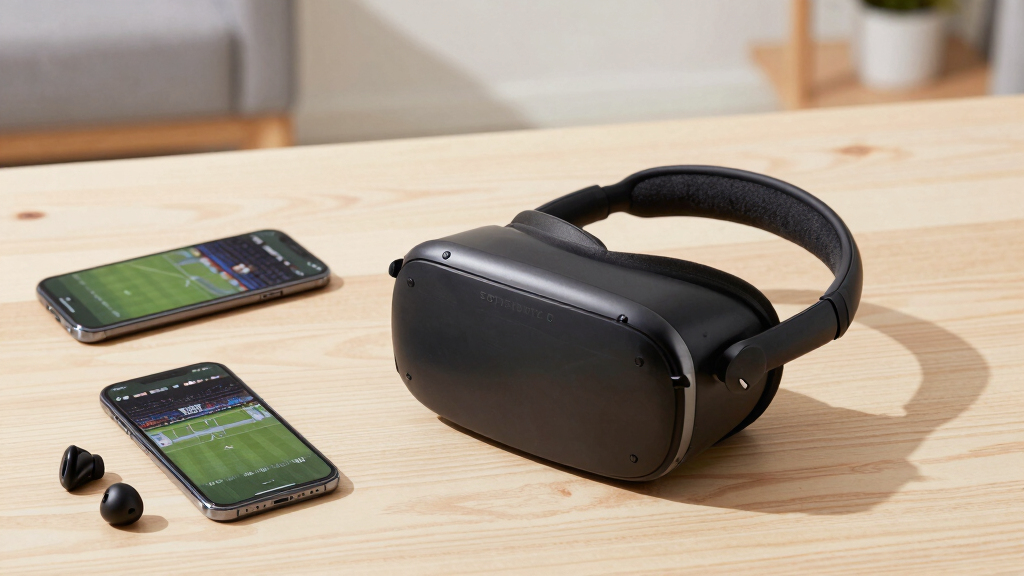

The best VR headset for sports viewing is the Meta Quest 3 512GB, thanks to its sharp optics, flexible standalone platform, and strong mix of immersive and conventional viewing options. The Meta Quest 3S 128GB is my value pick because it offers access to much of the same content ecosystem with less refined lenses and lower storage. For viewers who want a private cinema-style screen rather than interactive VR, the Goovis G3X Pro stands out for its dual Micro-OLED displays and vision adjustment. The main choice is between app access, visual clarity, long-session comfort, and the freedom to watch without connecting another device. Continue reading for my full breakdown of which models suit live games, panoramic sports footage, casual phone viewing, and premium personal-screen setups.

Play games on Amazon Luna for your next adventure, included with Prime
- A rotating selection of games, no download needed
- Play on TV, laptop or phone
- Fast, free delivery for your gear, too
Complete the kit


Key Takeaways
- Meta Quest 3 512GB ranks first because its clearer optics, standalone operation, and broad viewing flexibility create the strongest all-around package for sports fans.
- Meta Quest 3S 128GB offers the best value, but its less refined lens system makes it easier to notice blur when reading scoreboards or following small players across a wide field.
- Goovis G3X Pro is the premium private-screen pick; its Micro-OLED panels and diopter controls favor cinematic clarity, though it relies more heavily on connected sources than either Meta headset.
- RayNeo Air 4 Pro and GOOVIS Art serve a different audience from full VR headsets, favoring portable personal displays and easier awareness of the surrounding room over total immersion.
- The smartphone shells form the budget tier: the model with built-in headphones has the clearest convenience advantage, while the adjustable 4.7-to-7-inch option offers the broadest stated phone fit. Oculus Go falls behind them as a long-term purchase because of its aging platform.
| Goovis G3X Pro 3D XR Headset |  | Best for Prescription-Free Big-Screen Viewing | Display: Dual 1080p Sony Micro-OLED | Virtual Screen Size: 800 inches | Diopter Adjustment: +2.0D to -8.0D | VIEW LATEST PRICE | See Our Full Breakdown |
| Universal 3D VR Glasses for Movies and Games |  | Best Budget Pick | Field of View: 90 degrees | Display Resolution: 1920×1080 | Screen Size: 6 inches | VIEW LATEST PRICE | See Our Full Breakdown |
| 3D VR Glasses Virtual Reality Headset |  | Best for Larger Phone Compatibility | Device Compatibility: Smartphones | Supported Phone Size: 4.5-7 inches | Panorama Support: 360-degree content | VIEW LATEST PRICE | See Our Full Breakdown |
| Meta Quest 3S 128GB VR Headset |  | Best Overall | Storage: 128GB | Memory: 8GB RAM | Processor: Snapdragon XR2 Gen 2 | VIEW LATEST PRICE | See Our Full Breakdown |
| RayNeo Air 4 Pro AR/XR Glasses |  | Best Premium Broadcast Glasses | Virtual Display Size: 201 inches | Display Resolution: 1920×1080 per eye | Maximum Resolution: 2160×2160 | VIEW LATEST PRICE | See Our Full Breakdown |
| Universal 3D Virtual Reality Smartphone Goggles |  | Best Smartphone-Based Budget Pick | Compatible devices: 4.7- to 7-inch smartphones | Operating systems: Android and iOS | Resolution per eye: 1280 x 720 | VIEW LATEST PRICE | See Our Full Breakdown |
| Oculus Go Standalone Virtual Reality Headset 64GB |  | Best for Simple Personal-Theater Viewing | Storage: 64GB | Form factor: Standalone headset | Audio: Built-in spatial audio | VIEW LATEST PRICE | See Our Full Breakdown |
| GOOVIS Art XR Head Mounted Display |  | Best for Screen-Based Sports and Multitasking | Virtual display size: 110 inches | Resolution: 1920 x 1080 per eye | Display technology: Dual Micro-OLED | VIEW LATEST PRICE | See Our Full Breakdown |
| Meta Quest 3S 128GB VR Headset with Gorilla Tag Bundle |  | Best Value Standalone Headset | Storage: 128GB | Processor: Snapdragon XR2 Gen 2 | Memory: 8GB RAM | VIEW LATEST PRICE | See Our Full Breakdown |
| Meta Quest 3 512GB VR Headset with Gorilla Tag Bundle |  | Best Overall | Storage: 512GB | Display: 4K+ Infinite Display | Processor: Snapdragon XR2 Gen 2 | VIEW LATEST PRICE | See Our Full Breakdown |
| VR Headset with Built-in Headphones – 120° FOV, Aspherical Lenses, Smartphone Compatible |  | Best for Built-in Audio | Field of View: 120 degrees | Display Resolution: 1080 pixels | Platform Compatibility: Android and iOS | VIEW LATEST PRICE | See Our Full Breakdown |
| 3D VR Headset, Virtual Reality Glasses Compatible with 5.0-7.0 inch Smartphones |  | Best for Included Remote Control | Material: ABS and PC | Dimensions: 22.5 × 12.5 × 12 cm | Weight: 430 g | VIEW LATEST PRICE | See Our Full Breakdown |
| VR headsets for sports viewing | Field of View |
|---|---|
| Goovis G3X Pro 3D XR Headset | — |
| Universal 3D VR Glasses for Mo | 90 degrees |
| 3D VR Glasses Virtual Reality | — |
| Meta Quest 3S 128GB VR Headset | — |
| RayNeo Air 4 Pro AR/XR Glasses | 46 degrees |
| Universal 3D Virtual Reality S | 90 degrees |
| Oculus Go Standalone Virtual R | — |
| GOOVIS Art XR Head Mounted Dis | 110 degrees |
| Meta Quest 3S 128GB VR Headset | — |
| Meta Quest 3 512GB VR Headset | — |
| VR Headset with Built-in Headp | 120 degrees |
| 3D VR Headset | 95–120 degrees |
More Details on Our Top Picks
Goovis G3X Pro 3D XR Headset
I place the Goovis G3X Pro high in this lineup for viewers who want sports displayed like a huge private theater screen rather than a room-scale VR event. Its dual 1080p Sony Micro-OLED panels should deliver stronger contrast and finer detail than the phone-driven 3D VR Glasses, which matters when following a ball or reading score graphics. The broad diopter and IPD adjustments also give it a comfort advantage for viewers who would rather not wear prescription glasses underneath a headset. Compared with the Meta Quest 3S, however, this is more dependent on an attached source device and offers less freedom for native VR experiences. The advertised 800-inch virtual display is compelling for conventional broadcasts, but device compatibility may vary, and careful fitting is needed to achieve a sharp image.
Pros:- Dual Sony Micro-OLED panels provide 1080p resolution to each eye
- Wide +2.0D to -8.0D diopter range can reduce the need for prescription glasses
- Adjustable 58-74mm IPD supports a personalized viewing position
- Works with many categories of phones, computers, consoles, and handhelds
Cons:- Sharpness depends on careful diopter, IPD, and fit adjustment
- External-device connection requirements are not clearly detailed
- Provides a personal virtual screen rather than the fuller standalone VR experience of Meta Quest 3S
Best for: Glasses wearers who want a high-contrast personal sports screen connected to a console, phone, laptop, or handheld device
Not ideal for: Viewers seeking wireless room-scale VR or a self-contained sports app platform, since this headset relies on compatible external hardware
- Display:Dual 1080p Sony Micro-OLED
- Virtual Screen Size:800 inches
- Diopter Adjustment:+2.0D to -8.0D
- IPD Range:58-74mm
- Compatibility:Nintendo Switch, PS5, Xbox, smartphones, tablets, laptops, handhelds, DSLR cameras, and drones
- Design:Lightweight, ergonomic, and glasses-free
- Included Accessories:Carrying case, USB-C cable, headband, eye relief spacer, cleaning cloth, and quick start guide
Our verdict“I recommend the Goovis G3X Pro to viewers who prioritize display clarity, eyesight adjustment, and a theater-scale sports feed over wireless VR freedom.”
Universal 3D VR Glasses for Movies and Games
I see these Universal 3D VR Glasses as the low-cost route to watching phone-based panoramic sports content. The shell accepts 4.7- to 7-inch smartphones, while its 90-degree field of view offers a broader visual window than the 46-degree RayNeo Air 4 Pro. That comparison does not make this the better display: the phone supplies the screen, so clarity, brightness, battery drain, and streaming performance depend heavily on the handset. Adjustable pupil distance can help align the image, and the anti-blue-light design may appeal during longer matches. I rank it above the similar 3D VR Glasses B0DK8BK66S for buyers whose phones fit its stated range because this model supplies more display and connectivity data. Still, its Android limitation and lack of specified built-in audio make it a basic viewer rather than a polished sports setup.
Pros:- Low-barrier way to view phone-based 3D and 360-degree sports content
- 90-degree field of view is wider than the RayNeo Air 4 Pro specification
- Adjustable pupil distance helps users align the lenses
- Fits smartphones ranging from 4.7 to 7 inches
Cons:- Image quality and streaming endurance depend on the inserted smartphone
- Product data identifies Android support but not iOS support
- No built-in audio system is specified
Best for: Budget-minded Android phone owners who want to sample 360-degree sports videos without buying a standalone headset
Not ideal for: iPhone users and viewers who want consistent display quality or integrated audio without relying on phone hardware
- Field of View:90 degrees
- Display Resolution:1920×1080
- Screen Size:6 inches
- Supported Phone Size:4.7-7 inches
- Display Type:LCD or LED
- Connectivity:Bluetooth
- Operating System:Android
- Lens Technology:Optical
Our verdict“I would choose this model for inexpensive Android-based sports viewing, provided phone-dependent picture quality and audio are acceptable.”
3D VR Glasses Virtual Reality Headset
I include these 3D VR Glasses for households that want one inexpensive viewer to accommodate phones across a particularly broad 4.5- to 7-inch range. That lower minimum gives it a small compatibility advantage over the Universal 3D VR Glasses B09YRLKC6V, which starts at 4.7 inches. Its adjustable pupil distance can help different family members find a clearer view, while the lightweight design makes storage and transport easier. For sports, though, the experience is only as good as the inserted phone and the available panoramic video source. The stated 360-degree panorama support describes compatible content rather than a measured lens field of view, so I would not read it as proof of broader optics. Compared with the Meta Quest 3S, this has far fewer defined capabilities, no listed processor or storage, and no specified audio, making it a casual introduction rather than a primary viewing system.
Pros:- Supports a broader 4.5- to 7-inch phone range than the B09YRLKC6V model
- Adjustable pupil distance accommodates different viewers
- Lightweight construction is easy to carry and store
- Anti-blue-light feature is aimed at reducing screen-related eye strain
Cons:- Resolution, refresh rate, and measured optical field of view are not provided
- Requires a compatible smartphone for all display and processing functions
- No integrated audio, controls, or connectivity features are specified
Best for: Families sharing several 4.5- to 7-inch smartphones who want an inexpensive viewer for occasional panoramic sports clips
Not ideal for: Regular live-sports viewers who need predictable resolution, integrated audio, standalone apps, or documented hardware performance
- Device Compatibility:Smartphones
- Supported Phone Size:4.5-7 inches
- Panorama Support:360-degree content
- Pupil Distance Adjustment:Yes
- Blue-Light Feature:Anti-blue-light design
- Weight Class:Lightweight
- Supported Uses:Movies and games
Our verdict“I recommend this headset only as a flexible, low-cost introduction to phone-based panoramic sports viewing.”
Meta Quest 3S 128GB VR Headset
I rank the Meta Quest 3S first because it is the most complete standalone VR platform in this group, combining wireless operation, onboard processing, color passthrough, and 128GB of storage. For compatible immersive sports content, that independence matters: viewers are not placing a phone into a shell or keeping a USB-C source attached. The Snapdragon XR2 Gen 2 and 8GB of RAM also give it a clear performance advantage over the basic 3D VR Glasses, whose results depend on the inserted handset. It is less specialized for a giant conventional broadcast than the Goovis G3X Pro, and its two-plus-hour battery may fall short during a long event or overtime. Initial setup adds friction, while access to a specific league or broadcast still depends on compatible software and content rights. Even so, I find its balance of capability and freedom the strongest here.
Pros:- Standalone wireless design does not require a phone or permanently attached source device
- Snapdragon XR2 Gen 2 processor and 8GB RAM support more advanced VR experiences
- Dual RGB cameras provide full-color passthrough
- 128GB storage accommodates apps and downloaded content
Cons:- Two-plus-hour battery rating may not cover a full sporting event
- Requires setup, calibration, and access to compatible sports content
- Costs more than smartphone-based viewers
Best for: Viewers who want a self-contained wireless headset for compatible immersive sports experiences, games, and mixed-reality entertainment
Not ideal for: Fans who mainly watch long conventional broadcasts and do not want battery limits, account setup, or app availability constraints
- Storage:128GB
- Memory:8GB RAM
- Processor:Snapdragon XR2 Gen 2
- Battery Life:2+ hours
- Cameras:Dual RGB color cameras
- Connection Style:Wireless and standalone
- Included Trial:3 months of Meta Horizon+
- Trial Library:Access to more than 40 games
Our verdict“I choose the Meta Quest 3S as the best all-around option for buyers who value standalone immersive content more than all-day battery life.”
RayNeo Air 4 Pro AR/XR Glasses
I give the RayNeo Air 4 Pro the premium broadcast role because its 201-inch HDR10 screen, 120Hz refresh rate, and Bang & Olufsen audio target polished personal viewing without the bulk of a self-contained headset. The 1920×1080-per-eye display should make scoreboards and rapid camera movement easier to follow than on phone-shell VR glasses, while real-time SDR-to-HDR processing is designed to add contrast to ordinary video. Compared with the Goovis G3X Pro, RayNeo offers a smaller advertised virtual screen and a narrower 46-degree field of view, but it counters with specified spatial audio and a higher documented refresh rate. It also connects directly through USB-C without Wi-Fi or an app. That simplicity has limits: there is no internal battery, unsupported devices may need adapters, and this is a wearable virtual display rather than the standalone immersive platform supplied by Meta Quest 3S.
Pros:- 1080p-per-eye HDR10 display supports crisp personal-screen viewing
- 120Hz refresh rate is well suited to fast sports motion
- Bang & Olufsen 360-degree spatial audio reduces reliance on separate headphones
- Direct USB-C connection works without Wi-Fi or a dedicated app
Cons:- No internal battery, so viewing depends on a connected powered device
- 46-degree field of view is narrower than the listed smartphone VR headsets
- USB-C connector compatibility does not guarantee that every device supports video output
Best for: Frequent travelers and premium-video buyers who want a lightweight private screen for sports from a compatible phone, computer, or console
Not ideal for: Buyers seeking cable-free standalone VR or owners of source devices that lack compatible USB-C video output
- Virtual Display Size:201 inches
- Display Resolution:1920×1080 per eye
- Maximum Resolution:2160×2160
- Field of View:46 degrees
- Refresh Rate:120Hz
- HDR:HDR10 with real-time SDR-to-HDR upscaling
- Connectivity:USB-C
- Audio:Bang & Olufsen 360-degree spatial sound
- Compatible Devices:iPhone 17/16/15, Android devices, MacBook, iPad, Steam Deck, and PlayStation
Our verdict“I recommend the RayNeo Air 4 Pro to buyers willing to pay for refined video and audio in a lightweight tethered sports screen.”
Universal 3D Virtual Reality Smartphone Goggles
I rank these goggles as the budget smartphone option for viewers who already watch games on a compatible phone and want a larger-feeling presentation. The adjustable pupil distance and support for myopia users may produce a clearer image than fixed-lens phone viewers, while the 90-degree field of view offers a more enclosed effect. Compared with the Meta Quest 3S, however, this is a basic shell rather than a self-contained sports platform: picture quality depends heavily on the inserted phone, and wired use restricts movement. Its 1280 x 720-per-eye resolution also makes score graphics and distant players less crisp than on the GOOVIS Art XR. I include it for low-cost, occasional viewing, but buyers seeking polished live-sports apps or sharp broadcast detail should spend more.
Pros:- Adjustable interpupillary distance helps users refine image clarity
- Supports myopia users and incorporates anti-blue-light lenses
- Lightweight design is easier to carry than a full standalone headset
- Works with a broad range of 4.7- to 7-inch smartphones
Cons:- Resolution is modest for reading small broadcast graphics
- Viewing quality and content access depend on the inserted smartphone
- Wired connectivity can restrict movement
Best for: Budget buyers who want to watch phone-based sports videos on a 4.7- to 7-inch Android or iOS handset
Not ideal for: Viewers who need sharp score text, native VR sports apps, or a completely wireless setup
- Compatible devices:4.7- to 7-inch smartphones
- Operating systems:Android and iOS
- Resolution per eye:1280 x 720
- Maximum resolution:1280 x 1080
- Display type:LCD
- Field of view:90 degrees
- Lens technology:Anti-blue-light
- Connectivity:Wired
- Sensors:Gyroscope, accelerometer, and proximity
Our verdict“I recommend this only as an inexpensive route into phone-based sports viewing, not as a substitute for a dedicated standalone headset.”
Oculus Go Standalone Virtual Reality Headset 64GB
I place the Oculus Go in a narrow but understandable role: a self-contained personal theater for viewers who prioritize simple video playback over modern mixed-reality features. Unlike the Universal 3D Smartphone Goggles, it needs neither an inserted phone nor a cable during viewing, and its built-in spatial audio removes the need to pack separate headphones. The included controller also makes menus easier to manage from a seat. Against the Meta Quest 3S, though, its limitations are substantial: storage stops at 64GB, it lacks PC or external-display connectivity, and the supplied account requirement adds friction. Sports buyers should also verify that their intended viewing service supports this headset before purchasing. I rank it below newer standalone models because convenience cannot offset its closed connectivity for many streaming setups.
Pros:- Standalone operation requires no PC or inserted smartphone
- Built-in spatial audio simplifies personal viewing
- Included controller provides straightforward seated navigation
- Portable wireless design suits room-to-room use
Cons:- No PC or external-display connectivity limits source choices
- 64GB fixed storage can fill quickly with downloaded video
- Account login requirement adds setup friction
Best for: Casual viewers seeking a cable-free personal theater for compatible stored videos and supported VR services
Not ideal for: Buyers who need modern sports-streaming flexibility, PC connectivity, expandable storage, or freedom from account registration
- Storage:64GB
- Form factor:Standalone headset
- Audio:Built-in spatial audio
- Controller:Included
- PC requirement:None
- Phone requirement:None
- External display connectivity:Not supported
Our verdict“I see the Oculus Go as a simple personal theater for compatible content, while most sports viewers will be better served by a newer Meta Quest model.”
GOOVIS Art XR Head Mounted Display
I give the GOOVIS Art XR this role because it treats sports as a large private screen rather than a fully enclosed VR event. Its dual 1080p Micro-OLED panels should render scoreboards and broadcast overlays more cleanly than the Universal 3D Smartphone Goggles, while the open-view design lets viewers retain peripheral awareness of a room, laptop, or travel surroundings. At only 110g, it is also far lighter than a conventional standalone headset. The tradeoff is source dependence: unlike the Meta Quest 3, the GOOVIS needs a compatible USB-C or HDMI device, and setup may involve adapters or device-specific settings. The 60Hz refresh rate and 1080p-per-eye ceiling also trail higher-end display ambitions. I favor it for traditional broadcasts on a virtual 110-inch screen, especially when comfort and awareness matter more than interactive VR.
Pros:- Dual Micro-OLED displays provide strong contrast for broadcast video
- Open-view design preserves awareness of nearby people and objects
- 110g weight supports longer seated viewing with less bulk
- IPD and diopter adjustments accommodate a wide range of viewers
Cons:- Requires a compatible USB-C or HDMI video source
- 1920 x 1080 per eye falls short of 4K-class detail
- Adapters and source settings may complicate initial setup
Best for: Travelers and multitaskers who want a lightweight private screen for sports broadcasts from a compatible phone, PC, console, or media player
Not ideal for: Buyers seeking a self-contained headset, 4K-per-eye output, or native room-scale sports experiences
- Virtual display size:110 inches
- Resolution:1920 x 1080 per eye
- Display technology:Dual Micro-OLED
- Field of view:110 degrees
- Refresh rate:60Hz
- Connectivity:USB-C and HDMI
- Weight:110g
- IPD adjustment:58-74mm
- Diopter adjustment:0 to -3.50D
Our verdict“I recommend the GOOVIS Art XR for viewers who want a light, room-aware virtual sports screen and already own a compatible video source.”
Meta Quest 3S 128GB VR Headset with Gorilla Tag Bundle
I rank the Meta Quest 3S as the value choice for sports fans who want standalone VR without paying for the Meta Quest 3’s higher-end display and 512GB capacity. Its Snapdragon XR2 Gen 2 processor and 8GB of memory provide the same core processing platform listed for the pricier model, while dual RGB color cameras support experiences that blend digital action with the surrounding room. Wireless operation also makes it more flexible than the tethered GOOVIS Art XR. Savings bring clear compromises: 128GB leaves less space for games and downloaded media, and the 2-plus-hour battery rating may not cover a long event without charging. The Gorilla Tag extras and Horizon+ trial lean toward gaming rather than sports coverage. I choose it for affordable access to compatible immersive viewing apps, not for maximum image clarity or storage.
Pros:- Snapdragon XR2 Gen 2 processor supports responsive standalone experiences
- Wireless design requires no PC, phone, or video cable during use
- Dual RGB cameras enable full-color views of the surrounding room
- Three-month Horizon+ trial adds a broad starter library
Cons:- 128GB storage is restrictive for a large app and media collection
- Two-plus-hour battery may not last through extended sporting events
- Bundle extras focus more on gaming than sports viewing
Best for: First-time standalone VR buyers who want compatible immersive sports viewing plus games at a lower entry price
Not ideal for: Frequent downloaders and viewers of long events who need large storage, longer unplugged runtime, or the sharpest Meta display
- Storage:128GB
- Processor:Snapdragon XR2 Gen 2
- Memory:8GB RAM
- Battery life:2+ hours
- Cameras:Dual RGB color cameras
- Included trial:Three months of Meta Horizon+
Our verdict“I recommend the Meta Quest 3S to value-focused newcomers who want modern standalone viewing and can accept lower storage and shorter unplugged sessions.”
Meta Quest 3 512GB VR Headset with Gorilla Tag Bundle
I put the Meta Quest 3 512GB first because it offers the strongest balance of display quality, standalone freedom, and storage for sports viewing alongside games. Its 4K+ Infinite Display gives it a clearer advantage over the Meta Quest 3S when small scores, player details, and virtual-screen text matter, while 512GB provides four times the listed storage for downloaded media and apps. The Snapdragon XR2 Gen 2 processor and 8GB of memory also support smooth navigation without a PC or phone. That broader capability comes at a premium price, and the rated 2-plus-hour battery remains a weak fit for long matches or multi-game sessions. Like the 3S bundle, its included Gorilla Tag content is not sports-focused. Even so, I rank it highest for buyers seeking the most complete standalone option in this batch.
Pros:- 4K+ Infinite Display improves clarity for scores and distant action
- 512GB storage leaves far more room for apps and downloaded media than the Quest 3S
- Standalone wireless operation avoids source cables and external hardware
- Snapdragon XR2 Gen 2 processor supports responsive graphics and navigation
Cons:- Premium pricing is difficult to justify for occasional viewing
- Two-plus-hour battery can run short during extended events
- Included bundle content is geared toward gaming rather than live sports
Best for: Committed VR viewers who want sharper sports presentation, ample local storage, and standalone access to compatible apps
Not ideal for: Occasional viewers on a tight budget or fans who need enough battery life for long events without external power
- Storage:512GB
- Display:4K+ Infinite Display
- Processor:Snapdragon XR2 Gen 2
- Memory:8GB RAM
- Battery life:2+ hours
- Cameras:Dual RGB color cameras
Our verdict“I recommend the Meta Quest 3 512GB as the best all-around choice for serious standalone sports viewing, provided its price and battery limits fit the buyer.”
VR Headset with Built-in Headphones – 120° FOV, Aspherical Lenses, Smartphone Compatible
I rank this as the best option for built-in audio because its stereo headphones keep sports sound close and remove the need for separate earbuds. The 120-degree field of view can make compatible courtside and 360-degree footage feel broader than the view through many basic phone goggles. Compared with the 3D VR Headset for 5.0–7.0-inch smartphones, this model offers integrated sound but lacks that headset’s included remote controller. It is also far less capable than the Meta Quest 3S 128GB VR Headset: a phone supplies all processing, and ordinary broadcasts do not become VR automatically. I would choose it for occasional phone-based viewing, especially when audio convenience matters. Manual fit and lens adjustment, limited controls, and dependence on compatible sports apps make it a weaker match for frequent viewing.
Pros:- Built-in stereo headphones simplify private sports viewing
- 120-degree field of view provides a broad view of compatible immersive footage
- Aspherical lenses are designed to improve image clarity across the viewing area
- Supports a wide 4.7–7.2-inch smartphone range
Cons:- Smartphone-based design lacks the processing and app ecosystem of Meta Quest headsets
- No Bluetooth controller is included for easier menu and playback control
- Fit and viewing alignment require manual adjustment
Best for: Casual viewers who watch compatible 360-degree sports footage on a 4.7–7.2-inch phone and want headphones built into the headset
Not ideal for: Dedicated sports fans who want standalone streaming apps, tracked VR interaction, or access to conventional broadcasts without relying on a phone
- Field of View:120 degrees
- Display Resolution:1080 pixels
- Platform Compatibility:Android and iOS
- Phone Screen Size:4.7–7.2 inches
- Lens Technology:Aspherical
- Controller Type:Button control
- Audio:Built-in stereo headphones
- Headband:Adjustable
- Heat Dissipation:Magnetic-attachment front cover
Our verdict“This is my pick for phone-based sports viewers who value integrated audio more than standalone apps or advanced controls.”
3D VR Headset, Virtual Reality Glasses Compatible with 5.0-7.0 inch Smartphones
I place this model in the best included-remote role, since its bundled controller makes pausing compatible footage and handling simple phone menus less awkward than reaching for the headset. Compared with the VR Headset with Built-in Headphones, it trades integrated stereo sound for more convenient playback control. Its adjustable focal and eye distance settings also give viewers more ways to refine the image, while the 95–120-degree field of view can provide a broad perspective on properly formatted sports video. The compromises are substantial: at 430 grams, it may feel tiring through a long match, and phone placement plus eye alignment can take patience. I would reserve it for occasional highlights or 360-degree clips rather than treating it as a Meta Quest 3S substitute. Sports content and performance still depend entirely on the inserted phone.
Pros:- Included remote can simplify compatible playback and menu control
- Adjustable focal and eye distance settings support more personalized image alignment
- 95–120-degree field-of-view range suits compatible panoramic sports footage
- Soft nose piece and adjustable straps help distribute the headset’s weight
Cons:- 430-gram weight may cause fatigue during long sporting events
- Phone and eye alignment can be difficult to set correctly
- No built-in audio is specified, unlike the competing headphone-equipped model
Best for: Occasional viewers using a 5.0–7.0-inch smartphone who want a bundled remote for basic playback and menu control
Not ideal for: Viewers planning to watch full-length matches regularly, since the 430-gram body and alignment process may become uncomfortable or inconvenient
- Material:ABS and PC
- Dimensions:22.5 × 12.5 × 12 cm
- Weight:430 g
- Phone Size Compatibility:5.0–7.0 inches
- Field of View:95–120 degrees
- Focal Distance:Adjustable
Our verdict“I recommend this for occasional smartphone VR viewing when an included remote matters more than built-in sound or standalone performance.”
How We Picked
I ranked these headsets around the needs of a seated sports viewer rather than their general gaming ability. My highest weights went to streaming access, optical clarity, comfort across a full match, and the ability to read scoreboards without constant repositioning. I also compared whether each device works independently or needs a phone, console, computer, adapter, or streaming source. Products with native apps, capable browsers, and flexible casting options ranked above models limited to basic phone playback.
I then separated true standalone VR from personal display headsets, AR glasses, and inexpensive smartphone shells. Premium displays gained credit for contrast, focus adjustment, and private-screen quality, but lost ground when cables or source devices made live viewing less convenient. Smartphone models were ordered by practical distinctions such as phone-size support, integrated audio, pupil adjustment, and lens design; repeated anti-blue-light claims carried little ranking weight because they do not improve stream resolution or app access. I placed the older Oculus Go lower because software longevity and service availability matter more to me than a low secondhand price.
Factors to Consider When Choosing VR Headsets For Sports Viewing
I would choose a sports-viewing headset by working backward from the games, services, and viewing style I actually want. Content access and comfort often matter more than headline resolution, especially during events that last several hours. The following factors explain where paying more changes the viewing experience and where a cheaper design may be enough.
Start With the Sports Service, Not the Headset
A headset cannot display a live game unless the streaming service works through a native app, compatible browser, casting method, or connected source. I recommend checking support for the exact league and broadcaster before comparing display specifications. Native standalone playback is usually the cleanest arrangement because it avoids phone notifications, dangling adapters, and extra compression. Browser playback can fill app gaps, but login systems, protected video, and full-screen controls do not behave equally across every device. Casting from a phone or computer adds flexibility, though it can introduce latency and image compression. Regional blackouts and subscription restrictions still apply inside VR, so a headset does not bypass the normal rights attached to a broadcast.
Judge Clarity by Optics and Stream Quality
Resolution alone does not tell me whether a headset will keep a small ball, distant player, or score graphic clear. Lens design affects how much of the display remains sharp when my eyes move away from the center, while focus and diopter controls can reduce dependence on glasses. Edge-to-edge clarity matters more for sports than for a movie because action and statistics often occupy different parts of the frame. A high-resolution panel also cannot repair a low-bitrate stream or heavily compressed cast. Micro-OLED displays can deliver strong contrast and dark-scene detail, while a capable standalone headset may offer the better overall result through easier access to high-quality source video. I would treat an advertised giant virtual screen as a description of apparent size, not proof of superior detail.
Plan for a Full Match, Not a Short Demo
A headset that feels acceptable for ten minutes may become distracting during a two-hour game. I look for balanced weight, a stable strap, room around the nose, manageable heat, and controls that do not require repeated removal. Front-heavy standalone headsets may benefit from an upgraded strap, while display glasses usually place less mass on the face but can add cable management. Built-in diopter adjustment can help viewers with common refractive needs, though it does not replace every prescription. Battery life also deserves attention because an external pack can solve runtime limits while adding another cable or pocketed device. For long broadcasts, fit, ventilation, and easy repositioning can matter more than a modest gain in panel specifications.
Choose Between Immersion and Room Awareness
Full VR blocks more of the surrounding room and can make a virtual courtside environment feel larger and more focused. That isolation is less convenient when I want to talk with friends, check a phone, or keep track of people nearby. Mixed-reality passthrough offers a middle ground by placing a screen within a view of the room, though camera quality and battery use affect the result. AR-style glasses such as RayNeo favor room awareness and portability, but they do not create the same enclosed stadium effect. GOOVIS-style head-mounted displays lean toward a private theater and may suit conventional flat broadcasts better than interactive sports experiences. I would match the format to the social setting rather than assuming deeper immersion is always better.
Calculate the Real Cost and Useful Life
The headset price may exclude the hardware needed to feed it video. Some displays require a compatible phone, computer, console, hub, or adapter, and those additions can erase an apparent bargain. I also account for replacement straps, prescription inserts, headphones, and battery packs when comparing total cost. Storage capacity matters for downloaded apps and offline video, but it adds little value when nearly all viewing is streamed. Older standalone products can look inexpensive on resale sites while offering weaker app support, aging batteries, and limited account recovery options. I would pay more for current software support and dependable content access before paying for cosmetic bundles or vague eye-protection claims.
Frequently Asked Questions
Can I Watch Live Sports Directly on a VR Headset?
Yes, but the available route depends on the headset and broadcaster. A standalone model can use a supported app or web browser, while display headsets and phone shells depend on a connected source. I would verify the service’s VR app, browser, and casting support before buying because protected streams may block some mirroring methods. Live playback can also carry more delay than a television feed, which matters if nearby notifications reveal a score early. Blackouts and subscription rules remain the same as they are on other devices.
Is Meta Quest 3 Worth Paying More for Than Meta Quest 3S?
For frequent sports viewing, I think the Meta Quest 3 earns its premium mainly through clearer, more forgiving optics. That improvement makes scoreboards and action near the edges easier to follow without moving the entire headset. Quest 3S remains the better value when access to the Meta app ecosystem matters more than maximum visual refinement. The 512GB capacity of the listed Quest 3 is useful for games and downloaded media, but storage does not improve streamed video quality. Casual viewers can save money with Quest 3S, while regular viewers are more likely to appreciate Quest 3 over a full season.
Are AR Glasses Better Than VR Headsets for Watching Games With Friends?
AR-style display glasses can be the better fit when conversation and awareness of the room matter. They provide a large personal image without the same degree of isolation created by an enclosed VR headset. A model such as RayNeo Air 4 Pro also has a lighter, more glasses-like form, though it still depends on compatible source hardware and may not support immersive sports apps. Full VR is better suited to virtual stadium environments and distraction-free viewing. For a shared living room, I would favor lighter display glasses or mixed-reality viewing over a fully closed experience.
Is a Smartphone VR Headset Good Enough for Sports Viewing?
A smartphone headset can work for occasional 360-degree clips or a basic personal-screen setup, but the phone supplies nearly every part of the experience. Image quality, playback support, heat, battery drain, and motion response all depend on the handset. I would favor secure phone fit, pupil adjustment, and accessible controls over anti-blue-light marketing. The model with built-in headphones reduces setup clutter, while the adjustable 4.7-to-7-inch design covers more stated phone sizes. For regular live viewing, a standalone headset or dedicated display offers fewer compromises.
Will Watching Sports in VR Cause Motion Sickness?
Seated viewing of a stable virtual screen usually creates less discomfort than fast VR gaming, but the video format still matters. Panoramic footage with rapid camera movement, low frame rates, or an unstable horizon can trigger symptoms even when I remain still. I would begin with short sessions and a fixed virtual screen, then increase viewing time gradually. Good ventilation, correct lens spacing, and a sharp image can reduce eye strain, while they cannot remove every source of motion discomfort. Viewers who are sensitive may prefer AR glasses or room-aware mixed reality because the real environment remains visible.
Conclusion
My best overall recommendation is Meta Quest 3 512GB for buyers who want strong optics, standalone convenience, and the widest range of viewing styles in this lineup. The Meta Quest 3S 128GB is the best value, while its Gorilla Tag bundle is the better beginner package when the included extras match the buyer’s interests. For premium private-screen viewing, I would choose the Goovis G3X Pro for its Micro-OLED panels and diopter adjustment, accepting its greater dependence on connected hardware. RayNeo Air 4 Pro makes more sense for viewers who want a lightweight screen without shutting out the room, and GOOVIS Art suits buyers seeking a compact personal display. Among phone-based choices, the headset with built-in headphones is my convenience pick, while the universal 4.7-to-7-inch model is better for broad handset compatibility. I would reserve Oculus Go and the most basic smartphone shells for low-cost, occasional viewing, since their platform, clarity, and long-term usefulness fall behind the leading options.
Halloween Picks
halloween
As an affiliate, we earn on qualifying purchases.