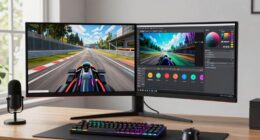
Finding the best ultrawide monitor for sim racing involves balancing immersive display features with performance and budget. The ZZA UltraWide 34 Inch Curved Monitor stands out for its high refresh rate and vibrant color accuracy, making it ideal for serious racers. The INNOCN 49″ OLED Ultrawide offers stunning visuals and deep contrast, perfect for those craving realism. However, tradeoffs include higher costs and potential size constraints. Continue reading to see a detailed breakdown of the top choices to match your racing setup and priorities.
Key Takeaways
- High refresh rates (165Hz-180Hz) are vital for smooth, fluid motion during fast-paced racing scenarios.
- Curved screens enhance immersion but can be less suitable for multi-monitor setups or limited desk space.
- Display resolution (WQHD vs. 5K2K) significantly impacts visual clarity and detail, especially for sim racing visuals.
- Features like VESA compatibility and ergonomic adjustments matter for personalized comfort over long sessions.
- Premium options tend to offer better color accuracy, contrast, and build quality, but at a higher price.


More Details on Our Top Picks
This ZZA 34-inch curved monitor stands out for its 1500R curvature, high 180Hz refresh rate, and vibrant color reproduction thanks to its 99% sRGB coverage. Compared to the Samsung LS34C50D, it offers a faster refresh rate and a more aggressive curve, which enhances immersion during sim racing. Its VA panel delivers excellent contrast, making the visuals more detailed and realistic, especially in dark scenes. However, this performance comes with a tradeoff: the viewing angles are narrower than IPS-based options like the CRUA 34”, which might matter if you view the screen from different positions. This monitor is best suited for gamers and multitaskers who prioritize responsiveness and immersive visuals, but those needing wide angles or color accuracy from different viewing positions may want to consider IPS alternatives.
Pros:- High 180Hz refresh rate for ultra-smooth gameplay
- Deep contrast with 4000:1 ratio enhances visual detail
- 1500R curvature creates immersive experience
Cons:- Narrower viewing angles compared to IPS monitors
- White housing may not match all setups
Best for: Dedicated sim racers and gamers who want a highly responsive, immersive experience with vibrant visuals.
Not ideal for: Color-critical professionals or users who need wide viewing angles from multiple positions, due to VA panel limitations.
- Screen Size:34 Inches
- Resolution:3440×1440
- Refresh Rate:180Hz
- Panel Type:VA
- Curvature:1500R
- Color Gamut:99% sRGB
- Contrast Ratio:4000:1
- Connectivity:HDMI, DisplayPort
- HDR:HDR10
Bottom line: This pick is perfect for gamers seeking fluid, immersive racing visuals with excellent contrast, but less ideal for multi-position viewing or color grading.
INNOCN 49″ OLED Ultrawide Curved Monitor 5K2K 5120 x 1440p 144Hz, 0.03ms, Computer Monitor for AI PC, USB Type C 90W, HDMI 2.1, DisplayPort, USB Hub, Speakers, Adaptive-Sync, Adjustable Stand, Black
Compared with smaller ultrawides like the ASUS VG34VQL1B, the INNOCN 49″ OLED offers an expansive 32:9 aspect ratio and stunning color accuracy with 99% sRGB coverage, making it ideal for detailed visual tasks. Its 5K2K resolution and OLED technology ensure vibrant, true-to-life colors and deep blacks, elevating the realism in racing visuals. The ultra-wide screen also enhances multitasking during long sessions, allowing multiple apps or telemetry data to be visible simultaneously. The tradeoff is its premium price and larger footprint, which might not suit every desk or budget. This monitor is best for content creators and avid racers who value top-tier picture quality and multitasking capabilities, but casual users or those with limited space should look for more compact options.
Pros:- Exceptional OLED picture quality with perfect blacks
- Ultra-wide 32:9 aspect ratio enhances immersion and multitasking
- High 144Hz refresh rate with 0.03ms response time
Cons:- Premium price point
- Large size may not fit all desks
Best for: Sim racers and content creators who prioritize stunning visual fidelity and multitasking in their racing setups.
Not ideal for: Users with limited space or budget constraints, as the size and cost may be prohibitive.
- Screen Size:49 Inches
- Resolution:5120×1440
- Refresh Rate:144Hz
- Panel Type:OLED
- Curvature:Curved
- Color Gamut:99% sRGB
- Response Time:0.03ms
- Connectivity:USB-C, HDMI 2.1, DisplayPort
- HDR:HDR400
Bottom line: This monitor excels for racers and creators seeking outstanding visuals and extensive workspace, but its size and cost limit accessibility.
Samsung 34″ ViewFinity S50GC Series Ultrawide QHD Monitor, 100Hz, 5ms, HDR10, AMD FreeSync, Ultrawide Screen, Eye Care, Thin Bezels, PIP, PBP, LS34C50DGANXZA, 2023, Black
This Samsung 34″ monitor offers a Ultra-WQHD resolution with a 100Hz refresh rate, striking a balance between smooth gaming and detailed work. Its HDR10 support and AMD FreeSync provide flicker-free, tear-free visuals that are well-suited for racing and multimedia. The thin bezels and PIP/PBP capabilities make it highly versatile for multitasking, compared to the more gaming-focused ASUS VG34VQL1B. However, its refresh rate is slightly lower than some competitors, which might be noticeable in fast-paced racing. This monitor is best for racers who also need to do productivity tasks or content viewing, but those seeking ultra-high refresh rates for competitive gaming may prefer other options like the ASUS or CRUA models.
Pros:- Good balance of resolution and refresh rate for smooth visuals
- Supports PIP and PBP for multitasking
- Slim bezels and modern design
Cons:- Limited 100Hz refresh rate compared to 120Hz or higher options
- Response time of 5ms may be less ideal for fast racing visuals
Best for: Sim racers who want a balanced display for gaming, productivity, and multimedia with excellent color and multitasking features.
Not ideal for: Competitive gamers needing higher refresh rates over 100Hz or ultra-low response times.
- Screen Size:34 Inches
- Resolution:3440×1440
- Refresh Rate:100Hz
- Panel Type:VA
- Curvature:Curved
- Color Gamut:Over 1 Billion Colors
- Response Time:5ms
- Connectivity:HDMI, DisplayPort
- HDR:HDR10
Bottom line: This monitor offers a versatile, high-quality experience for racers who also value multitasking and color accuracy, though competitive players might seek faster refresh rates.
The ASUS VG34VQL1B is tailored for racers demanding 165Hz refresh rate and 1ms response time, making it highly responsive for fast-paced racing simulations. Its Extreme Low Motion Blur technology ensures sharp visuals during rapid turns and accelerations, surpassing the 100Hz Samsung LS34C50D in responsiveness. The monitor’s curved 34-inch display immerses you in the race environment, while its adjustable stand offers ergonomic comfort. The inclusion of DisplayHDR 400 and FreeSync Premium enhances visual depth and tear-free gameplay. The main tradeoff is its slightly higher cost and the need for a powerful GPU to fully utilize high refresh rates. This monitor is ideal for serious sim racers and esports enthusiasts needing every millisecond of responsiveness, but casual users may find the features excessive.
Pros:- 165Hz refresh rate with 1ms response time for ultra-smooth gameplay
- Extreme Low Motion Blur technology for clarity during high-speed racing
- Adjustable height and ergonomic design
Cons:- Higher price point
- Requires powerful GPU for maximum refresh rate performance
Best for: Competitive sim racers and eSports players seeking ultra-responsive, sharp visuals with minimal motion blur.
Not ideal for: Casual gamers or users with limited space looking for more budget-friendly, less feature-rich monitors.
- Screen Size:34 Inches
- Resolution:3440×1440
- Refresh Rate:165Hz
- Response Time:1ms
- Panel Type:VA
- Curvature:Curved
- HDR:DisplayHDR 400
- Connectivity:DisplayPort, HDMI, USB
Bottom line: This monitor excels for racers who need top responsiveness and clarity, though its premium cost and hardware requirements may limit some users.
CRUA 34” Ultrawide Gaming Monitor 120HZ, 21:9 WFHD 2560X1080 IPS Panel Computer Monitors with Built-in Speakers, Support AMD FreeSync, 120% sRGB, DP1.4 & HDMI1.4, Wall Mountable Installs-White
The CRUA 34” offers an IPS panel with 120Hz refresh rate, making it a compelling choice for those who need wide viewing angles and accurate colors at a more affordable price. Its 120% sRGB coverage ensures vibrant, lifelike visuals, comparable to more expensive models like the ASUS VG34VQL1B, but with less high-end responsiveness. While it falls short of the 165Hz or ultra-low response times of premium options, it provides a good balance of color accuracy, clarity, and affordability. Its IPS technology makes it more suitable for users who want consistent visuals from multiple angles, but the lower refresh rate and response time mean it’s less ideal for high-speed racing than the ASUS or Samsung models.
Pros:- IPS panel with wide viewing angles and accurate colors
- Affordable price for a 34-inch ultrawide
- Supports AMD FreeSync and wall mounting
Cons:- Lower 120Hz refresh rate than premium options
- Response time of 5ms less ideal for fast racing visuals
Best for: Budget-conscious racers and content creators who prioritize color fidelity and viewing angles over ultra-high refresh rates.
Not ideal for: Competitive players seeking maximum responsiveness or ultra-low latency during fast racing sessions.
- Screen Size:34 Inches
- Resolution:2560×1080
- Refresh Rate:120Hz
- Panel Type:IPS
- Curvature:Curved
- Color Gamut:120% sRGB
- Response Time:5ms
- Connectivity:HDMI, DisplayPort
Bottom line: A strong budget-friendly choice for immersive visuals and multitasking, but less suited for competitive racing demanding higher refresh rates.
Sceptre 34-Inch Curved Ultrawide WQHD Monitor (3440 × 1440), R1500, up to 180Hz/165Hz, DisplayPort x2, 99% sRGB, 1ms, Built-in Speakers, Machine Black, 2025 (C345B-QUT168)
This Sceptre 34-inch curved monitor stands out for its impressive combination of high refresh rate, vibrant color accuracy, and sleek design, making it ideal for sim racers who demand both visual clarity and responsiveness. Its 3440 x 1440 resolution and 165Hz refresh rate deliver smooth, detailed images that surpass most 1080p models, and the 1ms response time reduces ghosting during fast-paced scenes. Compared to the more expensive INNOCN 45C1R, this monitor offers a more focused 34-inch size, which is easier to fit on standard desks while still providing a truly immersive experience. The dual DisplayPort inputs and 99% sRGB coverage ensure sharp, color-rich visuals, though the curved design might not suit users preferring flat screens or those working in multi-monitor setups. The built-in speakers are a bonus, but audio quality is average. This pick makes the most sense for avid sim racers who want high performance without breaking the bank.
Pros:- Excellent 165Hz refresh rate for smooth gameplay
- Vivid 99% sRGB color coverage for vibrant visuals
- Fast 1ms response time reduces ghosting
Cons:- Curved design may cause issues in multi-monitor setups
- Audio quality from built-in speakers is average
Best for: Serious sim racers and gamers wanting a high-refresh, immersive ultrawide display with excellent color reproduction.
Not ideal for: Users seeking a flat monitor for multi-monitor configurations or those sensitive to curvature for work tasks.
- Display Size:34 inches
- Resolution:3440 x 1440
- Refresh Rate:165Hz
- Response Time:1ms
- Color Gamut:99% sRGB
- Ports:2 x DisplayPort
Bottom line: This monitor is perfect for gamers and sim racers looking for a high-performance, immersive display with great color fidelity.
Sceptre 30-inch Curved Gaming Monitor 21:9 2560×1080 Ultra Wide/ Slim HDMI DisplayPort up to 200Hz Build-in Speakers, Metal Black (C305B-200UN1)
This 30-inch curved monitor provides an excellent balance between affordability and performance, with a 200Hz refresh rate that outpaces many competitors like the INNOCN 45C1R. Its 2560×1080 resolution is lower than the 3440×1440 of the top pick, but still offers sharp visuals suitable for racing games, especially with the AMD FreeSync support that minimizes tearing. The ultra-wide aspect ratio enhances peripheral vision, critical for immersive sim racing. Its slim bezel and VESA compatibility facilitate clean multi-monitor setups, though the smaller size may not suit users wanting maximum screen real estate. The built-in speakers add convenience, but audio quality isn’t premium. This monitor makes sense for budget-conscious racers who prioritize high refresh rates and a compact ultrawide experience.
Pros:- High 200Hz refresh rate ensures ultra-smooth gameplay
- Affordable price point with good build quality
- VESA mount support for flexible setup
Cons:- Lower resolution may limit detail compared to 3440×1440 options
- Audio quality from integrated speakers is basic
Best for: Budget-conscious sim racers seeking high refresh rates in a smaller, curved ultrawide monitor.
Not ideal for: Users needing higher resolution for detailed content creation or extensive multitasking.
- Display Size:30 inches
- Resolution:2560 x 1080
- Refresh Rate:200Hz
- Response Time:5ms
- Aspect Ratio:21:9
- Ports:DisplayPort, HDMI
Bottom line: Ideal for budget-focused racers who want a fast, curved ultrawide for gaming without sacrificing performance.
INNOCN 45C1R 45″ 5K2K 5120 x 1440p Ultrawide Curved Gaming Monitor, R1500, HDR400, USB Type-C 90W Power Delivery, PIP/PBP, Built-in Speaker, Height Adjustable, Black
The INNOCN 45C1R offers a stunning 5120 x 1440 resolution on a 45-inch curved screen, making it ideal for content creators and multitaskers who need extensive screen space. Its 5K2K resolution exceeds most gaming monitors like the Samsung LS34C502, delivering incredibly detailed images and exceptional clarity. The high dynamic range (HDR400) and 99% sRGB coverage ensure vibrant, true-to-life colors, perfect for editing or immersive gaming. Its USB-C port with 90W power delivery simplifies connectivity for laptops and devices. The adjustable stand and PIP/PBP features boost productivity, though the large size may be overkill for small desks or those who prefer a more compact setup. This monitor is best for users who want a giant, versatile display for work, creative projects, or gaming.
Pros:- Massive 5120 x 1440 resolution for detailed visuals
- HDR400 with 99% sRGB for vibrant colors
- USB-C with 90W Power Delivery for simplified connectivity
Cons:- Very large footprint requiring ample desk space
- Premium price point may be high for some users
Best for: Content creators, professionals, and power users needing an expansive, high-resolution ultrawide display.
Not ideal for: Casual gamers or users with limited desk space who prefer smaller monitors.
- Display Size:45 inches
- Resolution:5120 x 1440
- HDR:HDR400
- Refresh Rate:120Hz
- Color Gamut:99% sRGB
- Ports:USB-C, HDMI, DisplayPort
Bottom line: This monitor is perfect for users who need a large, high-res display for creative work or multitasking at the highest level.
Deco Gear 49″ Curved Ultrawide Gaming Monitor | 32:9 | 3840×1080 | 144Hz | 3000:1 | E-LED | 2 HDMI | 2 Display Port – Exclusive White Edition, an American-Owned & Operated Company
The Deco Gear 49-inch curved ultrawide offers a colossal 32:9 aspect ratio and 3840×1080 resolution, making it ideal for sim racers who want to replace dual monitors with a single, seamless display. Its 144Hz refresh rate combined with adaptive sync support provides smooth, tear-free gaming, comparable to the Samsung LS34C502 but with an even larger field of view. The multiple HDMI and DisplayPort inputs allow for easy connection to consoles, PCs, and streaming devices, perfect for multi-input setups. The 3000:1 contrast ratio ensures deep blacks and vibrant colors, although the resolution isn’t as sharp as higher-end 5K models. The sleek white design adds a modern touch to any setup. Best suited for gamers and streamers needing massive screen space in a single monitor.
Pros:- Massive 49-inch curved display for immersive experience
- High 144Hz refresh rate with adaptive sync support
- Multiple HDMI and DisplayPort inputs for versatile connectivity
Cons:- Lower 3840×1080 resolution may lack detail compared to higher-res models
- Large size may require significant desk space
Best for: Gamers and streamers seeking a large, immersive ultrawide for multi-input use and console compatibility.
Not ideal for: Content creators or users requiring ultra-high resolution for detailed editing or design work.
- Display Size:49 inches
- Resolution:3840 x 1080
- Aspect Ratio:32:9
- Refresh Rate:144Hz
- Contrast Ratio:3000:1
- Ports:2 x HDMI, 2 x DisplayPort
Bottom line: This monitor is ideal for gamers and streamers wanting a giant, multi-input ultrawide setup for immersive gameplay and streaming.
SAMSUNG 34″ ViewFinity S50GC Series Ultra-WQHD Monitor, 100Hz, 5ms, HDR10, AMD FreeSync, Eye Care, Borderless Design, PIP, PBP, LS34C502GANXZA, 2023, Black
This Samsung 34-inch ultrawide monitor excels in delivering a balanced mix of high-quality visuals and productivity features, making it ideal for professional sim racers who also do content editing or multitasking. Its 3440×1440 resolution and HDR10 support provide vibrant, true-to-life colors, comparable to the top-tier INNOCN 45C1R, but in a more desk-friendly size. The borderless design enhances the immersive experience, while the PIP and PBP features support multitasking with multiple inputs. Its 100Hz refresh rate, though lower than some gaming-focused models, still offers smooth visuals suitable for racing. The eye care features and flicker-free technology help reduce eye strain during long sessions. Slightly less vibrant than the INNOCN or Samsung’s own high-end models, but excellent for professional use combined with casual gaming.
Pros:- Excellent color accuracy with HDR10 support
- Borderless design for immersive viewing
- PIP and PBP for multitasking
Cons:- Lower 100Hz refresh rate compared to gaming monitors
- Response time of 5ms not ideal for fast-paced gaming
Best for: Professionals and enthusiasts balancing high-quality visuals with multitasking for racing and content creation.
Not ideal for: Competitive gamers needing ultra-high refresh rates or very fast response times for eSports.
- Display Size:34 inches
- Resolution:3440 x 1440
- HDR:HDR10
- Refresh Rate:100Hz
- Response Time:5ms
- Ports:2 x HDMI 2.2, 1 x DisplayPort
Bottom line: This monitor strikes a balance between professional-grade visuals and versatile multitasking for serious sim racers and creators.

How We Picked
The monitors in this roundup were selected based on a mix of performance specs, build quality, and usability tailored for sim racing. Priority was given to refresh rates of 120Hz or higher to ensure smooth gameplay, along with low response times for minimal lag. Visual fidelity, including resolution and color accuracy, was key for realistic immersion. We also considered ergonomic features such as height adjustment and curve radius, which influence comfort during extended racing sessions. Price-to-performance ratios and overall value played a significant role in determining the rankings, ensuring choices suit a range of budgets and needs.Factors to Consider When Choosing Best Ultrawide Monitors For Sim Racing
Choosing the right ultrawide monitor for sim racing involves understanding key features that impact gameplay, comfort, and visual quality. Beyond raw specs, buyers should consider how the monitor integrates into their setup and whether its features align with their racing style and budget. Making thoughtful tradeoffs can result in a more satisfying and immersive experience.Refresh Rate and Response Time
For sim racing, a high refresh rate of at least 120Hz is essential to deliver smooth, lag-free motion—especially during fast turns and rapid movements. Response time also matters; lower response times (1-3ms) minimize ghosting and blurring, making gameplay clearer and more precise. Cheaper monitors often compromise here, so investing in higher refresh rates and low response times can drastically improve your racing experience, even if it costs a bit more.
Screen Size and Curvature
Ultrawide screens typically range from 30 to 49 inches, with larger sizes providing a more immersive cockpit feel. Curved displays, especially with a radius of 1500R or 1800R, help wrap the image around your field of view, enhancing realism. However, larger or more curved monitors require more desk space and may be less compatible with multi-monitor setups. Consider your available space and whether the curve enhances or hinders your overall vision and comfort.
Resolution and Visual Fidelity
Higher resolutions such as 5K2K or WQHD provide crisper images and more detailed visuals, which can boost realism and immersion. However, higher resolutions demand more powerful hardware to run smoothly at high refresh rates, so compatibility with your PC specs is key. For those with mid-range setups, a WQHD monitor may strike a better balance between clarity and performance, while premium users might prioritize 5K2K for ultimate detail.
Connectivity and Ergonomics
Look for monitors with versatile connectivity options like HDMI 2.1, DisplayPort, and USB-C, especially if you plan to connect multiple devices or use modern gaming hardware. Ergonomic adjustments—height, tilt, swivel—are crucial for long sessions, reducing fatigue and improving focus. Failing to consider these can lead to discomfort or poor positioning, undermining the overall racing experience.
Price and Value
While premium monitors offer superior visual quality and features, they come at a higher cost. Conversely, budget options might lack high refresh rates or advanced ergonomics but can still deliver satisfactory performance for casual racers. Evaluating what features you truly need versus what you can do without will help you avoid overspending. Sometimes, spending a little more upfront on a well-rounded monitor pays off in long-term satisfaction.
Frequently Asked Questions
Is a curved ultrawide monitor better for sim racing?
Curved ultrawide monitors can significantly enhance immersion, making you feel more like you’re inside the racing cockpit. They help wrap the display around your peripheral vision, reducing distortions and providing a more natural viewing experience. However, they may not suit every desk setup or multi-monitor configurations, and some users prefer flat screens for their versatility. Ultimately, if immersion is your priority and your space permits, a curved monitor is a strong choice for sim racing.
Can I use a 34-inch ultrawide monitor for professional-level sim racing?
Yes, a 34-inch ultrawide can be suitable for high-level sim racing, especially models with high refresh rates and good color accuracy. They offer a good balance of size, performance, and affordability. However, for the most immersive experience, some racers prefer larger or multiple screens. Your choice should also depend on your hardware capabilities and whether your racing games support ultrawide aspect ratios without distortion.
What is more important: resolution or refresh rate?
Both are important but serve different purposes. For smooth, responsive gameplay, a high refresh rate (120Hz or above) is critical, especially during fast turns. Resolution impacts visual clarity and realism; higher resolutions make details sharper, but demand more from your GPU. If your hardware struggles, prioritizing a high refresh rate over ultra-high resolution might deliver a better overall experience, ensuring gameplay remains fluid while still looking sharp.
Are OLED ultrawide monitors worth the extra cost for sim racing?
OLED monitors provide exceptional contrast, deep blacks, and vibrant colors, creating a more realistic and immersive environment. For serious sim racers who value visual fidelity and are willing to invest, OLED options can elevate the experience. However, they often come with a higher price tag and potential concerns about burn-in. For casual or budget-conscious users, high-quality LCDs may deliver nearly comparable performance at a lower cost.
How do I choose between a 34-inch and a 49-inch ultrawide monitor?
The decision depends largely on your space, budget, and racing style. A 34-inch monitor offers a more manageable size, easier to fit on most desks, and is ideal for those who want a wide view without overwhelming their setup. A 49-inch screen provides a much more immersive experience, mimicking a full cockpit, but requires more space and a powerful GPU to run smoothly at high settings. Consider your hardware and room size before opting for the larger display.
Conclusion
For most users, the best overall choice is the ZZA UltraWide 34 Inch Curved Monitor, thanks to its high refresh rate and solid performance. Budget-conscious racers will find the CRUA 34” Ultrawide Gaming Monitor offers excellent value, while serious sim enthusiasts might prefer the INNOCN 49″ OLED for its stunning visuals. If you’re new to ultrawide setups, the Sceptre 30-inch Curved Monitor provides a more accessible entry point. For premium performance, the INNOCN 45C1R delivers top-tier features at a higher price. Choose based on your space, hardware, and how immersive you want your racing experience to be.