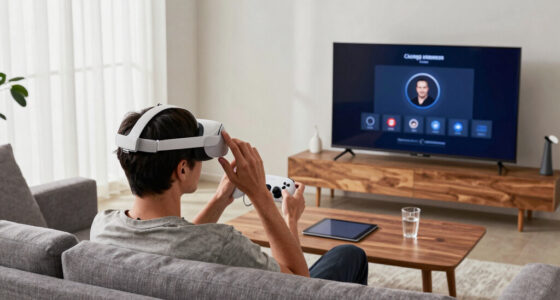
When you move your headset, your Guardian keeps resetting because the system depends on precise calibration of your play area. Even small shifts can throw off the boundary data, causing the system to see the environment differently. Make sure your headset is positioned consistently and your environment is clear of reflective surfaces or obstructions. Proper calibration and setup are key to avoiding frequent resets; more tips await to help you keep your Guardian stable.
Key Takeaways
- Moving the headset disrupts the calibrated boundary, requiring recalibration to realign with your environment.
- Improper or inconsistent headset positioning causes tracking errors, leading to Guardian resets.
- Reflective surfaces or poor lighting conditions interfere with sensors, triggering boundary resets after movement.
- Failing to recalibrate after repositioning results in inaccurate boundaries and frequent resets during gameplay.
- Software or firmware issues can cause Guardian resets; keeping systems updated helps maintain calibration stability.
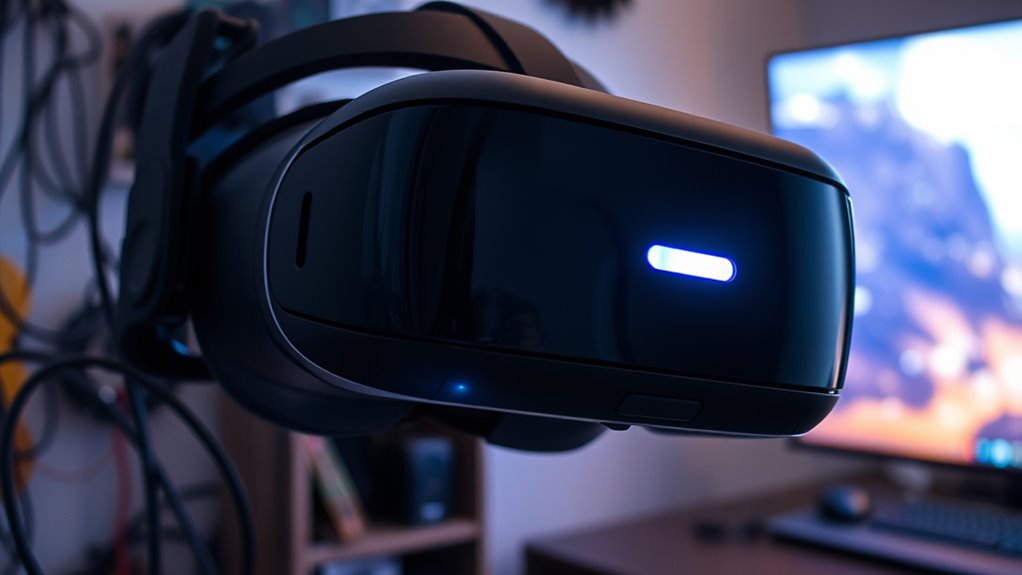
If you’ve recently moved your VR headset and now face a Guardian reset issue, you’re not alone. This common problem often occurs after repositioning your headset, which can disrupt the Guardian system’s calibration. The first step is understanding that the Guardian system relies heavily on precise guardian calibration and accurate headset positioning to create a safe virtual boundary. When you move your headset, the system perceives this as a new setup, prompting a reset to recalibrate the boundary. While this process is meant to ensure safety, it can become frustrating if it happens frequently or unexpectedly.
To minimize these resets, start by paying close attention to your headset positioning. When you move your headset, make sure it’s aligned consistently with your previous setup. Proper headset positioning means the device sits comfortably and evenly on your head, with sensors facing the correct directions. Small shifts in how you wear it can throw off the system’s tracking accuracy, causing the Guardian to reset repeatedly. Before recalibrating, double-check that your headset is snug but not too tight, and that the sensors are unobstructed and pointed correctly.
Next, focus on guardian calibration. After repositioning your headset, you’ll often need to go through the calibration process again. During calibration, you’ll typically be asked to define your play area by tracing the boundaries within your physical space. Take your time to complete this step accurately, ensuring the boundary lines align with your actual surroundings. If your Guardian resets during gameplay, it could be because the calibration data was lost or corrupted, which might happen if the headset isn’t properly aligned or if the sensors aren’t functioning correctly. Recalibrating can often fix this, but it’s essential to perform it correctly and consistently.
Additionally, consider the environment where you’re playing. Reflective surfaces or poor lighting can interfere with sensor tracking, leading to inaccurate Guardian boundaries that force resets. Keep your play area well-lit and free of reflective objects. If your Guardian keeps resetting after moving the headset, also check for firmware updates or software glitches. Sometimes, a simple update can improve tracking stability and prevent unnecessary resets. Furthermore, using energy-efficient cloud servers in your setup can help ensure your devices operate smoothly and reduce system errors during gameplay.
VR headset guardian boundary calibration kit
As an affiliate, we earn on qualifying purchases.
As an affiliate, we earn on qualifying purchases.
Frequently Asked Questions
Can Software Updates Fix the Guardian Reset Problem?
Yes, software updates can fix the guardian reset problem by addressing software glitches that cause the resets. Updating your headset’s firmware guarantees you have the latest fixes and improvements, which can resolve issues stemming from outdated software. However, if the problem persists, you might need to do hardware troubleshooting, like checking sensors or recalibrating the system, to fully resolve the guardian resets.
Does Recalibrating the Guardian Resolve Reset Issues?
Recalibrating the guardian usually doesn’t fix reset issues, even though it seems like a logical fix. It’s ironic — you carefully adjust your guardian, only to see it reset again because of headset positioning or minor shifts. Proper guardian calibration can help, but if the headset isn’t aligned correctly or moved frequently, resets happen. Keep your headset steady and recheck calibration to reduce those annoying resets.
Is There a Way to Prevent the Guardian From Resetting?
To prevent your guardian from resetting, focus on maintaining consistent headset positioning and performing regular guardian calibration. Make sure your sensors are unobstructed and that you place the headset in the same spot each time you use it. Avoid sudden movements or adjusting the sensors during gameplay. Properly calibrated guardian settings help establish a stable boundary, reducing unnecessary resets and ensuring a seamless virtual experience.
Do Third-Party Accessories Interfere With Guardian Settings?
Third-party accessories can act like mischievous gremlins, causing guardian interference and throwing off your VR boundaries. They might block sensors, disrupt signals, or create false triggers, making your guardian reset unexpectedly. To keep your virtual sanctuary intact, remove or reposition these accessories and stick to official gear. Staying vigilant about third-party interference guarantees your guardian stays steady, letting you explore the digital world without unwelcome surprises.
How Often Should I Recalibrate the Guardian System?
You should recalibrate your guardian system whenever your play area changes or if you notice it isn’t accurately tracking your boundaries. Regular guardian maintenance is key to safe VR experiences. Typically, doing a calibration every few weeks or after significant room adjustments ensures maximum performance. Keep an eye on sensor alignment and environmental changes to maintain accurate boundary detection and prevent unnecessary resets.
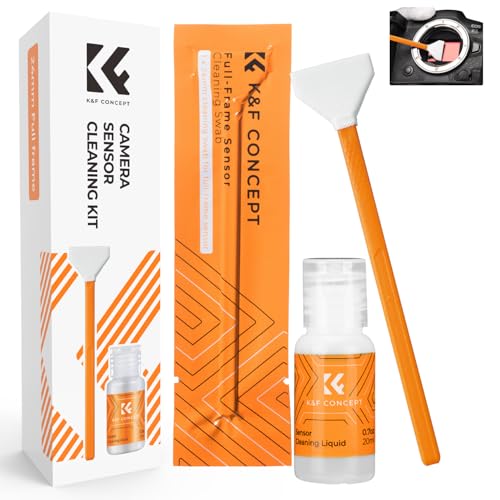
K&F CONCEPT 24mm Full Frame Sensor Cleaning Kits, with 20ml Sensor Cleaner
- Sensor Cleaning Swabs: 6 flexible 24mm sensor swabs
- Gentle Cleaning Solution: Colorless, non-irritating, ammonia-free liquid
- Easy Application: Dispense drops and gently wipe sensor
As an affiliate, we earn on qualifying purchases.
As an affiliate, we earn on qualifying purchases.
Conclusion
So, next time your Guardian resets after a move, just remember it’s not ignoring your heartfelt pleas for stability. Maybe it’s just jealous of your new setup or tired of your constant tech tweaks. Either way, it’s clearly trying to keep you humble—reminding you that even your virtual boundaries prefer a little drama. Embrace the reset; after all, what’s a little chaos in your digital universe? Happy gaming… or whatever you call this chaos.
As an affiliate, we earn on qualifying purchases.

Hupaivrmrar Photosensitive Flex Cable for Meta Oculus Quest2 VR Headset Replace Broken Accessories Headset Proximity Sensor Extension Cable Replacement Accessories Part 330-00819 330-0141201
- Compatible Replacement: Fits Meta Oculus Quest 2
- Easy Installation: Direct replacement for original cable
- Fixes Sensor Issues: Restores proper sensor function
As an affiliate, we earn on qualifying purchases.
As an affiliate, we earn on qualifying purchases.
![Lost Tracking in R Controller [Resolved]](https://vrgearguide.com/wp-content/uploads/2026/07/lost-tracking-in-r-controller-resolved-featured-560x300.jpg)