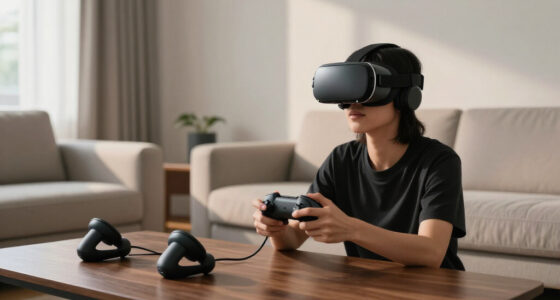
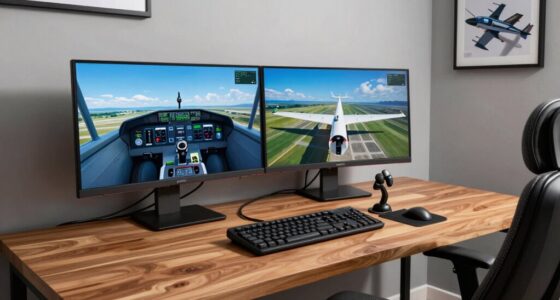
To optimize your throttle quadrants and switch panels in VR, prioritize ergonomic placement that mimics real cockpit layouts. Keep controls within easy reach at natural angles to reduce strain and improve muscle memory. Use adjustable mounts or custom stands for perfect positioning, ensuring quick, instinctive access during flights. Clear labeling and tactile feedback help identify switches by feel. Focusing on layout and comfort enhances immersion and control accuracy, making your VR experience smoother—exploring these principles further can markedly elevate your setup.

Play games on Amazon Luna for your next adventure, included with Prime
- A rotating selection of games, no download needed
- Play on TV, laptop or phone
- Fast, free delivery for your gear, too
Key Takeaways
- Position controls within natural reach to mimic real cockpit ergonomics, reducing strain and enhancing immersion.
- Prioritize tactile feedback and clear labeling for quick, intuitive identification during flight.
- Arrange switches and throttles based on muscle memory and logical grouping to streamline operations.
- Use adjustable mounts or stands to optimize control placement and comfort for extended sessions.
- Design layout to support natural arm movements, minimizing awkward stretching and fatigue.
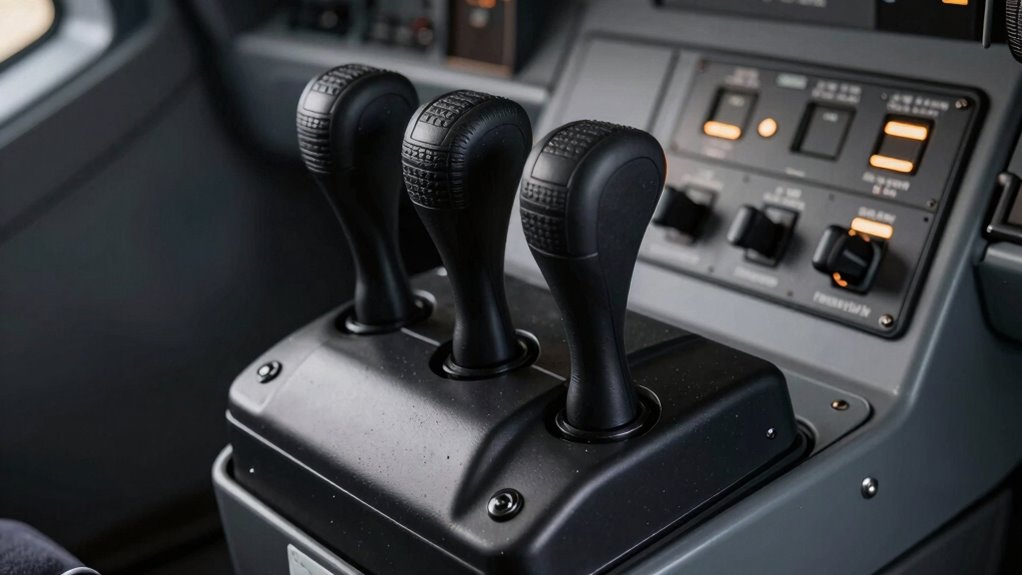
Virtual reality offers immersive flight experiences, but it also presents unique challenges when it comes to using physical controls like throttle quadrants and switch panels. In flight simulation, these controls are essential for creating a realistic and efficient cockpit environment. However, in VR, your interaction with them isn’t as straightforward as in a physical cockpit. The key to making these controls work well in VR lies in understanding ergonomic design and how to adapt your setup to maximize comfort and functionality.
When you’re using a throttle quadrant or switch panel in VR, the first thing to consider is placement. Since you’re not physically in a cockpit, you need to arrange your controls within easy reach, mimicking the real-world ergonomics of an airplane. This means positioning your controls at a height and angle that feels natural, reducing strain and allowing quick access without awkward stretching or repositioning. Many flight sim enthusiasts use adjustable stands or custom mounts to achieve this. The goal is to create a virtual cockpit layout that aligns with your natural arm movement, minimizing fatigue during long sessions.
Ergonomic design plays a significant role here. It’s not just about where you place the controls; it’s also about the shape, size, and tactile feel of the hardware. Quality throttle quadrants and switch panels are designed to fit comfortably in your hand, with clearly labeled switches and toggles that give you tactile feedback. This tactile sensation is essential in VR because it helps you identify controls without constantly looking away from the screen, maintaining immersion and reducing errors. When choosing your hardware, look for designs that mimic the feel of real controls, with sturdy construction and intuitive layout.
In VR flight simulation, your brain relies heavily on muscle memory and tactile cues. To enhance this, you should customize your control layout based on your flight style and preferences. Spend time mapping functions to switches and knobs in a way that feels logical and efficient. Some sim pilots even create a mental map of their virtual cockpit, so muscle memory guides your hands rather than your eyes. This way, you can operate switches and throttles confidently, even in the most intense flight scenarios.
Ultimately, integrating physical controls into VR flight simulation isn’t just about having the right gear; it’s about designing an ergonomic setup that feels natural and reduces physical strain. When you prioritize ergonomic design and strategic placement, you’ll find that flying in VR becomes more intuitive, immersive, and enjoyable. Creating a control layout that considers physical ergonomics and comfort can significantly enhance your flight experience, making it more realistic and less fatiguing. Properly thought-out controls allow you to focus on flying and navigation, rather than fighting with your hardware, making your virtual flight experience both realistic and comfortable.
VR flight simulator throttle quadrant
As an affiliate, we earn on qualifying purchases.
As an affiliate, we earn on qualifying purchases.
Frequently Asked Questions
Can I Customize Button Mappings on VR Switch Panels?
Yes, you can customize button mappings on VR switch panels. Many panels support button remapping through dedicated software or in-game settings, allowing you to tailor controls to your preferences. However, check panel compatibility first, as not all panels offer this feature. Using remapping tools, you can assign functions to buttons easily, enhancing your VR experience and making controls more intuitive for your specific setup.
What Are the Best Vr-Compatible Throttle Quadrant Brands?
You should consider brands like Honeycomb, Thrustmaster, and Logitech for VR-compatible throttle quadrants, as they offer excellent ergonomic design and solid compatibility with most flight sims. These brands often address compatibility issues through driver updates and adjustable settings, making them reliable choices. Always check user reviews and product specs to verify the throttle quadrant suits your VR setup and provides comfortable, intuitive control during your flights.
How Do I Calibrate Switch Panels in VR?
You’ll want to delve into your VR settings to calibrate your switch panels, transforming your virtual cockpit into a seamless, haptic feedback-filled experience! Start by accessing the calibration menu in your flight sim software, then follow the prompts to map each switch precisely. This guarantees every toggle feels real, enhancing immersion. Calibration makes your switch panel respond perfectly, so every action in VR mimics real-world feedback—making flying feel astonishingly authentic!
Are Wireless Switch Panels Available for VR Setups?
Yes, wireless switch panels are available for VR setups. They use wireless connectivity, like Bluetooth or Wi-Fi, to connect seamlessly with your VR system. When choosing one, guarantee it’s compatible with your VR hardware and software. Wireless panels offer greater flexibility and reduce cable clutter, making your setup cleaner and more immersive. Just double-check panel compatibility beforehand to ensure smooth integration and reliable performance during your virtual flights.
How Do Switch Panels Affect Overall VR Performance?
Switch panels can enhance your VR experience by improving hardware integration and boosting virtual immersion. For example, a pilot using dedicated switch panels found that quick, tactile controls reduced distractions and maintained focus. However, poorly configured panels can strain your system, causing lag or reduced frame rates. Overall, well-designed switch panels support smooth performance and seamless hardware integration, making your VR sessions more immersive and efficient without negatively impacting your system’s performance.
ergonomic switch panel for flight sim
As an affiliate, we earn on qualifying purchases.
As an affiliate, we earn on qualifying purchases.
Conclusion
In VR, your throttle quadrants and switch panels become the heart of your cockpit, transforming your virtual cockpit into a living, breathing aircraft. When you grasp these controls intuitively, it’s like wielding the keys to a spaceship that could blast off at any moment. Remember, mastering these tools isn’t just about immersion—it’s about feeling like you could take off into the stratosphere with a single flick. Embrace the challenge, and let your virtual cockpit elevate your flying experience to legendary heights.
adjustable mounts for VR control panels
As an affiliate, we earn on qualifying purchases.
As an affiliate, we earn on qualifying purchases.
tactile feedback switch panel for flight simulation
As an affiliate, we earn on qualifying purchases.
As an affiliate, we earn on qualifying purchases.
Halloween Picks
halloween
As an affiliate, we earn on qualifying purchases.