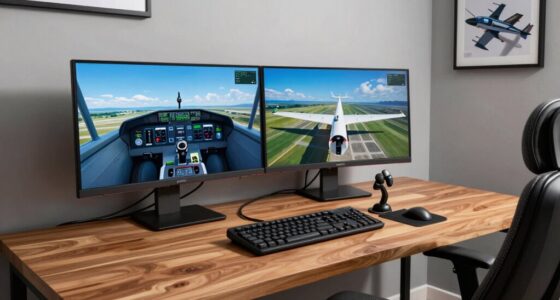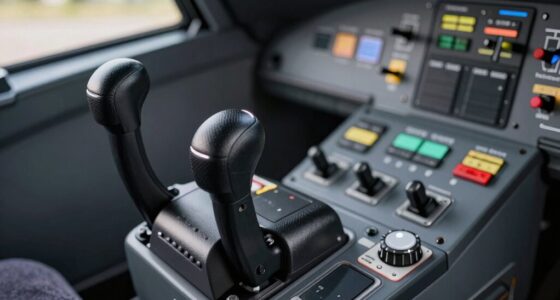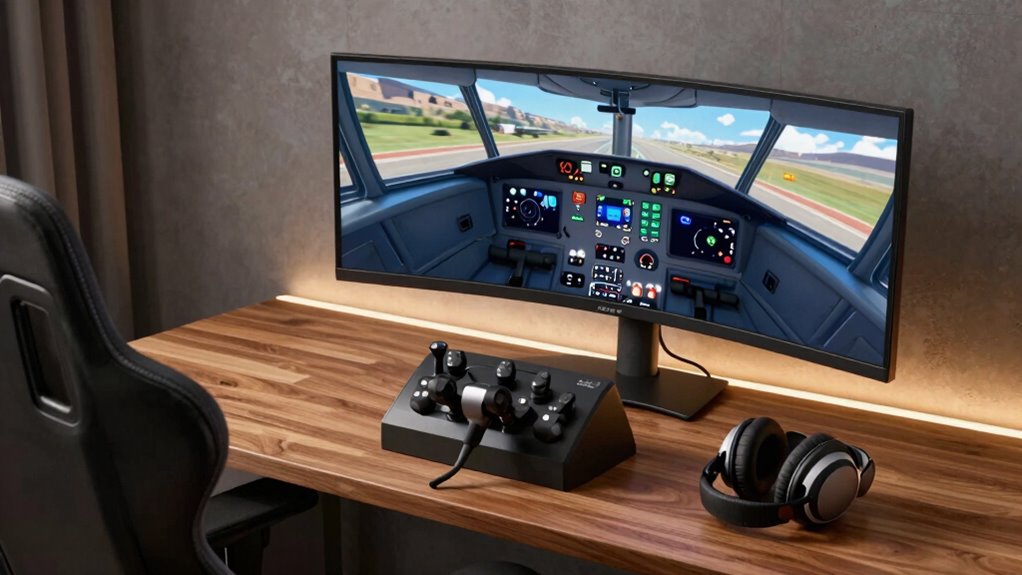
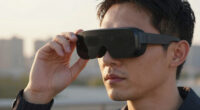
To build a practical flight sim VR desk setup, focus on ergonomic placement of controls like your throttle, joystick, and pedals for natural movement and comfort. Choose high-quality VR hardware compatible with your system and position sensors to avoid blind spots. Keep cables organized with clips or sleeves to prevent clutter and safety issues. Place displays within easy reach and sight to maintain immersion. If you want to learn more tips to optimize your setup, keep exploring these key areas.

Play games on Amazon Luna for your next adventure, included with Prime
- A rotating selection of games, no download needed
- Play on TV, laptop or phone
- Fast, free delivery for your gear, too
Key Takeaways
- Organize cables with clips or sleeves to prevent tangling and ensure safety.
- Position controls ergonomically to mimic real cockpit layouts for natural movement.
- Ensure VR headset and sensors are compatible and properly calibrated for seamless tracking.
- Place secondary displays within easy reach and line of sight to enhance immersion.
- Use a supportive, adjustable chair to maintain comfort and reduce fatigue during extended flights.

Creating a practical flight sim VR desk setup can substantially enhance your flying experience, but it requires careful planning and the right equipment. The foundation of an effective setup revolves around optimizing cockpit ergonomics. You want your controls, displays, and seating position to mimic real-world cockpit arrangements as closely as possible. This means positioning your throttle, joystick, and rudder pedals for natural movement, reducing strain during long flights. Proper ergonomics help prevent fatigue and improve reaction times, making your simulation feel more authentic. Adjust your seat height and distance from controls so that your arms are comfortably resting while reaching for essential controls. A supportive chair that maintains good posture is crucial, especially when spending hours immersed in VR.
Optimize your flight sim setup with ergonomic controls, comfortable seating, and precise positioning for a more immersive experience.
Equally important is guaranteeing VR hardware compatibility. Not all VR headsets play nicely with every system or simulator software, so you must verify that your chosen hardware integrates seamlessly. High-quality VR headsets like the Oculus Quest, HTC Vive, or Valve Index are popular choices, but each has specific system requirements and compatibility considerations. Double-check that your PC meets the recommended specs for your VR hardware and that your flight sim software supports VR mode. Some setups require additional drivers or configurations, so investing time in research can save you frustration later. Keep in mind that tracking sensors or base stations should be positioned correctly to avoid blind spots and ensure smooth, accurate head and hand tracking. Additionally, ensuring VR hardware compatibility can significantly impact your overall experience and immersion. Paying attention to ergonomic cockpit design can further enhance comfort during extended sessions.
When building your desk setup, think about cable management as well. Messy cables can interfere with movement and cause accidents or damage to equipment. Use cable clips or sleeves to keep wires organized and out of your way. This not only creates a cleaner, more professional environment but also improves safety and ease of use. Additionally, consider the placement of your monitors or secondary displays. While VR immerses you in the cockpit, having a dedicated screen for charts, instruments, or communication tools can be invaluable. Position these displays within easy reach and line of sight to avoid breaking immersion or causing discomfort.
Ultimately, your goal is to create a seamless environment that feels natural and intuitive. Focus on cockpit ergonomics to reduce fatigue and boost realism, and guarantee your VR hardware is fully compatible with your setup. With attention to these details, you’ll enjoy a more immersive, comfortable, and accurate flight simulation experience that keeps you flying for hours.
As an affiliate, we earn on qualifying purchases.
Frequently Asked Questions
What Are the Best Budget-Friendly Components for a VR Flight Sim Setup?
For a budget-friendly VR flight sim setup, choose a comfortable flight stick with good ergonomics to reduce fatigue, and opt for affordable VR headsets like the Oculus Quest 2. To minimize VR motion sickness, adjust in-game settings and take regular breaks. Pair these with a sturdy desk, and consider second-hand or discounted peripherals to keep costs low while enhancing your experience.
How Can I Improve Comfort During Long VR Flight Sessions?
To improve comfort during long VR flight sessions, focus on ergonomic padding for your headset and seat to reduce pressure points. Make regular posture adjustments, ensuring your back stays straight and your feet are flat on the ground. Use supportive cushions or lumbar pillows if needed, and take breaks periodically. These steps help prevent fatigue and discomfort, allowing you to enjoy longer, more immersive flying experiences comfortably.
What Safety Precautions Should I Consider in a VR Flight Sim Environment?
Did you know that improper cable management can increase trip hazards by 60%? To stay safe during VR flight sims, make sure your cables are neatly organized and secured to prevent trips or entanglement. Address motion sickness by taking regular breaks and adjusting settings. Keep your play area clear of obstacles, and wear a wrist strap if necessary. These precautions help you enjoy immersive flights without risking injury or discomfort.
How Do I Optimize Space in a Small Room for VR Flight Simulation?
To optimize space in a small room for VR flight simulation, focus on smart room organization by decluttering and prioritizing essential gear. Use vertical storage solutions like shelves or wall-mounted hooks to free up floor space. Consider multi-purpose furniture with built-in storage, and keep cables tidy with cable management tools. These strategies help maximize your limited room, ensuring a safe, immersive, and comfortable VR flight experience.
What Are Common Troubleshooting Tips for VR Headset Issues?
When troubleshooting VR headset issues, start by checking your VR headset calibration to guarantee accurate tracking. If you experience motion sickness, try adjusting the fit or reducing motion intensity in settings. Make sure your sensors are clean and unobstructed, and update your graphics drivers. Restart your PC and headset if problems persist. These steps help improve comfort and performance, making your VR experience smoother and more enjoyable.
As an affiliate, we earn on qualifying purchases.
Conclusion
Building a practical flight sim VR desk setup is like crafting a finely tuned instrument—every piece should work harmoniously to enhance your experience. Focus on comfort, accessibility, and stability, and you’ll find yourself flying more naturally and immersively. Remember, a well-organized setup isn’t just about technology; it’s about creating a space where your passion can truly take off. With patience and attention, you’ll transform your desk into a cockpit that feels as real as the skies.
As an affiliate, we earn on qualifying purchases.
As an affiliate, we earn on qualifying purchases.
Halloween Picks
halloween
As an affiliate, we earn on qualifying purchases.