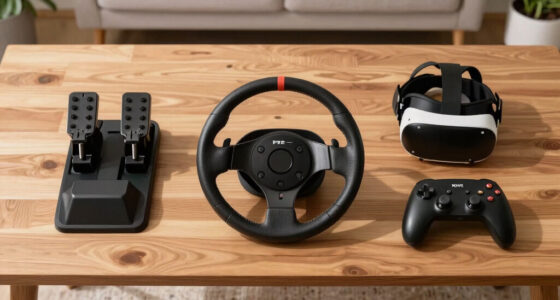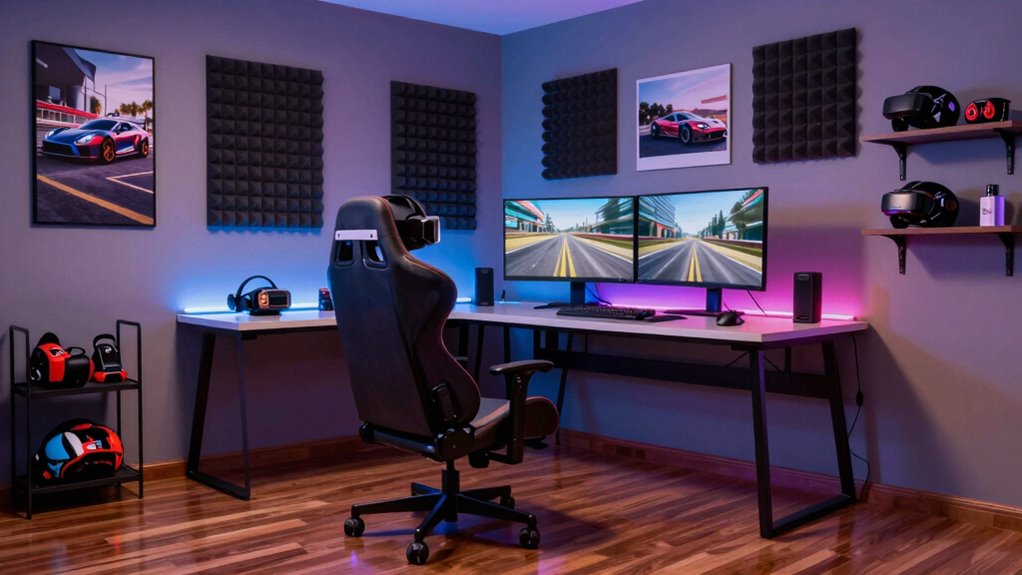

To build a cleaner VR sim racing room, start by organizing cables with clips, sleeves, or zip ties to prevent tripping and damage. Keep equipment and accessories stored neatly in drawers or wall-mounted hooks, and designate zones for different gear. Improve air quality using fans or air purifiers, and make certain proper ventilation to avoid overheating. Regularly dust and maintain everything for longevity. If you want detailed tips on creating a safe, clutter-free racing space, keep exploring these ideas.

Play games on Amazon Luna for your next adventure, included with Prime
- A rotating selection of games, no download needed
- Play on TV, laptop or phone
- Fast, free delivery for your gear, too
Key Takeaways
- Implement effective cable management with clips, sleeves, and labels to reduce clutter and prevent damage.
- Designate specific zones for VR gear, controllers, and accessories using shelves or hooks for easy organization.
- Optimize ventilation with fans or air purifiers to maintain airflow and prevent dust buildup on equipment.
- Regularly clean and dust surfaces and electronics to enhance performance and extend gear lifespan.
- Keep pathways clear and secure cables away from high-traffic areas to ensure safety during intense racing sessions.

Creating a dedicated sim racing room around your VR setup can substantially enhance your experience, but it also means managing clutter and guaranteeing safety. The key to a cleaner, more organized space starts with effective cable management. As you set up your equipment, you’ll quickly realize that multiple cables for VR sensors, controllers, and peripherals can quickly turn into a tangled mess. To keep things tidy, use cable clips, sleeves, or raceway channels to route cables along walls and furniture. This not only prevents tripping hazards but also protects your cables from damage. Consider attaching cables to your racing rig or desk with zip ties or Velcro straps, which makes it easier to move around without snagging or pulling cords. Running cables underneath mats or carpets can also hide them from view, maintaining a sleek look and reducing clutter. Proper cable management is essential for safety and durability, ensuring your setup remains functional and secure during intense racing sessions. Additionally, labeling cables can help quickly identify and troubleshoot issues, saving you time and frustration. Implementing ergonomic organization techniques can further enhance your space, making it more comfortable and efficient for long gaming sessions. Incorporating air quality solutions such as air purifiers or ensuring proper ventilation helps reduce dust and allergens that can accumulate around electronic equipment. Ventilation solutions are equally essential to keep your space comfortable and equipment functioning at its best. VR setups and gaming gear generate heat, especially during long sessions. Without proper ventilation, your room can become stuffy and uncomfortable, which impacts your focus and enjoyment. Installing a ceiling fan or portable oscillating fan can improve air circulation and keep ambient temperatures down. Adding a small tower fan or air purifier can also help filter dust and improve air quality. Position ventilation devices strategically to avoid blowing directly onto your VR sensors or screens, as this might cause calibration issues or glare. Additionally, consider mounting vents or installing a window exhaust fan if your room lacks natural airflow. Good ventilation not only guarantees your comfort but also prolongs the lifespan of your electronic equipment by preventing overheating. Ensuring proper air circulation is crucial for maintaining a cool environment for both you and your gear. Regularly dusting surfaces and equipment is vital, as dust can contain particles that might impair electronic components and reduce performance. Beyond managing cables and ventilation, keep your space organized by dedicating specific zones for different tasks. For example, designate one corner for your VR headset and controllers, with hooks or shelves for easy storage. Use drawers or containers for small accessories like batteries, adapters, and cleaning supplies. Regularly cleaning dust from your equipment and workspace helps maintain performance and reduces the risk of damage. An organized room minimizes distractions, making your racing sessions more immersive and enjoyable. Remember, a clean, well-ventilated space isn’t just about aesthetics; it directly impacts your safety, comfort, and the longevity of your gear. By investing time in cable management and ventilation solutions, you create a safer environment that boosts your focus and maximizes your VR sim racing experience.
Products Worth Considering

Apple iPad Air (2025) 13‑inch Wi‑Fi 256 GB – Space Gray (M3 chip)

Samsung 27-Inch Odyssey QD-OLED G8 4K 240Hz Gaming Monitor

LG UltraGear 32GX850A-B 32-Inch 4K UHD Glossy OLED Gaming Monitor
As an affiliate, we earn on qualifying purchases.
Frequently Asked Questions
What Are the Best Storage Solutions for VR Accessories?
For VR headset storage and accessory organization, you should opt for dedicated storage solutions like wall-mounted shelves or drawers to keep everything tidy and accessible. Use small containers or hooks for controllers, cables, and sensors to prevent clutter. Consider a rugged storage bin for larger accessories, and keep your VR headset on a padded stand to avoid damage. These solutions help maintain a clean, efficient, and safe racing environment.
How Can I Improve Ventilation in My Racing Room?
To improve ventilation in your racing room, focus on airflow optimization by installing effective ventilation systems. Use ceiling or oscillating fans to promote consistent air circulation, and consider adding an exhaust fan to remove stale air. Keep windows open when possible for fresh air, and position vents strategically to prevent dead zones. These steps guarantee your room stays cool, fresh, and comfortable during intense VR racing sessions.
What Are Effective Ways to Hide Cables Neatly?
Imagine your cables as unruly vines needing order; cable management and concealment are your trellises. Use cable clips and sleeves to route wires along walls or furniture, keeping them out of sight and off the floor. Consider installing cable raceways or under-desk trays to hide cables completely. Velcro straps can bundle loose wires together, creating a sleek, clutter-free look. With these strategies, your racing room becomes a smooth, visually appealing track.
How Do I Prevent Dust Buildup on VR Gear?
To prevent dust buildup on your VR gear, regularly clean and maintain your equipment. Use a soft microfiber cloth to wipe down your headset and controllers, avoiding harsh chemicals. Store your gear in a dust-free area when not in use, and consider using dust covers. Implementing a routine gear maintenance schedule guarantees your VR gear stays clean, functions properly, and lasts longer, enhancing your overall sim racing experience.
What Lighting Setups Reduce Glare on VR Screens?
To reduce glare on VR screens, you should optimize your ambient lighting, avoiding direct light sources that shine on your headset or screens. Use soft, diffused lighting to create even illumination and minimize reflections. Position lights behind or to the sides of your setup, and consider adjustable or dimmable fixtures for better glare reduction. This approach helps prevent eye strain and enhances your VR experience by maintaining clear visuals.
Conclusion
By creating a clean, organized space for your VR sim racing setup, you’ll not only enjoy a smoother experience but also reduce distractions. Did you know that clutter can decrease your reaction time by up to 15%? Keeping your racing room tidy guarantees you stay focused and ready to hit the virtual track at a moment’s notice. So, invest a little time in organization – it’s the key to more immersive, adrenaline-pumping races.