To build a more comfortable seated VR routine, focus on optimizing your workspace with supportive, adjustable chairs and ergonomic cushions. Maintain good posture by keeping your back supported, feet flat, and knees at a 90-degree angle. Use accessories like wrist supports and adjustable headsets, and manage cables to avoid disruptions. Take regular breaks and stretch to prevent strain. Creating a comfortable environment allows longer, more enjoyable VR sessions—keep going to discover even more helpful tips.

Play games on Amazon Luna for your next adventure, included with Prime
- A rotating selection of games, no download needed
- Play on TV, laptop or phone
- Fast, free delivery for your gear, too
Key Takeaways
- Adjust your chair height and lumbar support for proper spine alignment and foot placement.
- Use ergonomic accessories like wrist supports and adjustable headset straps for comfort.
- Take regular breaks to stretch and reset your posture every 20-30 minutes.
- Maintain a clutter-free, well-lit environment to reduce physical strain and improve visibility.
- Incorporate routine ergonomic adjustments and mindful posture habits for long-term comfort.
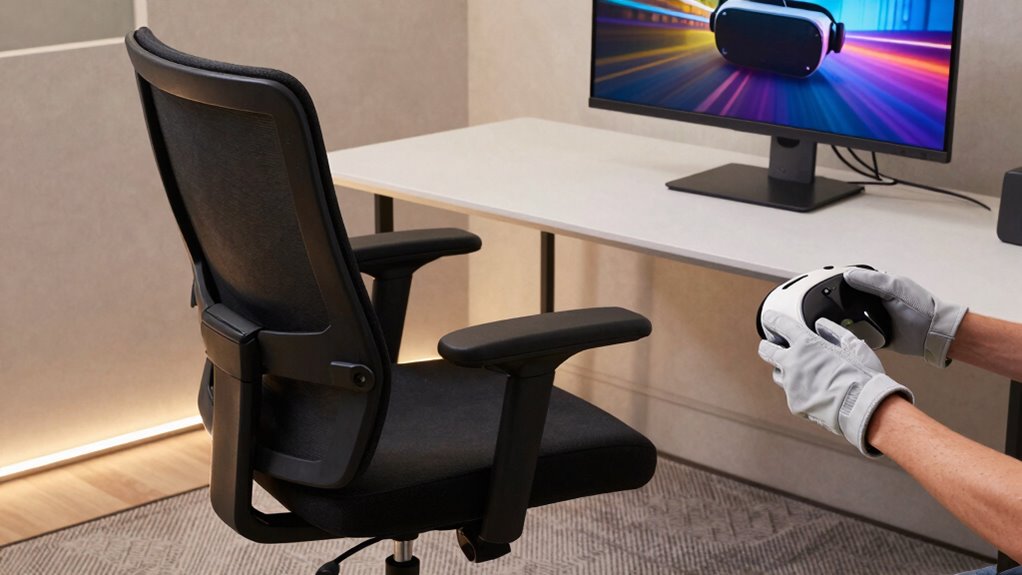
Have you ever felt discomfort or fatigue after just a few minutes of using VR while seated? If so, you’re not alone. Extended VR sessions can strain your body, especially if your setup isn’t optimized for comfort. Building a more comfortable seated VR routine starts with paying attention to your posture and investing in ergonomic accessories. These tools can make a significant difference in how you feel during and after your VR sessions, helping you enjoy the experience without unnecessary discomfort.
Feeling discomfort after VR sessions? Optimize your posture and add ergonomic accessories for a more comfortable experience.
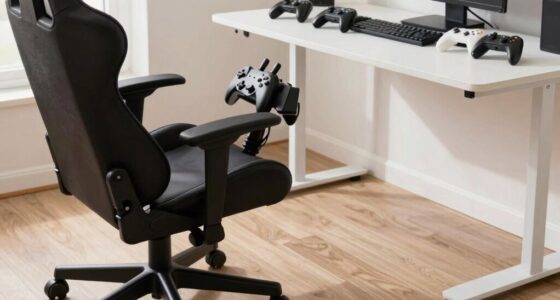
Start by evaluating your current seating arrangement. Ideally, your chair should support your lower back and promote a neutral spine position. If your chair lacks proper lumbar support, consider adding an ergonomic cushion or lumbar pillow. These accessories help maintain correct posture, reducing strain on your back and neck. Keep your feet flat on the ground and your knees at a 90-degree angle to prevent circulation issues and muscle fatigue. Adjust your chair height accordingly, so your hips are level with or slightly higher than your knees. Proper ergonomic setup can prevent long-term discomfort and support healthy posture habits. Incorporating adjustable features in your chair can further enhance your comfort and adaptability.
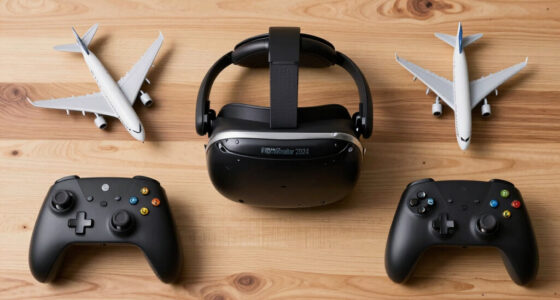
Using ergonomic accessories extends beyond your chair. Wrist supports can help prevent strain from holding controllers or interacting with the VR interface. An adjustable headset strap ensures your VR headset fits snugly without pressing too hard on your face or head, which can cause headaches or discomfort. Proper cable management is also crucial; use clips or sleeves to keep cables out of your way, avoiding accidental pulls or awkward positions that can disrupt your posture. Additionally, understanding body mechanics can help you maintain better posture and prevent repetitive strain injuries.
Posture correction is a critical part of maintaining comfort during seated VR sessions. Be mindful of your body position; avoid slouching or leaning forward, which can strain your back and neck muscles. Take regular breaks—every 20 to 30 minutes—to stretch and reset your posture. Simple stretches for your neck, shoulders, and back can alleviate tension that builds from prolonged sitting. Maintaining awareness of your posture throughout your session can significantly reduce discomfort and improve overall comfort.
Finally, consider your overall environment. Ensure your space is well-lit and free of clutter, so you’re not forced into awkward positions trying to reach or see clearly. Proper ventilation can also keep you comfortable during longer sessions, preventing overheating and fatigue. By integrating ergonomic accessories with mindful posture correction, you create a VR routine that’s not only immersive and fun but also gentle on your body. Over time, these small adjustments can lead to longer, more enjoyable VR experiences without the fatigue or discomfort that often discourages extended use.
Products Worth Considering

Apple iPad Air (2025) 13‑inch Wi‑Fi 256 GB – Space Gray (M3 chip)

Amazon Kindle Paperwhite (12th Generation, 2024), 16 GB, 7-inch Display, Jade

Bose QuietComfort Headphones (2nd Gen), Wireless Noise-Cancelling Over-Ear Headphones, Black
As an affiliate, we earn on qualifying purchases.
Frequently Asked Questions
What Are the Best Types of Chairs for Seated VR?
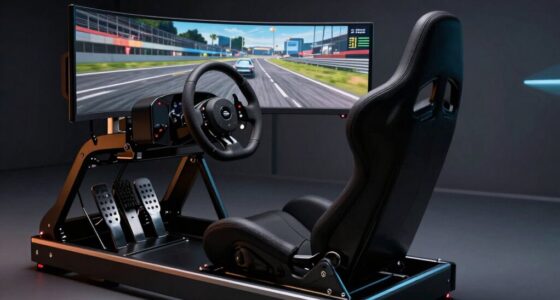
The best chairs for seated VR feature ergonomic design and adjustable features. Look for chairs with lumbar support, adjustable height, and tilt functions to keep you comfortable during extended sessions. Swivel chairs with padded seats and armrests help you move naturally and reduce strain. Prioritize those with breathable materials and sturdy bases to enhance stability. These qualities guarantee your VR experience remains immersive without sacrificing comfort or causing discomfort over time.
How Can I Prevent VR Motion Sickness While Seated?
To prevent VR motion sickness while seated, focus on visual stabilization and haptic feedback. Keep your head steady and minimize rapid movements to reduce disorientation. Use VR settings that enhance visual stability, like fixed camera or teleportation controls. Haptic feedback can also help ground you in the virtual environment, making experiences feel more real and less dizzying. Taking regular breaks and staying hydrated further prevents discomfort during prolonged sessions.
Are There Specific VR Accessories for Enhanced Comfort?
Yes, there are specific VR accessories designed for enhanced comfort. You can add ergonomic cushions to your chair for better lumbar support and reduce pressure points, making long sessions more pleasant. Adjustable armrests help you find the perfect height and position, preventing strain on your shoulders and arms. These accessories work together to create a more comfortable seated VR experience, allowing you to focus on VR gameplay without discomfort or distraction.
How Do I Ensure Proper Posture During Seated VR?
Are you aware of how vital proper posture is during seated VR? To guarantee you’re aligned correctly, focus on posture correction by sitting upright with your back supported. Use ergonomic accessories like lumbar cushions and adjustable chairs to maintain comfort and proper alignment. Regularly check your posture, take breaks, and adjust your seating as needed. Isn’t your comfort and health worth these simple steps for a more immersive, pain-free VR experience?
Can Seated VR Routines Improve My Overall Health?
Seated VR routines can boost your overall health by promoting better ergonomic design and encouraging consistent movement, which benefits your posture and reduces strain. They also support mental health by providing engaging, immersive experiences that can reduce stress and improve mood. By integrating comfortable, well-designed setups, you make your VR sessions safer and more enjoyable, ultimately contributing to both physical well-being and mental resilience over time.
Conclusion
As you settle into your chair, imagine the gentle hum of your VR headset fading into a tranquil space where comfort guides every move. With your posture supported and your environment tailored, each session becomes a soothing escape, like sinking into your favorite recliner after a long day. Embrace this calming routine, where relaxation and immersion blend seamlessly, transforming your VR experience into a cozy retreat. Now, sit back and enjoy the journey—comfort is just a headset away.