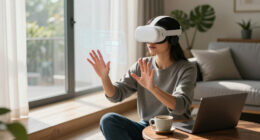
To build better VR habits in your apartment, set clear boundaries by creating a dedicated, clutter-free space and using visual cues to signal when VR is in use. Invest in ergonomic furniture and make sure your headset fits comfortably. Schedule regular breaks and use timers to remind you to stretch or step away. Keep cables organized and surroundings obstacle-free to prevent accidents. Staying mindful of your environment helps you enjoy VR safely and responsibly—more tips await you to make the most of your space.

Play games on Amazon Luna for your next adventure, included with Prime
- A rotating selection of games, no download needed
- Play on TV, laptop or phone
- Fast, free delivery for your gear, too
Key Takeaways
- Designate a specific, clutter-free VR area to promote organized and intentional use.
- Set time limits and scheduled breaks to prevent overuse and maintain balance.
- Ensure proper ergonomic setup with comfortable seating and well-positioned sensors for safety.
- Maintain good lighting, ventilation, and natural elements to create a calming, health-conscious environment.
- Keep the space free of obstacles and hazards to prevent accidents during energetic VR activities.
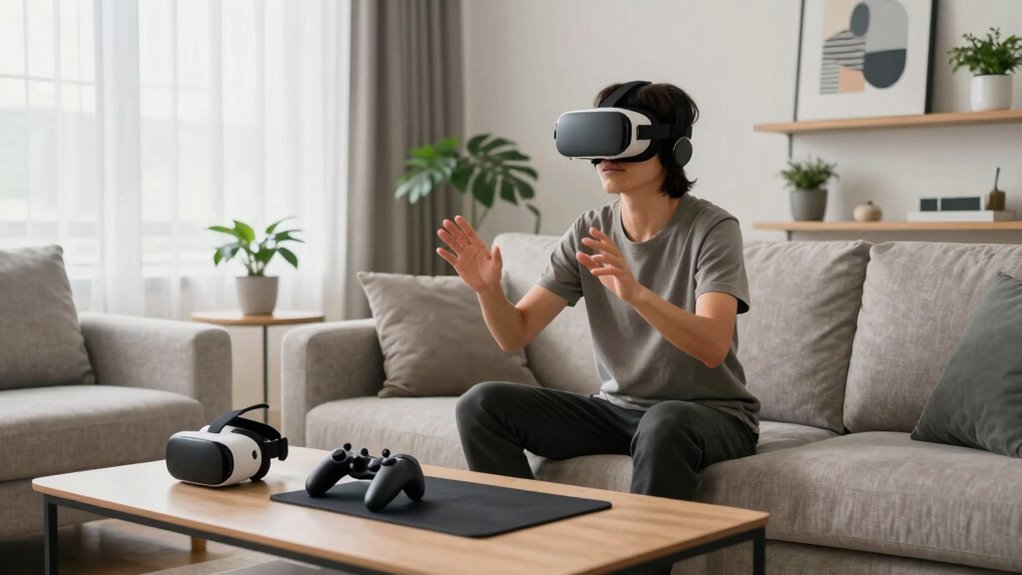
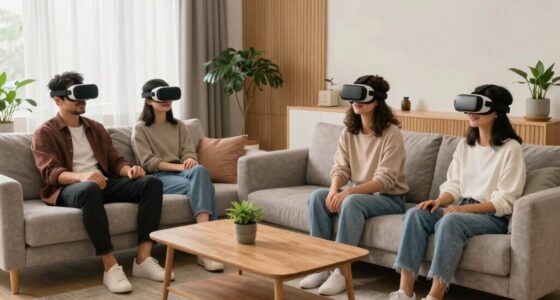
Virtual reality offers exciting opportunities for entertainment and productivity, but living in an apartment means you need to develop good habits to use it responsibly. One key area to focus on is balancing virtual socializing with your physical space. VR platforms now make it easy to connect with friends, join multiplayer games, or attend virtual events. While these experiences can be fun and enriching, it’s important to set boundaries. Decide how much time you want to spend socializing virtually and stick to that schedule to prevent it from interfering with your daily routine or personal space. Be mindful of your surroundings as you interact with others—avoid moving too close to walls, furniture, or fragile objects that could be damaged during energetic activities or spontaneous movement.
Another critical aspect is establishing an ergonomic setup. In a small apartment, space is limited, so you need to optimize your environment for comfort and safety. Invest in a comfortable, adjustable chair if you plan to spend long periods in VR, and make sure your headset fits properly to prevent discomfort or strain. Position your sensors or cameras in a way that provides a clear view of your play area without creating obstacles. Keep cables organized and out of the way to avoid tripping hazards, especially if your VR system involves wired connections. Incorporate a dedicated play zone that’s clear of clutter, giving you enough room to move freely without risking injury or furniture damage. Additionally, consider the importance of biodiversity by maintaining plants or natural elements in your space, which can enhance your overall well-being and create a calming environment for virtual activities.
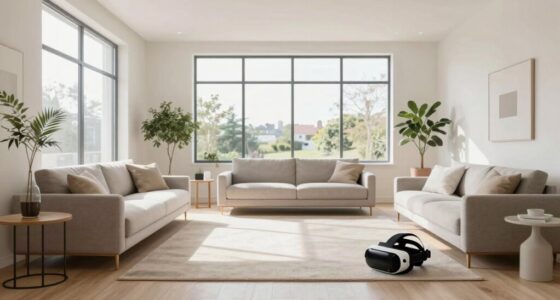
Creating a designated space for VR use also helps reinforce good habits. When you associate a specific area with VR activities, you’re less likely to use the equipment haphazardly or leave it out in the middle of your living space. This not only keeps your apartment tidy but also signals to your brain when it’s time to focus on virtual interactions versus other tasks. Establishing a safe environment by removing obstacles and hazards is essential to prevent accidents during energetic movements. Properly lighting your space can also improve your experience and reduce eye strain during extended sessions. Incorporating proper ventilation can help prevent overheating and ensure a comfortable experience during longer use. Remember to take regular breaks during extended VR sessions. Sitting or standing in one position for too long can cause strain on your eyes, neck, and back. Use timers or alarms to remind yourself to stretch or step away from the headset, ensuring you maintain good physical health and avoid fatigue.
As an affiliate, we earn on qualifying purchases.
Frequently Asked Questions
How Do I Prevent VR Motion Sickness in Small Spaces?
To prevent VR motion sickness in small spaces, focus on enhancing virtual comfort by adjusting settings for smoother visuals and reducing latency. Practice motion adaptation gradually; start with short sessions and slowly increase duration to help your body adjust. Make certain your play area is well-ventilated and free of obstacles to minimize distractions and discomfort. These steps help you stay comfortable, making VR experiences more enjoyable even in limited spaces.
What Are the Best VR Safety Accessories for Apartment Use?
You should prioritize safety accessories like VR controller grips and safety boundary markers to protect yourself in small apartment spaces. Controller grips improve your hold, preventing accidental drops or injuries, while boundary markers define your play area, preventing collisions with furniture or walls. Don’t underestimate their importance—these accessories help you enjoy immersive VR experiences confidently, even in limited spaces, making your VR sessions safer and more enjoyable.
How Can I Improve Sound Isolation During VR Sessions?
To improve sound isolation during VR sessions, you should focus on soundproofing techniques and acoustic treatments. Use heavy curtains, rugs, or foam panels to absorb sound and reduce noise leakage. Seal gaps around doors and windows with weatherstripping or draft stoppers. Adding bookshelves filled with books can also dampen sound. These steps create a quieter environment, enhancing your VR experience and preventing disturbances to neighbors.
Are There Affordable Ways to Upgrade VR Hardware in Apartments?
You don’t have to break the bank to upgrade your VR setup. Budget-friendly upgrades like customizing your VR headset with aftermarket face pads or lens protectors can boost comfort and performance. Look for affordable accessories and DIY solutions, like foam padding for better soundproofing or cable management. These small tweaks can markedly enhance your experience without costing a fortune, proving that quality doesn’t always mean expensive.
How Do I Manage VR Usage Time With Neighbors Nearby?
You should set a specific schedule for your VR usage to respect neighbor noise and shared walls. Use headphones to minimize sound leakage and reduce disturbance. Communicate with your neighbors about your gaming hours, and consider using soundproofing solutions like rugs or wall panels. By being considerate and managing your VR time wisely, you can enjoy your experience without bothering those living nearby.
As an affiliate, we earn on qualifying purchases.
Conclusion
So, next time you’re tempted to turn your tiny apartment into a VR playground, remember: moderation is key—unless you enjoy tripping over furniture or becoming the neighborhood’s new legend for all the wrong reasons. Keep your space safe, your habits smart, and your virtual adventures fun without the real-world chaos. After all, the goal isn’t to turn your apartment into a digital jungle gym, but to enjoy VR without losing your actual mind—or your furniture.
As an affiliate, we earn on qualifying purchases.
As an affiliate, we earn on qualifying purchases.
Fall Picks
fall essentials
As an affiliate, we earn on qualifying purchases.