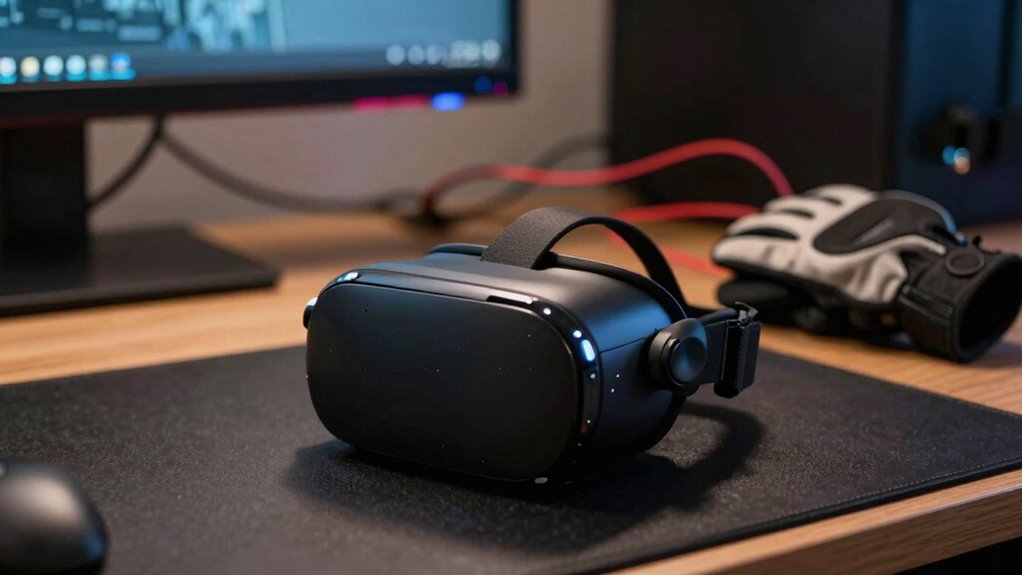

Before investing heavily in VR haptic add-ons, consider how tactile feedback complements your overall experience. Focus on whether it truly enhances immersion by aligning with your visual and audio cues. Not all features are necessary for every use case—prioritize those that improve realism and user engagement. Be mindful that well-chosen haptic features can deepen your connection to virtual environments. If you want to explore more, you’ll find essential insights to make smarter choices and maximize your VR investment.

Play games on Amazon Luna for your next adventure, included with Prime
- A rotating selection of games, no download needed
- Play on TV, laptop or phone
- Fast, free delivery for your gear, too
Key Takeaways
- Prioritize haptic features that enhance sensory integration and immersion, rather than just flashy or overly complex feedback.
- Ensure tactile feedback aligns with visual and audio cues to maintain seamless multisensory experiences.
- Assess whether the haptic technology addresses your specific virtual interaction needs and user goals.
- Recognize that high-quality, responsive haptics can significantly improve overall engagement and realism.
- Make informed decisions by evaluating how haptics contribute to immersion and user experience, not just their novelty.

Haptics, the technology behind touch-based feedback, plays a essential role in how we interact with digital devices, yet it’s often misunderstood. When you’re considering investing in VR add-ons, understanding how haptics enhances sensory integration and user immersion is fundamental. These tactile technologies don’t just make things feel more real; they fundamentally shape your entire virtual experience. Before you spend big on fancy controllers or suits, take a moment to reflect on what haptics truly offers and whether it aligns with your goals.
At its core, haptics creates a sense of touch that bridges the gap between the virtual and real worlds. It taps into sensory integration—the way your brain combines input from multiple senses to form a coherent perception. When done well, haptic feedback can simulate textures, impacts, or vibrations that match what you see or hear, making the experience more convincing. For example, feeling a virtual object’s surface or the recoil of a weapon deepens your connection to the environment. It’s not just about adding a buzz or pulse; it’s about creating a seamless integration that aligns with your visual and auditory cues, heightening your sense of presence.
Haptics bridges virtual and real worlds, enhancing immersion through seamless, multisensory feedback aligned with sight and sound.
User immersion, the feeling of “being there,” depends heavily on how well the tactile feedback aligns with what you’re experiencing visually and audibly. If the haptic sensations are convincing and synchronized, they reinforce your perception that you’re truly within the virtual space. Conversely, mismatched or weak feedback can break that immersion, leaving you distracted or disconnected. That’s why investing in high-quality haptic gear isn’t just about luxury—it’s about ensuring your entire sensory system is engaged and aligned. When your brain receives consistent signals from touch, sight, and sound, it’s easier to forget the real world and become fully immersed in the virtual one. Additionally, understanding the role of sensory integration in creating a convincing virtual environment can help you decide which features are truly necessary for your needs. Recognizing how sensory cues work together can also help you prioritize which haptic features are essential for your specific use case. Moreover, advances in tactile technology continue to improve how realistic and responsive these sensations can feel, further enhancing the immersive quality of VR experiences.
In the end, before you invest heavily in VR add-ons, remember that effective haptics is about enhancing sensory integration and user immersion—not just flashy feedback. Focus on what will genuinely elevate your experience and match your expectations. When you understand how tactile feedback complements your other senses, you’ll make smarter choices and get the most out of your VR setup.
As an affiliate, we earn on qualifying purchases.
Frequently Asked Questions
How Do Haptics Improve Overall VR Immersion?
Haptics enhance your VR immersion by providing tactile feedback through haptic materials, making virtual interactions feel more real. When sensory integration occurs, you can feel the texture, pressure, or impact of objects, deepening your engagement. This tactile realism helps bridge the gap between the virtual and physical worlds, making experiences more convincing and enjoyable. By focusing on quality haptic feedback, you create a more immersive and satisfying VR environment.
Are There Health Risks Associated With Advanced Haptics?
Sure, advanced haptics are the future, but watch out for health risks! Overusing or poorly designed haptic devices can lead to discomfort, fatigue, or even strain—think of it as your body’s way of protesting. Prioritize haptic device durability and user comfort to avoid these issues. If you ignore these, you might find yourself more sore than immersed, turning your VR adventure into a painful ordeal rather than a fun escape.
What Is the Difference Between Tactile and Force Feedback?
Tactile sensations involve your skin feeling textures, vibrations, or surface details, giving you a sense of touch. Force feedback mechanisms, on the other hand, apply resistance or pressure, mimicking the feeling of physical force or weight. While tactile feedback makes actions feel more realistic, force feedback adds a sense of resistance and impact. Both enhance immersion but serve different roles in creating a convincing virtual experience.
How Long Do Haptic Device Batteries Typically Last?
Haptic device batteries usually last between 2 to 8 hours, depending on the device and usage. Battery longevity varies with factors like intensity of feedback and session length. To maximize power management, you should turn off devices when not in use and limit continuous feedback. Keep an eye on battery indicators and recharge regularly to guarantee peak performance and avoid interruptions during your VR experiences.
Can Haptics Cause Motion Sickness in VR?
Haptic feedback can sometimes cause motion sickness in VR due to sensory conflict, where your body’s senses receive mismatched signals. When haptics simulate touch or impact, it may clash with your visual or vestibular cues, leading to discomfort. To minimize this, start with gentle haptic feedback, take breaks, and make certain your VR setup is properly calibrated. If you experience persistent issues, consider reducing haptic intensity or consulting VR guidelines.
As an affiliate, we earn on qualifying purchases.
Conclusion
So, before you plunge into splurging on high-end haptic gear, remember that the true magic lies in how you use it. Are you ready to open a new level of immersion, or will you find yourself chasing sensations that don’t quite deliver? The choice is yours, but the real question is—what’s waiting just around the corner in the world of VR haptics? Stay curious, because what’s next might just blow your mind.
As an affiliate, we earn on qualifying purchases.
As an affiliate, we earn on qualifying purchases.
Fall Picks
fall essentials
As an affiliate, we earn on qualifying purchases.