
To decide if you need Wi-Fi 6E or Wi-Fi 7 for VR, check if your devices support the 6 GHz band, as Wi-Fi 6E needs compatible hardware for better performance. For larger homes or multi-story setups, Wi-Fi 7’s multi-link features can keep your connection stable. If your current network handles VR smoothly, an upgrade might not be necessary. Want to learn more about making the right choice? Keep exploring.

Play games on Amazon Luna for your next adventure, included with Prime
- A rotating selection of games, no download needed
- Play on TV, laptop or phone
- Fast, free delivery for your gear, too
Key Takeaways
- Check if your VR headset and devices support Wi-Fi 6E or Wi-Fi 7 to ensure compatibility.
- Assess your network congestion; Wi-Fi 6E is effective for crowded environments, while Wi-Fi 7 offers higher speeds.
- Consider your home size and layout; larger or multi-story homes benefit more from Wi-Fi 7’s advanced features.
- Evaluate your current network performance; upgrade if experiencing lag, buffering, or dead zones affecting VR.
- Balance cost and future-proofing; Wi-Fi 6E may be sufficient for now, but Wi-Fi 7 provides longer-term speed and reliability benefits.
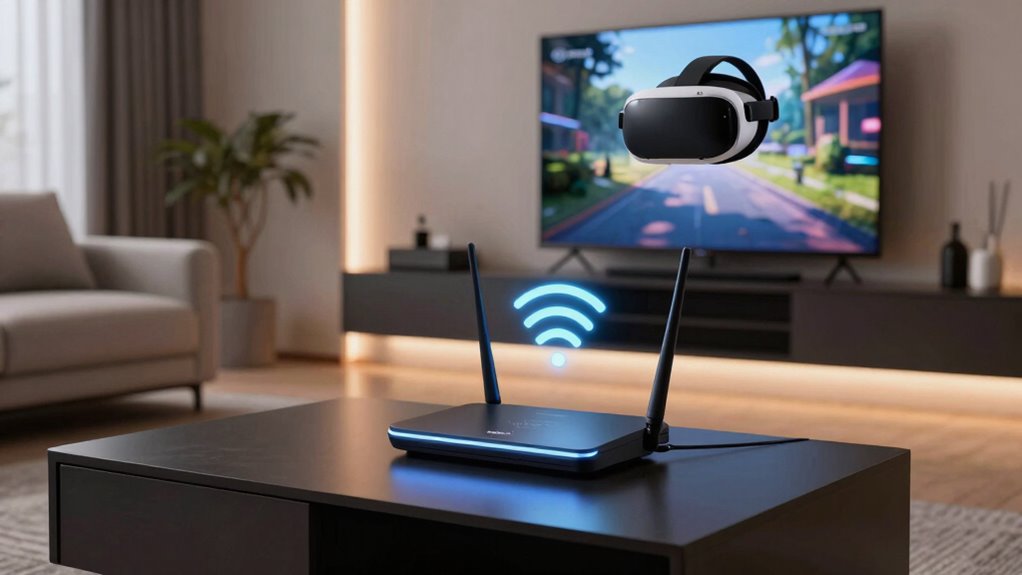
If you’re considering upgrading your Wi-Fi to support virtual reality (VR) experiences, understanding whether you need Wi-Fi 6E or Wi-Fi 7 can make a substantial difference. The choice hinges on factors like network congestion and device compatibility, which directly impact your VR performance. Wi-Fi 6E introduces the 6 GHz band, providing more channels and less interference, making it ideal if your network faces congestion from multiple devices. If your home has many connected gadgets—smartphones, tablets, smart home devices—Wi-Fi 6E can help reduce lag and buffering during VR sessions because it offers a cleaner, less crowded spectrum.
However, simply upgrading to Wi-Fi 6E isn’t enough if your devices aren’t compatible. Check whether your VR headset, router, and other connected gadgets support Wi-Fi 6E. If they don’t, you might not experience the full benefits, and investing in equipment that supports Wi-Fi 7 could be more future-proof. Wi-Fi 7 promises even faster speeds, lower latency, and improved reliability, which are essential for immersive VR experiences. But, keep in mind that device compatibility is vital—if your current hardware can’t handle Wi-Fi 7, you’ll need to upgrade those devices as well.
Another aspect to weigh is the size and layout of your space. If you have a large or multi-story home, Wi-Fi 7’s advanced features like multi-link operation can help maintain a stable connection across larger areas, reducing dead zones and ensuring smooth VR gameplay. On the other hand, if your environment is relatively small and already well-served by your existing Wi-Fi 5 or Wi-Fi 6 network, upgrading solely for VR might not be necessary unless you’re experiencing frequent network issues. Additionally, network congestion can significantly impact VR quality, making a more advanced Wi-Fi standard worthwhile in crowded environments. Understanding how wireless standards relate to your setup can help you make better decisions about upgrades. Moreover, knowing the compatibility of your devices with these standards can prevent unnecessary expenses.
Furthermore, assessing your internet connection speed is crucial because VR demands high bandwidth for seamless experiences, especially if you’re streaming content or engaging in multiplayer VR environments. Wi-Fi 6E can substantially improve your connection in crowded network environments, while Wi-Fi 7 aims to maximize speed and minimize latency, ensuring your VR experience is smooth and responsive. Ultimately, if your network is congested and your devices are compatible, Wi-Fi 6E can be a cost-effective upgrade. But if you’re looking for cutting-edge performance and have the devices to support it, Wi-Fi 7 might be worth the investment.
As an affiliate, we earn on qualifying purchases.
Frequently Asked Questions
Can My Existing Router Be Upgraded to Wi-Fi 6E or Wi-Fi 7?
You can’t upgrade your existing router to Wi-Fi 6E or Wi-Fi 7 directly, but you can check its compatibility first. Look into your router’s specifications or contact the manufacturer. Firmware updates might add some features, but they won’t enable new Wi-Fi standards. To fully access Wi-Fi 6E or Wi-Fi 7, you’ll need a new router designed for those standards, ensuring maximum VR performance.
Do VR Headsets Automatically Connect to the Fastest Wi-Fi Standard?
Do VR headsets automatically connect to the fastest Wi-Fi standard? Not always. They typically connect to the strongest signal available, which isn’t necessarily the quickest standard. For ideal VR streaming and wireless stability, you might need to manually select or prioritize your Wi-Fi connection. Upgrading to Wi-Fi 6E or Wi-Fi 7 can improve performance, but ensuring your device and network are configured correctly is key for smooth, lag-free VR experiences.
How Does Wi-Fi 7 Improve Latency for VR Applications?
Wi-Fi 7 improves latency for VR applications by reducing delays through advanced techniques like bandwidth optimization and better management of wireless interference. It dynamically adjusts data flow, ensuring a smoother experience without lag. This means your VR headset gets faster, more reliable connections even in crowded environments. As a result, you’ll experience less motion sickness and more immersive gameplay, making Wi-Fi 7 a great choice for high-performance VR setups.
Are There Compatibility Issues Between VR Devices and Wi-Fi 6E or Wi-Fi 7?
You might face some VR compatibility issues with Wi-Fi 6E or Wi-Fi 7, especially if your devices are outdated. Check if your VR headset supports the latest Wi-Fi standards, and keep firmware updates current to guarantee smooth operation. Manufacturers often release updates to improve compatibility, so staying updated helps prevent connection problems. If your device isn’t compatible, you may need a new router or VR headset to fully leverage Wi-Fi 6E or 7.
What Is the Typical Cost Difference Between Wi-Fi 6E and Wi-Fi 7 Routers?
Wi-Fi 6E routers typically cost around $200 to $300, while Wi-Fi 7 models can range from $300 to $500 or more. This price difference reflects advanced features like higher speeds and lower latency. Keep in mind, investing in a higher-end router also enhances network security and requires firmware updates for peak performance. As technology evolves, so does the cost, making it essential to balance budget with future-proofing your VR setup.
As an affiliate, we earn on qualifying purchases.
Conclusion
Choosing between Wi-Fi 6E and Wi-Fi 7 feels like picking the perfect pair of shoes for a long walk—you want comfort, support, and the right fit. If your VR setup demands lightning-fast speeds and ultra-low latency, Wi-Fi 7 is your best bet. But if your needs are more modest, Wi-Fi 6E might be enough. Either way, making the right choice guarantees your VR experience is smooth, immersive, and as exhilarating as a rollercoaster ride.
As an affiliate, we earn on qualifying purchases.
As an affiliate, we earn on qualifying purchases.
Fall Picks
fall essentials
As an affiliate, we earn on qualifying purchases.