TL;DR
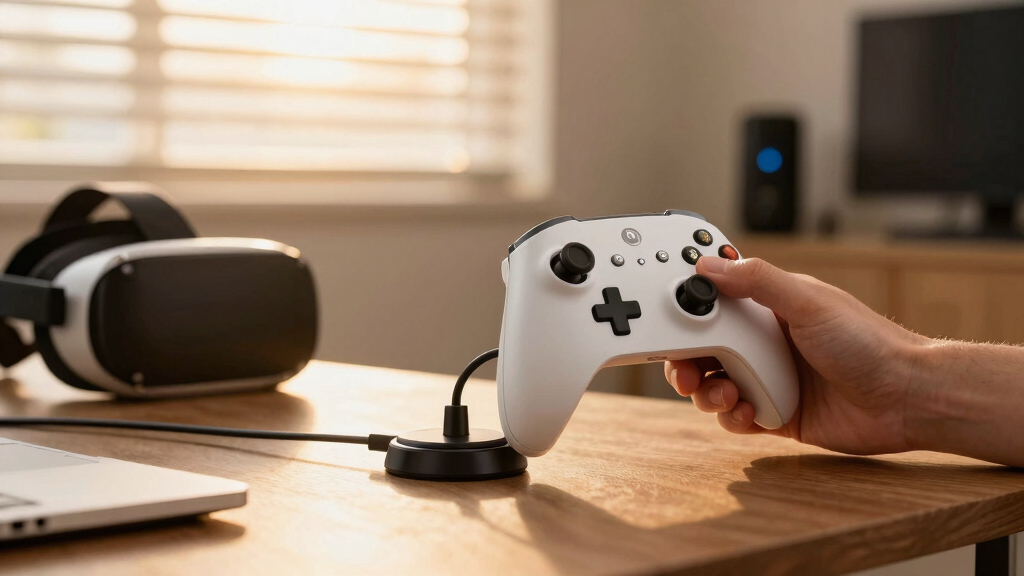
A new open-source web app enables Steam Controllers to automatically dock with magnetic charging pucks using optical flow tracking and WebHID telemetry. The project combines computer vision and haptic navigation for autonomous charging, with setup requiring a webcam and compatible browser.
An open-source web application has been developed to automatically pilot a Steam Controller into its magnetic charging puck using optical flow computer vision and WebHID telemetry. This innovative project aims to automate the docking process, potentially improving user convenience and device longevity. The system employs a webcam, computer vision, and haptic feedback to guide the controller into position, with ongoing development and testing underway.
The project utilizes OpenCV.js to track user-selected points on the controller and the puck via an overhead camera, enabling precise visual tracking. It connects to the Triton Controller via WebHID to stream input and telemetry data, including battery status. Haptic pulses are used to navigate the controller toward the puck, with a special proximity mode that reduces pulse frequency when close to ensure gentle docking.
Setup requires a webcam mounted overhead, a compatible browser supporting WebHID, and the installation of dependencies via the Nix package manager. Once configured, users can activate automatic tracking, which leverages a Lucas-Kanade optical flow loop combined with a neural network in WebAssembly for object avoidance. The project is licensed under the MIT License and was inspired by a video from Very Lazy Pixel.
Potential Impact on Controller Charging Convenience
This development could significantly improve the user experience by automating the docking process, reducing wear and tear on the controller and puck, and providing a hands-free charging solution. If widely adopted, it might influence how gaming peripherals are designed for automation and ease of use, especially for custom or enthusiast setups.
Steam Controller magnetic charging puck
As an affiliate, we earn on qualifying purchases.
As an affiliate, we earn on qualifying purchases.
Background on DIY Controller Automation Projects
While official controller accessories typically rely on manual docking, the community around gaming hardware often develops DIY automation solutions. This project builds on prior interest in visual tracking and haptic navigation for device handling, integrating modern web technologies like WebHID and WebAssembly. The open-source nature allows enthusiasts to experiment with autonomous device management, aligning with broader trends in gaming peripheral customization.
“This project demonstrates how web technologies can enable complex physical automation tasks without dedicated hardware.”
— an anonymous researcher
As an affiliate, we earn on qualifying purchases.
Unconfirmed Aspects of Reliability and Compatibility
It is not yet clear how reliably the system performs across different environments or with various webcam setups. Compatibility with all Steam Controller models and the long-term stability of the tracking and haptic navigation remain untested. Additionally, user safety and device safety considerations are still under review, and official support or integration with Steam’s ecosystem has not been announced.
As an affiliate, we earn on qualifying purchases.
Future Development and Community Testing Phases
Developers plan to refine the tracking algorithms, improve stability, and expand compatibility. Community testing and feedback will likely shape further features, such as automated error recovery or enhanced object detection. The project maintainers may also explore integration with other controllers or charging solutions, aiming for broader adoption within enthusiast circles.
WebHID compatible gaming controller
As an affiliate, we earn on qualifying purchases.
As an affiliate, we earn on qualifying purchases.
Key Questions
Can this system be used with any Steam Controller?
The project is designed for specific models compatible with WebHID and the Triton Controller setup. Compatibility with all Steam Controllers is not yet confirmed and may require additional adjustments.
What hardware is needed to set up this auto-charging system?
A webcam mounted overhead pointing at the desk, a computer running a Chromium-based browser supporting WebHID, and the necessary dependencies installed via Nix are required. No additional hardware is currently specified.
Is this project officially supported by Valve or Steam?
No, this is an independent open-source project developed by enthusiasts. It is not officially supported or endorsed by Valve or Steam.
Will this system work with wireless Steam Controllers?
The current implementation relies on wired WebHID connections and visual tracking, so wireless controllers are unlikely to be compatible without modifications.
What are the safety considerations for using this system?
As it involves autonomous movement guided by visual tracking, users should ensure the setup area is clear of obstacles and monitor the process during initial tests to prevent accidental damage.
Source: Hacker News