
TL;DR

Play games on Amazon Luna for your next adventure, included with Prime
- A rotating selection of games, no download needed
- Play on TV, laptop or phone
- Fast, free delivery for your gear, too
Developers have created a system using Meta’s neural band to control Mac computers through VR gestures. This innovation allows users to swipe, pinch, and turn to manage desktops, volume, and more. The project is open-source and requires macOS 14+ and a neural band.
A developer has introduced Kinesis, a software tool that leverages Meta’s neural band to control Mac computers through VR gestures, marking a significant step in immersive device interaction. This development matters because it offers a new way for users to manage their Macs without traditional peripherals, potentially transforming workflows in virtual and augmented reality environments.
The system, built on a neural band device from Meta, allows users to perform actions such as swiping between desktops, opening Mission Control, controlling music playback, and adjusting volume or brightness through simple gestures like pinch and turn. The setup process involves pairing the neural band with a Mac running macOS 14 or later, enabling Bluetooth and accessibility permissions, and installing the open-source Kinesis application from GitHub.
The software is compatible with both Apple Silicon and Intel Macs. Users can customize gesture mappings within the setup interface, and the controls can be kept accessible via the menu bar for quick access. The project originated from tinkering with Astra in a neural-band proof of concept, aiming to create a practical, gesture-based control system for Mac users.
Instructions for building and running the app involve cloning the GitHub repository, running a build script in Xcode with Swift 6, and launching the app. Developers note that quitting Kinesis before rebuilding is necessary, and the system’s effectiveness depends on proper pairing and permissions.
Revolutionize VR Interaction: Control Your Mac Seamlessly With The Meta Neural Band
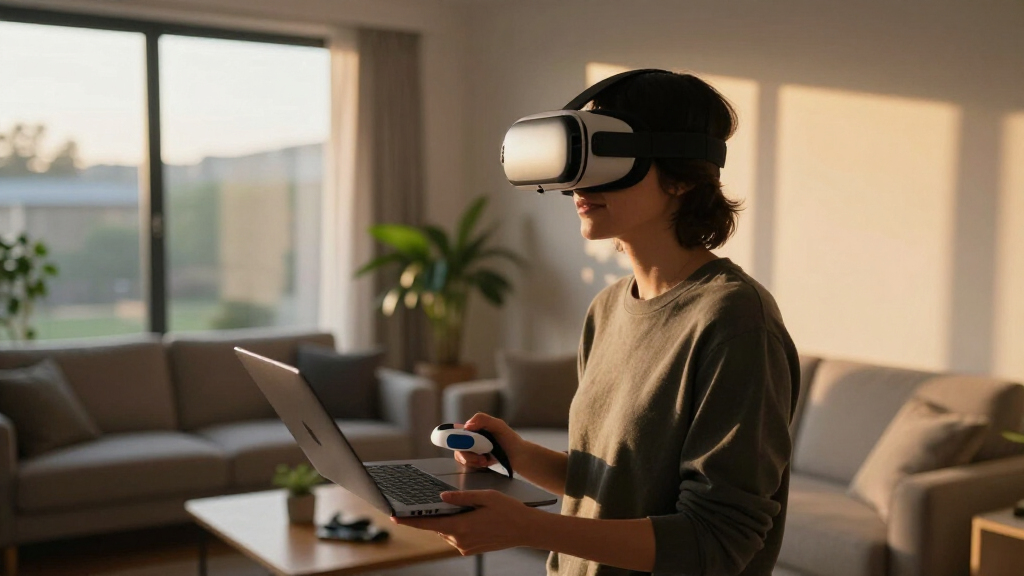
A developer has built Kinesis — an open-source tool that turns Meta’s neural band into a gesture-based controller for Mac desktops. Swipe, pinch, and turn to manage Mission Control, music, volume, and more, with no mouse or keyboard required.
Open-source macOS app built in Swift 6, available on GitHub for anyone to clone, build, and customize.
Born from tinkering with Astra in a neural-band proof of concept — repurposed for desktop control.
Bluetooth pairing only — neural data is never transmitted externally.
What You Can Actually Control
Kinesis translates simple wrist and hand gestures captured by the neural band into native macOS actions across desktops, media, and system settings.
Desktop Navigation
Move between virtual desktops and open Mission Control with a flick — no trackpad needed.
Music Playback
Play, pause, and skip tracks in your music apps while immersed in a VR session.
Volume & Brightness
Adjust system volume and screen brightness continuously with a dial-like wrist motion.
From Pairing to Control in Minutes
The setup requires a neural band, a Mac running macOS 14 or later, and Xcode with Swift 6. Most users can complete it in a few minutes.
Pair the Band
Connect the Meta neural band to your Mac via Bluetooth.
Grant Permissions
Enable Bluetooth and accessibility permissions for the app.
Clone & Build
Clone the Kinesis repo from GitHub and run the build script in Xcode (Swift 6).
Map Gestures
Customize gesture mappings in the setup interface; keep controls in the menu bar.
Take Control
Launch the app and control your Mac with pinch, turn, and swipe.
Where the System Stands Today
An honest read on readiness. Kinesis is functional but early — real-world robustness and precision data are still emerging.
System Requirements at a Glance
Confirmed versus unconfirmed platform support for the Kinesis neural-band controller.
| Platform / Requirement | Supported | Notes |
|---|---|---|
| macOS 14+ (Apple Silicon) | ✓ Confirmed | Full support, primary target |
| macOS 14+ (Intel) | ✓ Confirmed | Compatible architecture |
| Meta neural band | ✓ Required | Bluetooth pairing needed |
| Xcode + Swift 6 | ✓ Required | Quit Kinesis before rebuilding |
| Older macOS versions | ✗ Not confirmed | No current support stated |
| Other hardware / platforms | ~ Untested | Community expansion possible |
| Extended-use reliability | ~ Unreported | Awaiting broader testing |
What Early Adopters Want to Know
How easy is it to set up Kinesis with my Mac?
Pair the neural band, enable Bluetooth and accessibility permissions, then install the open-source app from GitHub. Most users finish within a few minutes.
Can I customize the gestures and controls?
Yes — gesture mapping is customizable through the setup interface, though support for complex gestures is still being explored.
Is this compatible with all Macs?
It supports macOS 14+ on both Apple Silicon and Intel. Other hardware and older macOS versions are not currently confirmed.
Does the neural band need training or calibration?
No detailed calibration is specified, but practicing gestures during setup improves accuracy. The system is designed to feel intuitive.
What are the privacy implications?
Processing is local over Bluetooth — neural data is not transmitted externally. Standard Bluetooth and accessibility permissions still apply.
What’s next for the project?
Enhanced gesture recognition, broader device compatibility, and possibly more advanced neural controls. The open-source repo invites community contributions.
The Lineage of a New Interface
Potential Impact on Mac and VR User Interaction
This development signals a shift toward more natural, gesture-based controls for Mac computers, especially in virtual or augmented reality settings. By enabling users to manipulate their desktops and system functions through intuitive gestures, it reduces reliance on traditional input devices like mice and keyboards, paving the way for more immersive computing experiences.
For VR enthusiasts and professionals, this could mean more seamless integration of their workflows into virtual environments, enhancing productivity and user comfort. Additionally, the open-source nature of the project invites further customization and development, potentially leading to broader applications across different devices and platforms.
Products Worth Considering

Bose SoundLink Flex (2nd Gen) Portable Bluetooth Speaker, Black

LG UltraGear 27-Inch QHD OLED Gaming Monitor, 240Hz, 0.03ms, G-SYNC Compatible, FreeSync Premium Pro, HDMI 2.1

Logitech MX Mechanical Wireless Illuminated Keyboard, Tactile Quiet, Graphite
As an affiliate, we earn on qualifying purchases.
Advances in Neural Interface and Gesture Control Development
The use of neural bands for controlling computers is part of a broader trend toward brain-computer interfaces (BCIs) and gesture recognition technology. Meta’s neural band, initially designed for health and fitness tracking, has been repurposed here for system control, demonstrating the versatility of such devices.
This project builds on previous experiments with Astra and neural-band proof of concept repositories, showcasing how developers are increasingly exploring wearable neural interfaces to improve human-computer interaction. While gesture-based control has been explored in VR before, integrating neural bands for direct control of desktop environments is a relatively new frontier.
The release of open-source code and detailed setup instructions suggests a growing community interest in customizing and expanding neural interface applications beyond their original scope.
Limitations and Compatibility Uncertainties
It is not yet clear how stable or precise the gesture controls are in different environments or for extended use. The system requires macOS 14+ and a compatible neural band, but performance details, latency, and reliability across various hardware configurations remain untested or unreported.
Additionally, the extent of customization and whether the system can support complex or multi-finger gestures is still uncertain. The open-source project is in early stages, and real-world testing by a broader user base has yet to be documented.
Future Development and Community Expansion
Developers and users can expect ongoing improvements, including enhanced gesture recognition, broader device compatibility, and more customizable controls. The open-source repository invites contributions that could expand functionality or refine existing features.
Further testing and feedback from the community will determine the system’s robustness and practical viability. The creator has indicated plans to update the app and possibly integrate more advanced neural controls, making this an evolving project to watch.
Key Questions
How easy is it to set up Kinesis with my Mac?
The setup involves pairing your Meta neural band with your Mac, enabling Bluetooth and accessibility permissions, then installing the open-source app from GitHub. Following the detailed instructions, most users should be able to complete setup within a few minutes.
Can I customize the gestures and controls?
Yes, the system allows for gesture mapping customization through the setup interface. However, the extent of customization and support for complex gestures is still being explored.
Is this system compatible with all Macs?
The project supports Macs running macOS 14+ on both Apple Silicon and Intel architectures. Compatibility with other hardware or older macOS versions is not currently confirmed.
Does using the neural band require any special training or calibration?
The project does not specify detailed calibration steps, but users are encouraged to practice gestures during setup to improve control accuracy. The system is designed to be intuitive once configured.
What are the security or privacy implications of using neural bands for control?
Since the system relies on Bluetooth pairing and local processing, it does not transmit neural data externally. However, users should be aware of general Bluetooth and accessibility permissions when installing and using the software.
Source: Hacker News