
To reduce VR streaming compression artifacts like blockiness, make certain you use a high-quality, stable internet connection, preferably wired, with sufficient bandwidth. Adjust your streaming settings by increasing bitrate and resolution carefully, balancing quality with your network capacity. Optimize your hardware by updating drivers and firmware, and consider using platforms that support better compression algorithms. Fine-tuning these factors will help improve clarity, and if you continue exploring, you’ll discover more ways to enhance your VR experience.
Key Takeaways
- Increase streaming bitrate and resolution within your network’s capacity to improve visual fidelity and reduce blockiness.
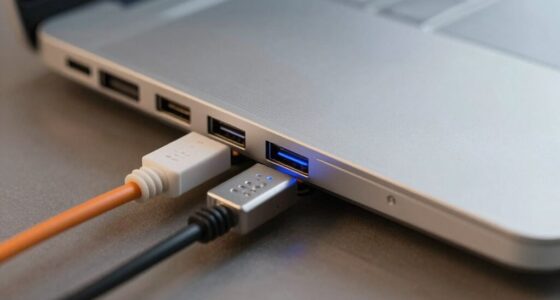
- Use a wired Ethernet connection instead of Wi-Fi for more stable, high-bandwidth streaming.
- Keep your GPU, headset firmware, and streaming software up to date to enhance decoding and reduce artifacts.
- Optimize encoding settings by selecting high-quality options and enabling adaptive streaming based on network conditions.
- Upgrade your internet plan or improve network hardware to support higher data rates for smoother, artifact-free VR streaming.

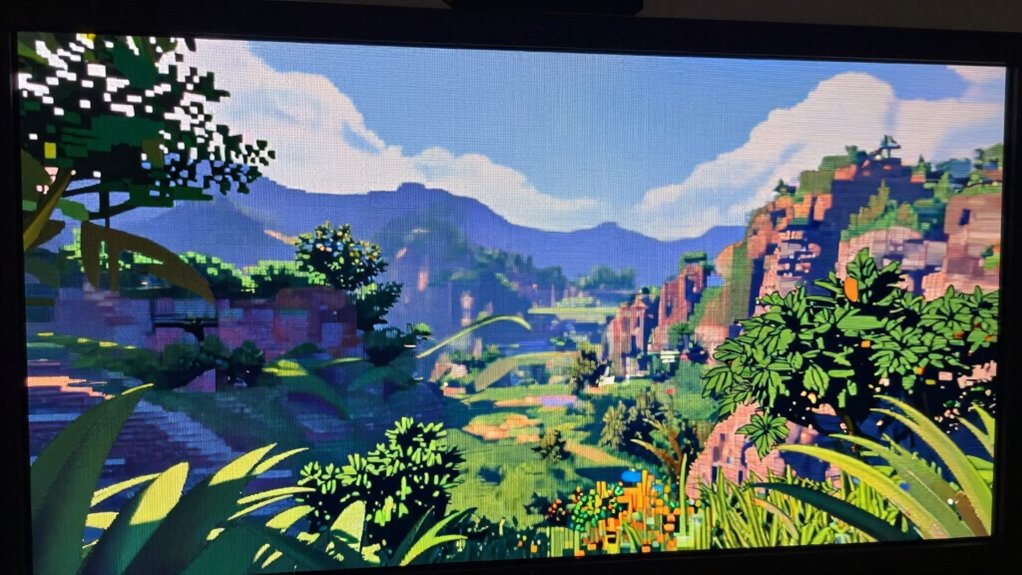
Virtual reality experiences often suffer from compression artifacts that can disrupt immersion and degrade visual quality. When you’re immersed in a VR environment, blockiness or pixelation can pull you out of the experience, making it harder to stay engaged. To combat this, focusing on visual quality enhancement and streaming bandwidth optimization is vital. By improving how your VR content is compressed and transmitted, you can enjoy sharper images and smoother visuals, even over limited networks.
VR immersion suffers from compression artifacts; improving streaming quality and hardware reduces blockiness and enhances visual clarity.
One of the key steps to reducing blockiness is selecting a high-quality streaming setup. Look for platforms or services that prioritize efficient compression algorithms designed specifically for VR. These algorithms balance compression levels with visual fidelity, ensuring you don’t sacrifice too much detail for smaller file sizes. Streaming bandwidth optimization plays a vital role here; if your connection has enough bandwidth, it can handle higher bitrates, which means less compression and fewer artifacts. You might need to upgrade your internet plan or use wired connections to maximize stability and speed. A stable, high-bandwidth connection reduces the likelihood of compression artifacts appearing during your VR sessions.
Adjusting the streaming settings is another practical move. Many VR platforms allow you to manually tweak the bitrate and resolution. Lowering the resolution or bitrate generally reduces data load, but it can also introduce blockiness if set too low. Conversely, increasing these parameters enhances visual quality but demands more bandwidth. Finding the right balance depends on your network capabilities. If you’re experiencing persistent artifacts, try gradually increasing settings to see if your connection can handle the higher data flow without sacrificing smoothness. Some platforms also offer adaptive streaming, which dynamically adjusts quality based on your current network conditions, helping to maintain an ideal balance between visual quality enhancement and bandwidth usage. Additionally, using high-quality encoding settings can further improve visual clarity by reducing compression artifacts.
Additionally, optimizing your hardware can make a difference. Using a powerful GPU and a fast processor ensures that your device can decode high-quality streams more effectively. This reduces the chance of artifacts caused by hardware limitations. Clear, well-optimized graphics drivers and firmware updates also contribute to better decoding and rendering, further minimizing visual disruptions. You should also ensure your VR headset’s firmware is current, as manufacturers often release updates that improve compatibility and reduce artifacts.
Frequently Asked Questions
Do Higher Bitrates Always Eliminate VR Blockiness?
Higher bitrates can reduce VR blockiness, but they won’t always eliminate it due to bitrate limits and compression tradeoffs. Increasing bitrate improves video quality, yet if limits are reached, artifacts may persist. Balancing bitrate with compression settings is essential, as overly high bitrates can cause buffering or lag. So, while higher bitrates help, they don’t guarantee complete removal of blockiness without considering overall streaming constraints.
Can Adjusting VR Resolution Improve Compression Artifacts?
Adjusting your VR resolution can definitely diminish the visibility of artifacts. When you lower your VR resolution, you reduce the details the compressor needs to handle, making blockiness less noticeable. Conversely, increasing the resolution boosts clarity but might introduce more compression artifacts if your bandwidth isn’t enough. Balancing VR resolution is key—opt for a resolution that offers clarity without amplifying artifact visibility, ensuring a smoother, more immersive experience.
Are There Specific Codecs Better for VR Streaming?
You should choose codecs optimized for VR streaming, like H.265 (HEVC) or VP9, because they offer better codec efficiency, reducing file size and improving quality. These codecs work well with container formats like MP4 or WebM, ensuring smoother playback and less compression artifacts. Using these formats and codecs together enhances your VR experience, minimizing blockiness and maintaining high visual fidelity during streaming sessions.
How Does Latency Affect Artifact Visibility?
When latency increases, you might notice artifacts becoming more visible because buffering delays push images past your perceptual thresholds. High latency causes delayed updates, making compression blockiness more apparent and distracting. Conversely, low latency helps keep streaming smooth, reducing buffering delays and keeping artifacts less noticeable. To enjoy immersive VR, you need to minimize latency, ensuring images stay within your perceptual thresholds and maintaining a seamless experience free of distracting artifacts.
Can Hardware Upgrades Reduce VR Compression Artifacts?
Yes, hardware upgrades can reduce VR compression artifacts, especially if you choose components compatible with your system. Upgrading your GPU or adding more RAM improves processing power, helping handle higher-quality streams with less compression. However, consider hardware compatibility to avoid issues, and be aware that upgrade costs can add up. Investing in better hardware generally leads to clearer images and a smoother VR experience, minimizing blockiness effectively.
Conclusion
By tweaking your streaming settings and ensuring a stable connection, you can clear up VR compression artifacts like blockiness. Think of it as tuning a musical instrument—you’ll get a smoother, more immersive experience when everything’s in harmony. Don’t let compression artifacts be the static in your virtual symphony; with a few simple adjustments, you’ll enjoy crystal-clear VR worlds that truly come alive. Your virtual adventures deserve nothing less than perfect clarity!