
TL;DR

Play games on Amazon Luna for your next adventure, included with Prime
- A rotating selection of games, no download needed
- Play on TV, laptop or phone
- Fast, free delivery for your gear, too
A new Virtual Desktop update recommends using a specific link cable for best performance. Community feedback highlights which cables work best. Details on compatibility and performance are still emerging.
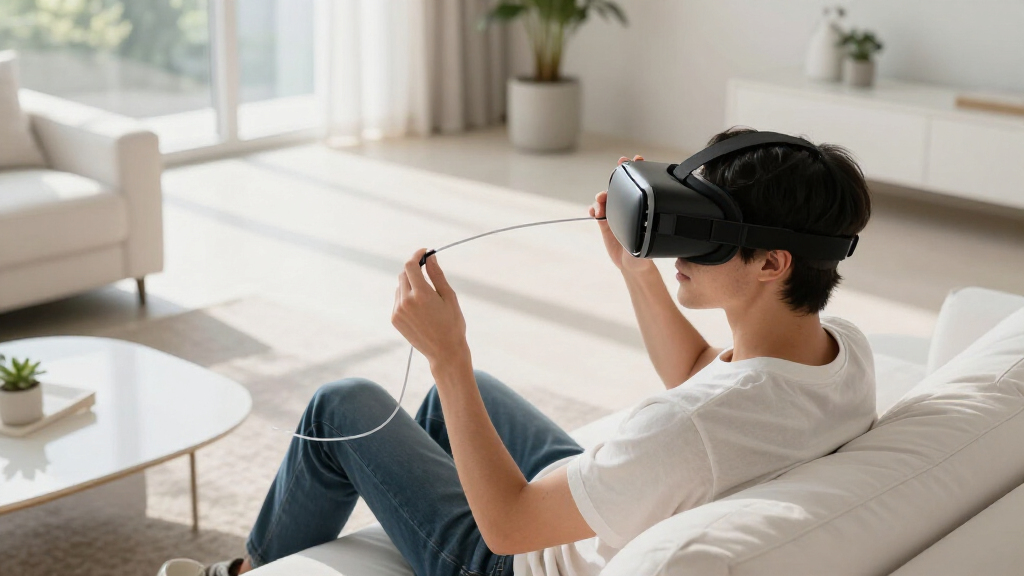
The latest Virtual Desktop update for Oculus Quest recommends using a particular link cable to ensure optimal performance, according to community reports on r/OculusQuest. This guidance aims to improve user experience during PC VR streaming, making the choice of cable more critical than before. You can learn more about Virtual Desktop performance over different cables.
Community members on r/OculusQuest have shared that using a high-quality, USB-C to USB-C cable significantly enhances VR streaming stability and visual fidelity with the new Virtual Desktop update. While Oculus and Virtual Desktop developers have not officially issued a specific cable recommendation, user feedback suggests that certain cables outperform others in terms of data transfer and latency. Learn more about Virtual Desktop connectivity options.
Many users report that cables with a data transfer rate of at least 5 Gbps, preferably USB 3.2 Gen 2 or higher, deliver the best experience. Some community members have tested various cables and identified models that maintain stable connections and reduce lag, though no official list has been published by Oculus or the Virtual Desktop team. For troubleshooting connectivity issues, see Virtual Desktop over Ethernet issues.
It is important to note that some users have experienced issues with lower-quality cables, including disconnections and degraded image quality, which can impact the overall VR experience. The community emphasizes that choosing a reliable, well-reviewed cable is crucial for those seeking the best performance during PC VR streaming sessions.
Why Selecting the Right Link Cable Matters for VR Performance
For VR enthusiasts, the choice of link cable directly impacts the quality and stability of their virtual experience. Using a recommended cable can reduce latency, prevent disconnections, and improve visual clarity, which are critical for immersive VR gaming and productivity. As Virtual Desktop becomes more popular for wireless and wired PC VR streaming, knowing which cables deliver optimal performance helps users avoid frustration and technical issues.
This guidance also influences hardware purchasing decisions, as users seek reliable accessories to complement their VR setups. The absence of an official cable list means community advice plays a vital role in guiding users toward better choices, making this recommendation significant for the VR community.
USB-C to USB-C high-speed VR link cable
As an affiliate, we earn on qualifying purchases.
As an affiliate, we earn on qualifying purchases.
Community Feedback and the Evolution of Link Cable Recommendations
The importance of a quality link cable has grown with recent updates to Virtual Desktop, which enhances VR streaming capabilities. Prior to this, users relied on a variety of cables with mixed results, often experiencing unstable connections or degraded image quality. The community on r/OculusQuest has been actively testing and sharing their experiences, highlighting the need for specific cable specifications to optimize performance.
While Oculus has not officially endorsed particular cables, the community’s collective testing provides valuable insights. Historically, high-quality USB-C cables supporting USB 3.2 Gen 2 or higher have been favored for PC VR streaming, but the new update underscores the importance of verifying compatibility and performance before purchase.
As the VR ecosystem evolves, hardware recommendations like these help users adapt to new software features and improve their overall experience, especially as more users adopt wired connections for stability and quality.
“Using a high-quality USB-C cable with at least 5 Gbps transfer rate significantly improves Virtual Desktop performance.”
— an anonymous researcher
VR link cable with 5 Gbps data transfer
As an affiliate, we earn on qualifying purchases.
As an affiliate, we earn on qualifying purchases.
Official Recommendations and Future Clarifications Pending
Oculus and Virtual Desktop developers have not yet released an official list of recommended cables, leaving community suggestions as the primary guidance. It remains unclear whether future updates will include official hardware recommendations or if specific cables will be integrated into user instructions.
Additionally, the performance of different cables may vary based on individual setups, and some users report inconsistent results even with high-quality cables. The lack of official confirmation creates uncertainty about which cables will be universally optimal.
As an affiliate, we earn on qualifying purchases.
Awaiting Official Guidance and Further Community Testing Results
Oculus and Virtual Desktop are expected to provide official hardware recommendations in upcoming documentation or updates. Meanwhile, users are encouraged to test cables with high data transfer rates and read community reviews for guidance. Further community testing and official clarification are anticipated in the coming weeks, which will help standardize best practices for wired VR streaming.
Oculus Quest compatible VR link cable
As an affiliate, we earn on qualifying purchases.
As an affiliate, we earn on qualifying purchases.
Key Questions
What type of cable is recommended for Virtual Desktop?
Community reports suggest using a USB-C to USB-C cable supporting at least USB 3.2 Gen 2 with a transfer rate of 5 Gbps or higher for optimal performance.
Does Oculus officially recommend a specific cable?
No, Oculus has not yet issued an official list of recommended cables. Community feedback currently guides user choices.
Will using a different cable affect my VR experience?
Yes, using a lower-quality or incompatible cable can lead to disconnections, lag, and degraded image quality, impacting overall experience.
Are wireless options still viable with the latest update?
Wireless streaming remains an option, but the latest update emphasizes the importance of wired connections for stability and performance, especially with certain hardware setups.
When will Oculus provide official cable recommendations?
It is not yet clear when Oculus will release official guidance, but community testing and feedback are ongoing.
Source: r/OculusQuest
Fall Picks
fall essentials
As an affiliate, we earn on qualifying purchases.