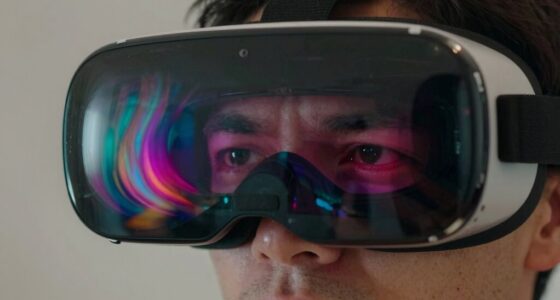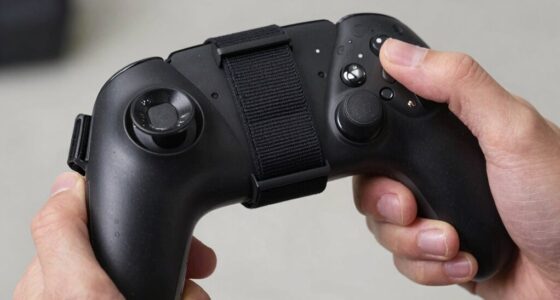
To protect your VR controllers from dropping on hardwood floors, invest in controller grips that offer a secure, non-slip hold, and use sturdy protective cases to absorb shocks and prevent scratches. Attach wrist straps or lanyards for extra security during active gameplay, and handle your controllers carefully, especially during vigorous movements. When not in use, store them in padded, stable spots away from edges. Keep learning how to keep your controllers safe for longer gameplay.

Get VR and gaming gear delivered free — and shop member deals
- Fast, free delivery on millions of items
- Access to Prime Big Deal Days deals on October 6–7
- Prime Video, Amazon Music and more included
Key Takeaways
- Attach wrist straps or lanyards to prevent controllers from slipping during vigorous gameplay.
- Use controller grips with non-slip surfaces for a secure hold.
- Store controllers on soft, padded surfaces or stands when not in use to prevent falls.
- Apply protective cases with shock-absorbing features to cushion impacts from accidental drops.
- Maintain awareness and avoid swinging or tossing controllers during active play.
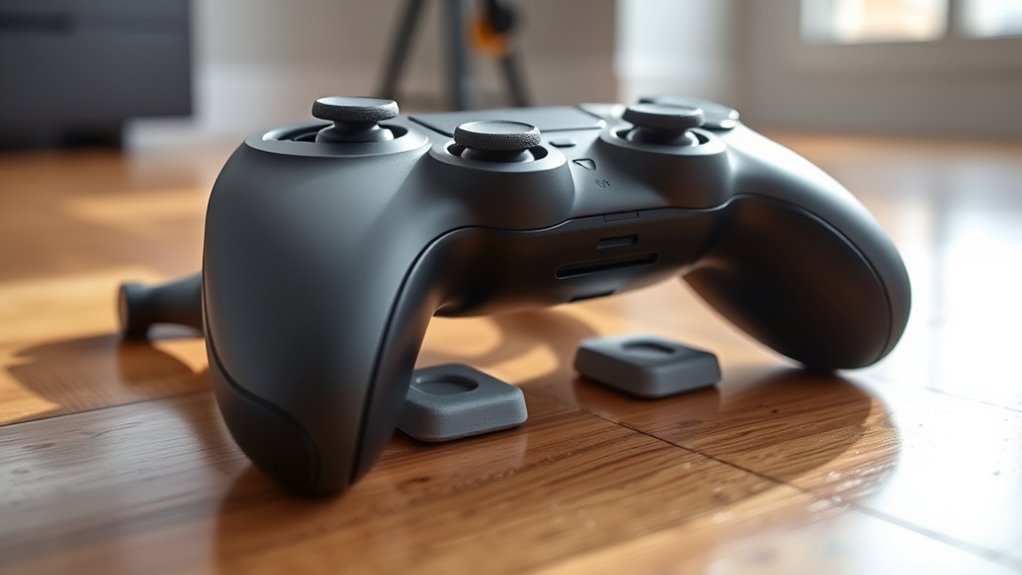
Virtual reality controllers are essential for an immersive experience, but they can easily get damaged or worn out without proper care. One of the biggest risks comes from dropping them onto hard surfaces like hardwood floors. To prevent costly repairs or replacements, you need to take proactive steps to protect your controllers. Using controller grips can make a notable difference. These grips enhance your hold, providing a non-slip surface that reduces the chance of slipping out of your hands during intense gameplay. They also add a layer of cushioning, helping absorb shocks if an accidental drop occurs. When combined with well-fitting protective cases, controller grips become even more effective. Protective cases are designed to shield your controllers from impacts, scratches, and dust. They snugly fit around the device, creating a barrier that prevents damage from falls. Many cases come with reinforced corners and shock-absorbing materials that cushion your controllers when they hit the floor. This extra layer of protection is especially useful if you tend to move around a lot or play in high-energy environments where accidental drops are more likely. Remember, a good protective case should be easy to put on and take off, so you can quickly access your controllers when needed without hassle. Another tip is to keep your play area clear of clutter, which reduces the risk of tripping or knocking over objects that could cause a fall. When you’re actively engaged in gameplay, focus on maintaining a firm grip on your controllers, especially during vigorous movements. Avoid swinging or tossing them, even if you’re excited or caught up in the action. If you do need to set your controllers down, place them on soft, flat surfaces or use designated stands. It’s also a smart idea to invest in a wrist strap or lanyard. These accessories attach to your controllers and wrap around your wrist, providing an additional layer of security. Even if your grip slips momentarily, the strap helps prevent the controller from hitting the floor. Regularly inspect your controller grips and protective cases for signs of wear or damage. Replace or repair them as needed to maintain their protective qualities. Proper storage when you’re not using your controllers is equally important—keep them in a safe, padded place away from edges or places where they might fall. Additionally, considering Free Floating design principles can help you organize your gaming space more safely and efficiently, reducing hazards that might lead to drops. By taking these precautions—using controller grips, protective cases, being mindful during gameplay, and practicing proper storage—you markedly reduce the risk of dropping your VR controllers on hardwood floors. This way, you ensure a longer lifespan for your devices and a more enjoyable, worry-free virtual reality experience.
VR controller shockproof protective case
As an affiliate, we earn on qualifying purchases.
As an affiliate, we earn on qualifying purchases.
Frequently Asked Questions
Can Silicone Covers Damage Controller Sensors?
Silicone covers generally won’t damage your controller sensors if they’re high-quality and fit well. However, cheap or poorly made silicone can cause sensor interference due to its thickness or material composition. Good silicone offers durability without compromising sensor accuracy, but always choose covers specifically designed for your VR controllers. Properly fitted silicone protects your controllers from drops and scratches while maintaining sensor functionality.
Are Wireless Straps Safe for Prolonged Use?
Wireless straps are generally safe for prolonged use if you choose high-quality, durable straps designed for comfort and security. They improve wireless safety by preventing accidental drops, so your controllers stay protected. Look for straps with strong material and adjustable features to guarantee a snug fit. Regularly check the strap’s durability to avoid wear and tear. With proper use, wireless straps can be a reliable, safe addition to your VR setup.
Do Protective Cases Affect VR Gameplay Accuracy?
Surprisingly, protective cases don’t mess with your VR gameplay accuracy. In fact, they often improve your controller grip, making movements more precise. You can even customize your controller’s look without sacrificing performance. So, while you might worry about losing accuracy, a good case actually enhances your experience—plus, it keeps your controllers safe from drops. Embrace the protection; it’s a win for both style and functionality.
How Often Should I Check for Controller Wear?
You should check your controller wear regularly, ideally once every few weeks, especially if you use them frequently. During your controller maintenance routine, perform a wear inspection to spot any signs of damage or loose parts early. Keeping an eye on the condition helps guarantee peak performance and safety. Regular inspections prevent unexpected issues and prolong your controller’s lifespan, so make it part of your gaming routine.
Are There Eco-Friendly Protective Options Available?
Did you know over 8 million tons of plastic waste are produced annually, impacting the environment? Luckily, eco-friendly protective options are available. You can opt for biodegradable covers made from materials like plant-based plastics or natural rubber, which break down faster and reduce pollution. These eco-friendly materials protect your controllers while supporting sustainability. Choosing biodegradable covers helps you enjoy VR gaming responsibly and minimizes your environmental footprint.
As an affiliate, we earn on qualifying purchases.
Conclusion
By taking these simple steps, you’re wrapping your VR controllers in a safety net, turning a potential fall into a minor stumble. Think of it as giving your controllers a trusty shield against the unforgiving hardwood floor—like a knight’s armor in a digital battlefield. With a little care and protection, you’ll keep your virtual adventures smooth and your controllers safe, so they’re always ready to leap back into action without missing a beat.
VR controller wrist strap lanyard
As an affiliate, we earn on qualifying purchases.
As an affiliate, we earn on qualifying purchases.
As an affiliate, we earn on qualifying purchases.
Fall Picks
fall essentials
As an affiliate, we earn on qualifying purchases.