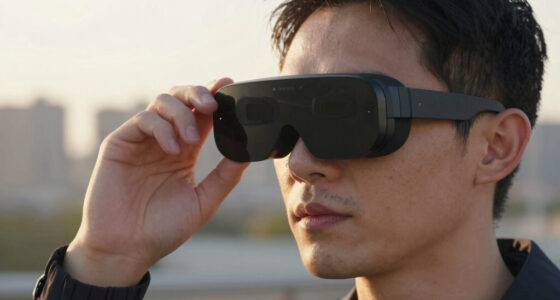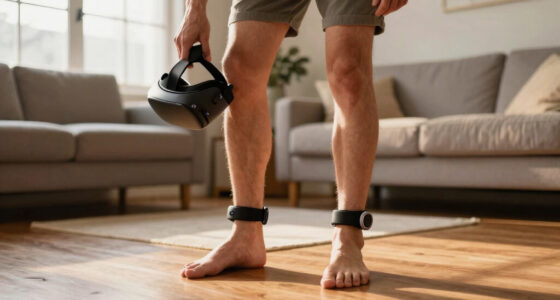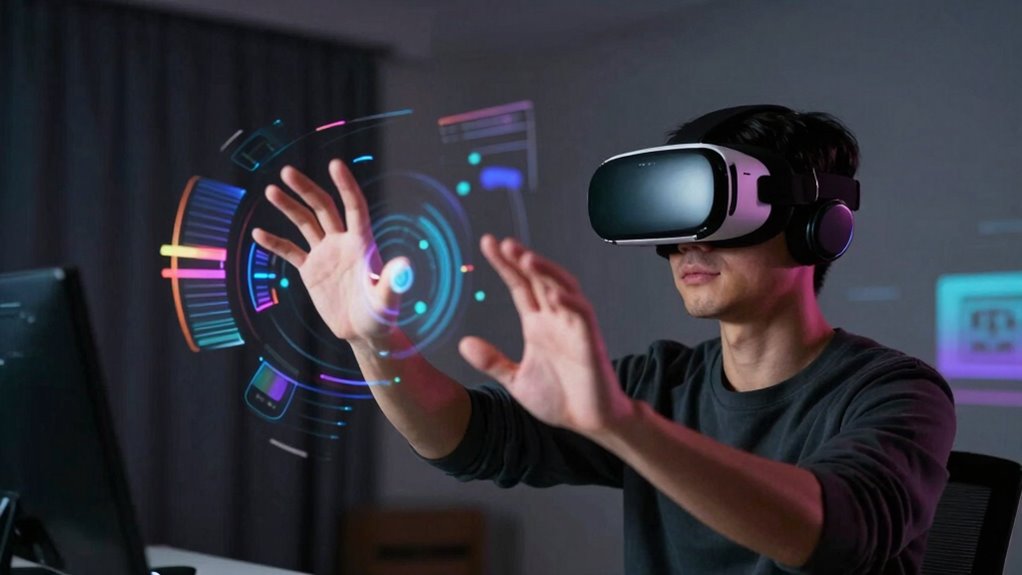
VR hand tracking works best when sensors accurately capture your movements and systems respond with minimal latency, creating a natural feel. It fails when tracking glitches happen, leading to jittering, drifting, or delayed responses that break immersion. Poor hardware or software sync can cause hands to lag behind or become unresponsive. Haptic feedback also plays a role—without proper tactile responses, the experience feels disconnected. Keep exploring to discover how these issues can be improved.

Get VR and gaming gear delivered free — and shop member deals
- Fast, free delivery on millions of items
- Access to Prime Big Deal Days deals on October 6–7
- Prime Video, Amazon Music and more included
Key Takeaways
- Hand tracking excels with proper hardware calibration, lighting, and unobstructed views, ensuring accurate and responsive interactions.
- It often fails in fast or complex movements due to latency, sensor limitations, or tracking drift, causing jitter or lag.
- Effective synchronization between sensors and software minimizes latency, crucial for realistic, seamless hand appearances.
- Inconsistent tracking or poor feedback disrupts immersion, especially when tactile cues don’t match visual hand movements.
- Advanced haptic feedback and optimized hardware improve reliability, but current limitations still cause tracking failures in challenging scenarios.

Virtual reality has revolutionized how we interact with digital environments, and hand tracking plays an essential role in making these experiences more immersive and natural. When your hands are tracked accurately, it feels like you’re truly part of the virtual world, allowing you to grab objects, gesture, and navigate seamlessly. But for this to work well, certain technologies need to be in place, especially haptic feedback and low latency. Haptic feedback lets you feel textures and resistance, bridging the gap between sight and touch, while minimizing latency ensures your movements are reflected instantly, maintaining the illusion of presence. Proper synchronization between hardware and software is crucial for achieving realistic hand tracking, as it ensures your digital hands move in harmony with your real ones. If haptic feedback isn’t sophisticated enough, your sense of touch can feel disconnected from what you see, breaking immersion. When you reach out to grab a virtual object, a lack of appropriate tactile response leaves you uncertain whether you’ve made contact or not. This disconnect makes interactions feel less real, especially if you’re trying to manipulate delicate or detailed objects. Developers are continuously working on better haptic devices, but current solutions sometimes fall short, especially when paired with inconsistent hand-tracking accuracy. Latency issues are another major barrier. If there’s a delay between your movement and the system’s response, it quickly becomes obvious that you’re controlling a digital avatar rather than your real hands. Even a slight lag can cause discomfort or motion sickness, as your brain expects the virtual environment to match your physical actions perfectly. High latency can also lead to frustration, as your attempts to interact fail or feel unresponsive. This is particularly problematic in fast-paced or precision tasks, where split-second movements are essential. The effectiveness of hand tracking heavily depends on the synchronization between hardware and software. Cameras and sensors need to capture your hand movements accurately and transmit that data swiftly to the system. When these processes are optimized, your hands seem to disappear into the digital space, making interactions smooth and natural. But when latency spikes or tracking jitter occurs, your virtual hands can jitter, drift, or lag behind your real ones, breaking the illusion and diminishing the experience.
As an affiliate, we earn on qualifying purchases.
Frequently Asked Questions
How Does Hand Tracking Impact Multiplayer VR Experiences?
Hand tracking enhances multiplayer VR by enabling natural gesture recognition, making interactions feel more realistic and immersive. You can see your teammates’ gestures and respond intuitively, strengthening social bonds. However, inaccuracies in hand tracking can cause confusion or frustration. Haptic feedback complements gesture recognition by providing tactile cues, making interactions more tangible. When it works smoothly, multiplayer experiences become more engaging, but failures can disrupt communication and immersion.
What Are the Best Settings for Optimal Hand Tracking Accuracy?
To get the best hand tracking accuracy, you should focus on proper hardware calibration, ensuring sensors and cameras are correctly aligned. Keep your hands within the ideal tracking range and avoid rapid, jerky movements. Adjust gesture recognition settings if available, to improve responsiveness. Clear, unobstructed views of your hands help the system track better. Regularly update your firmware for the latest improvements, ensuring smooth and precise hand tracking performance.
Can Hand Tracking Be Used for Professional or Creative Applications?
You can definitely use hand tracking for professional and creative applications, but it’s essential to focus on gesture recognition’s precision and ergonomic considerations. Accurate gesture recognition can streamline tasks like 3D modeling or digital art, making workflows more intuitive. However, poor ergonomic design may cause fatigue or inaccuracies, so customizing settings and ensuring comfortable use are vital. When optimized, hand tracking becomes a powerful tool for innovation and productivity.
How Does Lighting Affect Hand Tracking Performance?
Lighting markedly impacts your hand tracking performance. Bright ambient light helps sensors detect your hands more accurately, but too much glare or direct sunlight can cause issues. Reflective surfaces, like mirrors or shiny floors, can confuse sensors and create tracking errors. To improve performance, use consistent, diffuse lighting and avoid reflective backgrounds, ensuring your sensors receive clear, unobstructed visuals of your hands for better tracking accuracy.
Are There Future Upgrades Planned for Existing Hand Tracking Technology?
Yes, future upgrades for existing hand tracking technology are planned. You can expect hardware improvements like more accurate sensors and faster processors, which will boost performance. Software updates will also enhance tracking algorithms, making hand movements more precise and reliable. These upgrades aim to address current issues, ensuring smoother experiences. Stay tuned for upcoming releases that will integrate these improvements, making your VR interactions more natural and responsive.
As an affiliate, we earn on qualifying purchases.
Conclusion
So, as impressive as VR and hand tracking can be, don’t get too comfortable thinking it’s perfect. When it works, it’s almost magical—until it suddenly doesn’t, reminding you how much we still rely on imperfect technology. Ironically, the more immersive it gets, the more frustrating those glitches become. So enjoy the future of virtual reality, just don’t be shocked when your virtual hands decide to take a break at the worst moment.
VR motion controllers with low latency
As an affiliate, we earn on qualifying purchases.
As an affiliate, we earn on qualifying purchases.
VR tracking system calibration tools
As an affiliate, we earn on qualifying purchases.
As an affiliate, we earn on qualifying purchases.
Evergreen bestsellers Picks
bestsellers
As an affiliate, we earn on qualifying purchases.