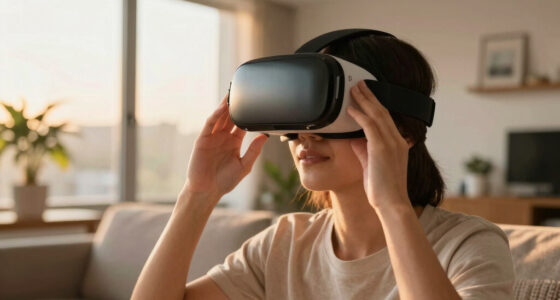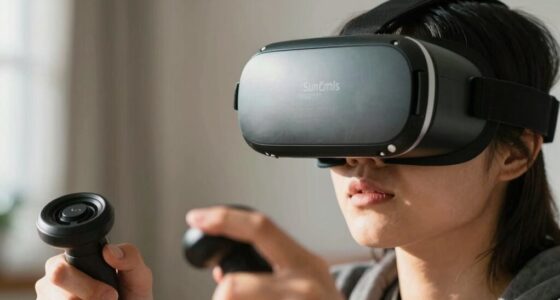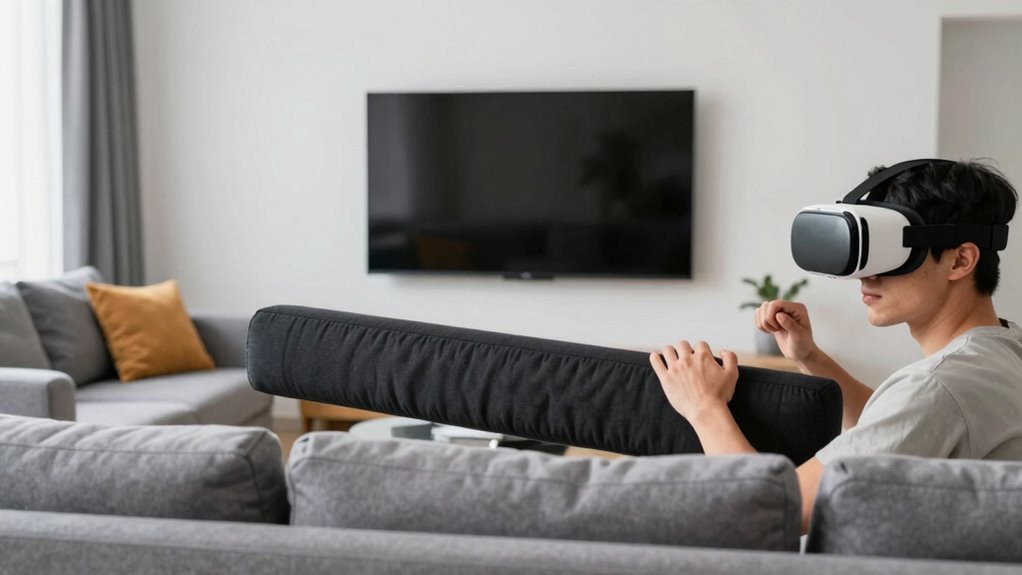

To prevent people from punching your TV in VR, set up a dedicated play area with clear physical boundaries using foam padding or soft barriers. Make sure your VR boundary system is properly calibrated and alert users about safe zones. Use safety features like wrist straps and physical cues such as padded corners. Establish rules for safe gameplay and remind users to stay aware of their surroundings. Continue exploring for more ways to keep your environment protected.

Play games on Amazon Luna for your next adventure, included with Prime
- A rotating selection of games, no download needed
- Play on TV, laptop or phone
- Fast, free delivery for your gear, too
Key Takeaways
- Establish clear physical boundaries with visual and tactile cues to prevent users from hitting the TV.
- Use soft padding or foam barriers around the play area to absorb impacts and protect the TV.
- Remind users of safety rules and encourage awareness of their surroundings during VR sessions.
- Ensure controllers are secured with wrist straps to prevent accidental swings toward the TV.
- Schedule supervised VR sessions and set physical cues to remind users to keep movements within safe zones.

If you’re into virtual reality gaming or experiences, you’ve probably noticed that some people get so immersed they accidentally punch or kick their surroundings, including your TV. This can be frustrating and costly, especially if your VR setup is in a shared space. To prevent this, understanding the significance of VR safety and establishing clear physical boundaries is essential. When someone is deeply engaged in VR, their perception of space is distorted—they might forget the real-world objects around them. That’s why setting up physical boundaries is one of the most effective ways to keep everyone safe while enjoying VR.
Start by creating a dedicated play area with enough room to move freely without risking damage. Use physical barriers like furniture or foam padding to mark boundaries clearly. These barriers serve as visual and tactile cues, helping users stay within safe zones. Investing in boundary systems such as Oculus Guardian or HTC Vive Chaperone can make a notable difference. These systems use sensors and virtual boundaries that alert users when they’re nearing the edge of their safe zone. When properly calibrated, they act as an invisible buffer, reducing the risk of accidental punches or kicks.
Create a safe play area with barriers and boundary systems like Oculus Guardian or HTC Vive Chaperone to prevent accidents.
Additionally, it’s essential to communicate VR safety rules before anyone starts playing. Remind users to be mindful of their surroundings and to avoid aggressive movements or sudden gestures. Encourage players to stay aware of their physical boundaries, even if they’re engrossed in the game. Some VR headsets and controllers also have built-in safety features, like wrist straps or strap locks, that prevent controllers from flying out of your hands during intense moments. Make sure these are used correctly, especially if you have children or new players.
Another tip is to designate specific times for VR sessions, so everyone knows when the area will be active. This helps manage expectations and minimizes surprises that might lead to reckless movements. If someone starts to get overly excited or aggressive during gameplay, gently remind them to stay within the boundaries. You can also set up physical cues around the play area—like soft mats or padded corners—that serve as additional safety buffers. These not only protect walls and furniture but also provide a tactile reminder to stay within safe zones. Incorporating high refresh rates into your VR system can also reduce motion sickness and disorientation, helping users stay more aware of their surroundings.
VR boundary system Oculus Guardian
As an affiliate, we earn on qualifying purchases.
As an affiliate, we earn on qualifying purchases.
Frequently Asked Questions
Can VR Headsets Prevent Accidental Damage During Intense Gameplay?
Yes, VR headsets with high durability can prevent accidental damage during intense gameplay. You should choose a headset designed for accidental damage prevention, featuring reinforced materials and sturdy construction. By investing in a durable VR headset, you reduce the risk of damage from sudden movements or mishaps. Always verify your play area is clear, and consider using safety straps to keep the headset secure, further minimizing the chance of damage.
What Are the Best VR Safety Guidelines for New Users?
You should prioritize VR comfort and user etiquette to stay safe. Always take breaks to prevent discomfort, adjust straps for a secure fit, and clear your play area. Set boundaries with others, so they know not to interfere during your VR sessions. Remember, respecting personal space and being mindful of your surroundings helps prevent accidents and enhances your overall experience. Following these guidelines keeps everyone safe and your VR fun uninterrupted.
How Do I Set up a Safe Play Area for VR?
To set up a safe play area for VR, clear space around you and mark boundaries clearly. Use safety mats to cushion falls and protect your floors. Make sure the area is free of obstacles, furniture, and sharp objects. Position your sensors or cameras properly for accurate tracking. Always check that your play space is well-lit and visible, reducing the risk of accidents and ensuring a safe, enjoyable VR experience.
Are There Parental Controls for VR to Limit Aggressive Behavior?
Did you know that 65% of parents worry about aggressive behavior in VR? Yes, there are parental controls available for VR devices that can help limit such behavior. You can set restrictions on content, gameplay duration, and even monitor activity. These controls empower you to create a safer environment, reducing the chances of aggressive actions and ensuring a more controlled and enjoyable VR experience for everyone involved.
What Should I Do if Someone Intentionally Damages My VR Equipment?
If someone intentionally damages your VR equipment, first address the situation calmly and set clear boundaries. To prevent vandalism, consider installing security cameras or keeping your gear in a secure location. Check your insurance coverage to see if repairs or replacements are covered, and document the damage for claims. Taking these steps helps protect your investment and discourages future vandalism.
As an affiliate, we earn on qualifying purchases.
Conclusion
To keep people from punching your TV in VR, set clear boundaries and educate them about the risks. Use physical barriers or designated safe zones to prevent accidental hits. Did you know that over 60% of VR users have experienced accidental contact with objects? By taking these simple steps, you can enjoy immersive VR sessions without worrying about damaging your setup or causing injuries. Stay proactive, and your VR experience will stay fun and safe for everyone.
As an affiliate, we earn on qualifying purchases.
As an affiliate, we earn on qualifying purchases.
Fall Picks
fall essentials
As an affiliate, we earn on qualifying purchases.