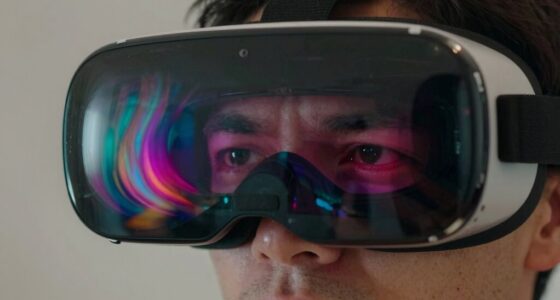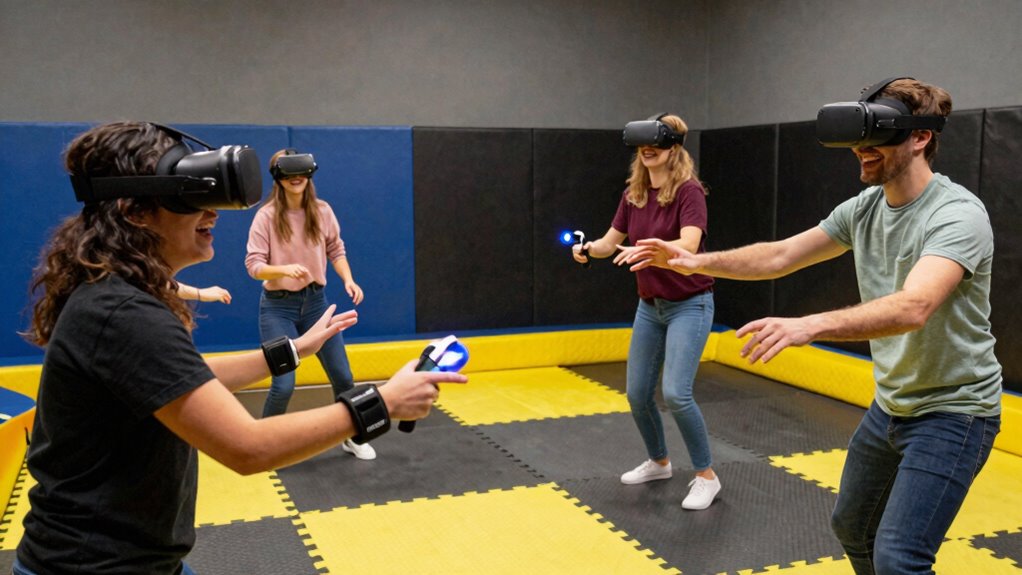

To prevent VR controller throws in excited groups, make sure everyone securely fastens their hand straps and checks them regularly for wear. Encourage players to use relaxed, controlled grips and practice smooth movements to build muscle memory. Create a safe environment by clearing obstacles and maintaining enough space for energetic play. Promoting shared safety awareness and organizing your play area can make a big difference—keep going to discover more effective safety tips for lively groups.
Key Takeaways
- Ensure all players securely fasten wrist straps before gameplay to prevent controllers from slipping or being thrown.
- Use snug, comfortable grip techniques to maintain control during energetic or forceful movements.
- Clear the play area of obstacles and fragile objects to minimize damage if a controller slips or is thrown.
- Encourage players to practice controlled, deliberate motions rather than wild swings to reduce accidental throws.
- Promote group awareness and shared safety responsibilities to monitor and remind each other about proper controller handling.

Virtual reality can be incredibly immersive, but it also increases the risk of accidentally throwing your controllers and causing damage or injury. When you’re caught up in the excitement, it’s easy to forget how powerful those controllers can be if they slip from your grasp. To prevent accidents, paying attention to hand strap safety is vital. Always make sure your straps are securely fastened around your wrists before jumping into a game or experience. A loose strap can turn a fun session into a costly repair or a trip to the emergency room. Regularly check the straps for wear and tear, and adjust them snugly so they don’t slip during vigorous movements. Proper hand strap safety keeps the controllers firmly attached, giving you peace of mind during intense gameplay. Additionally, using energy-efficient cloud servers to support your VR setup can help minimize latency and improve overall safety during play. In addition to securing your straps, mastering controller grip techniques makes a big difference. A proper grip helps you maintain control, especially during rapid or forceful motions. Wrap your fingers comfortably around the controllers, avoiding a death grip that can tire your hands quickly. Instead, hold them firmly but relaxed, allowing for natural movement. Practice gripping the controllers in a way that feels secure but not strained; this reduces the chances of dropping or accidentally throwing them. When you’re more confident in your grip, you can focus on the game instead of worrying about losing control. Remember, a good grip isn’t just about comfort—it’s about safety and precision. Another tip is to develop muscle memory for your controller handling. This means practicing grip techniques regularly so that your movements become instinctive. When you’re familiar with how your controllers respond, you’ll be less likely to make sudden, uncontrolled motions. Incorporate deliberate, controlled movements into your gameplay rather than wild swings. This habit not only enhances your experience but also greatly reduces the risk of accidents. If you’re playing with friends or in a group, encourage everyone to follow these safety measures. A shared awareness of hand strap safety and proper grip techniques creates a safer environment for everyone involved. Finally, always be mindful of your surroundings. Clear the area of any fragile objects or obstacles that could be damaged if controllers slip from your hands. Keep enough space around you to move freely, especially during energetic scenes. Combining secure hand strap safety, effective controller grip techniques, and awareness of your environment ensures you can enjoy VR without the fear of throwing controllers or causing injury. By taking these precautions seriously, you’ll keep your virtual adventures fun, safe, and damage-free.

AMVR Lens Protector Cover Compatible with Meta Quest 3s, Quest 3/2/1, Vision Pro, Valve Index, Rift S and Pico 4, Protects Lens from Sunlight, Scratches and Dust
- Wide Compatibility: Compatible with multiple VR headsets
- Sunlight Protection: Prevents lens damage from sunlight
- Dust and Scratch Prevention: Protects lenses from dust and scratches
As an affiliate, we earn on qualifying purchases.
Frequently Asked Questions
Can Wearing Gloves Reduce Controller Throw Incidents?
Wearing gloves can indeed reduce controller throw incidents, especially if they feature advanced glove technology. These gloves often improve grip enhancement, making it easier to hold controllers securely during intense or excited moments. You’ll notice better control and less chance of slipping, even when your hands sweat or movements become vigorous. By enhancing your grip, gloves help keep your controllers firmly in your hands, minimizing accidents and making your VR experience safer and more enjoyable.
Are There Any VR Games More Prone to Causing Throws?
Some VR games naturally invite more energetic movements, making controller throws more likely. Games with fast-paced action, intense combat, or unpredictable movements tend to challenge VR ergonomics and controller design, increasing the risk. You should choose titles with smooth interactions and clear boundaries to reduce accidents. By understanding how controller ergonomics fit your gameplay style, you can enjoy immersive experiences without worry, keeping your sessions fun and safe.
What Are the Best Types of Wrist Straps for Safety?
The best wrist straps for safety feature ergonomic designs that fit comfortably and securely. Look for straps with adjustable straps to guarantee a snug fit, preventing slips during energetic gameplay. Opt for straps made from durable, flexible materials that won’t cause discomfort or restrict movement. Proper strap adjustments are key; they keep your controllers close and secure, reducing the risk of accidental throws and enhancing your overall VR experience with safety and comfort.
How Do I Handle Aggressive Players to Prevent Accidents?
Taming aggressive players is like guiding a wild horse—you need patience and firm boundaries. Watch their player behavior closely, and set clear rules about virtual etiquette before starting. If someone gets too heated, calmly remind them to control their movements and emphasize respectful gameplay. If necessary, pause the session or remove disruptive players to maintain safety. Your proactive approach keeps the virtual space fun and secure for everyone involved.
Are There Specific VR Setups That Minimize Throwing Risks?
Yes, you should look for VR setups with controllers that have ergonomic design and secure grips. Opt for controllers with minimal haptic feedback, reducing sudden jolts that may trigger throwing. Some systems feature strap attachments and sturdy construction to keep controllers in hand during intense moments. These design choices help minimize the risk of accidents, especially in excited groups, ensuring safer and more enjoyable VR experiences.

Orzero (1 Pack) VR Lens Protector Cover Compatible for Quest 3S, Quest 3/2/1, Valve Index, PICO 3/4/4 pro/4 Ultra, Dust Proof Washable Protective Sleeve Sunlight Blocking Anti-Scratch - Black
- Compatibility: Fits Quest 3S, Quest 3/2/1, Valve Index, PICO 3/4/4 pro/4 Ultra
- Premium Materials: High-density sponge and lycra fabric for protection
- Washable and Durable: Easy to clean and environmentally friendly
As an affiliate, we earn on qualifying purchases.
Conclusion
Think of your VR space as a delicate dance floor—you want every move to be graceful, not a stumble. By staying mindful of your surroundings, using straps, and practicing controlled movements, you turn potential chaos into a smooth performance. Remember, a little caution keeps the fun going without turning it into a free-for-all. Keep your excitement in check, and your virtual adventures will stay safe and fun for everyone. Dance carefully, and enjoy the ride!
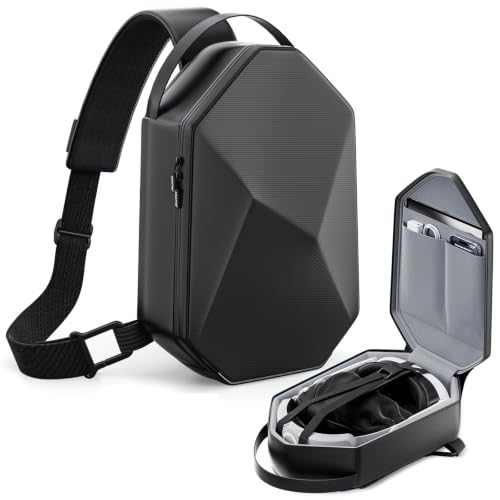
annapro Carrying Case for Meta Quest 3/Quest 3S/Quest 2/Apple Vision Pro 2, Fashion Crossbody VR Bag Compatible with Kiwi Design/BOBOVR Elite Battery Strap Accessories, Shoulder Travel Bag
- Stylish Minimalist Design: Urban aesthetic, looks like streetwear
- Aerospace-Grade Protection: Military-grade EVA shell, waterproof exterior
- Universal Compatibility: Fits Meta Quest, Quest 2, Vision Pro
As an affiliate, we earn on qualifying purchases.