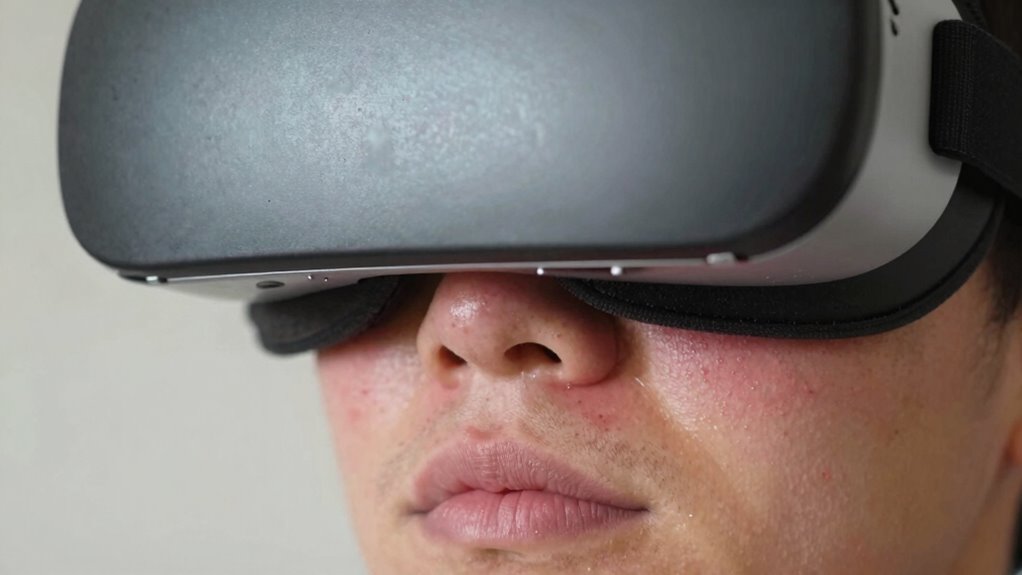

If your face padding feels itchy after VR, it’s likely due to sweat, oils, and dirt building up on the surface, which can cause irritation and bacteria growth. Tight or poorly ventilated padding worsens the problem by trapping moisture and friction against your skin. To fix this, regularly wipe down or wash your padding, make sure it fits comfortably, and keep your face clean before use. Stick around to discover more tips for preventing discomfort and skin issues.
Key Takeaways
- Sweat, oils, and dirt build up on padding, causing irritation and itchiness.
- Infrequent cleaning allows bacteria growth, leading to skin discomfort after use.
- Tight or poorly ventilated fit increases friction and trapping moisture, irritating skin.
- Sharing or using worn padding introduces bacteria and allergens that cause itching.
- Proper hygiene, regular cleaning, and adjusting fit reduce irritation and keep skin healthy.

If you’ve noticed your face padding feels itchy after using your VR headset, you’re not alone. Many users experience discomfort or skin irritation after extended sessions. This itching often results from factors like sweat buildup, trapped oils, dirt, and bacteria accumulating on the padding. When your skin comes into contact with dirty or sweaty padding, it can lead to irritation, redness, or even breakouts. The good news is that you can minimize this discomfort by practicing proper hygiene tips and maintaining your headset regularly.
If your VR face padding itches, cleaning and proper hygiene can help prevent irritation and discomfort.
First, consider how often you clean your VR face padding. Dirt, sweat, and oils can quickly build up, creating an environment ripe for irritation. To prevent this, make it a habit to wipe down your padding after each use with a damp cloth or disinfectant wipes designed for electronics. Some headsets come with removable padding that can be washed with gentle soap and water, which can considerably reduce skin irritation over time. Regular cleaning keeps bacteria at bay and reduces the likelihood of breakouts or itchy patches.
Another key hygiene tip is to develop a routine before every session. Wash your face thoroughly to remove excess oils and dirt, ensuring your skin is clean before contact. Wearing a clean, breathable mask or covering your face with a soft cloth can also act as a barrier, reducing direct contact with the padding and minimizing irritation. If you notice persistent itchiness or redness, try to identify if a particular area is more sensitive, and consider applying a gentle, fragrance-free moisturizer to those spots beforehand to create a protective barrier.
Adjusting how you wear the headset can also help. Ensure the padding fits snugly but isn’t too tight, as excessive pressure can cause friction and skin irritation. If your headset allows for adjustable straps, try loosening them slightly to improve airflow and reduce sweating. Better ventilation helps keep your skin dry, which is essential for preventing skin irritation caused by moisture trapped against your face.
If you keep experiencing itchiness despite good hygiene practices, consider replacing the padding altogether. Many headsets offer replacement pads made from hypoallergenic or more breathable materials, which can be gentler on sensitive skin. Additionally, avoid sharing headsets with others, as this can transfer oils and bacteria, increasing the risk of irritation.
Frequently Asked Questions
Can Skin Allergies Cause Itching From VR Face Padding?
Yes, skin allergies can cause itching from VR face padding. If you have allergy symptoms, your skin might react to materials in the padding, leading to irritation and itchiness. To reduce this, identify and avoid allergens, clean the padding regularly, or consider using a hypoallergenic cover. If symptoms persist, consult a dermatologist to determine if an allergy is causing your skin irritation and get personalized advice.
Are There Specific Materials Better for Sensitive Skin?
Did you know that over 15% of people have sensitive skin? For comfort, choose face padding made from hypoallergenic materials or skin-friendly fabrics. These options reduce irritation and are less likely to cause itching. Look for padding labeled as gentle or designed for sensitive skin, and avoid synthetic or rough textiles. Using these materials helps you enjoy your VR sessions without discomfort or skin reactions.
How Often Should I Clean My VR Face Padding?
You should clean your VR face padding after every few uses to maintain good hygiene routines and prevent irritation. Regular padding maintenance involves gently removing and washing it with mild soap and water or using specialized cleaning wipes. This helps eliminate sweat, oils, and dirt that can cause itchiness or skin issues. Keeping your padding spotless ensures a comfortable VR experience and prolongs its lifespan.
Can Wearing Makeup or Skincare Affect Comfort?
Yes, wearing makeup or skincare can affect your VR comfort. Makeup irritation may cause discomfort when pressed against the face padding, and some skincare products might not be compatible with the material, leading to irritation or residue buildup. To prevent this, consider removing makeup and using gentle, compatible skincare before VR sessions. Keeping your skin clean and free of products helps ensure a more comfortable, irritation-free experience.
Is It Safe to Use Allergy Medications Before VR Sessions?
Yes, you can use allergy medication before VR sessions, but be cautious. Allergy meds may reduce skin sensitivity, helping prevent irritation from face padding. However, some medications cause drowsiness or dizziness, which could impair your VR experience or safety. Always consult your healthcare provider first. Staying safe means staying smart—know your medication’s effects and monitor how your skin and senses respond during virtual reality adventures.
Conclusion
So, next time your face padding feels itchier than a swarm of bees, don’t panic—you’re not cursed! It’s just your skin throwing a tiny tantrum. Give it a good clean, maybe let it breathe a bit, and you’ll be back to VR bliss without turning into a scratching monster. Trust me, with these simple tricks, your face will stop itching faster than you can say “virtual reality,” so you can dive back into your digital adventures itch-free!