
You’ll know your VR parts need replacing if you notice frequent disconnections, lag during gameplay, or physical signs like swelling or damage. Shorter battery life and longer recharge times also indicate deterioration. If your device feels less responsive or performance declines despite updates, it’s time to contemplate repairs or replacements. Keeping an eye on these signs helps prevent unexpected failures. To explore more about maintaining your VR gear, keep going—you’ll find helpful tips ahead.

Play games on Amazon Luna for your next adventure, included with Prime
- A rotating selection of games, no download needed
- Play on TV, laptop or phone
- Fast, free delivery for your gear, too
Key Takeaways
- Experience frequent disconnections or lag during gameplay despite firmware updates.
- Notice reduced battery life or swelling, indicating deterioration.
- Observe physical damage or unresponsiveness in hardware components.
- Encounter persistent connectivity issues after resetting or troubleshooting.
- Performance declines despite software updates and routine maintenance.
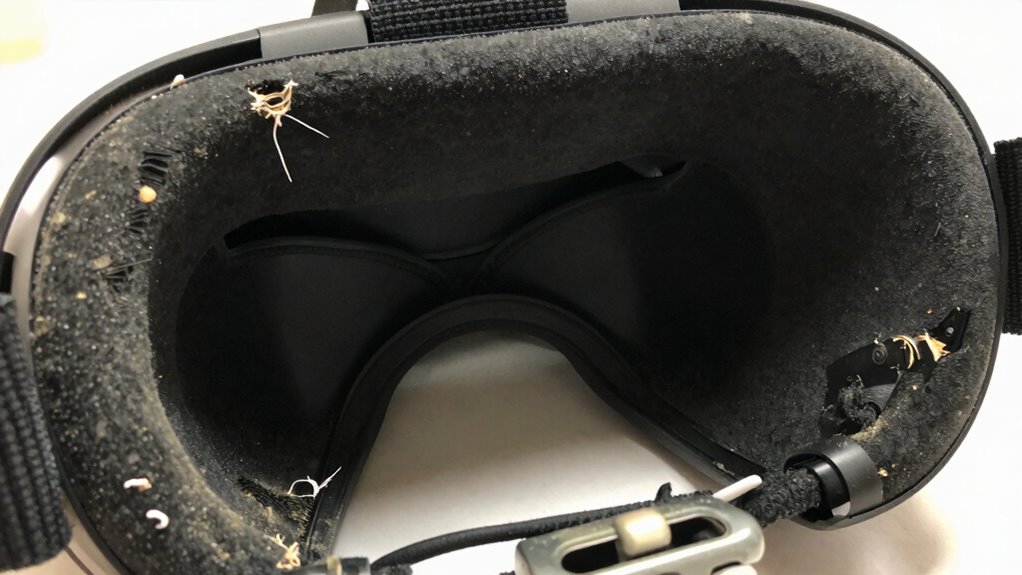
Virtual reality (VR) technology has become more accessible and sophisticated, but like any complex device, its components can wear out over time. Recognizing when parts need replacing ensures you get the best experience without interruptions. Two essential aspects to monitor are wireless connectivity and battery performance. If your VR headset starts experiencing frequent disconnections or lag during use, it’s a clear sign that either the wireless connection is weakening or the internal components are deteriorating. Wireless signals can be affected by interference, but persistent issues often point to worn-out antennas or outdated firmware. Sometimes, simply resetting your connection or updating the software can help. However, if problems persist despite these steps, it’s likely time to consider replacing or repairing the hardware components responsible for wireless connectivity.
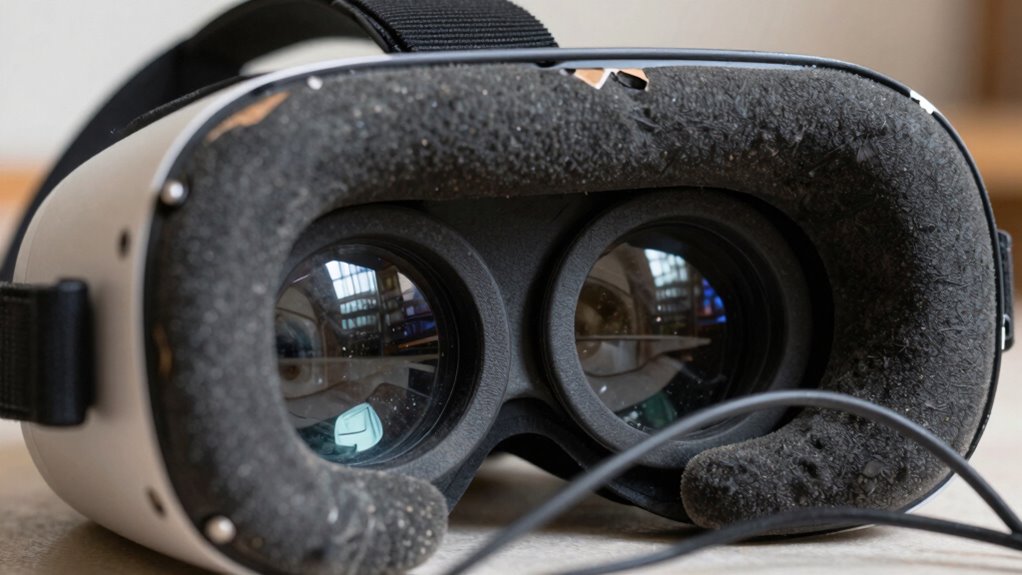
Battery performance is another key indicator of when your VR parts need replacement. Over time, batteries naturally lose their ability to hold a charge, leading to shorter gaming sessions and frequent recharging. If you notice that your headset’s battery drains faster than it used to, or if it takes longer to recharge, those are signs that the battery is wearing out. In some cases, the battery may swell or become unresponsive, which can pose safety risks and further degrade performance. If replacing the battery isn’t an option or doesn’t improve performance, it might be time to upgrade to a new headset or seek professional repair services. Regular maintenance practices such as firmware updates can also help extend your VR gear’s lifespan, but they won’t fix hardware failures caused by prolonged use or damage. Additionally, keeping your device clean and protected from physical damage can prevent premature wear and tear that lead to component failure. Being aware of hardware lifespan can help you plan for timely replacements and avoid unexpected interruptions. Performing routine diagnostics can also assist in identifying potential issues early before they cause significant hardware failure. Properly managing battery health is essential to maximize device longevity and safety.
VR headset replacement batteries
As an affiliate, we earn on qualifying purchases.
As an affiliate, we earn on qualifying purchases.
Frequently Asked Questions
Can VR Parts Be Repaired or Only Replaced?
VR parts can often be repaired if the issue is minor, like loose connections or software glitches, saving you repair costs. However, for compatibility issues or severe hardware damage, replacement is usually necessary. You should assess the damage carefully, as repairs may not be cost-effective if the part is extensively damaged. Sometimes, replacement provides a more reliable and long-lasting fix, especially when repairs would be complex or expensive.
How Often Should I Check My VR Hardware for Issues?
Think of your VR hardware as a car that needs regular tune-ups. You should check it every few weeks, especially if you notice issues like lag, blurry images, or uncomfortable fits. Follow maintenance schedules and use troubleshooting techniques to catch problems early. Regular inspections help guarantee smooth performance, prevent breakdowns, and extend your device’s lifespan. Don’t wait for a major malfunction—stay proactive with routine checks.
Are Third-Party Replacement Parts Reliable for VR Devices?
Third-party replacement parts can be reliable if you choose reputable brands known for quality. However, third-party reliability varies, so it’s essential to check reviews and confirm VR compatibility before purchasing. Poorly made parts might cause issues or damage your device, so always prioritize trusted manufacturers. When in doubt, sticking to official parts guarantees compatibility and reduces the risk of problems, safeguarding your VR experience remains safe and smooth.
What Is the Typical Lifespan of VR Headset Components?
Think of your VR headset as a trusty companion; over time, its lifespan varies. Typically, display calibration can drift after 1-2 years, and lens fogging may become more frequent. The display panels last around 2-3 years with regular use, while lenses might need cleaning or replacing after 1-2 years. Keep an eye on performance issues, and don’t hesitate to replace worn parts to keep your immersive experience sharp.
Do Warranty Cover Replacements for Worn VR Parts?
Warranty coverage often includes replacements for worn VR parts if the damage results from manufacturing defects or normal use. However, replacement policies vary by manufacturer, so you should review your warranty details carefully. If your VR headset is still under warranty, contact the seller or manufacturer for repairs or replacements. Keep in mind that warranties typically don’t cover damage caused by misuse, so understanding your warranty terms helps avoid unexpected costs.
As an affiliate, we earn on qualifying purchases.
Conclusion
Think of your VR gear as a trusted companion on your journeys—its health reflects your adventures’ quality. When parts show signs of wear or lag, it’s like cracks forming in a once-bright mirror, distorting your view. Replacing them restores clarity and trust, turning your virtual worlds into vibrant realities again. Keep an eye on these signs, and you’ll guarantee your VR experience stays immersive and true, just like a clear reflection in a flawlessly polished mirror.
As an affiliate, we earn on qualifying purchases.
As an affiliate, we earn on qualifying purchases.
Fall Picks
fall essentials
As an affiliate, we earn on qualifying purchases.