To keep your VR gear from smelling weird, make sure to clean it regularly by wiping down surfaces and washing straps with mild soap. Use protective covers that are washable and breathable, and store your equipment in a dry, ventilated area. After each session, air out the headset and controllers, wear moisture-wicking clothing, and take short breaks to reduce sweat buildup. If you want to learn more tips, continue exploring ways to maintain fresh, odor-free VR gear.
Key Takeaways
- Clean your headset and straps regularly with mild soap and water to prevent bacteria buildup and odors.
- Use breathable, antimicrobial covers and wash them frequently to reduce sweat absorption and odor retention.
- Air out your VR gear after each use in a well-ventilated area to allow moisture to evaporate.
- Store your equipment in dry, ventilated places away from humidity and mold-prone environments.
- Take short breaks during gameplay, wear moisture-wicking clothing, and use fans to minimize sweating and heat buildup.
Understanding Why VR Gear Gets Smelly

When you wear VR gear for extended periods, your body naturally produces sweat, which creates a moist environment inside the headset. This moisture combines with oils, dead skin cells, and bacteria that naturally live on your skin. These elements settle on the foam padding, straps, and vents of your VR device. Over time, the dampness fosters bacterial growth, which causes unpleasant odors. The warm, enclosed space traps heat and moisture, speeding up the bacteria’s activity. Additionally, if you wear the headset frequently without cleaning it, these odors intensify. This process explains why your VR gear can smell sour or musty after prolonged use. Understanding this helps you realize that sweat and bacteria are the main culprits behind unpleasant smells in your headset. Recognizing the importance of Free Floating in maintaining a fresh environment can help you implement better cleaning routines to prevent odors. Proper Ventilation and regular sanitization are essential to keep your gear smelling fresh and to prolong its lifespan. Incorporating effective moisture management techniques can further reduce bacterial growth and odors.
Regular Cleaning and Maintenance Tips

To keep your VR gear fresh and functioning well, you should clean it regularly and use protective covers to prevent sweat buildup. Storing your equipment in a dry, cool place also helps avoid damage and odors. Incorporating proper gear maintenance practices can further extend the lifespan of your equipment and ensure optimal performance. For example, some household cleaning robots are equipped with features that facilitate the cleaning of various surfaces and accessories, making maintenance easier. Additionally, applying essential oils such as eucalyptus or lavender through aromatherapy can help create a pleasant environment and reduce lingering odors. Implementing proper cleaning techniques can also help prevent bacteria buildup that causes unpleasant smells. Using vetted security zones concepts can assist in establishing safe storage areas for your VR gear, protecting it from theft or damage.
Clean Gear Regularly
Regularly cleaning your VR gear is essential to keep it functioning smoothly and guarantee a comfortable experience. Dirt, sweat, and oils build up over time, affecting both hygiene and performance. To maintain your equipment, make cleaning a routine part of your setup.
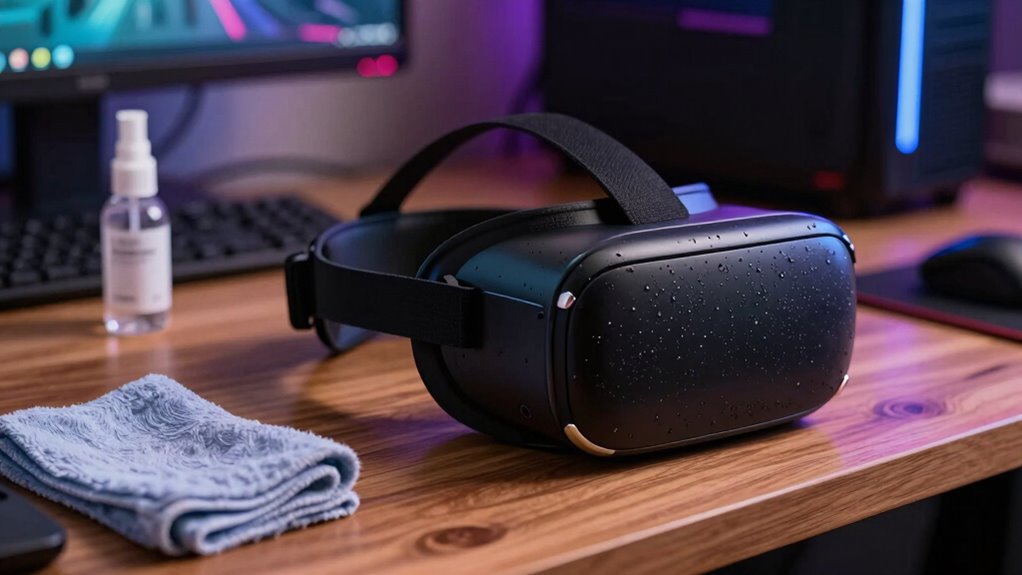
- Wipe down the headset with a microfiber cloth after each use
- Use gentle, alcohol-free disinfectant sprays on the exterior
- Clean the straps and face padding with mild soap and water periodically
- Check and clear any vents or ports to prevent dust accumulation
- Incorporate proper cleaning techniques to ensure thorough maintenance without damaging sensitive components
- Consider using anti-microbial wipes to further reduce bacteria buildup on frequently touched surfaces
- Ensure adequate airflow around the device to prevent overheating and maintain optimal performance
Sticking to these tips helps prevent unpleasant odors and keeps your gear in top shape. Regular maintenance not only extends the lifespan of your VR equipment but also ensures a more enjoyable, hygienic virtual reality experience.
Use Protective Covers
Using protective covers for your VR gear adds a simple, effective layer of defense against dirt, sweat, and oils that can accumulate over time. These covers act as a barrier, preventing grime from penetrating your device’s materials and making cleaning easier. Choose covers made from breathable, washable fabrics designed specifically for VR headsets and controllers. When you’re done using your gear, remove the covers and wash them regularly to keep odors at bay. Guarantee the covers fit snugly to avoid shifting during use, which can compromise their protection. Using covers not only prolongs your device’s lifespan but also minimizes the need for intensive cleaning. Additionally, selecting covers made from materials resistant to airborne pollutants can further improve air quality and help maintain a fresh environment. It’s a quick, inexpensive way to maintain hygiene and keep your VR experience fresh and comfortable. Regular maintenance and proper cleaning extend the effectiveness of protective covers and ensure your gear stays odor-free over time. Incorporating protective accessories can also shield your equipment from potential damage caused by dust and moisture, further supporting overall device longevity. Using antimicrobial or odor-neutralizing covers can provide an extra layer of freshness, helping to combat bacteria and fungi that may cause unpleasant smells. Moreover, some covers feature antimicrobial properties, which actively reduce microbial growth and odors.
Store in Dry Places
Storing your VR gear in dry, well-ventilated places is essential for maintaining its condition. Moisture can cause mold, damage electronics, and lead to unpleasant odors. To keep your equipment in top shape, always choose a cool, dry spot away from direct sunlight. Avoid storing your gear in humid areas like bathrooms or basements. Make sure the storage space has good airflow to prevent moisture buildup. Keep your headset and controllers in a clean, dust-free environment, preferably in a dedicated storage case or shelf. Regularly check for signs of dampness or mold. Proper storage extends the lifespan of your gear and keeps it smelling fresh. Proper storage can significantly reduce the risk of damage caused by environmental factors. Additionally, understanding environmental control can help you create an optimal storage environment for your VR equipment. Maintaining a stable environment with minimal fluctuations in temperature and humidity also supports equipment longevity and odor prevention. Ensuring consistent environmental conditions helps prevent moisture buildup, which is crucial for preserving your gear’s integrity and freshness.
Using Protective Covers and Accessories

Protective covers and accessories are essential for maintaining your VR equipment’s cleanliness and longevity. They act as a barrier against sweat, oils, and dirt, preventing buildup that can lead to unpleasant odors and damage. Silicone or fabric face covers, for example, can be easily removed and washed after each session, keeping your headset fresh. Foam padding covers also help absorb sweat and reduce skin contact with potentially contaminated surfaces. Additionally, using lens protectors can prevent smudges and scratches, which can trap germs. Some accessories even include adjustable straps or ventilation panels to improve airflow. Incorporating sound healing science into your routine can also promote relaxation and reduce the stress-related sweat production during extended use. By investing in these protective items, you make cleaning easier, extend the lifespan of your gear, and enjoy a more hygienic VR experience. Regular cleaning routines and hygiene practices can further prevent odor buildup and ensure your equipment stays fresh over time. Establishing a consistent cleaning routine is crucial for maintaining optimal hygiene and preventing bacterial growth. Incorporating lifestyle for longevity practices, such as regular cleaning routines, can further enhance your device’s lifespan and ensure optimal performance over time.
Proper Storage and Ventilation

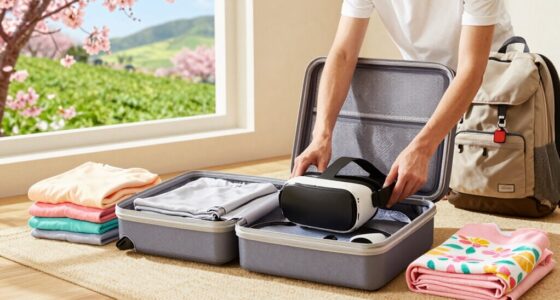
After your VR sessions, make sure to store your headset in a breathable bag to prevent moisture buildup. Always air out your device before storing it away to let any sweat evaporate. Proper ventilation keeps your equipment in top shape and ready for your next immersive experience.
Use Breathable Storage Bags
To keep your VR equipment in top condition, using breathable storage bags is essential. These bags allow air to circulate around your gear, preventing moisture buildup and reducing odors caused by sweat. Proper ventilation minimizes the risk of mold and bacteria growing inside your headset or controllers. When choosing a bag, look for materials like mesh or other breathable fabrics that promote airflow. Keep your gear dry and fresh even when storing it between uses. It’s a simple step that can extend the life of your equipment and keep it smelling clean. Remember, a well-ventilated bag isn’t just about storage—it’s about maintaining hygiene and performance. Your VR setup will thank you for this small but effective upgrade.
Air Out After Play
Once you’ve finished a gaming session, it is crucial to give your VR equipment time to air out before storing it away. Remove your headset and controllers and place them in a well-ventilated area. This helps excess moisture evaporate, reducing the risk of bacteria and mold growth. Avoid sealing your gear in airtight containers immediately after use, as trapped humidity can cause odors and damage. Instead, keep your devices in a clean, dry spot with good airflow. If possible, position your equipment so that air can circulate around it. This simple step prevents sweat buildup from lingering, keeping your gear fresher longer. Regular airing-out routines are key to maintaining your VR equipment’s hygiene and ensuring it remains comfortable and odor-free for future sessions.
Best Practices for Sweating During Play

Staying comfortable while sweating in VR requires some practical strategies to prevent discomfort and maintain immersion. To stay cool and dry, take short breaks to wipe sweat and cool down. Choose breathable clothing or moisture-wicking fabrics that help manage sweat. Use fans or a well-ventilated room to keep air circulating and reduce heat buildup. Additionally, consider adjusting your VR sessions to avoid prolonged play, which can lead to excessive sweating and fatigue. These practices will help you enjoy your VR experience without feeling overwhelmed by sweat or discomfort. Remember, staying comfortable enhances your focus and immersion, making every game more enjoyable and less stressful on your gear.
When to Replace or Deep Clean Your Equipment

Regularly inspecting your VR equipment is essential to guarantee peak performance and hygiene. If you notice persistent odors despite cleaning, it’s time to substitute or deep clean your gear. Sweat and oils can seep into foam padding, head straps, and controllers, leading to bacteria buildup. Deep cleaning involves using disinfectant wipes or a cloth with mild soap and water, focusing on removable parts. For non-removable components, consider specialized cleaning solutions safe for electronics. If cleaning doesn’t eliminate odors, or if your equipment shows signs of wear, cracks, or malfunction, replacement is necessary. Regularly replacing foam padding or straps can extend your device’s lifespan and maintain hygiene. Staying proactive not only preserves your gear but also ensures a safer, more comfortable VR experience.
Frequently Asked Questions
Can I Use Household Disinfectants on My VR Gear?
You shouldn’t use household disinfectants on your VR gear. Many contain chemicals that can damage sensitive electronics or degrade materials. Instead, opt for a gentle, electronics-safe cleaner or a microfiber cloth dampened with water and a small amount of mild soap. Make sure to unplug your device first, and avoid soaking or applying liquids directly onto your gear. Regular cleaning with proper products helps keep your VR gear fresh and functional.
Are There Specific Products Recommended for Cleaning VR Headsets?
Yes, there are specific products recommended for cleaning VR headsets. You should use a microfiber cloth slightly dampened with a mixture of water and isopropyl alcohol (70%) to gently wipe the lenses and exterior surfaces. Avoid harsh chemicals or abrasives that can damage the headset. For foam padding and straps, use disinfectant wipes designed for electronics or mild soap and water. Regular cleaning helps prevent odors and keeps your gear in top condition.
How Often Should I Replace My VR Foam Padding?
You should replace your VR foam padding every 6 to 12 months, depending on usage. If you notice persistent odors, discoloration, or uneven wear, it’s time for a replacement. Regularly cleaning the padding with gentle disinfectant wipes can extend its life, but over time, foam loses its shape and comfort. Prioritize replacement when cleaning no longer restores freshness or comfort, ensuring your VR experience stays enjoyable and hygienic.
Do Different VR Brands Have Unique Odor Issues?
Think of VR brands as different kitchens—each with its own unique aroma. Some, like Oculus, might develop a slight scent after heavy use, while others, like HTC Vive, tend to stay fresher longer. You’ll notice minor odor issues depending on the materials used and your sweating habits. To keep your gear smelling clean, regular cleaning and proper ventilation are essential, no matter which brand you own.
Is It Safe to Wear Scented Products While Gaming?
It’s generally not safe to wear scented products while gaming, especially with VR gear. The scents can cause skin irritation or allergic reactions and may interfere with the equipment’s sensors. Plus, strong fragrances can linger inside your headset, making it uncomfortable for you and others. Instead, opt for clean, scent-free skin and use proper hygiene to keep your VR gear fresh and safe during your gaming sessions.
Conclusion
By following these tips, you’ll keep your VR gear fresh and odor-free. Imagine gaming for hours, then easily wiping down your headset and using breathable covers—no weird smells to ruin the fun. For example, a dedicated gamer noticed her headset stayed fresh after switching to washable covers and regular cleaning. Stay proactive with maintenance, store your gear properly, and enjoy immersive VR sessions without the unpleasant surprises. Your equipment—and your nose—will thank you.