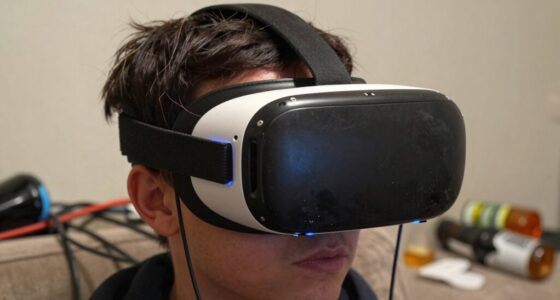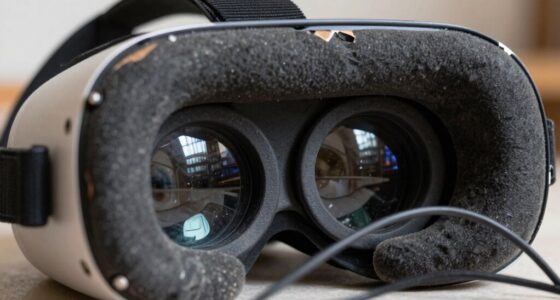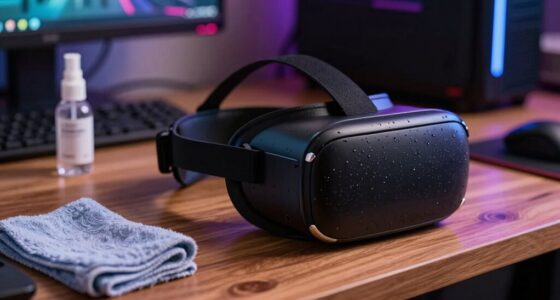
The biggest Christmas morning VR mistake that can scratch your lenses is rushing to start your experience without properly cleaning or inspecting the device first. Handling the headset with dirty or oily fingers, or using rough cloths, can transfer debris that scratches the lenses during use. To avoid this, always clean your lenses gently with a microfiber cloth and check for smudges or dust beforehand. Keep these tips in mind for a smooth, scratch-free holiday VR session—more ways to protect your gear follow.
Key Takeaways
- Using rough or abrasive materials like paper towels can scratch VR lenses during cleaning.
- Neglecting to clean lenses before use may cause debris to scratch the surface when worn.
- Applying harsh chemicals or excessive pressure while cleaning can damage lens coatings.
- Storing the headset in dusty or cluttered areas increases the risk of particles scratching lenses.
- Sharing VR headsets without proper cleaning can transfer dirt and cause scratches during handling.
On Christmas morning, many families enthusiastically plunge into virtual reality experiences, but one common mistake can quickly spoil the fun. That mistake is neglecting VR hygiene and lens maintenance before diving into the virtual world. After all, you want your VR headset to be clean and clear, not covered in smudges, dirt, or germs that can interfere with your experience or damage the lenses. If you skip proper cleaning, you risk scratching the lenses, which not only ruins the visuals but also shortens the lifespan of your device.
Keep your VR headset clean and clear for holiday fun—practice proper hygiene and lens care to protect your device and enhance your experience.
The first step is to recognize that VR hygiene isn’t just about comfort; it’s about protecting your equipment. During busy holiday times, your headset might be shared among family members or guests, increasing the risk of transferring oils, sweat, or dirt onto the lenses. These contaminants can cause smudges that reduce image clarity, and if left uncleaned, they can harden or scratch when you wipe them improperly. To avoid this, always wipe down the headset with a microfiber cloth before and after use. Be gentle and avoid using harsh chemicals or abrasive materials that could damage the lenses. Instead, use a lens cleaner specifically designed for optics or a mixture of water and isopropyl alcohol in very diluted form.
Lens maintenance is essential in preventing scratches. You might think that using a paper towel or rough cloth is fine, but those can easily scratch the delicate surface of the lenses. Instead, keep a dedicated microfiber cloth nearby, and only use it for cleaning the lenses. When cleaning, use gentle, circular motions, and never press too hard. Also, avoid touching the lenses with your fingers, as oils from your skin can leave smudges that are difficult to clean. Make it a habit to inspect the lenses regularly, especially after holiday gatherings, to ensure they’re free of debris or smudges that could impair your VR experience. Additionally, understanding device longevity can motivate proper maintenance habits, ensuring your headset remains in top condition longer.
Another tip is to store your headset properly when not in use. Keep it in a clean, dust-free environment, preferably in a dedicated case or on a soft surface, to prevent accidental scratches and dust buildup. Remember, the more diligent you are with VR hygiene and lens maintenance, the better your holiday virtual adventures will feel—crystal clear, comfortable, and scratch-free. Taking these small steps not only guarantees you get the most out of your device but also extends its lifespan, making every Christmas morning virtual experience as joyful and immersive as it should be.

VR Headset Cleaning Kit, VR Lens Cleaner, Cleaner Kit for Meta Oculus Quest 2 3 /Xbox/PS/Wii/Switch, Face Cover Pad Game Controller AR VR Accessories, Gamer Gifts
- Complete Cleaning Kit: Includes cleaner, lens pen, cloths, and tools
- Universal Compatibility: Suitable for Oculus Quest, Xbox, PlayStation, Switch, and more
- Deep Cleaning Power: Removes fingerprints, dust, grease, and debris
As an affiliate, we earn on qualifying purchases.
As an affiliate, we earn on qualifying purchases.
Frequently Asked Questions
How Can I Prevent Scratches on My VR Lenses During Christmas Morning?
To prevent scratches on your VR lenses during Christmas morning, start by doing lens cleaning with a soft, microfiber cloth to avoid abrasions. Keep dust prevention in mind by storing your headset in a clean, dust-free area and using a lens cover when not in use. Be gentle when handling your device, and avoid using harsh cleaners. This way, your lenses stay clear and scratch-free for holiday fun.
What Cleaning Products Are Safe for VR Headset Lenses?
You should use gentle lens cleaning solutions specifically designed for VR headset lenses, avoiding harsh chemicals that can damage coatings. Pair these with a soft, microfiber cloth for safe cleaning. To prevent scratches, consider using protective lens covers when your headset isn’t in use. These covers shield your lenses from dust and accidental scratches, ensuring your VR experience stays clear and pristine.
Are There Specific Storage Tips for VR Headsets During the Holidays?
During the holidays, store your VR headset away from holiday decorations and gift wrapping to prevent accidental damage. Keep it in a cool, dry place, ideally in a protective case or a dedicated box, to avoid dust and scratches. Avoid leaving it under wrapping paper or near festive decor, which could cause scratches or mishaps. This way, your headset stays safe and ready for your next immersive experience.
Can Scratches on VR Lenses Be Repaired or Polished Out?
Scratches on VR lenses can sometimes be minimized with lens scratch repair techniques, but deep scratches often can’t be completely polished out. You might try gentle polishing VR lenses using a microfiber cloth and a lens-safe cleaner or a special lens polishing kit. Be cautious, as improper polishing can worsen the damage. For severe scratches, consider professional repair or replacing the lenses to ensure clear, comfortable VR experiences.
What Signs Indicate My VR Lenses Are Damaged Beyond Simple Cleaning?
If your VR lenses show persistent fogging or noticeable discoloration, they’re likely damaged beyond simple cleaning. Fogging that won’t clear after cleaning indicates internal issues, and discoloration suggests material wear or damage. You might also notice scratches that catch light differently or a hazy view that won’t improve with polishing. When these signs appear, it’s time to evaluate replacing the lenses to guarantee the best VR experience and prevent further damage.

MagicFiber Microfiber Cleaning Cloth, Glasses Cleaner, Eyeglass Wipes, 6pk
- High-Quality Microfiber Material: Absorbs dust, oil, smudges, and dirt
- Scratch-Free Cleaning: Leaves no scratches, streaks, or lint
- Versatile Use: Cleans glasses, screens, lenses, and TVs
As an affiliate, we earn on qualifying purchases.
As an affiliate, we earn on qualifying purchases.
Conclusion
So, next Christmas morning, don’t let this slip-up spoil your fun. Remember to check your VR lenses before diving into the holiday cheer. If you ignore this simple step, you could end up with scratched lenses that put a damper on future adventures. It’s better to be safe than sorry—think of it as avoiding a snowstorm on a clear day. Keep your gear in top shape, and your holiday memories will stay crystal clear.

Uvex Clear Plus Lens Cleaner Solution, 16 oz
- Optical Clarity: Removes dirt and fingerprints
- Streak-Free Results: Leaves no streaks or residue
- Enhanced Formula: Alcohol and silicone free
As an affiliate, we earn on qualifying purchases.
As an affiliate, we earn on qualifying purchases.

Orzero (1 Pack) VR Lens Protector Cover Compatible for Quest 3S, Quest 3/2/1, Valve Index, PICO 3/4/4 pro/4 Ultra, Dust Proof Washable Protective Sleeve Sunlight Blocking Anti-Scratch – Black
- Compatibility: Fits Quest 3S, Quest 3/2/1, Valve Index, PICO 3/4/4 pro/4 Ultra
- Premium Materials: High-density sponge and lycra fabric for protection
- Washable and Durable: Easy to clean and environmentally friendly
As an affiliate, we earn on qualifying purchases.
As an affiliate, we earn on qualifying purchases.