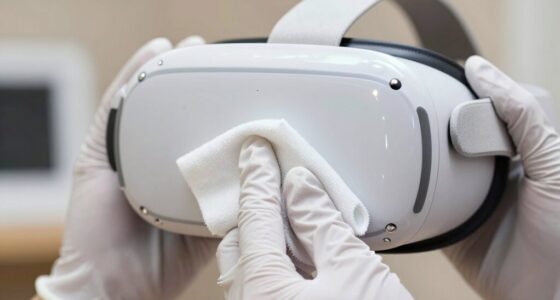
To prevent accidental microphone recordings in VR, start by reviewing and adjusting your headset’s privacy settings to limit microphone access or turn it off when not in use. Consider physically blocking the microphone with tape or using hardware controls to disable it completely. Avoid voice commands during private moments and keep app permissions in check. For more effective privacy, combine these practices with software updates and careful environment management to stay in control of your microphone.
Key Takeaways
- Disable microphone access in VR headset privacy settings or app permissions.
- Use physical barriers like tape or covers to block the microphone hardware.
- Turn off or mute the microphone manually before starting VR sessions.
- Avoid voice commands and conversations during sensitive or private VR use.
- Regularly update firmware and review privacy settings to ensure microphone control is active.
Virtual reality can offer immersive experiences, but accidental microphone recordings can quickly compromise your privacy. When you’re engaged in a VR session, your device’s microphone might pick up sounds unintentionally, capturing private conversations or sensitive information without your knowledge. To prevent this, you need to be proactive with your privacy settings and hardware adjustments. Start by exploring your VR headset’s privacy options. Many devices allow you to disable microphone access entirely or set permissions so that the microphone only activates during specific applications. Adjust these settings to restrict microphone use when you’re not actively using voice commands or communication features. This way, even if the hardware detects sound, it won’t record or transmit anything unless you explicitly allow it.
Secure your VR privacy by disabling microphone access and adjusting settings before each session.
Next, focus on hardware adjustments. Many VR headsets have physical controls or switches that can disable the microphone. Locate these controls and turn off the microphone when you’re not using voice features. If your device doesn’t have a dedicated switch, consider covering the microphone opening with tape or a small piece of adhesive to block sound input physically. This simple step adds an extra layer of security and ensures that no accidental recordings occur. Additionally, check if your VR hardware allows for firmware updates, as manufacturers often release updates that improve privacy controls or fix vulnerabilities related to microphone access.
Beyond hardware and settings, it’s wise to be mindful of your environment. Avoid using voice commands or engaging in sensitive conversations while connected to VR. If you need to discuss private matters, do so away from your VR setup or in a different room. Also, regularly review the permissions granted to your VR apps and delete any that you no longer use or trust. Many apps request microphone access for features you might not need, increasing the risk of accidental recordings. It’s also important to remember that some VR headsets may have free floating components that can be moved or adjusted, so ensure these are secure and not inadvertently exposing the microphone to unintended sources of sound.
Lastly, stay informed about your device’s capabilities and privacy features. Keep an eye on updates from the manufacturer, and consider consulting user guides or online forums for tips on securing your microphone. Implementing a combination of privacy settings and hardware adjustments makes it much less likely that your VR headset will record sound without your consent. By taking these steps, you preserve your privacy and continue enjoying immersive VR experiences without worry.
Frequently Asked Questions
Can I Mute My Microphone During VR Gameplay?
Yes, you can mute your microphone during VR gameplay. Most VR platforms have quick access to mute options for voice chat, either through a menu or a dedicated button. You can also lower your microphone sensitivity in the settings to prevent accidental recordings. This way, you control when your voice is heard, reducing the chance of unintentional voice chat or recordings during gameplay.
Do All VR Headsets Have Microphone Privacy Settings?
It’s no coincidence that many VR headsets now include privacy controls and microphone permissions. While not all models have these features, most modern devices do allow you to customize microphone privacy settings. You should check your specific headset’s options to make sure your microphone is only active when you want it to be. These controls help protect your privacy and prevent accidental recordings during gameplay or other VR experiences.
How Does Background Noise Affect Accidental Recordings?
Background noise can cause accidental recordings by triggering your VR headset’s microphone sensitivity. When there’s a lot of noise, it might pick up unintended sounds, leading to false recordings. To prevent this, enable noise suppression features and adjust your microphone sensitivity settings. This way, your headset filters out background noise, reducing the chances of accidental recordings and ensuring only intentional sounds are captured during your VR sessions.
Are There Third-Party Apps to Block Microphone Access?
While some third-party apps claim to help with microphone management, be cautious—they may not always be reliable or secure. You can find third-party blockers designed to control microphone access, giving you more control over when your mic is active. These tools act like digital gatekeepers, helping you prevent accidental recordings. Always research and select reputable options to guarantee your privacy stays protected while enjoying your VR experience.
Will Firmware Updates Improve Microphone Privacy Protections?
Firmware updates generally enhance security and privacy features, including microphone protections. By installing these updates, you improve firmware security, which can include privacy enhancements that prevent unauthorized microphone access. Keep your VR device updated regularly to benefit from the latest security patches and privacy improvements, ensuring your microphone remains protected from accidental or malicious recordings. Staying current with firmware updates is a key step in maintaining your VR privacy.
Conclusion
By taking these simple steps, you’re sealing the door to unintended recordings, like locking a secret away in a safe. Think of your microphone as a trusted companion—when you control when it’s active, you’re guiding its voice and protecting your privacy. Remember, your awareness acts as a shield, turning a potential vulnerability into a silent guardian. With these precautions, you hold the key to a safer, more private VR experience—where your voice only speaks when you want it to.