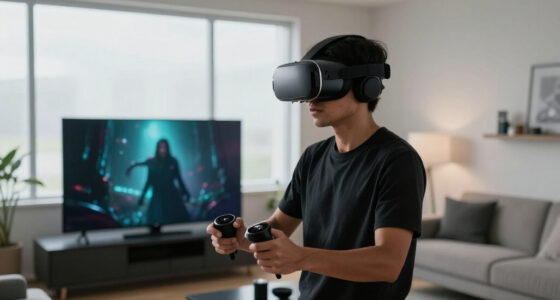
Using push-to-talk in VR helps you gain better control over your voice communication, especially in busy or sensitive environments. It guarantees your voice only transmits when you press the button, reducing background noise and accidental disclosures. It also boosts privacy by preventing others from overhearing your conversations and allows you to easily mask your voice with modulation technology. If you keep exploring, you’ll find even more ways push-to-talk enhances your VR experience and privacy.

Play games on Amazon Luna for your next adventure, included with Prime
- A rotating selection of games, no download needed
- Play on TV, laptop or phone
- Fast, free delivery for your gear, too
Key Takeaways
- Push-to-Talk controls voice transmission, preventing accidental disclosures and maintaining privacy during sensitive VR interactions.
- It enhances communication clarity by reducing background noise and focusing on active speaker input.
- PTT allows users to manage their voice data, supporting privacy and security, especially with encrypted cloud processing.
- It is useful in multiplayer VR environments to limit unnecessary voice sharing and avoid disrupting ongoing activities.
- PTT helps balance privacy and social interaction, giving users control over when their voice is transmitted.
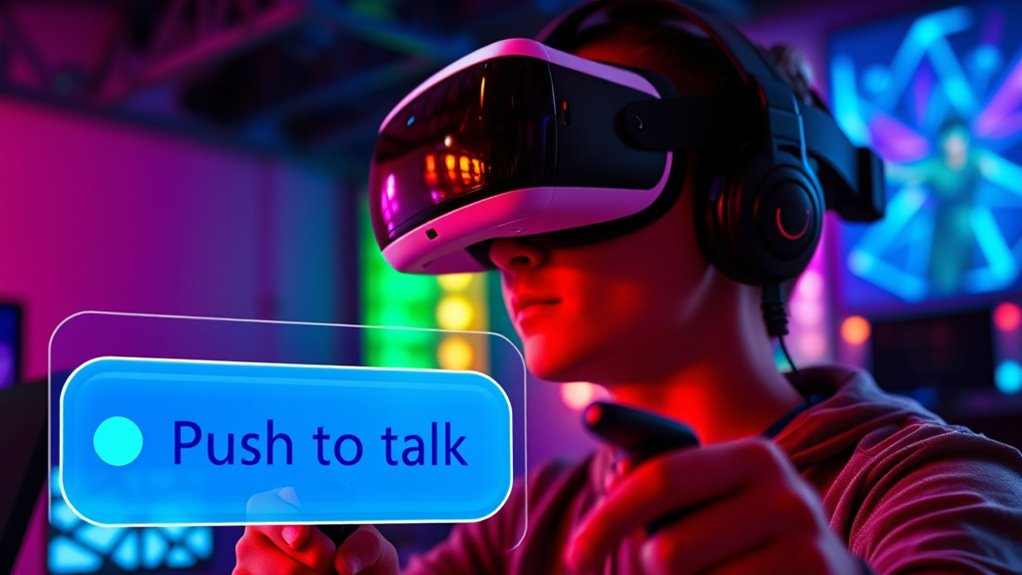
Have you ever wondered how voice communication works seamlessly in virtual reality environments? It’s a fascinating blend of technology and human interaction that relies heavily on the way voices are transmitted and controlled. One key aspect is voice modulation, which allows users to alter their voices in real-time—making them sound deeper, higher, or even more robotic. This feature can be useful in VR for maintaining anonymity or adding fun to interactions. However, with all this voice modulation happening, privacy concerns also come into play. When you speak in VR, your voice data is transmitted over the network, raising questions about who can access or record these conversations. That’s where push-to-talk (PTT) features come into focus.
Using push-to-talk in VR environments helps manage these privacy concerns by giving you control over when your voice is transmitted. Instead of constantly broadcasting your voice, you press a button to speak, which minimizes accidental disclosures or unintended conversations. This control is especially important in multiplayer settings where sensitive information might be shared or where you want to avoid being overheard by unintended parties. By limiting voice transmission to moments when you actively press the button, you’re better protected against eavesdropping and potential privacy breaches.
Push-to-talk gives you control over voice transmission, enhancing privacy and preventing accidental disclosures in VR.
The push-to-talk system also enhances the overall clarity of communication. When your microphone isn’t live, background noise or unintended sounds aren’t transmitted, making conversations more focused and less cluttered. This is particularly beneficial in busy virtual environments or collaborative workspaces where clarity matters. Plus, it reduces the cognitive load on users, who no longer have to worry about their voice picking up unwanted sounds or revealing things unintentionally. You can simply press the button to speak and release it when done, maintaining a natural flow without sacrificing privacy or clarity. Additionally, European cloud servers can ensure that voice data is processed and stored securely, further bolstering privacy protections in VR communication.
As an affiliate, we earn on qualifying purchases.
Frequently Asked Questions
How Does Push-To-Talk Impact VR Multiplayer Latency?
Push-to-talk can reduce latency in VR multiplayer by minimizing background noise and unnecessary voice data, leading to a smoother user experience. When you press to speak, the system prioritizes your voice, decreasing delays and ensuring clearer communication. This latency reduction helps you stay more connected with others, improving real-time interactions. Overall, push-to-talk enhances the user experience by delivering quicker, more reliable voice communication during your VR sessions.
Can Push-To-Talk Be Integrated With Voice Recognition in VR?
You can absolutely integrate push-to-talk with voice recognition in VR, creating a seamless communication experience. Imagine controlling your voice command with a simple gesture, like a wave of your hand, or a quick button press, making interactions feel natural. Combining gesture control with voice recognition enhances immersion, allowing you to switch between push-to-talk and voice commands effortlessly, ensuring smooth, intuitive conversations without breaking your VR focus.
What Are the Best Push-To-Talk Button Options for VR Controllers?
You should choose push-to-talk buttons that offer easy voice chat customization and hardware compatibility. Popular options include pressing a specific button on Oculus Quest controllers, the grip button on Valve Index, or the A/B/X/Y buttons on PlayStation VR controllers. These options allow seamless communication, work well with different VR hardware, and can be customized for comfort, ensuring you stay connected without accidental activations during gameplay.
How Does Push-To-Talk Affect Accessibility for Differently-Abled Users?
Push-to-talk in VR is like opening a door to assistive communication, making interactions more inclusive. It helps differently-abled users by reducing background noise and accidental transmissions, which can be frustrating. When designed with inclusive principles, push-to-talk features accommodate various needs, such as one-handed controls or voice commands. This way, you guarantee your VR experience is accessible, empowering all users to communicate effectively without barriers.
Are There Privacy Concerns With Push-To-Talk in Shared VR Spaces?
Yes, push-to-talk can raise privacy concerns in shared VR spaces. When you use push-to-talk, your voice is transmitted only during activation, which helps protect user anonymity by limiting ongoing audio exposure. However, if you’re not cautious, sensitive conversations might be overheard or recorded without consent. Always guarantee you’re aware of the environment’s privacy policies and control when you activate your microphone to safeguard your privacy.
As an affiliate, we earn on qualifying purchases.
Conclusion
As you navigate the immersive world of VR, think of Push-to-Talk as your trusted anchor amid the swirling currents of digital noise. It’s like holding a steady lighthouse beam, guiding your voice through the fog of chaos, ensuring your message cuts clearly across the virtual horizon. When clarity matters most, this simple act becomes a powerful tool—transforming a chaotic exchange into a smooth, purposeful conversation, and anchoring your presence firmly in the vibrant, pulsating heart of virtual reality.
As an affiliate, we earn on qualifying purchases.
As an affiliate, we earn on qualifying purchases.
Fall Picks
fall essentials
As an affiliate, we earn on qualifying purchases.