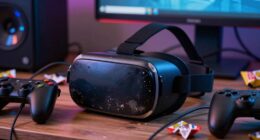
After a workout, start by cleaning your VR headset’s facial interface, foam padding, and straps, since these areas contact your skin and face directly. Use a soft cloth dampened with water and 70% isopropyl alcohol or disinfectant wipes, and avoid soaking foam parts. Then, wipe down the controllers’ buttons and grips thoroughly. Properly cleaning the most exposed surfaces first helps prevent bacteria buildup and keeps your equipment hygienic. Keep going to learn more tips for a thorough, safe cleaning routine.

Play games on Amazon Luna for your next adventure, included with Prime
- A rotating selection of games, no download needed
- Play on TV, laptop or phone
- Fast, free delivery for your gear, too
Key Takeaways
- Prioritize cleaning the VR headset first due to direct contact with the face and facial interface.
- Remove controllers from hands and wipe down controllers immediately after use.
- Use appropriate disinfectant wipes or cloths dampened with 70% isopropyl alcohol for surfaces.
- Focus on cleaning foam padding, straps, and facial pads before handling controllers.
- Ensure all equipment is dry and stored properly before next use.
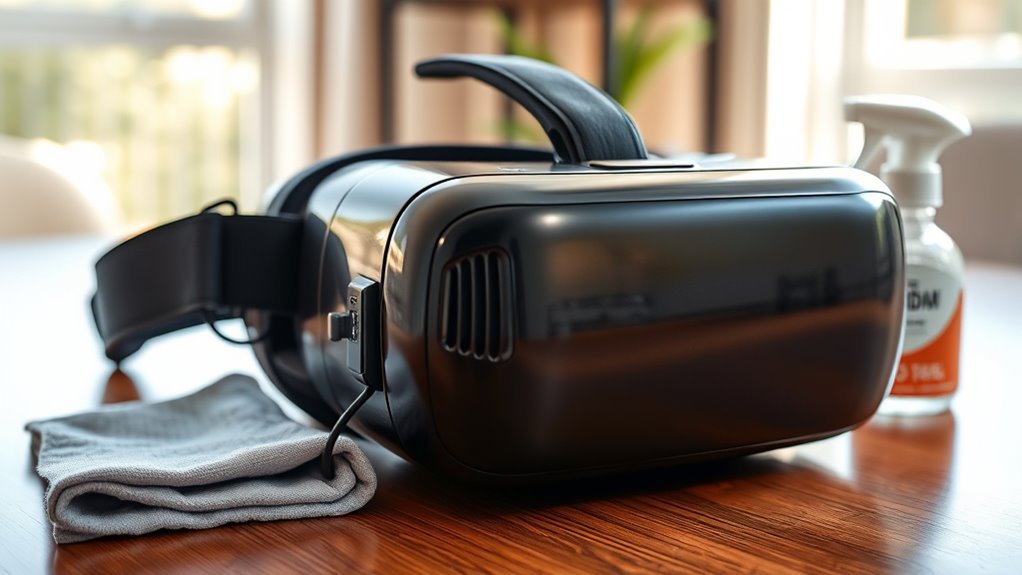
Ever wonder how virtual reality can improve your post-workout routine? After a vigorous VR session, it’s essential to prioritize your hygiene routines and equipment maintenance to keep your experience safe and enjoyable. VR headsets and controllers are high-touch devices that come into contact with your skin, face, and hands, making them prime candidates for bacteria buildup if not cleaned properly. Developing a simple, consistent routine for cleaning your equipment not only extends its lifespan but also minimizes the risk of skin irritations or infections. So, what should you clean first? The answer is your VR headset and controllers, because these are the most directly exposed to sweat, oils, and dirt during your workout.
Start by removing the headset and controllers from your face and hands carefully. Use a microfiber cloth or a soft, lint-free cloth to wipe down the exterior surfaces. For the headset, focus on the facial interface, foam padding, and straps. These areas are in direct contact with your skin and tend to accumulate sweat and oils. It’s best to use a gentle disinfectant wipe or a cloth lightly dampened with a mixture of water and isopropyl alcohol (70%) to clean these surfaces. Avoid soaking any foam or padding, as excess moisture can damage the materials or promote mold growth. For the controllers, wipe down the surfaces, buttons, and grips, paying special attention to areas where your hands contact the device repeatedly.
Incorporate a regular maintenance routine into your post-workout hygiene routines to keep your VR gear in prime condition. This means cleaning your equipment immediately after each session and inspecting it for signs of wear or damage. Proper equipment maintenance prevents the buildup of dirt and bacteria, which can cause skin irritations or degrade the equipment over time. Be sure to let your equipment dry thoroughly before storing it away, especially if you’ve used any liquids or disinfectants. Proper storage in a cool, dry place also helps prevent microbial growth.
Remember to wash your hands thoroughly before and after cleaning your devices. Keeping your hands clean reduces the chances of transferring bacteria onto your equipment or onto your face during use. Also, consider using protective covers or facial pads that can be easily removed and washed regularly. These small steps make a big difference in maintaining hygiene routines and ensuring your VR experience remains safe and comfortable. Additionally, understanding your device’s cleaning requirements and adhering to manufacturer guidelines can prevent potential damage and extend the lifespan of your equipment. By focusing on what to clean first—your headset and controllers—and maintaining a consistent cleaning schedule, you’ll enjoy your VR workouts without worry about germs or equipment deterioration.
As an affiliate, we earn on qualifying purchases.
Frequently Asked Questions
Can I Wear My VR Headset Immediately After Cleaning?
Yes, you can wear your VR headset immediately after cleaning if you follow proper post-cleaning techniques and VR hygiene practices. Make sure you’ve thoroughly wiped down all surfaces with a disinfectant suitable for electronics, and let it dry completely. This guarantees no moisture remains, preventing damage or mold. By adhering to these steps, you maintain a safe, hygienic environment for your VR sessions without delay.
What Cleaning Products Are Safe for VR Equipment?
If you want to keep your VR equipment safe, avoid harsh disinfectant sprays that could damage lenses. Instead, use a gentle lens cleaning solution or wipes specifically designed for electronics. For example, a gamer in a case study found that using a microfiber cloth with a dedicated lens cleaner kept their headset clear and safe from scratches. Always prioritize products labeled safe for electronics and follow manufacturer guidelines.
How Often Should I Sanitize My VR Gear?
You should sanitize your VR gear after every use to maintain hygiene and prevent germs. Follow a consistent cleaning schedule, ideally cleaning the headset and controllers at least once a day if used frequently. Regular sanitizing not only keeps your equipment safe but also prolongs its lifespan. Make sure to use safe, compatible cleaning products and avoid excess moisture to keep your VR gear in top condition.
Is It Necessary to Clean the VR Controllers Separately?
Ever wondered if you should clean your VR controllers separately? Yes, it’s essential for controller hygiene and effective headset sanitization. Cleaning controllers helps remove sweat, oils, and dirt that can accumulate during gameplay. Use a disinfectant wipe or a cloth with a gentle cleaner, paying attention to buttons and grips. Regularly cleaning both controllers and headset guarantees a more hygienic experience, reducing germs and prolonging your gear’s lifespan.
What Are the Signs That My VR Headset Needs Cleaning?
You’ll know your VR headset needs cleaning when you notice smudges, fingerprints, or sweat buildup on the lenses and head strap. If you experience decreased clarity or discomfort during use, it’s a sign to prioritize VR hygiene and headset maintenance. Regular cleaning prevents bacteria growth and keeps your experience fresh. Use gentle wipes and avoid harsh chemicals, ensuring your headset stays in top shape for safe, comfortable gaming sessions.
isopropyl alcohol for electronics
As an affiliate, we earn on qualifying purchases.
As an affiliate, we earn on qualifying purchases.
Conclusion
After your intense VR session, you might wonder what to clean first. Prioritize wiping down your headset and controllers to remove sweat and germs, ensuring they’re ready for next time. Don’t forget to disinfect your play area, too. Isn’t it worth taking a moment to protect your health and extend your equipment’s lifespan? A quick post-workout clean keeps your virtual adventures safe, fresh, and always enjoyable. So, are you ready to clean up and level up your VR game?
VR controller disinfectant covers
As an affiliate, we earn on qualifying purchases.
As an affiliate, we earn on qualifying purchases.
VR headset facial interface replacement
As an affiliate, we earn on qualifying purchases.
As an affiliate, we earn on qualifying purchases.
Halloween Picks
halloween
As an affiliate, we earn on qualifying purchases.