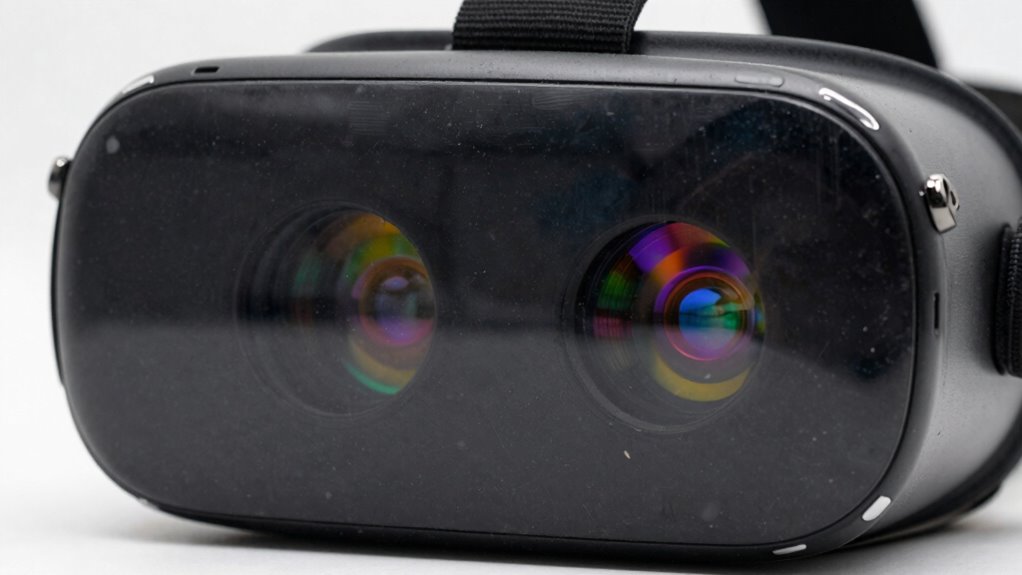

Dirty lenses can ruin your VR sessions by causing blurry or distorted visuals that break your immersion and make gameplay frustrating. Dust, fingerprints, and smudges on the lenses cloud the view, especially in humid or dusty environments. Handling your headset improperly or neglecting routine cleaning accelerates dirt buildup. If you want to keep your visuals sharp and enjoy smooth experiences, it’s important to learn how proper maintenance can make all the difference. Keep going to discover more tips.

Play games on Amazon Luna for your next adventure, included with Prime
- A rotating selection of games, no download needed
- Play on TV, laptop or phone
- Fast, free delivery for your gear, too
Key Takeaways
- Dirt, fingerprints, and smudges on lenses cause image blurring and reduce visual clarity during VR sessions.
- Dust buildup inside the headset can settle on lenses, leading to distorted or hazy visuals.
- Humidity and condensation can create moisture on lenses, impairing image sharpness.
- Poor handling and storage practices increase the risk of smudges and dirt accumulation.
- Lack of regular cleaning results in degraded visual quality, decreasing immersion and overall VR experience.

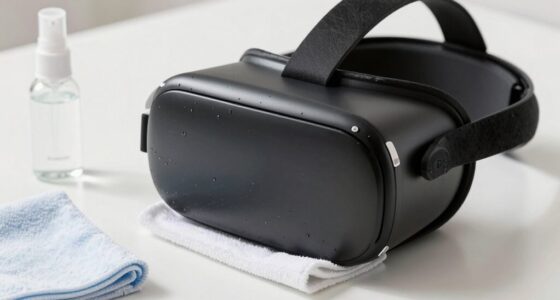
If your VR experience feels blurry or distorted, chances are your lenses are dirty. It’s a common issue that can ruin even the most exciting virtual adventures. Dirt, fingerprints, dust, and smudges build up over time, clouding your view and diminishing image clarity. To avoid this, regular lens cleaning is crucial. Using a microfiber cloth and a gentle cleaning solution designed for optics can make a notable difference. Never use harsh chemicals or abrasive materials, as they can scratch or damage the lenses. Instead, take a few moments before each session to wipe down your headset lenses carefully. This simple act of user maintenance ensures your VR headset delivers sharp, crisp visuals every time.
Clean your VR lenses regularly with a microfiber cloth to ensure sharp, clear visuals every time.
Beyond cleaning, user maintenance involves more than just wiping the lenses. It’s about creating a routine that keeps your equipment in top shape. Store your headset in a clean, dust-free area when not in use, and avoid touching the lenses with bare fingers. Oils and dirt from your skin can transfer easily, leading to smudges that impair your view. When handling your headset, hold it by the straps or frame, avoiding contact with the lens surface. Also, check for dust or debris inside the headset, especially around the facial padding and vents, which can contribute to dust settling on the lenses. Regularly inspecting and maintaining your device can prevent many issues that cause blurry or distorted images. Additionally, understanding how environmental factors like dust accumulation impact your VR equipment can help you take proactive steps to protect your device. Proper storage techniques are essential for minimizing environmental contaminants and prolonging the lifespan of your headset. Incorporating preventative maintenance practices can further reduce the likelihood of dirt buildup and ensure your device remains in optimal condition.
In addition to physical cleaning, it’s wise to keep an eye on the environment where you use your VR headset. Dusty or humid spaces can accelerate dirt accumulation or cause condensation, which also affects image quality. Using a protective cover or storing your headset in a dedicated case helps minimize exposure to environmental contaminants. Keep in mind that environmental factors such as humidity and airflow can influence the rate of dirt buildup and condensation on your lenses. Remember, the key is consistency. Making lens cleaning and user maintenance part of your routine can greatly enhance your VR experience. Not only will your visuals stay crisp, but you’ll also extend the lifespan of your headset, saving you money in the long run.
Ultimately, taking care of your VR lenses through regular cleaning and proper user maintenance keeps your sessions immersive and enjoyable. Don’t underestimate how much a clean lens can improve clarity and comfort during gameplay or virtual exploration. A few minutes of routine care is a small investment that pays off with a seamless, high-quality VR experience every time.
Products Worth Considering

DJI Osmo Mobile 8 Gimbal with Mic Mini Transmitter, Infinity Black

Logitech MX Keys S Wireless Keyboard, Graphite

Samsung 27 Odyssey OLED G5 (G50SF) QHD QD-OLED Gaming Monitor
As an affiliate, we earn on qualifying purchases.
Frequently Asked Questions
Can Cleaning Lenses Damage the VR Headset?
Cleaning your VR lenses carefully won’t damage the headset if you consider lens material and cleaning frequency. Use a soft, microfiber cloth and gentle cleaning solutions suitable for your lens material to avoid scratches. Avoid over-cleaning, which can wear down coatings, and clean only when necessary. Regular, gentle cleaning maintains clarity without risking damage, ensuring your VR experience stays sharp and enjoyable.
How Often Should I Clean My VR Lenses?
You should clean your VR lenses whenever you notice lens fogging or a decline in optical clarity—probably after every few intense sessions or if you start seeing smudges that seem to have a life of their own. Think of it as giving your headset a spa day. Regular cleaning prevents dirt buildup, keeps your visuals crisp, and saves you from the frustration of blurry VR adventures. Keep those lenses sparkling!
Are There Specific Cleaning Products Recommended?
You should use gentle cleaning cloths and lens cleaners made specifically for VR lenses. Avoid harsh chemicals or abrasive materials that can damage the lens coating. Opt for microfiber cloths to gently wipe away smudges and dirt, and apply a small amount of lens cleaner designed for optics. Regularly cleaning with these products will keep your lenses clear and your VR experience sharp, preventing frustration during sessions.
Does Lens Cleanliness Affect VR Headset Lifespan?
You might be surprised, but lens cleanliness does impact your VR headset’s lifespan. Dirt and smudges can damage the delicate lens material over time, risking scratches that compromise image quality. This, in turn, can weaken the headset’s durability. Keeping your lenses clean isn’t just about clear visuals—it’s an essential step in preserving your device’s longevity. Regular gentle cleaning helps guarantee your headset stays in top shape longer.
Can Dirty Lenses Cause Eye Strain or Discomfort?
Yes, dirty lenses can cause eye strain and discomfort during your VR sessions. When lenses are smudged or dusty, your eyes work harder to focus, leading to eye fatigue and visual discomfort. The compromised clarity makes it difficult to see details sharply, increasing strain. To enjoy a comfortable experience, regularly clean your VR lenses with a soft cloth, ensuring clear visuals and minimizing eye fatigue.
Conclusion
So, next time your VR experience feels like it’s falling apart, check your lenses first. A smudge or fingerprint isn’t just a minor annoyance—it’s a villain sabotaging your immersion and turning your epic adventure into a blurry nightmare. Don’t let dirty lenses ruin your virtual world; keep them spotless and preserve every breathtaking moment. After all, your VR sessions deserve to be as flawless as a diamond, not marred by simple neglect.