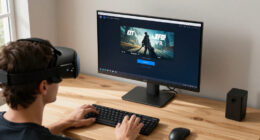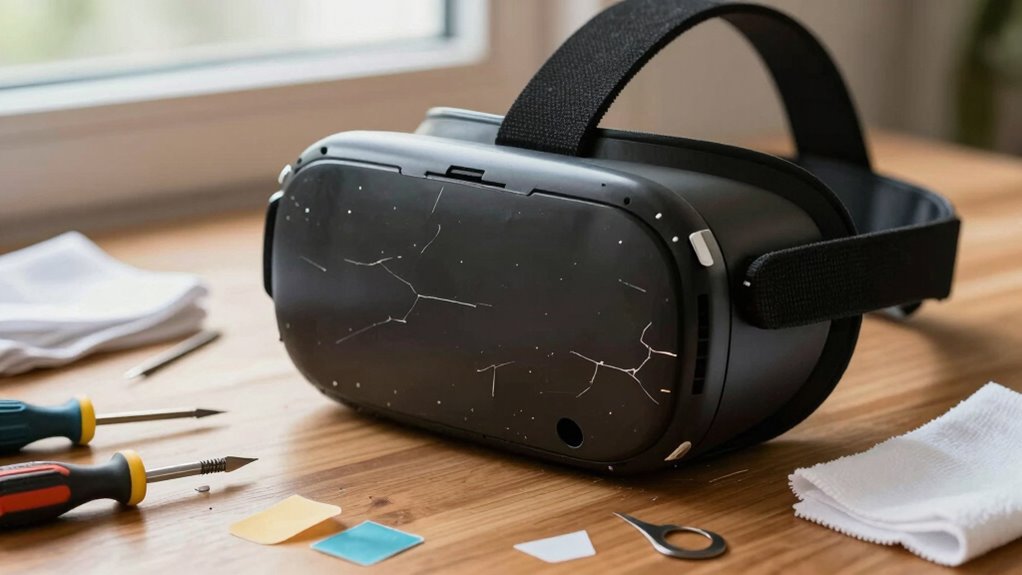

When your VR gear arrives damaged, act quickly by inspecting the packaging for any tears or dents and take clear photos of both the packaging and the damage. Contact customer support within 24-48 hours, providing detailed descriptions and sharing your photos as evidence. Follow their instructions for claims, which may include filling out forms or providing additional documentation. Staying organized and prompt will help you resolve the issue more smoothly—discover how to handle every step efficiently as you continue.
Key Takeaways
- Inspect packaging immediately upon receipt for damage and document it with detailed photos.
- Take clear, close-up photos of both packaging and damaged VR gear for proof.
- Contact customer support within 24-48 hours, providing photos and damage details.
- Follow provided claims procedures, including submitting necessary documentation promptly.
- Keep organized records of all photos, correspondence, and steps taken to support your claim.

Shipping damage can be frustrating, especially when it affects your valuable VR gear. When you receive a package that’s damaged, the first step is to assess the situation carefully. Start with a packaging inspection to determine whether the damage occurred during transit or if it might have been caused by poor packaging. Check the outer box for dents, tears, or crushed areas. If the packaging looks compromised, it’s likely the damage happened before or during shipping. If the packaging is intact but your VR gear is damaged, take note of that too, as it can help in your claim process. During this process, keep detailed photos of the packaging and the damage itself. Clear photos of the box, including any labels or shipping marks, along with close-ups of the damaged VR equipment, will serve as essential evidence when you communicate with the seller or shipping company.
Inspect packaging thoroughly and document damage with clear photos for effective claims.
Once you’ve documented the damage, it’s important to reach out promptly. Customer communication should be clear, polite, and factual. Describe the damage, referencing your photos, and specify if the packaging appeared compromised. Providing detailed information helps expedite the resolution process. Most companies appreciate prompt reports because it allows them to address issues quickly and maintain good customer relations. When contacting customer service, ask about their specific process for handling shipping damage claims. They may require additional documentation, such as receipts or proof of purchase, along with the photos you’ve taken. Keep copies of all correspondence for future reference.
Timing is essential in these situations. Report the damage as soon as possible—ideally within 24 to 48 hours of receipt. Delays can complicate claims or return processes. If your VR gear is still functional but has cosmetic or minor damage, ask about repair options or discounts. For more serious damage rendering the device unusable, inquire about replacements or refunds. Follow the instructions provided by customer support carefully, and keep a record of every step. Sometimes, the shipping company may also need to be involved, especially if the damage appears to have occurred during transit. In that case, your documentation and prompt reporting will be critical for filing claims against the carrier.
Furthermore, understanding the importance of quality assurance and proper packaging can help prevent future issues, ensuring your VR gear remains safe during transit. Handling shipping damage on VR gear requires a combination of thorough packaging inspection, swift customer communication, and organized documentation. By acting quickly and clearly, you increase your chances of resolving the issue efficiently, whether that means a replacement, repair, or refund. Staying proactive and detailed in your approach can save you time and frustration, ensuring your VR experience is not permanently marred by shipping mishaps.

sarlar Hard Carrying Case Compatible with Meta Quest 3S/Quest 3/Oculus Quest 2/Vision Pro Official Original/Elite Strap VR Headset and Controller Accessories, Suitable for Travel and Home Storage
- Compact Design: Small size with large capacity
- Durable Material: High-density, shockproof, anti-scratch fabric
- Stylish Appearance: Fashionable mini design enhances grade
As an affiliate, we earn on qualifying purchases.
As an affiliate, we earn on qualifying purchases.
Frequently Asked Questions
Can I Request a Replacement Without Returning the Damaged VR Gear?
Yes, you can request a replacement without returning the damaged VR gear if the damage documentation proves the issue. Contact customer service with clear photos showing the damage, and explain your situation. They may approve a replacement request directly, especially if the damage is minor or easily documented. Be sure to follow their specific process, providing all necessary damage documentation promptly for a smooth resolution.
How Long Do I Have to Report Shipping Damage After Delivery?
You should report shipping damage within the damage window, which is typically 48 to 72 hours after delivery. Timely reporting is essential to guarantee your claim is valid and processed quickly. Keep detailed photos of the damage and contact customer service promptly. Delaying beyond this window may limit your options for a replacement or refund, so act quickly to protect your rights and get your VR gear sorted.
Does Insurance Cover Damage Caused During Transit?
Imagine your VR gear on a journey, protected by shipping insurance, like a knight in shining armor. Yes, shipping insurance typically covers transit damage, providing transit damage coverage against unforeseen mishaps. It’s essential to check your policy details, as coverage varies. If damage occurs during transit, you can usually file a claim, ensuring you’re not left empty-handed. Always document the damage promptly to support your claim.
What Should I Do if the Damage Is Not Visible Immediately?
If the damage isn’t visible right away, you should schedule a thorough visual inspection of your VR gear as soon as possible. During this process, document everything carefully, noting any subtle issues or irregularities. Keep a detailed record, including photos if you spot anything later. This documentation process is vital for filing claims or seeking repairs, so act promptly to guarantee you have all necessary evidence.
Are There Specific Packaging Tips to Prevent Future Damage?
Think of your packaging as a fortress guarding your VR gear. You should use sturdy boxes that can withstand rough handling and add ample protective padding like foam or bubble wrap around delicate parts. Secure everything tightly to prevent movement during transit. Reinforcing corners and edges helps prevent damage. These tips create a robust barrier, reducing the risk of shipping damage and ensuring your VR gear arrives in perfect condition.

Orzero (1 Pack) VR Lens Protector Cover Compatible for Quest 3S, Quest 3/2/1, Valve Index, PICO 3/4/4 pro/4 Ultra, Dust Proof Washable Protective Sleeve Sunlight Blocking Anti-Scratch – Black
- Compatibility: Fits Quest 3S, Quest 3/2/1, Valve Index, PICO 3/4/4 pro/4 Ultra
- Premium Materials: High-density sponge and lycra fabric for protection
- Washable and Durable: Easy to clean and environmentally friendly
As an affiliate, we earn on qualifying purchases.
As an affiliate, we earn on qualifying purchases.
Conclusion
Think of your VR gear like a delicate butterfly; once damaged, it’s hard to restore its full beauty. Handling shipping damage promptly and carefully is your way of tending to this fragile creature. By acting quickly and following the right steps, you’re fundamentally nurturing it back to health, preserving its flight. Remember, your swift action can turn a moment of mishap into a story of care and redemption, ensuring your VR experience remains as vibrant as the butterfly’s wings.

VicRole Right Aluminum Alloy Speaker Fix Ring Buckle for Meta Quest 3 Replacement Parts VR Accessories
- Compatible with Meta Quest 3: Right speaker fix ring replacement
- Durable Material: Aluminum alloy construction
- Simple Installation: Follow YouTube tutorial
As an affiliate, we earn on qualifying purchases.
As an affiliate, we earn on qualifying purchases.

Face Cushion Pad for Meta Quest 2 VR Facial Interface Replacement PU Leather Foam for Oculus Quest 2 Vr Cover
- Enhanced Comfort and Fit: Provides a more comfortable Oculus Quest 2 experience
- Premium Material Quality: Made with durable, soft PU leather foam
- Better Air Circulation: L-Shaped vents improve airflow and cooling
As an affiliate, we earn on qualifying purchases.
As an affiliate, we earn on qualifying purchases.