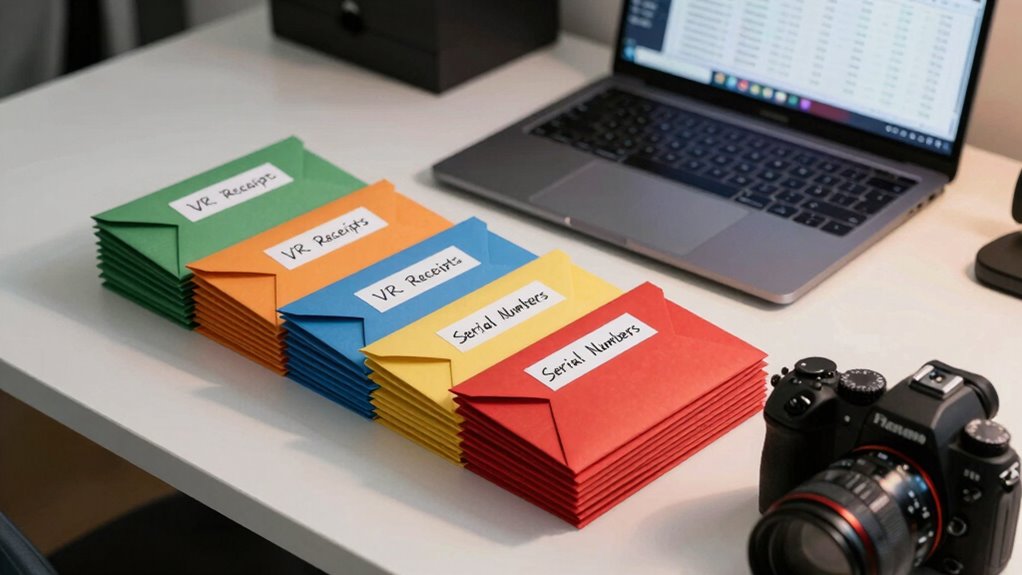

To keep VR receipts and serial numbers organized easily, scan paper receipts into digital files and store them in clearly labeled folders by device or purchase date. Create a spreadsheet to log serial numbers, purchase details, and warranty info, linking each serial to its receipt. Regularly update your files and review records to stay current. Keeping a consistent naming system and organized folders helps streamline warranties and resale. If you continue, you’ll find simple tips to master this system effortlessly.
Key Takeaways
- Digitize receipts immediately and store them in clearly labeled, category-based folders for quick access.
- Use consistent naming conventions that include purchase date and device details for easy identification.
- Maintain a comprehensive inventory spreadsheet linking serial numbers to digital receipts and device info.
- Regularly review and update your digital files and inventory to ensure accuracy and completeness.
- Implement a routine to delete outdated receipts and verify warranty statuses for efficient management.

Ever wonder how to keep all your VR receipts and serial numbers in order? Staying organized can feel overwhelming, especially when you have multiple devices, accessories, and software licenses to manage. The key is establishing a system that simplifies digital filing and streamlines inventory management. By creating a structured approach, you’ll save time, reduce frustration, and ensure you can quickly locate any receipt or serial number when needed.
Start by digitizing all your receipts and serial numbers. Scanning paper receipts and saving them as PDFs or images is a smart move. Digital filing allows you to access everything instantly and prevents physical clutter from piling up. Use a dedicated folder on your computer or cloud storage service, and organize your files into clearly labeled subfolders—such as “VR Headsets,” “Controllers,” “Accessories,” or specific purchase years. This structure makes it easier to locate a particular receipt without digging through piles of paper or scrolling endlessly through your files.
Digitize all receipts and organize files into clear, labeled folders for quick access and clutter-free storage.
In addition to digital filing, implementing a robust inventory management system can boost your organization. Create a spreadsheet or use inventory management software to log every VR item you own. Record details like purchase date, serial number, model, purchase price, and warranty information. Inputting serial numbers directly into your inventory log ensures you always have that critical info at your fingertips. When you link each serial number to its corresponding digital receipt, you create a seamless connection that simplifies tracking and verifying your assets.
Regularly updating your digital records keeps your system accurate. Whenever you purchase a new VR device or accessory, immediately scan the receipt and add the details to your inventory management document. This habit prevents data from slipping through the cracks and keeps your records current. Make a habit of reviewing your digital files periodically—deleting outdated receipts, updating warranty statuses, and verifying serial numbers.
Label your files with descriptive names that include key details like the purchase date or device name. For example, a file named “VR_Headset_2024-03-15” is more informative than a generic “Receipt1.” Consistency in naming conventions reduces confusion and speeds up retrieval. Pairing your digital filing system with inventory management not only keeps everything organized but also makes it easier to troubleshoot issues, claim warranties, or resell your gear.
Additionally, choosing projectors with high contrast ratio can significantly enhance your VR experience by providing clearer visuals and more immersive environments. Ultimately, keeping your VR receipts and serial numbers organized isn’t a one-time task. It’s an ongoing process that, when done systematically, becomes second nature. Digital filing combined with diligent inventory management ensures your data is safe, accessible, and ready whenever you need it. With a little effort upfront, you’ll enjoy a clutter-free, efficient way to manage your VR assets now and in the future.
Frequently Asked Questions
How Long Should I Keep VR Receipts and Serial Numbers?
You should keep VR receipts and serial numbers for at least a year or until you’re sure you won’t need them for warranty or resale. Store digital backups for easy access and physical copies in a secure location. Once you’ve confirmed the warranty is up or the item’s resale value declines, you can safely discard them. Regularly update your records to stay organized and avoid unnecessary clutter.
Can I Store VR Serial Numbers Digitally Securely?
Yes, you can store VR serial numbers digitally securely. Use digital storage options like encrypted cloud services or password-protected external drives to keep your data safe. Regularly create secure backups to prevent loss. Make sure to choose trusted platforms with strong security features. This way, your serial numbers stay accessible when needed and protected from unauthorized access or hardware failures.
What Should I Do if I Lose a Receipt?
Losing a receipt is like misplacing a key; it’s frustrating but fixable. First, check your digital backup—many retailers email receipts or store them in apps. If you don’t find it, turn to physical storage if you kept a copy. For future protection, always save receipts digitally and keep physical ones in a dedicated folder. This way, you’re prepared, no matter what happens.
Are There Apps Specifically for Organizing VR Receipts?
Yes, there are apps designed for organizing VR receipts. You can use digital wallets like Apple Wallet or Google Pay, which store receipts electronically. Additionally, cloud storage apps like Google Drive or Dropbox let you scan and save receipts securely, making them easy to access. These tools help keep your VR serial numbers and receipts organized, so you don’t have to worry about losing important documents.
How Do I Verify the Serial Number’s Authenticity?
Think of the serial number as a secret handshake to your VR device. To authenticate its authenticity, start by checking the serial number against the manufacturer’s official database—this is your product authentication check. Visit the brand’s website or contact their support, input the serial number, and confirm it matches their records. This quick step ensures your device is genuine and protected from counterfeit risks.
Conclusion
So, after all that effort to keep your VR receipts and serial numbers perfectly organized, you might find yourself wondering if it’s worth the hassle—only to realize you’ll never need them until the moment you do. Ironically, the best way to avoid chaos is to stay diligent now, so you won’t be frantically searching later. Because nothing screams “tech-savvy” like having everything neatly tucked away—until you forget exactly where that one essential serial number is.