Adjusting your volume and bass levels is key to staying comfortable and engaged during VR workouts. Too loud, and you risk ear fatigue or discomfort, while too quiet makes it hard to catch cues and stay immersed. Proper bass adds depth and energy, boosting motivation without overwhelming your senses. Finding the right balance prevents fatigue and keeps you focused longer. Keep exploring these settings to enhance your experience and workout effectiveness.

Play games on Amazon Luna for your next adventure, included with Prime
- A rotating selection of games, no download needed
- Play on TV, laptop or phone
- Fast, free delivery for your gear, too
Key Takeaways
- Proper volume levels prevent ear strain and fatigue during extended VR workout sessions.
- Adequate bass enhances immersion and energy without causing invasive vibrations or discomfort.
- Too loud volume can diminish focus and cause discomfort, reducing workout motivation.
- Insufficient bass results in flat soundscapes, decreasing engagement and emotional impact.
- Customizing volume and bass creates a balanced, comfortable environment that boosts immersion and performance.
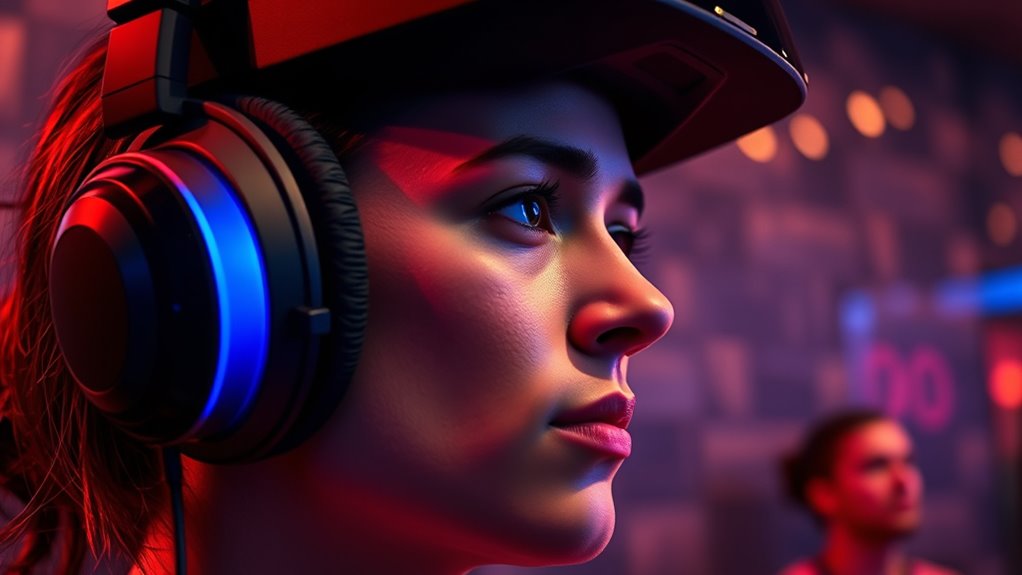
VR Workout Audio transforms your exercise experience by immersing you in motivating soundscapes and dynamic music that keep you energized. When you’re immersed in a VR workout, sound quality becomes essential, shaping how you perceive and respond to the environment around you. Crisp, clear audio enhances immersion, making every beat, cue, and motivational voice feel lifelike. If the sound quality is poor—muddy, distorted, or uneven—you might find it harder to stay engaged or motivated. On the other hand, high-fidelity audio draws you deeper into the virtual space, encouraging sustained user engagement. You’ll notice that well-balanced sound keeps you focused, helping you tune out external distractions and concentrate solely on your workout. The clarity of vocals, the precision of sound effects, and the richness of music all contribute to a seamless experience that sustains your energy levels and enthusiasm.
Volume and bass settings are vital in influencing your comfort during VR workouts. When volume is too loud, it can become overwhelming or even uncomfortable, especially if you’re using headphones for extended periods. Excessive volume may cause fatigue or ear strain, reducing your ability to stay engaged over the course of a session. Conversely, if the volume is too low, you might miss important cues or lose the feeling of being fully immersed, leading to decreased motivation. Striking the right balance ensures you remain alert without discomfort. Bass plays a pivotal role in shaping the overall soundscape—adding depth and punch to the music and sound effects. When bass is too heavy, it can cause vibrations that feel invasive or distracting, especially if your headset isn’t designed to handle intense low frequencies. Too little bass, however, can make the audio feel flat or dull, diminishing the energy and excitement of your workout. Proper bass levels enhance the emotional impact of the soundtrack, boosting your user engagement and making the experience more visceral.
Adjusting volume and bass thoughtfully allows you to customize your VR workout environment for maximum comfort and motivation. It’s about finding that sweet spot where sound is immersive without being intrusive. Good sound quality combined with well-calibrated volume and bass settings keeps you physically comfortable and mentally focused. This ensures you stay engaged longer, pushing through fatigue and maintaining a steady rhythm. Additionally, considering soundproofing or environmental acoustics can further improve your experience by minimizing external noise interference. Remember, your comfort with audio settings isn’t just about avoiding discomfort; it’s about creating an environment where you can perform at your best, fully immersed in the virtual workout world. When you pay attention to these details, your VR workouts become not only effective but also enjoyable, motivating you to keep coming back for more.
VR workout headphones with adjustable bass
As an affiliate, we earn on qualifying purchases.
As an affiliate, we earn on qualifying purchases.
Frequently Asked Questions
Can High Bass Levels Cause Discomfort During Extended VR Workouts?
Yes, high bass levels can cause discomfort during extended VR workouts. Excessive bass might lead to bass discomfort, especially if your headphones don’t fit well or if the bass is too intense. Poor headphone fit can amplify discomfort, making prolonged use unpleasant. To stay comfortable, lower the bass, make sure your headphones fit snugly but not too tight, and take regular breaks to prevent ear fatigue.
How Does Ambient Noise Influence VR Workout Audio Settings?
Ever notice how ambient noise can drown out your workout music? Ambient noise influences your VR audio settings by making noise cancellation essential to block out distractions. You should adjust your device for ideal environmental acoustics, ensuring clear sound without cranking up the volume. Noise cancellation helps you focus, and customizing your settings prevents discomfort from external sounds, keeping your workout immersive and enjoyable. Wouldn’t you want seamless audio in your virtual routine?
Are There Recommended Volume Levels for Different Types of Exercises?
For different exercises, keep your volume calibrated to avoid discomfort and fatigue. During high-intensity workouts, lower the volume to prevent overstimulation, while moderate levels work well for steady routines. Prioritize headphone ergonomics to guarantee comfort during extended sessions. Regularly adjust your volume calibration to match your activity intensity, and listen at levels that protect your hearing without sacrificing audio clarity, helping you stay focused and comfortable throughout your workout.
Does Audio Quality Impact Motivation During VR Fitness Sessions?
Yes, audio quality considerably impacts your motivation during VR fitness sessions. When your audio has clear audio clarity and precise sound synchronization, you’re more immersed and engaged, making workouts feel more exciting. Poor audio can distract or frustrate you, decreasing motivation. So, make sure your VR headset provides high-quality sound, with balanced bass and clear audio, to keep you energized and focused throughout your exercise routine.
Can Personalized Audio Settings Improve Overall VR Workout Comfort?
Did you know that 78% of users find personalized audio settings boost their workout comfort? You can improve your VR workout comfort considerably through audio personalization. Adjusting volume and bass to your preferences helps reduce discomfort and enhances focus. Comfort optimization with tailored audio ensures you stay engaged longer and enjoy your sessions more. So, take time to customize your audio settings for a truly immersive and comfortable VR fitness experience.
As an affiliate, we earn on qualifying purchases.
Conclusion
Just as a symphony’s harmony guides your soul, adjusting your VR workout audio guarantees comfort and focus. When volume and bass blend seamlessly, you’re immersed in a world where challenges become adventures, and distractions fade away—like stepping into an enchanted forest where every sound echoes with purpose. Listen closely, tweak thoughtfully, and let your senses lead you on a journey where every beat fuels your progress and keeps discomfort at bay.
noise-canceling VR gaming headphones
As an affiliate, we earn on qualifying purchases.
As an affiliate, we earn on qualifying purchases.
ergonomic VR headset with volume control
As an affiliate, we earn on qualifying purchases.
As an affiliate, we earn on qualifying purchases.
Fall Picks
fall essentials
As an affiliate, we earn on qualifying purchases.