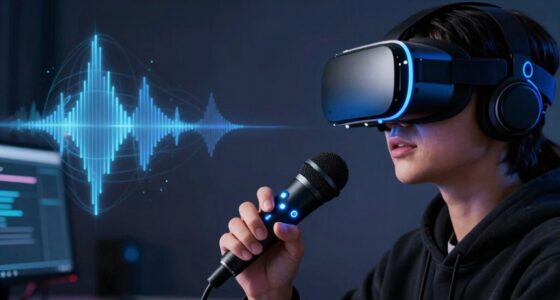
To make VR audio clearer for your teammates, position your microphone about 1-2 inches from your mouth, ensuring it’s stable and slightly angled to avoid pops. Use noise-isolating headphones or add foam covers to dampen background sounds. Adjust gain controls so your voice sounds natural without clipping. Proper placement and isolation reduce background noise, making your voice crisp and easy to understand. Keep exploring tips to fine-tune your setup for the best voice clarity.
Key Takeaways
- Keep the microphone 1-2 inches from your mouth to ensure clear voice pickup and prevent muffling.
- Use noise-isolating headsets or microphone covers to reduce background noise and enhance clarity.
- Adjust microphone gain settings to avoid distortion and maintain a natural, balanced sound level.
- Position the mic to minimize plosive sounds and prevent pops from consonants like p and b.
- Enable noise suppression features in your VR platform or communication app for cleaner audio transmission.

Clear audio is vital for effective communication in VR multiplayer experiences, but background noise and poor sound quality can make it difficult for your teammates to understand you. To improve your in-game voice clarity, mastering proper microphone techniques is essential. The way you position and handle your microphone directly impacts sound quality and helps reduce unwanted noise. For example, keeping the microphone at a consistent distance from your mouth, about one to two inches, ensures your voice remains clear without distortion. Avoid speaking too close, which can cause clipping or muffling, and too far away, which leads to weak audio. Using a pop filter can also minimize plosive sounds—those harsh “p” and “b” noises that can distort your voice and distract teammates.
Sound isolation is another key factor in achieving clearer VR audio. When you isolate your microphone from background noise, your voice stands out more prominently, making communication more effective. This can be achieved through physical means, such as using a headset with noise-canceling or noise-isolating microphones. These mics are designed to pick up your voice while blocking out ambient sounds like keyboard clicking, fan noise, or other environmental distractions. If your headset lacks this feature, consider adding foam windshields or microphone covers, which help dampen extraneous noises and focus on your voice. Additionally, Free Floating microphone setups can provide more flexibility in positioning for optimal sound capture.
Adjusting your microphone settings is equally important. Most VR headsets or external microphones come with adjustable gain controls. Turn down the gain if you notice your voice sounding distorted or if background noise becomes more apparent. Proper gain settings help you maintain a natural sound level while preventing your microphone from picking up unnecessary sounds. Additionally, many communication apps or VR platforms include noise suppression features—activating these can further improve clarity by filtering out ambient noise and emphasizing your voice.
Positioning your microphone correctly and optimizing sound isolation techniques work hand-in-hand. Keep the mic close to your mouth, but not so close that it causes popping sounds. Use a stable mounting method to prevent movement, which can introduce inconsistent sound levels. Combine this with sound-isolating equipment or settings, and you’ll notice a significant difference in how teammates hear you. Clear, crisp voice communication reduces misunderstandings, enhances teamwork, and makes your VR gaming experience more immersive and enjoyable. By paying attention to microphone techniques and sound isolation, you ensure your voice cuts through the virtual noise, keeping your team connected and coordinated.
Frequently Asked Questions
What Are the Best Microphones for VR Gaming?
For VR gaming, you should choose microphones with strong noise cancellation features like the Blue Yeti X or the HyperX Cloud Flight mic. Proper microphone positioning is key; keep it close to your mouth, slightly off-center to reduce breathing sounds. This setup guarantees clear communication, minimizes background noise, and enhances overall audio quality for your teammates, making your gaming experience more immersive and collaborative.
How Does Room Acoustics Affect VR Audio Clarity?
Room acoustics considerably impact VR audio clarity by causing room echo and affecting sound absorption. When your space has hard surfaces like bare walls or floors, echo bounces around, muddying your voice. To improve clarity, you should add sound-absorbing materials such as carpets, curtains, or foam panels. These reduce echo and help your microphone capture your voice more clearly, ensuring teammates hear you loud and clear during gameplay.
Can Software Improve VR Microphone Sound Quality?
Sure, software can totally save your VR audio. It’s almost like magic—applying noise reduction and echo cancellation to make your microphone sound clearer. You’ll think you’re whispering directly into your teammates’ ears. In reality, it’s just clever algorithms working behind the scenes. So, yes, by tweaking these settings, you can improve sound quality and reduce unwanted background noise, making your chats way more understandable and way less annoying.
How Often Should I Clean My VR Microphone?
You should clean your VR microphone at least once a week to maintain good microphone hygiene and guarantee clear audio quality. Regular cleaning helps remove dust, sweat, and debris that can accumulate over time. If you notice muffled sound or reduced clarity, increase your cleaning frequency. Use a soft cloth or a mild disinfectant spray to gently wipe the mic, avoiding excess moisture to protect its components.
What Headset Features Enhance Voice Capture?
Your headset’s noise cancellation technology importantly improves voice capture by reducing background sounds, so your teammates hear you clearly. Proper microphone positioning also plays a vital role; keep the mic close to your mouth and avoid obstructing it to make sure your voice is picked up accurately. Combining advanced noise cancellation features with correct mic placement helps deliver crisp, clear communication during VR gameplay.
Conclusion
By fine-tuning your mic placement, you’re fundamentally guiding a lighthouse beam directly to your teammates’ ears, cutting through the fog of background noise. Think of your microphone as a trusted compass, pointing sound straight where it needs to go. With these tips, your voice will sail smoothly across the virtual seas, ensuring teammates hear you loud and clear—like a clear summer sky after a storm. Keep practicing, and watch your VR communication become a shining beacon!