
Your social VR safety starts before launching an app because customizing your avatar and privacy settings upfront helps you control how others see and interact with you. By setting privacy options, such as who can contact you or view your profile, you reduce the risk of harassment and privacy breaches from the start. Familiarizing yourself with safety features and establishing boundaries early ensures a secure experience. Keep going to discover how to make your virtual space safer from the moment you enter.

Play games on Amazon Luna for your next adventure, included with Prime
- A rotating selection of games, no download needed
- Play on TV, laptop or phone
- Fast, free delivery for your gear, too
Key Takeaways
- Customizing avatars and privacy settings beforehand establishes boundaries and reduces vulnerabilities during virtual interactions.
- Familiarity with platform safety features allows proactive management of harassment or misconduct.
- Setting privacy controls in advance helps prevent unwanted contact and enhances user comfort.
- Understanding data management ensures personal information is protected from the start.
- Creating a secure virtual environment early minimizes risks and fosters a safer, more enjoyable experience.
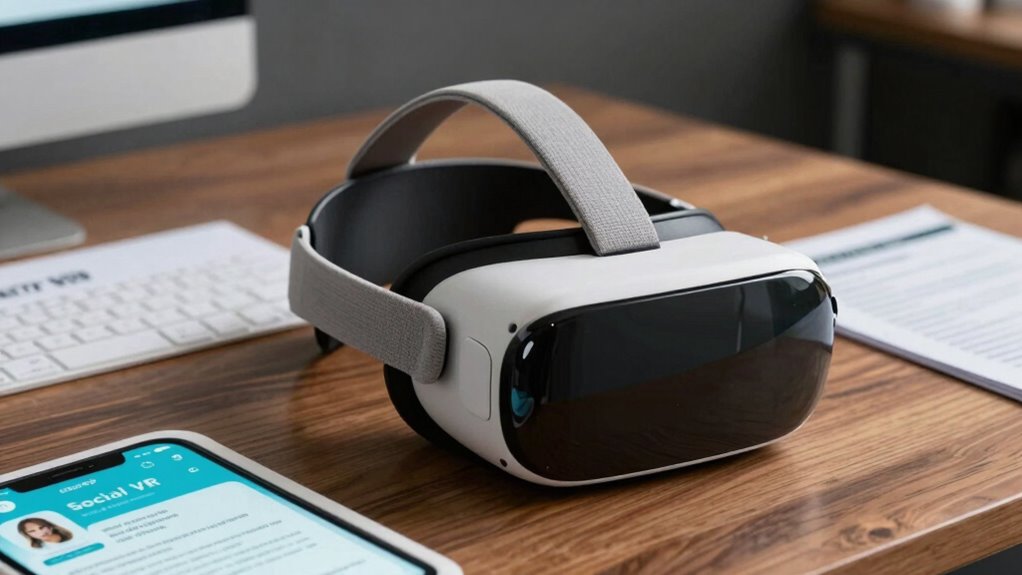
Have you ever wondered what it takes to stay safe while exploring social VR platforms? It might seem simple—just put on your headset and jump in—but there’s a lot more happening behind the scenes to protect your privacy and guarantee your experience is positive. Before launching an app, you need to set up your avatar customization and privacy controls. Your avatar is your digital identity, so customizing it thoughtfully helps you feel comfortable and authentic in virtual spaces. You can choose how much detail to share, from your appearance to your voice, which influences how others perceive you. Taking time to personalize your avatar not only makes your experience more engaging but also helps you establish boundaries. For example, you might opt for a more abstract or cartoonish avatar if you want to maintain anonymity, or create a lifelike representation if you prefer a more realistic connection. These choices allow you to control how much of yourself you reveal, which is vital for safety.
Alongside avatar customization, configuring privacy controls is fundamental. Many social VR platforms offer settings that let you manage who can see you, contact you, or join your sessions. Before entering a virtual environment, review these controls carefully. Set your profile to private or friends-only if you want to limit access from strangers. Block or mute users who make you uncomfortable, and restrict who can send you messages or friend requests. These measures help prevent unwanted interactions and harassment, giving you a sense of security from the outset. It’s also wise to familiarize yourself with the platform’s safety features, like reporting tools or blocking options, so you’re prepared to handle any issues that arise. Additionally, understanding the importance of privacy controls can empower you to strengthen your virtual safety measures further. Being aware of privacy settings helps you stay informed about how your data is managed and shared in virtual environments. Recognizing the role of data management in safeguarding your information is essential for maintaining your privacy online. Incorporating knowledge about platform policies can also help you stay updated on the safety protocols and community standards that protect users.
Starting your social VR experience with these preparations isn’t just about convenience—it’s about establishing a safe space for yourself. By customizing your avatar thoughtfully and configuring privacy controls properly, you take proactive steps to protect your identity and mental well-being. This groundwork helps you set boundaries and maintain control over your virtual interactions, reducing the risk of encountering harassment or privacy breaches. Remember, your safety begins long before you hit the “launch” button. Investing a few moments to tweak your settings and personalize your avatar paves the way for a more secure, enjoyable virtual experience. That way, when you do step into social VR, you can focus on connecting and exploring without unnecessary worries.
As an affiliate, we earn on qualifying purchases.
Frequently Asked Questions
How Can Developers Predict Potential Safety Issues Before App Launch?
You can predict potential safety issues by leveraging predictive analytics and conducting thorough risk assessments early in development. Use data from beta testers or similar apps to identify common problems and anticipate user behavior. Regularly analyze these insights to spot vulnerabilities. Incorporating safety protocols based on these assessments helps you address issues proactively, ensuring a safer environment before launching your social VR app.
What Legal Obligations Exist for Ensuring Social VR Safety?
You have a legal obligation to guarantee social VR safety by adhering to relevant laws and regulations. You must implement legal compliance measures to protect users and avoid liability. Liability frameworks demand that you proactively address safety risks, such as harassment or harmful content, through clear policies and moderation. Failing to meet these obligations can lead to legal action, fines, or reputational damage, so prioritize safety from the start to safeguard both users and your platform.
How Do User Demographics Influence Safety Feature Design?
You see user demographics as a roadmap guiding safety features, shaping how you craft your VR environment. By analyzing user behavior and demographic insights, you can design tailored safety measures that fit diverse groups like a glove. Younger users may need stronger moderation tools, while older audiences might prefer subtle privacy options. Adapting to these nuances guarantees your social VR space feels safe and welcoming for everyone.
What Are the Key Indicators of an Unsafe Social VR Environment?
You can identify an unsafe social VR environment when users frequently cross virtual boundaries, making others feel threatened or uncomfortable. Signs of harassment prevention failure include repeated reports of abusive behavior and a lack of moderation. If users seem hesitant or avoid interactions, it’s a red flag. Monitoring virtual boundaries and ensuring effective harassment prevention measures are essential for maintaining a safe, respectful space where everyone feels secure and comfortable engaging.
How Should Feedback From Early Users Shape Safety Protocols?
You should use early user feedback to refine safety protocols by focusing on issues related to user accountability and content moderation. Pay close attention to reports of harassment or inappropriate behavior, and adjust your moderation tools accordingly. Encourage users to hold each other responsible, and implement clear guidelines. This proactive approach guarantees a safer environment, fostering trust and community engagement from the outset.
As an affiliate, we earn on qualifying purchases.
Conclusion
As you step into the vibrant, immersive world of social VR, remember that safety begins long before you hit “launch.” Picture yourself exploring a digital landscape filled with potential pitfalls—like virtual cliffs or unwelcome interactions—that you can avoid with proper precautions. By setting boundaries and understanding the environment beforehand, you create a safer space where you can freely explore, connect, and enjoy the experience without fear. Safety starts before you even press that button.
As an affiliate, we earn on qualifying purchases.
VR privacy protection accessories
As an affiliate, we earn on qualifying purchases.
As an affiliate, we earn on qualifying purchases.
Columbus Day / Indigenous Peoples' Day Picks
long weekend sales
As an affiliate, we earn on qualifying purchases.