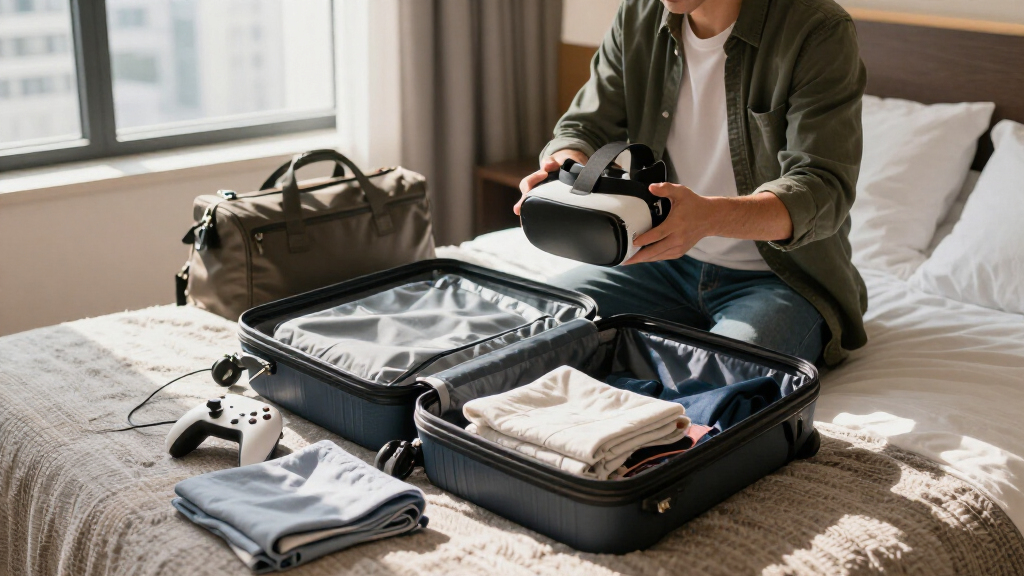
This checklist is for VR travelers packing a headset and its accessories for a trip. It covers practical ways to organize, protect, charge, and clean your gear.

Play games on Amazon Luna for your next adventure, included with Prime
- A rotating selection of games, no download needed
- Play on TV, laptop or phone
- Fast, free delivery for your gear, too
The sections follow the packing needs: a headset case, charger, power bank, lens protector, controller case, and cleaning cloths. Some slots include a named product; others offer general buying guidance.
Use the advice to check your headset’s dimensions, connection needs, and travel setup before choosing accessories. Pack the items that fit your equipment and itinerary, and confirm compatibility with the gear you own.
Padded VR Headset Case
A padded case gives your headset a dedicated place in your luggage and can help keep it from shifting against other packed items. Before choosing one, check the headset’s overall dimensions, including any attached strap or accessories you plan to leave in place. A case that fits the headset alone may not have room for those extras, while one with too much empty space can let gear move around.
Common buying mistakes include relying on a generic “VR” label without checking the interior measurements, overlooking how the case closes, and assuming every design accommodates the same headset shape. Look for padding around the areas that need protection, a closure that stays secure, and an interior layout that suits your headset and travel accessories. Consider whether you want room for controllers and cables or prefer to pack them separately. Check the dimensions and layout against your own gear before buying, and make sure the packed case will fit in your luggage.
What to look for:
- Interior dimensions that fit your headset and attached strap
- Padding around the headset’s exposed surfaces
- A secure closure that is easy to operate
- Compartments or space for accessories you plan to carry
- An exterior size that suits your luggage
Compact USB-C Charger
A compact charger can make it easier to keep USB-C devices powered while traveling, especially when you want to carry fewer separate charging accessories. The listed pick is the MOMAX 170W GaN Universal Travel Adapter, High-Power Travel Charging. Before choosing it for a VR trip, check that its ports and charging connections match the devices you plan to bring. A product name alone does not establish compatibility with a particular headset or accessory.
A common mistake is treating a travel adapter and a device charger as interchangeable without checking what each device requires. Review the charging guidance for your headset, phone, and other gear, then compare it with the adapter’s specifications. Consider how many devices you expect to charge at once and whether the adapter works with the outlets at your destination. Verify ports and device requirements before packing, and make sure the adapter is suitable for the locations on your itinerary. Keeping the right cables with the charger can also help you avoid arriving with a power source that cannot connect to your gear.
What to look for:
- USB-C connections that match your devices’ cables
- Specifications compatible with each device’s charging requirements
- Enough suitable ports for the devices you plan to charge
- Compatibility with the outlets at your destination
- A size that fits your travel setup
MOMAX 170W GaN Universal Travel Adapter, High-Power Travel Charging

The MOMAX 170W GaN Travel Adapter is a versatile all-in-one device compatible with sockets in over 200 countries. It features multiple USB ports with fast charging capabilities and a universal AC outlet, making it ideal for global travelers needing to charge multiple devices simultaneously.
Pros:
- Universal compatibility with sockets in over 200 countries
- Multiple USB ports with fast charging support
- Compact GaN technology for high power in a small size
- Built-in safety features including dual fuse protection
Cons:
- Does not include surge protection
- Limited information on durability over long-term use
- Requires careful handling of multiple devices simultaneously
Best for: Travelers seeking one charging option for compatible devices
Not ideal for: Anyone who has not checked device and outlet compatibility
Bottom line: Confirm the adapter’s ports and specifications against your devices and destination.
Portable Power Bank
A portable power source may be useful when your travel plans take you away from convenient outlets. The listed pick is the Jackery HomePower 3600 Plus Portable Power Station, 3584Wh, 3600W. Its product name describes a portable power station, so consider whether that form and capacity suit the way you are traveling before treating it as a routine packing item. Check the maker’s specifications and the requirements of every device you hope to connect.
A frequent mistake is choosing a power source by capacity alone. The devices’ charging needs, available output connections, and how long you expect to be away from an outlet all matter to your setup. Also consider how you will transport and store the unit, and check applicable carrier and destination rules before travel. Confirm transport rules and outputs in advance, particularly if you are flying or carrying the unit in shared luggage. For a VR trip, plan around the headset and accessories you actually expect to use, and do not assume a power station will connect directly to every device without the appropriate cable or compatible output.
What to look for:
- Outputs that match the devices you plan to connect
- Specifications suited to your devices’ power needs
- A transport and storage plan that fits your itinerary
- Current carrier and destination guidance for traveling with it
- Cables or compatible connections for your gear
Jackery HomePower 3600 Plus Portable Power Station, 3584Wh, 3600W

The Jackery HomePower 3600 Plus is a 3584Wh power station with 3600W output, expandable capacity, and support for 120V and 240V output when used in parallel. It offers AC, solar, gas generator, and hybrid charging, plus a wheeled design with a telescopic handle.
Pros:
- High 3600W output and expandable capacity
- Multiple charging options, including solar
- Wheels and telescopic handle aid portability
- LFP battery rated for 6,000 cycles
Cons:
- At 77.2 pounds, it may be heavy to lift
- Solar panel is optional
Best for: Travelers whose itinerary and transport plan accommodate a power station
Not ideal for: Anyone seeking a small everyday item for a light packing kit
Bottom line: Check device connections and travel rules before deciding whether this power station belongs in your luggage.
VR Lens Protector
A lens protector can provide a dedicated barrier between headset lenses and nearby items while the headset is stored. Because no specific product is listed for this slot, choose based on the headset you own rather than assuming one protector fits every model. Check the headset documentation and the protector’s shape and measurements so it can sit in place without pressing against the lenses.
Common mistakes include choosing a cover based on appearance alone, using a piece that does not fit the headset’s lens area, or storing a protector in a way that lets it rub against the lenses. Look for a design intended for your headset and a fit that stays positioned when the headset is packed. Consider how you will keep the protector clean and where you will store it when the headset is in use. Prioritize a model-specific fit, and follow the headset maker’s care guidance when placing or removing anything near the lenses. A well-matched protector should be easy to handle as part of your regular packing routine.
What to look for:
- Fit intended for your specific headset model
- Dimensions suited to the lens area
- A shape that stays in place during storage
- A design that can be handled without rubbing the lenses
- Care guidance compatible with your headset
Controller Carrying Case
A controller case gives your VR controllers a separate place in your travel kit and can make it easier to keep them together with their accessories. No specific product is listed, so start with the controllers you own. Check their shape and dimensions, including any attached straps or accessories, and decide whether you want room for charging cables or other small items.
A common mistake is assuming a case will fit just because it is marketed for controllers. Shapes and layouts vary, so compare the interior measurements and compartments with your actual pair. Consider how the controllers will sit inside and whether the case closes without forcing them into position. If you plan to store controllers alongside a headset, check that the combined packed arrangement does not press against other gear. Measure your controllers first, then choose a case with a layout that keeps the items organized for your trip. Keep small accessories in a dedicated compartment so they are easier to locate when you unpack.
What to look for:
- Interior measurements that fit your controller pair
- Room for straps or accessories you plan to leave attached
- A layout that keeps the controllers organized
- A closure that does not require forcing the contents
- Separate space for small cables or accessories
Microfiber Cleaning Cloths
Cleaning cloths are a simple part of a VR travel kit, giving you a dedicated option for routine care of headset surfaces. The listed pick is Microfiber Cleaning Cloth 11.5" x 11.5" 150 Pack – Edgeless, Reusable,. Before using any cloth on a headset, check the manufacturer’s cleaning instructions, especially for lenses and other sensitive surfaces. The product name alone does not confirm that a particular cleaning method is suitable for every headset.
A common mistake is using the same cloth for different surfaces after it has collected dust or debris, or assuming a large pack means every cloth is appropriate for lens care. Keep cloths clean and store them where they will not pick up grit in your luggage. Consider packing a small number for the trip and keeping unused cloths separate from used ones. Follow the headset’s care instructions, and avoid pressing hard while cleaning. The listed cloths are described as edgeless and reusable; check their care guidance and your headset documentation to decide how they fit your cleaning routine.
What to look for:
- Cleaning guidance compatible with your headset surfaces
- A cloth size that is convenient to pack and handle
- A clean storage method that keeps cloths free of debris
- Care instructions suited to your travel routine
- Separate storage for used and unused cloths
Microfiber Cleaning Cloth 11.5" x 11.5" 150 Pack – Edgeless, Reusable, Lint-Free

These edgeless microfiber cleaning cloths are designed for versatile use in household and automotive cleaning. They effectively wipe surfaces without scratching, leaving a streak-free finish, and are reusable for eco-friendly cleaning.
Pros:
- Reusable and eco-friendly, reducing waste
- Gentle on delicate surfaces with no scratching
- Effective at cleaning dust, water, and residue
Cons:
- Large pack may be excessive for small households
- No specific mention of washing instructions or durability details
Best for: Travelers who want reusable cloths available for routine cleaning
Not ideal for: Anyone who has not checked their headset’s cleaning guidance
Bottom line: Pack clean cloths and use them only as directed by your headset’s care instructions.
Build your packing list around essentials first: confirm the headset’s fit in its case, identify the charging connections you need, and check whether a power source suits your itinerary. Then add a lens protector, controller case, and cleaning cloths that match your gear and care instructions. Compatibility comes first when selecting each item.
Check dimensions and travel requirements before you zip up your bag, and keep small accessories organized so they are easy to find. A little preparation can make it simpler to bring your VR setup along and settle in when you arrive. Pack for the gear you own, and enjoy the trip.
Halloween Picks
halloween
As an affiliate, we earn on qualifying purchases.