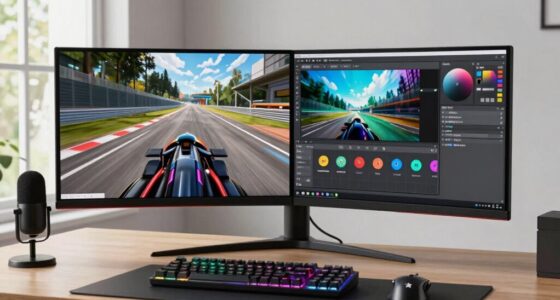
To plan a triple-monitor setup without sacrificing space for VR, position monitors at eye level and arrange them in a slight curve for ergonomic comfort. Use adjustable monitor arms to save desk space and keep cables organized to prevent clutter. Allocate a dedicated, obstacle-free area for VR that’s separate from your monitor workspace, ensuring enough room to move comfortably. For more tips on optimizing your space, continue exploring how to create an efficient, enjoyable setup.

Get VR and gaming gear delivered free — and shop member deals
- Fast, free delivery on millions of items
- Access to Prime Big Deal Days deals on October 6–7
- Prime Video, Amazon Music and more included
Key Takeaways
- Position monitors at eye level with a slight curve to save space and maintain ergonomic comfort.
- Allocate a dedicated, clutter-free VR zone away from monitor area to prevent interference.
- Use adjustable monitor arms to optimize monitor placement and free up desk space for VR.
- Organize cables efficiently with sleeves and clips to keep the workspace tidy and safe for VR movement.
- Design the layout to allow quick transition between monitor setup and VR area without rearranging furniture.
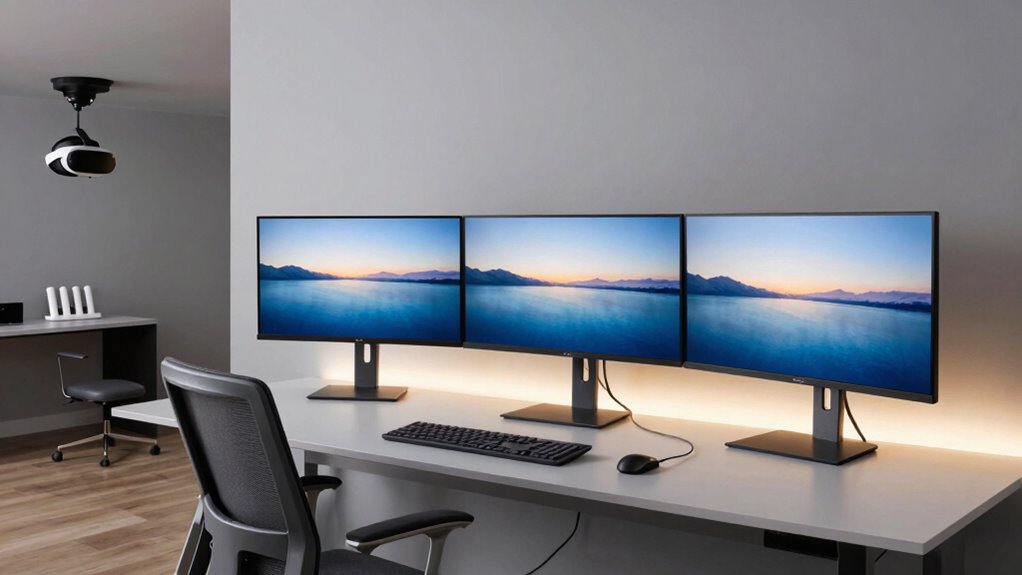
Creating a productive and immersive workspace often means balancing multiple monitors with room for virtual reality. You want your setup to be efficient, comfortable, and flexible enough to switch effortlessly between work and play. The key lies in careful planning, especially when it comes to ergonomic positioning and cable management. Position your monitors at eye level, forming a slight curve that minimizes neck strain. Keep your primary monitor directly in front of you and the side monitors angled inward for easy viewing. This arrangement helps maintain good posture and reduces fatigue, which is crucial during long work sessions. When planning space for VR, make certain there’s enough distance between your monitors and the VR area to prevent accidental collisions or distractions. Allocate a dedicated zone free of clutter, where you can comfortably put on your VR headset and move freely without knocking things over. Additionally, consider the ergonomic placement of your equipment to promote comfort during extended use. Incorporating adjustable furniture can further enhance your workspace’s versatility and adaptability to different activities. Proper workspace organization not only improves safety but also streamlines your workflow, making transitions smoother. Cable management plays an essential role in creating a clean, safe environment. Use cable sleeves, clips, or under-desk trays to keep cords organized and out of the way. This not only prevents tripping hazards but also makes it easier to adjust or add new devices without chaos. With a tidy setup, you’ll find it easier to switch between your monitors and VR gear without tangled wires causing delays or frustration. When designing your space, consider adjustable monitor arms, which let you fine-tune positioning for ergonomic comfort and flexibility. These arms help free up desk space and keep cables streamlined, making it simpler to transition into VR mode when needed. Remember, your workspace should be versatile—so plan for easy access to power outlets and ports, and think about modular furniture that can adapt as your needs evolve. Proper cable management also extends the lifespan of your equipment by reducing strain on connectors and ports. Ultimately, balancing a triple-monitor setup with room for VR requires thoughtful arrangement and a focus on ergonomics and cable management. Keep your monitors at eye level, arranged in a slight curve, to support good posture. Use cable organizers to keep wires tidy and within reach, and invest in adjustable arms to customize your viewing angles. Dedicate a clutter-free zone for VR, allowing easy access and movement. With these strategies, you’ll create a workspace that supports productivity and immersion, giving you the best of both worlds without sacrificing comfort or space. Planning your layout with space optimization in mind ensures that every inch of your setup contributes to a seamless and enjoyable experience.
adjustable monitor arms for triple monitor setup
As an affiliate, we earn on qualifying purchases.
As an affiliate, we earn on qualifying purchases.
Frequently Asked Questions
Can I Use a Triple-Monitor Setup With a Small Desk?
Yes, you can use a triple-monitor setup on a small desk. Focus on smart desk organization by stacking monitors vertically or using slim mounts to save space. Adjust monitor positioning for ideal viewing while keeping the desk clear for other essentials. Consider wall mounts or adjustable arms to free up surface area, ensuring your workspace remains functional and comfortable without sacrificing room for VR or other activities.
What Are the Best Mounting Options for Limited Space?
For limited space, wall mount solutions are your best bet, allowing you to keep your monitors at ergonomic positions without cluttering your desk. Adjustable wall mounts give you flexibility to position screens at eye level and angle, optimizing comfort and productivity. Look for mounts that support VESA compatibility and have full motion capabilities, so you can easily customize your setup to fit your space and maintain room for VR gear.
How Do I Prevent Cable Clutter in a Compact Setup?
Think of your desk as a well-tended garden. To prevent cable clutter, use cable management tools like clips, sleeves, and under-desk trays to keep cords tidy and out of sight. Organize your cables along the edges of your desk, securing them neatly to prevent tangling. This approach promotes clean desk organization, making your workspace more efficient and visually appealing, just like a beautifully maintained garden.
Is There a Way to Integrate VR Storage With Monitor Space?
Yes, you can integrate VR headset storage with monitor space by using a dedicated mount or shelf attached to your monitor stand or wall. This keeps your VR headset easily accessible and prevents clutter. Look for monitor integration options like monitor arms with built-in hooks or shelves, which provide a sleek solution. This way, your VR headset storage stays organized without sacrificing your triple-monitor setup or room for VR movement.
How Much Clearance Is Needed for Comfortable VR Movement?
For comfortable VR movement, aim for at least 6.5 to 7 feet of clear space. This distance guarantees ergonomic comfort and freedom of movement, preventing collisions or discomfort. Keep pathways open, and avoid clutter that could cause crashes. By maintaining this minimum clearance, you’ll enjoy immersive experiences without feeling confined or risking injury, creating a seamless blend of work, play, and virtual reality.
VR space organizer and room divider
As an affiliate, we earn on qualifying purchases.
As an affiliate, we earn on qualifying purchases.
Conclusion
So, you’ve masterfully arranged your triple monitors, maximizing your workspace—only to realize VR still demands its slice of real estate. Ironically, your sleek setup now feels like a tightrope walk, balancing productivity and immersion. Just when you thought you’d conquered screen space, the VR headset reminds you that some worlds are meant to be explored without boundaries—except the ones you forgot to leave room for. Happy gaming, and may your desk never collapse under the weight of your ambitions.
cable management sleeves and clips for desk
As an affiliate, we earn on qualifying purchases.
As an affiliate, we earn on qualifying purchases.
ergonomic monitor stands for multiple screens
As an affiliate, we earn on qualifying purchases.
As an affiliate, we earn on qualifying purchases.
Halloween Picks
halloween
As an affiliate, we earn on qualifying purchases.