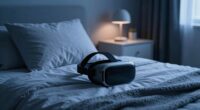
To enjoy late-night VR without waking others, create a quiet, dimly lit space with adjustable, warm lighting to reduce glare. Use noise-canceling headphones to block external sounds while maintaining immersion. Keep cables organized with clips or sleeves to prevent noise from tugs, and consider soundproofing measures like carpets or foam panels. With these tips, you’ll craft a peaceful environment for uninterrupted VR adventures—exploring more ways to optimize your setup waits just ahead.

Get VR and gaming gear delivered free — and shop member deals
- Fast, free delivery on millions of items
- Access to Prime Big Deal Days deals on October 6–7
- Prime Video, Amazon Music and more included
Key Takeaways
- Use noise-canceling or over-ear headphones to block external sounds and prevent disturbance.
- Install soundproofing materials like foam panels, carpets, and door seals to contain noise.
- Dim or warm-colored lighting with adjustable settings to minimize glare and avoid waking others.
- Organize cables with clips or sleeves to prevent noise from accidental tugs and clutter.
- Choose a quiet room with minimal external disturbances, optimizing ambiance for late-night sessions.

When you’re settling in for a late-night gaming session or immersive experience, having the right VR setup can make all the difference. You want to enjoy your session without disturbing others, which means paying attention to lighting ambiance and noise reduction. Creating an environment that’s both comfortable and discreet helps you stay immersed without waking up the entire household. Start by optimizing your lighting ambiance. Soft, dim lighting is ideal for late-night VR sessions. Bright lights can cause glare on your headset lenses and ruin your immersion, plus they might be noticeable to others in the house. Consider using adjustable LED strips or smart bulbs that you can dim or change to warm tones. This not only sets a cozy mood but also minimizes eye strain, especially during long gaming marathons. Keep your room dark enough to prevent external light from interfering with your VR experience, but avoid complete darkness, which can make navigation and movement less comfortable. Incorporate ambient lighting to enhance comfort and reduce eye fatigue. Noise reduction is equally important. Your VR experience can be loud, with the headset’s audio and in-game sounds, but you don’t want the noise to travel outside your room. Invest in quality noise-canceling or over-ear headphones that completely block external sounds and deliver immersive audio. This way, you won’t need to turn up the volume excessively, which can disturb others, and you’ll enjoy clearer in-game sounds. Additionally, consider adding soundproofing measures to your space: thick carpets, wall panels, or even foam tiles can absorb sound and prevent noise leakage. If you share a living space, a simple door draft stopper or weather stripping around the door can also help contain the noise. Cable management is often overlooked but plays a role in maintaining a quiet, clutter-free environment. Use cable clips or sleeves to keep cords organized and out of the way. This prevents accidental pulls or tugs that could create noise, potentially waking others or disturbing your focus. If you’re using wireless VR headsets, this becomes less of an issue, but good cable management remains a helpful tip. Ultimately, your goal is to craft a serene, distraction-free space that allows you to plunge into virtual worlds late into the night without causing a ripple of disturbance. By carefully adjusting your lighting ambiance and implementing noise reduction strategies, you’ll create a quiet haven where you can fully enjoy your VR adventures without worrying about waking anyone else.
noise-canceling over-ear headphones for gaming
As an affiliate, we earn on qualifying purchases.
As an affiliate, we earn on qualifying purchases.
Frequently Asked Questions
Can I Use Noise-Canceling Headphones Instead of VR Headphones?
Yes, you can use noise-canceling headphones instead of VR headphones. They provide excellent noise isolation, helping you stay immersed without disturbing others. Just make certain they’re comfortable, as long sessions can be tiring if your headphones aren’t well-padded or lightweight. Keep in mind that some noise-canceling features may slightly affect audio quality or cause a sense of pressure, so choose a pair that balances comfort and effective noise reduction for a better VR experience.
What Are the Best Low-Light VR Tracking Options?
You should consider VR tracking options that work well in low-light conditions, like inside-out tracking systems such as Oculus Quest or HTC Vive Focus. To optimize performance, guarantee proper sensor calibration and control ambient light to minimize interference. Using sensor calibration regularly helps maintain accuracy, while managing ambient light reduces tracking disruptions, giving you a smoother experience even in dim environments.
Is There a Way to Mute Game Sounds Quietly?
You can easily mute game sounds quietly by using the mute toggle on your VR headset or within the game’s audio settings. For extra sound dampening, consider using foam panels or headphones with noise-canceling features. These options help you enjoy immersive gameplay without disturbing others. Adjusting settings to mute only specific sounds or lowering volume levels also provides a discreet way to keep noise to a minimum during late-night sessions.
How Do I Prevent VR Cables From Making Noise?
To prevent VR cables from making noise, you should focus on effective cable management and soundproofing techniques. Use cable clips or sleeves to secure cables along your walls or furniture, reducing movement and noise. Incorporate soft padding or rubber tubing around cables where they contact surfaces, dampening sound and preventing squeaks. Regularly check and adjust your setup to guarantee cables stay tight and secure, providing a quieter, more immersive VR experience.
Can I Set up a Motion-Activated Lighting System?
Yes, you can set up a motion-activated lighting system with motion sensors. Install sensors in key areas to detect movement, then connect them to ambient lighting that automatically turns on when you enter the space. This creates a quiet, convenient environment without disturbing others. Make sure to choose sensors compatible with your lighting system and adjust sensitivity settings for smooth activation, ensuring your late-night VR sessions stay discreet and comfortable.
As an affiliate, we earn on qualifying purchases.
Conclusion
With a quiet VR setup, you’ll enjoy immersive adventures without disturbing others. By balancing basic headphones, a silent fan, and a comfortable cushion, you create a calm, clutter-free corner for late-night escapes. This tranquil, tactful approach transforms your space into a sanctuary of serenity, allowing seamless, silent simulations. So, set up smartly, stay subtle, and savor the silent, satisfying solace of late-night virtual reality sessions without waking a single soul.
adjustable LED strip lights for gaming room
As an affiliate, we earn on qualifying purchases.
As an affiliate, we earn on qualifying purchases.
cable management clips and sleeves
As an affiliate, we earn on qualifying purchases.
As an affiliate, we earn on qualifying purchases.
Halloween Picks
halloween
As an affiliate, we earn on qualifying purchases.