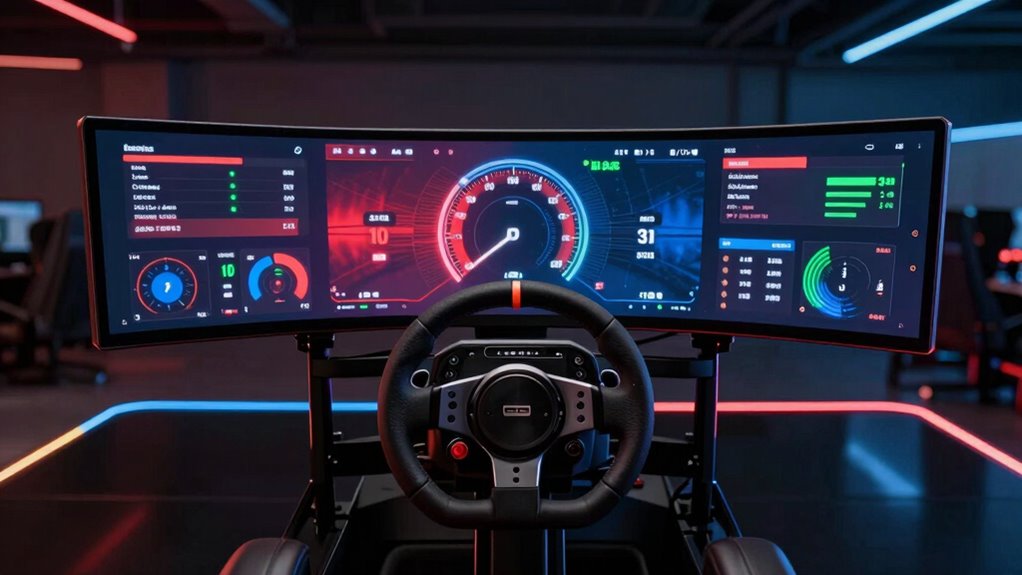

For serious sim racers, a dedicated dashboard display can significantly enhance immersion and feedback. The MOZA CM2 HD Racing Dash stands out as the best overall choice thanks to its touchscreen interface and customizable RGB indicators. Meanwhile, the Retox Sim Racing Universal OLED offers vibrant visuals at a competitive price, making it a strong contender for value-focused users. The main challenge in choosing the right display lies in balancing features like screen size, customization, and compatibility with your setup. Continue reading to see how these options compare and which one aligns with your racing style.
Key Takeaways
- The top picks balance display quality, customization options, and compatibility with popular sim racing platforms.
- Touchscreen models like the MOZA CM2 HD provide intuitive control but tend to come at a higher price point.
- OLED screens offer superior color and contrast, enhancing visual feedback during races.
- Modular dashboards like the Retox Triple Module deliver extensive data readouts but may require more setup space.
- Price varies significantly, with feature-rich models costing more, making value a key consideration for most buyers.
| MOZA CM2 HD Racing Dash – 5″ Touchscreen Sim Racing Dashboard with RGB Indicators and Flag Lights |  | Best Overall for Customization and Compatibility | Display: 5-inch touchscreen | Resolution: 720P HD | Features: Customizable UI, RGB shift indicators, flag lights | VIEW ON AMAZON | See Our Full Breakdown |
| Retox Sim Racing Universal 5″ OLED Sim Racing Dashboard Display |  | Best for Vibrant OLED Display and Software Flexibility | Display Size: 5 inches | Response Time: 1ms | Refresh Rate: 60Hz | VIEW ON AMAZON | See Our Full Breakdown |
| Retox Sim Racing Triple Module Sim Racing Dashboard |  | Best for Real-Time Telemetry and Data Display | Display: 1.8″ LCD | LED Matrix: 8×8 | Numerical Display: 8-digit | VIEW ON AMAZON | See Our Full Breakdown |
| 5-Inch RGB Sim Racing Dashboard DH480 PRO for Fanatec, SimCube, Moza – USB 3.0 LCD Display for Euro Truck Simulator 2 |  | Best for Visual Customization and Durability | Display Size: 5 inches | Resolution: High-definition IPS | Refresh Rate: 60Hz | VIEW ON AMAZON | See Our Full Breakdown |
| DV480 Pro V5 SimRacing Dashboard with 5″ Screen & RGB LEDs |  | Best for Wide Compatibility and Gaming Range | Screen Size: 5 inches | Refresh Rate: 60Hz | Brightness: 350 nits | VIEW ON AMAZON | See Our Full Breakdown |
| MOZA Racing CM2 HD Dash with 5-Inch 720P Touchscreen |  | Best Versatile Touchscreen Dashboard | Display: 5-inch 720P touchscreen | RGB shift indicators: 10 | Flag lights: 6 | VIEW ON AMAZON | See Our Full Breakdown |
| Retox Sim Racing Triple Module Sim Racing Dashboard with LCD, LED Matrix, and Numerical Display |  | Best Modular Data Display for PC Racers | Display: 1.8″ LCD | LED Matrix: 8×8 | Numerical Display: 8-digit | VIEW ON AMAZON | See Our Full Breakdown |
| sim racing dashboard display | Compatibility | Display |
|---|---|---|
| MOZA CM2 HD Racing Dash | All MOZA wheelbases, USB direct to PC | 5-inch touchscreen |
| Retox Sim Racing Universal 5" | PC only, supports MOZA, Logitech, Thrustmaster, FANATEC | — |
| Retox Sim Racing Triple Module | PC only | 1.8" LCD |
| 5-Inch RGB Sim Racing Dashboar | — | — |
| DV480 Pro V5 SimRacing Dashboa | — | — |
| MOZA Racing CM2 HD Dash with 5 | Universal with various setups | 5-inch 720P touchscreen |
| Retox Sim Racing Triple Module | PC only | 1.8" LCD |
More Details on Our Top Picks
MOZA CM2 HD Racing Dash – 5″ Touchscreen Sim Racing Dashboard with RGB Indicators and Flag Lights
This model stands out for its high-resolution 720P touchscreen, which delivers sharp visuals, and its fully customizable UI that caters to users who want a tailored experience. Compared with the Retox OLED dash, the MOZA offers broader compatibility with MOZA wheelbases and PC setups, making it ideal for those invested in the MOZA ecosystem. The tradeoff is that it requires a MOZA wheelbase or USB connection for functionality, limiting its plug-and-play appeal. Its RGB indicators and flag lights add visual flair, but the dashboard’s feature set is somewhat basic beyond the touchscreen and indicators, with limited integration options. This pick makes the most sense for dedicated MOZA users who prioritize a customizable display with broad PC support.
Pros:- High-resolution 720P HD touchscreen for clear visuals
- Fully customizable UI to match personal preferences
- Compatible with all MOZA wheelbases and PC setups
- Bright RGB shift indicators and flag lights for visual feedback
Cons:- Requires MOZA wheelbase or USB connection for full functionality
- Limited advanced features or third-party integration options
Best for: MOZA wheelbase users seeking a customizable, high-res touchscreen dashboard for PC racing.
Not ideal for: Racers using non-MOZA wheelbases or console setups, as compatibility is limited without MOZA hardware.
- Display:5-inch touchscreen
- Resolution:720P HD
- Features:Customizable UI, RGB shift indicators, flag lights
- Compatibility:All MOZA wheelbases, USB direct to PC
Our verdict“This is an excellent choice for MOZA ecosystem users who want a customizable, high-quality touchscreen dashboard at a reasonable price.”
Retox Sim Racing Universal 5″ OLED Sim Racing Dashboard Display
The Retox OLED dashboard excels with its vivid 16.7 million color display and rapid 1ms response time, offering a visual experience that surpasses the LCD options like the Retox triple module. Its compatibility with all major racing wheel brands, including Logitech and Fanatec, makes it a versatile choice for PC racers who want a plug-and-play solution. The flexible mounting options and support for over 50 simulators via SimHub software make it highly customizable, but it’s limited to PC use, excluding console racers. Additionally, setup requires some familiarity with software configurations, which could challenge beginners. This pick is best suited for PC racers looking for a vibrant, adaptable display with broad compatibility.
Pros:- Vivid OLED display with vibrant, true-to-life colors
- Universal compatibility with all major wheel brands
- Customizable layouts via drag-and-drop tools
- Flexible mounting options for ideal positioning
Cons:- Limited to PC, excludes console support
- Requires software setup and some technical knowledge
- Adhesive mount may not suit all surfaces
Best for: PC racing enthusiasts seeking a vibrant OLED display with extensive customization options.
Not ideal for: Console players or those seeking a simple setup without software configuration, since it’s limited to PC and requires setup via SimHub.
- Display Size:5 inches
- Response Time:1ms
- Refresh Rate:60Hz
- Colors:16.7 million
- Compatibility:PC only, supports MOZA, Logitech, Thrustmaster, FANATEC
- Mounting:360° adjustable ball joint
Our verdict“This display is ideal for PC racers who prioritize visual quality and extensive customization, despite the setup complexity.”
Retox Sim Racing Triple Module Sim Racing Dashboard
The Retox triple module dashboard provides an extensive suite of data outputs with its 1.8-inch LCD, 8×8 LED matrix, and 8-digit numerical display, making it well-suited for racers who want real-time telemetry and alerts. Compared with the smaller, more visual-focused displays like the DH480 PRO, this setup offers detailed information at a glance, but it’s more complex to set up and primarily designed for PC users. Its lack of console support and the need for configuration can be a hurdle for casual racers. The build quality and universal compatibility with wheel bases make it a solid choice for serious telemetry enthusiasts, but it is less user-friendly for beginners. It’s best suited for PC racers who want granular data and real-time alerts rather than aesthetic visuals.
Pros:- Provides comprehensive real-time telemetry data
- Programmable LED indicators for alerts and patterns
- Universal compatibility with wheel bases
- Includes protective acrylic cover and universal bracket
Cons:- Limited to PC, no console support
- Requires setup and technical configuration
- No visual display of graphics or game content
Best for: PC racers focused on detailed telemetry data and real-time alerts, particularly those comfortable with setup and configuration.
Not ideal for: Casual or console racers, due to no support for PS4 or Xbox and the complexity of setup.
- Display:1.8″ LCD
- LED Matrix:8×8
- Numerical Display:8-digit
- Compatibility:PC only
Our verdict“This is the ideal choice for racers who prioritize detailed data and telemetry over visual aesthetics, with a willingness to handle setup complexity.”
5-Inch RGB Sim Racing Dashboard DH480 PRO for Fanatec, SimCube, Moza – USB 3.0 LCD Display for Euro Truck Simulator 2
The DH480 PRO shines with its high-definition IPS display, delivering vivid visuals that enhance immersion. Its customizable RGB LED lighting and adjustable brightness levels allow for personal aesthetic adjustments, making it suitable for racers who want a sleek, durable secondary monitor. Its sturdy anodized aluminum body ensures longevity, but setup may be complex for newcomers, especially since it’s designed more as a second monitor than a telemetry device. Compatibility with multiple platforms is a plus, yet it requires compatible software for full functionality, limiting instant plug-and-play use. This model is best for racers wanting a durable, visually striking display that enhances their cockpit aesthetics.
Pros:- High-definition IPS display with vivid colors
- Customizable RGB lighting for aesthetics
- Durable anodized aluminum construction
- Versatile as a second monitor for various sims
Cons:- Requires compatible software for full features
- Limited out-of-the-box functionality for telemetry
- Setup can be complex for new users
Best for: Racers who value visual aesthetics, durability, and a high-quality secondary display for PC racing setups.
Not ideal for: Beginners or racers seeking a plug-and-play telemetry device or console compatibility, due to setup complexity.
- Display Size:5 inches
- Resolution:High-definition IPS
- Refresh Rate:60Hz
- Brightness:500 nits
- RGB LEDs:20 customizable
- Connectivity:USB Type-C
Our verdict“This display is well-suited for racers wanting a durable, visually appealing secondary monitor to complement their cockpit.”
DV480 Pro V5 SimRacing Dashboard with 5″ Screen & RGB LEDs
The DV480 Pro V5 offers a versatile 5-inch touch display with 16 RGB LEDs and adjustable height, making it adaptable across many racing titles including over 87 supported games. Its durable anodized aluminum frame adds a premium feel, and the adjustable mount provides ergonomic flexibility. Compared with the Retox OLED, the DV480 prioritizes compatibility and customization over visual vibrancy, which might appeal to racers with multiple game preferences. However, it relies heavily on simulator software to display content, and it does not show desktop content when connected to a PC, limiting its use as a general monitor. This makes it more suitable for dedicated racing setups rather than as a general-purpose display. This choice is best for racers who want broad game support and customizable lighting in a durable form factor.
Pros:- Durable anodized aluminum construction
- Customizable RGB lighting and adjustable height
- Supports over 87 racing games for versatile use
- USB and Type-C connectivity for flexible setups
Cons:- Requires simulator software for content display
- No desktop display capability when connected to PC
- Setup may be complex for newcomers
Best for: Racers with diverse game libraries who need a flexible, adjustable display with extensive software support.
Not ideal for: Casual users or those wanting a display that also functions as a regular monitor for desktop use, as it is limited to racing software.
- Screen Size:5 inches
- Refresh Rate:60Hz
- Brightness:350 nits
- RGB LEDs:16 full-color
- Connectivity:USB 2.0 and Type-C
- Material:6061 aluminum, anodized black
Our verdict“This display is ideal for racers seeking broad game compatibility and customization, with a focus on durability and flexibility.”
MOZA Racing CM2 HD Dash with 5-Inch 720P Touchscreen
The MOZA Racing CM2 HD Dash stands out for its high-resolution 5-inch touchscreen, which offers a more immersive experience than the smaller LCD displays like the Retox Triple Module. Its customizable UI and RGB shift indicators provide a personalized touch, making it ideal for drivers who want visual flair alongside real-time data. Compared to the Retox LCD module, this dash offers a larger, more detailed display, but it requires calibration and setup for optimal performance, which could be a hurdle for newcomers. Its universal compatibility with various setups makes it a flexible choice for those with diverse rigs, though it’s limited exclusively to sim racing equipment. Overall, this pick makes the most sense for racers seeking a high-definition, interactive display that enhances immersion without sacrificing compatibility.
Pros:- High-definition 720P touchscreen for clear visuals
- Customizable UI and RGB indicators for personalization
- Universal compatibility with various sim racing setups
Cons:- Requires setup and calibration for optimal use
- Limited to sim racing equipment, not compatible with consoles
Best for: Sim racers who want a large, customizable touchscreen with vivid visuals and are comfortable with setup.
Not ideal for: Casual players or those new to sim racing who prefer plug-and-play simplicity without calibration hassles.
- Display:5-inch 720P touchscreen
- RGB shift indicators:10
- Flag lights:6
- Processor:Quad-core
- Compatibility:Universal with various setups
- Customization:UI with RGB lighting
Our verdict“This dash is best suited for experienced racers seeking a detailed, customizable display that elevates immersion.”
Retox Sim Racing Triple Module Sim Racing Dashboard with LCD, LED Matrix, and Numerical Display
The Retox Triple Module Dashboard excels for users who prioritize detailed telemetry and customizable alerts, thanks to its 1.8-inch LCD, 8×8 LED matrix, and 8-digit numerical display. Unlike the MOZA CM2 HD, which offers a touchscreen interface, this setup provides dedicated screens for different data streams, making it easier to monitor speed, RPM, or lap times at a glance. Its programmable LED matrix allows for custom alerts, a feature lacking in many basic displays like the MOZA CM2. However, it’s limited to PC users and requires a compatible wheel base with a universal bracket, which could restrict some setups. Additionally, its smaller LCD might not be as visually engaging as larger screens but compensates with precise telemetry display. This product makes the most sense for serious PC racers who want a modular, configurable data hub.
Pros:- Provides comprehensive real-time racing telemetry
- Programmable LED matrix for custom alerts and patterns
- Includes protective acrylic cover and universal mounting bracket
Cons:- Limited to PC platforms, excluding console users
- Smaller display size may limit visual impact
Best for: Dedicated PC sim racers seeking a customizable, multi-element telemetry display with alert capabilities.
Not ideal for: Console racers or casual players who prefer all-in-one integrated dashboards without assembly or configuration.
- Display:1.8″ LCD
- LED Matrix:8×8
- Numerical Display:8-digit
- Compatibility:PC only
- Protection:Acrylic cover
- Mounting:Universal bracket
Our verdict“This modular, programmable dashboard is ideal for experienced PC racers who want detailed, customizable telemetry at their fingertips.”

How We Picked
Products were evaluated based on their display quality, customization capabilities, ease of integration with common sim racing hardware, build quality, and user interface. We prioritized features that improve in-race feedback, such as RGB lighting and real-time data outputs, while also considering price and ease of use. The ranking reflects a balance between performance, versatility, and value, ensuring that both casual enthusiasts and serious racers find suitable options. Additional factors like build durability and software support also influenced our choices, helping to identify models that deliver consistent, reliable performance over time.| sim racing dashboard display | Compatibility |
|---|---|
| MOZA CM2 HD Racing Dash | All MOZA wheelbases, USB direct to PC |
| Retox Sim Racing Universal 5" | PC only, supports MOZA, Logitech, Thrustmaster, FANATEC |
| Retox Sim Racing Triple Module | PC only |
| 5-Inch RGB Sim Racing Dashboar | — |
| DV480 Pro V5 SimRacing Dashboa | — |
| MOZA Racing CM2 HD Dash with 5 | Universal with various setups |
| Retox Sim Racing Triple Module | PC only |
Factors to Consider When Choosing Sim Racing Dashboard Display
Choosing the right sim racing dashboard display involves several key considerations that impact your racing experience and setup compatibility. Beyond basic size and appearance, factors like display technology, customization options, and integration ease can dramatically influence usability. Understanding these aspects helps avoid common pitfalls, such as purchasing a display that doesn’t support your preferred sim titles or hardware. Carefully weighting these factors ensures you select a model that enhances your immersion without unnecessary complexity or cost.Display Technology and Size
Display technology—such as LCD, OLED, or touchscreen—affects visual clarity, responsiveness, and overall user experience. OLED screens generally provide richer colors and higher contrast, which is beneficial for quick race feedback, but they can be more expensive. Screen size varies from 5 to 7 inches; larger screens offer more information at a glance but may require more desk space and could add to the cost. Matching the display size to your cockpit setup and visibility preferences is essential for a seamless experience.
Customization and Data Readouts
Look for dashboards that allow extensive customization, including RGB lighting, layout, and data metrics. Some models support third-party software integrations, enabling you to tailor indicators for tire pressure, fuel, or lap times. Keep in mind that overly complex setups can be overwhelming if you’re new to sim racing, so balancing customization with simplicity is key. Consider whether you need a dedicated module or a multifunction display that consolidates multiple data streams into one interface.
Compatibility and Connectivity
Ensure the display connects smoothly with your existing hardware and software ecosystem. Most models use USB or HDMI interfaces; some require specific drivers or software for full functionality. Compatibility with your sim titles and steering wheel brands should be verified, especially if you use platforms like Fanatec, Fanatec, or Moza. Investing in a display that seamlessly integrates avoids frustration and maximizes your racing immersion.
Build Quality and Ease of Use
Durability and user-friendly controls matter for long-term satisfaction. Look for displays with solid construction, easy-to-navigate menus, and responsive touch interfaces if applicable. Poor build quality can lead to malfunctions or the need for frequent maintenance, while complicated controls can detract from your focus during races. Reading user reviews about durability and software stability can provide added confidence before purchase.
Price and Value
Prices for sim racing dashboards can range widely, often reflecting build quality, features, and brand reputation. While investing in a premium model offers advanced features, budget options can still provide significant value if they meet your core needs. Consider what features are most important for your experience and avoid paying extra for bells and whistles that won’t be used regularly. Balancing cost against potential longevity and feature set is key to finding a worthwhile investment.
Frequently Asked Questions
Can I use a sim racing dashboard display with any racing wheel setup?
Most sim racing dashboards connect via standard USB or HDMI interfaces, making them compatible with a wide range of wheel setups. However, some models are optimized for specific brands like Fanatec or Moza and may require additional software or adapters. It’s essential to verify compatibility with your existing hardware before purchasing. Ensuring the display supports your preferred sim titles and hardware will prevent frustration and maximize the benefits of your investment.
Do I need technical skills to install and set up a sim racing dashboard display?
While many models are designed for straightforward installation, some setups may involve configuring software, calibrating sensors, or customizing layouts. Basic technical skills related to connecting USB devices and installing drivers are usually sufficient for most users. For more advanced modules, following detailed instructions or online tutorials can help ensure a smooth setup process. If you prefer plug-and-play solutions, look for models praised for their ease of installation and intuitive interfaces.
Is a larger display always better for sim racing?
Not necessarily. Larger displays can enhance visibility and provide more data at a glance, but they also demand more desk space and may introduce visual clutter if not properly configured. Smaller screens are more compact and easier to integrate into tight cockpits but might require scrolling or toggling to see all information. The best size depends on your cockpit dimensions, visual preferences, and how much data you want immediately accessible during races.
Are OLED displays worth the extra cost for sim racing?
OLED screens generally deliver superior contrast, vibrant colors, and faster response times, which can improve visual clarity and immersion. However, they tend to be pricier and may be more prone to image burn-in with static graphics. If you prioritize visual feedback and have a flexible budget, OLED models can be a worthwhile upgrade. For casual or budget-conscious racers, high-quality LCDs may suffice, offering good performance at a lower price.
How long do sim racing dashboard displays typically last?
The lifespan of a sim racing dashboard display depends on build quality, usage patterns, and maintenance. Well-made models with sturdy components can last several years with proper care, including avoiding excessive static images and keeping the device clean. Cheaper or poorly manufactured displays might face issues like dead pixels or LED failures sooner. Investing in reputable brands and following manufacturer guidelines can extend the longevity of your display.
Conclusion
For casual racers or newcomers, a budget-friendly, easy-to-use display like the Retox OLED offers great value with vibrant visuals and straightforward setup. Serious enthusiasts seeking advanced customization and seamless integration should consider the MOZA CM2 HD for its touchscreen and extensive features. Those prioritizing premium build quality and high-end visuals will find the OLED and modular options well worth the extra cost. Ultimately, your choice depends on your racing goals, setup complexity, and budget, but these options cover a broad spectrum of needs and preferences.