To set boundaries for personal space in multiplayer VR, customize your avatar’s size and proximity settings, and adjust haptic feedback to avoid invasiveness. Communicate your comfort levels clearly with others, using in-game signals or gestures. Take advantage of platform safety features to block or limit interactions when needed. Creating a respectful space is about being proactive with your boundaries and respectful of others. Keep exploring to discover how these strategies can make your VR experiences safer and more enjoyable.

Play games on Amazon Luna for your next adventure, included with Prime
- A rotating selection of games, no download needed
- Play on TV, laptop or phone
- Fast, free delivery for your gear, too
Key Takeaways
- Customize avatar size and appearance to maintain respectful personal space in multiplayer environments.
- Use in-game settings to set and enforce personal distance boundaries for comfortable interactions.
- Leverage haptic feedback controls to avoid invasive sensations during virtual interactions.
- Communicate boundaries clearly through gestures or signals to inform others of your comfort levels.
- Utilize VR safety features and notifications to prevent unintentional personal space invasions.
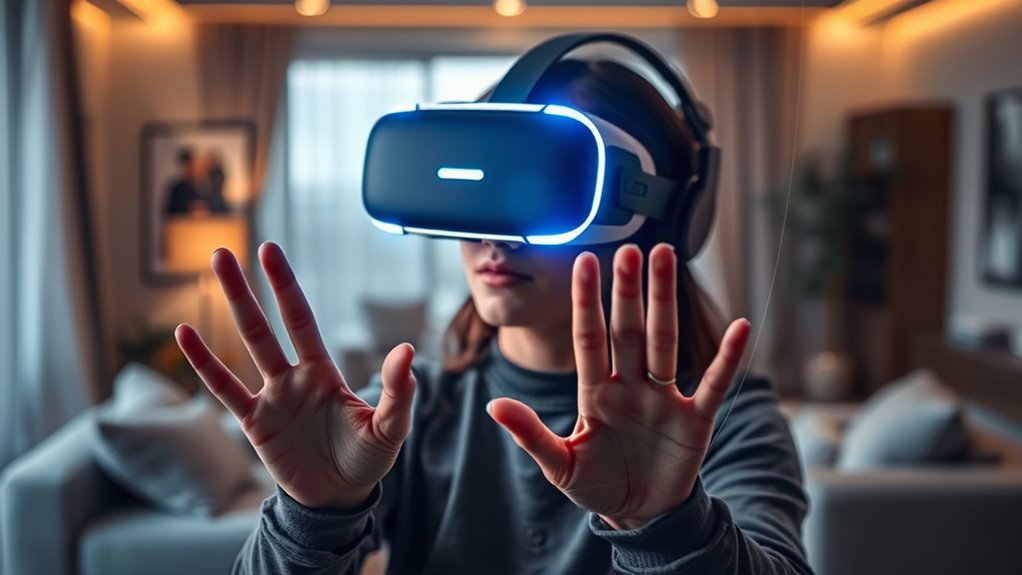
Virtual reality has transformed how we interact with digital environments, but it also raises important questions about personal space. When you’re immersed in a VR world, the boundaries between the virtual and physical can blur, making it essential to establish clear limits to ensure comfort and safety. One way VR developers address this is through haptic feedback, which provides physical sensations synced with your virtual interactions. When used correctly, haptic feedback can make experiences feel more real and immersive, but it also highlights the importance of respecting personal space—even in digital form. If someone’s avatar suddenly “touches” you or encroaches on your space, it can feel startling or invasive, especially if you’re not expecting it. That’s why understanding how haptic feedback is used and controlling its intensity can help you set boundaries during multiplayer sessions, preventing unwanted surprises.
Another critical aspect of managing personal space in VR is avatar customization. Your avatar represents your digital self, and customizing it allows you to define how you appear and how close others can get to you. By adjusting your avatar’s size, gestures, and proximity preferences, you can create a more comfortable virtual environment. For example, you might choose an avatar that’s less imposing or one that maintains a respectful distance from others. Many VR platforms now offer options to set personal space boundaries, which automatically limit how close other avatars can approach you. This feature helps prevent uncomfortable situations where someone might unintentionally invade your space, especially during lively multiplayer interactions. When you take control of avatar customization, you’re actively shaping your experience and making sure it aligns with your comfort levels.
Customizing your avatar’s size and gestures helps create a comfortable, respectful virtual space.
It’s also worth noting that in multiplayer VR, establishing personal space boundaries isn’t just about settings; it’s about communication. Letting others know your preferences—whether through in-game signals or pre-agreed gestures—can prevent awkward encounters. Some VR systems even include visual cues or notifications when someone enters your designated personal space, giving you the chance to respond or adjust accordingly. Combining these tools with thoughtful avatar customization and haptic feedback settings creates a safer, more respectful virtual environment.
Ultimately, managing personal space in VR requires a proactive approach. By understanding how haptic feedback can sometimes feel invasive and leveraging avatar customization options, you can craft an experience that feels secure and enjoyable. Setting boundaries isn’t about restricting others but about ensuring everyone can participate comfortably. When you take these steps, you help foster a respectful virtual community where personal space is valued, even in the digital domain. Additionally, familiarizing yourself with VR safety features can further enhance your comfort and security during multiplayer interactions.
VR avatar customization accessories
As an affiliate, we earn on qualifying purchases.
As an affiliate, we earn on qualifying purchases.
Frequently Asked Questions
How Do I Adjust Personal Space Settings in Different VR Platforms?
You can adjust personal space settings in different VR platforms through avatar customization and privacy settings. Start by accessing the settings menu, then look for options related to avatar interaction or privacy. Many platforms let you customize your avatar’s proximity preferences, so you can control how close others can get. Be sure to explore each platform’s specific menu, as options vary, ensuring your virtual space feels comfortable and secure.
What Are the Best Ways to Communicate Boundaries to Others in VR?
Oh, surely the art of boundary-setting in VR is best mastered by whispering sweet verbal cues or waving nonverbal signals like a seasoned diplomat. You should confidently tell others your comfort limits, using clear language, and reinforce with gentle gestures. Remember, consistency is key—so don’t be shy about repeating your boundaries, making sure they understand your personal space isn’t a free-for-all, even in virtual worlds.
Can Personal Space Boundaries Be Customized for Different Social Contexts?
Yes, personal space boundaries can be customized for different social contexts. You can adapt your personal space settings based on the environment or the people you’re interacting with, allowing for better social context adaptation. By adjusting these boundaries, you guarantee comfortable interactions whether you’re in a casual chat or a formal meeting. This customization helps you maintain appropriate distance and respect others’ comfort levels, enhancing your overall VR experience.
How Does VR Affect Real-World Personal Space Perceptions?
Think of virtual proximity as a fun mirror that reflects how you view personal space. VR can blur your sense of spatial awareness, making you less aware of real-world personal boundaries. When you spend time in virtual worlds, you might unconsciously carry those perceptions into reality, feeling comfortable with closer or farther distances. This shift can subtly reshape how you interpret personal space outside the headset, impacting your social interactions.
Are There Safety Features to Prevent Unwanted Physical Interactions in VR?
Yes, VR platforms include safety features to prevent unwanted physical interactions. They use spatial awareness technology to detect your movements and warn you of virtual harassment or accidental contact. These features can pause gameplay, mute or block users, and provide customizable boundaries. By actively monitoring your surroundings, VR helps you maintain control and guarantee a safer experience, reducing the risk of discomfort or unwanted virtual interactions.
As an affiliate, we earn on qualifying purchases.
Conclusion
As you dive deeper into virtual worlds, remember that personal space isn’t just a real-world concept—it’s a shared experience even in VR. Sometimes, a simple nudge or accidental intrusion can remind you that boundaries matter, just like in real life. So, stay mindful and respectful, because the lines between virtual and actual comfort often blur when you least expect it. After all, in both worlds, respecting space keeps everyone feeling safe and connected.
VR personal space boundary settings
As an affiliate, we earn on qualifying purchases.
As an affiliate, we earn on qualifying purchases.
As an affiliate, we earn on qualifying purchases.
Fall Picks
fall essentials
As an affiliate, we earn on qualifying purchases.